Prestashop: Installation error v1.7.6.1
Describe the bug
At the configuration step of installation process I'm getting an error:
1: Unable to write into "pl-PL"" (data layer : "PrestaShop\PrestaShop\Core\Data\Layer\AbstractDataLayer")
To Reproduce
Steps to reproduce the behavior:
- Initialize installation process
Screenshots
 krystian-3c
All 13 comments
Hi @krystian-3c,
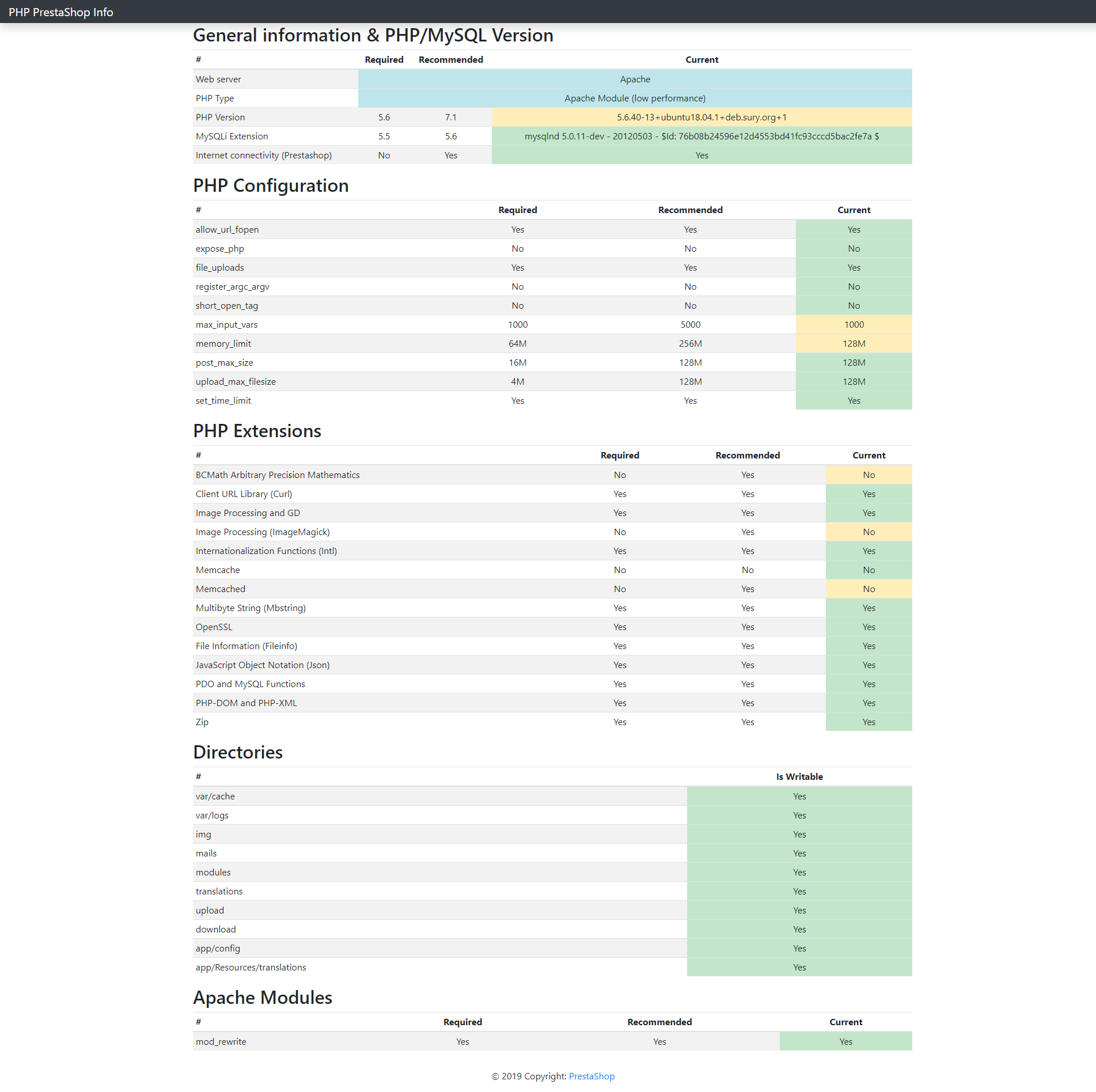
The memory_limit must be to a minimum of 256M.
Thanks to increase it in the PHP's config, check & feedback.
PR: https://github.com/PrestaShop/PrestaShop/pull/16527
Thanks!
 khouloudbelguith
on 25 Nov 2019
khouloudbelguith
on 25 Nov 2019
Error persists after raising the memory limit.
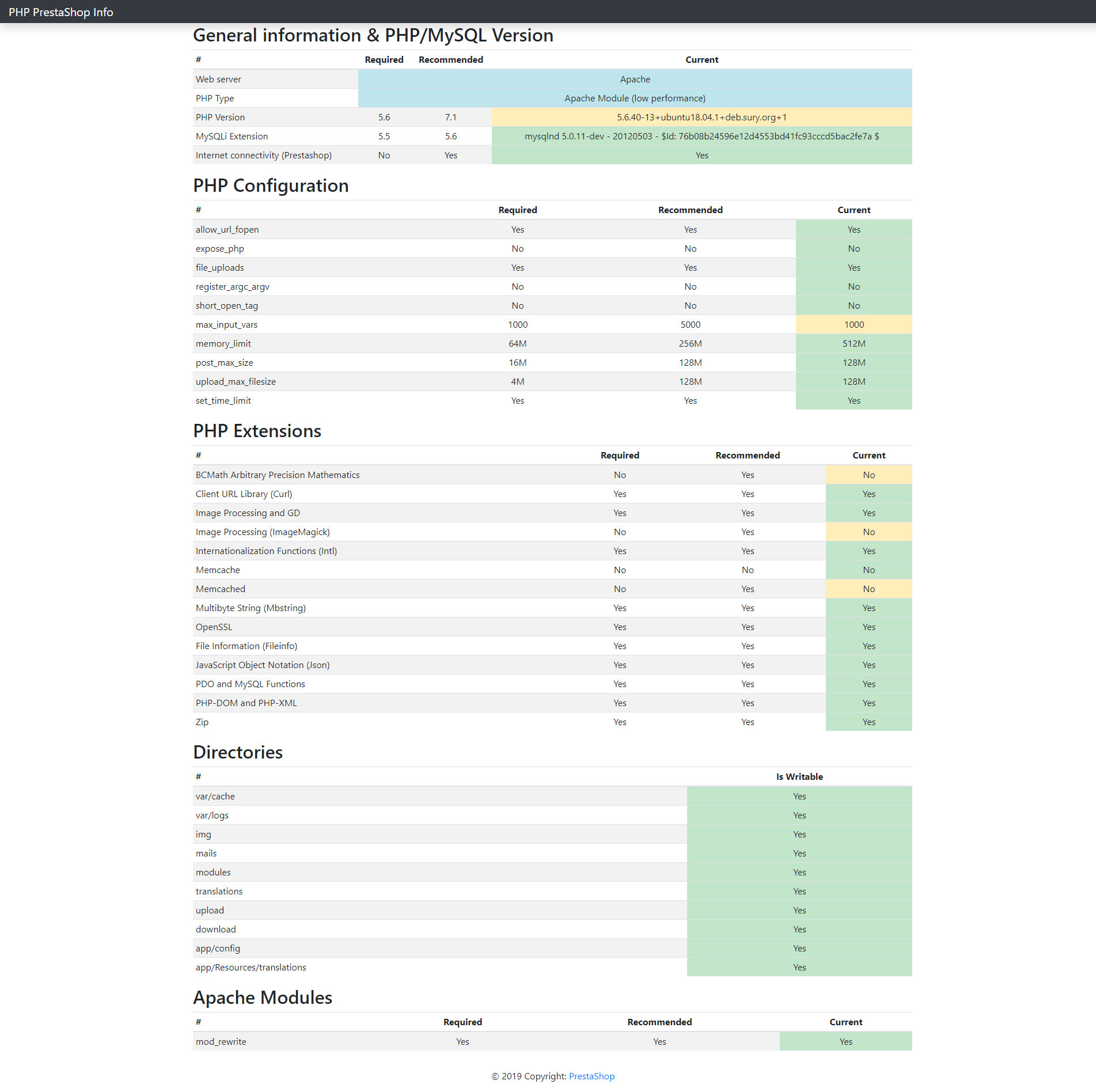
If the error relates to directory in app/Resources/translations folder access permissions are not the problem.
krystian-3c
on 26 Nov 2019
HI @krystian-3c,
In my case, I did not manage to reproduce the issue with PS1.7.6.1 with Poland's country & Polish language.
https://drive.google.com/file/d/1UpAfkwSfY55iGJtzS9hNk_fp7TARevXy/view
If the error relates to directory in app/Resources/translations folder access permissions are not the problem.
Thanks to check again your directory permission.
In the meantime, we need to retrieve the PHP error log and the debug mode report in order to find out what's wrong.
Thanks!
khouloudbelguith
on 26 Nov 2019
Same with PS1.7.6.2
There are no errors in apache error log.
It is not correlated with specific country/language.
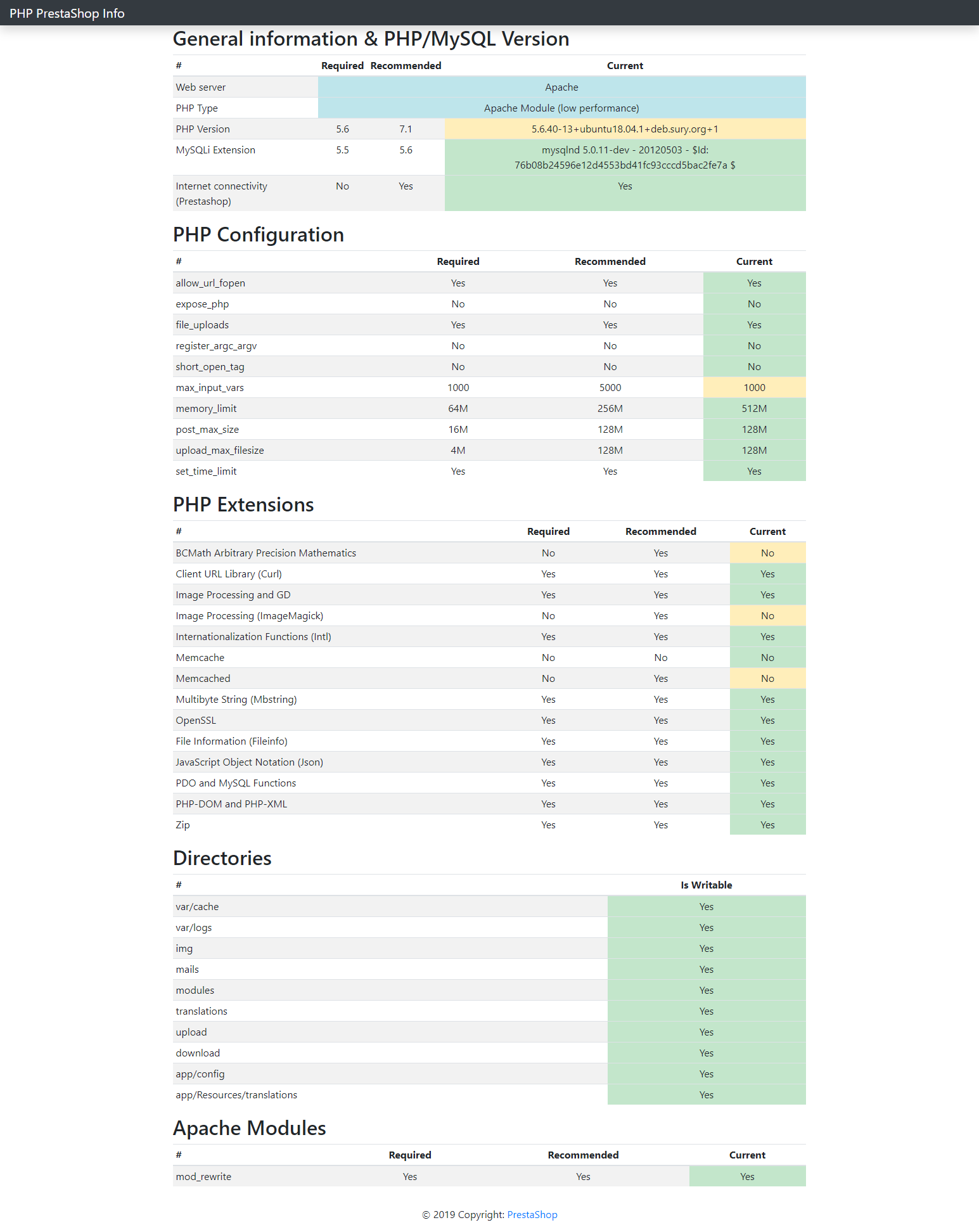
Permissions seems ok.
It could have something to do with the fact that it is running on Ubuntu on Windows - it is developer instance not a production one (https://www.microsoft.com/store/productId/9N9TNGVNDL3Q).


krystian-3c
on 15 Dec 2019
@krystian-3c, did you use OS windows10? and you are using Ubuntu on Windows?
Thanks!
khouloudbelguith
on 17 Dec 2019
yes
krystian-3c
on 20 Dec 2019
@krystian-3c, did you use Ubuntu 16.04 to 18.04?
Thanks!
khouloudbelguith
on 20 Dec 2019
Just like in link I provided above. Ubuntu 18.04.2 LTS.
krystian-3c
on 20 Dec 2019
@krystian-3c, thanks for your feedback.
I will try to prepare an environment similar to yours, check & feedback.
Thanks!
khouloudbelguith
on 20 Dec 2019
Hi @krystian-3c,
When using this environment: Windows 10 - Ubunutu 18.04TLS, did you find any problems during the Mysql installation?
In my case, the MySQL service cannot be started.
Thanks!
khouloudbelguith
on 25 Dec 2019
I didn't come across any problem related with the fact that it is a virtualization.
The problem was that i tried to install PS on mounted drive.
/mnt/c/(...)
I guess the problem was related with windows file permissions rather then linuxes (file permissions looked good from linux perspective).
When I moved instance folder from /mnt to /var/www everything worked fine.
krystian-3c
on 3 Jan 2020
@krystian-3c, Thanks for your feedback.
Feel free to open a new one when needed.
Thanks!
khouloudbelguith
on 3 Jan 2020
The problem is related to mounted files permissions.
It's convenient to use mounted drives, so here is a solution:
https://www.turek.dev/post/fix-wsl-file-permissions/
Remember to restart (relogin) your Windows.
krystian-3c
on 17 Jan 2020
Related issues
 PrestaShark
·
3Comments
PrestaShark
·
3Comments
 hiousi
·
3Comments
khouloudbelguith
·
3Comments
hiousi
·
3Comments
khouloudbelguith
·
3Comments
 matks
·
3Comments
matks
·
3Comments
 wikao2
·
3Comments
wikao2
·
3Comments