Prestashop: blockreassurance: svg not supported
- Create a new reassurance block with an svg file attached : the block is not created and there is no error message.
- Modify an existing reassurance block and upload an svg file : the file is not used and no error message.
Svg should be supported because it's the recommended format: "Choose SVG for best customization."
It works well with jpeg files.
 jf-viguier
All 9 comments
Hi @jf-viguier,
Yes, PrestaShop doesn't support SVG.
Your ticket is a duplicate of #10600
So, I close it.
Thanks!
 khouloudbelguith
on 14 Oct 2019
khouloudbelguith
on 14 Oct 2019
It's not a duplicate of #10600 : I'm talking about blockreassurance module only and it recommend svg format.
jf-viguier
on 14 Oct 2019
@khouloudbelguith The module blockreassurance is supposed to handle SVG (I think)
 matks
on 14 Oct 2019
matks
on 14 Oct 2019
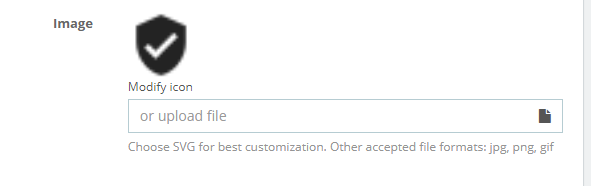
Just open the block page and see.
jf-viguier
on 14 Oct 2019
@jf-viguier, sorry, it is my fault.
I just re-opened the issue.
khouloudbelguith
on 14 Oct 2019
@jf-viguier, thanks for these clarifications.
I manage to reproduce the issue with PS1.7.6.1 & PS1.7.5.2 & blockreassurance v4.1.1.
https://drive.google.com/file/d/1BFRYF9iHMztbHnWuoCVK0fNAlSdZ6W1X/view
With blockreassurance v3.0.1, I have other behavior, when I add a new block with svg logo => click on save => redirection to empty page => Configure the module again => OK
https://drive.google.com/file/d/1m7BMEtJTU8Y4aFEtNEGXQRZhtKPzyYx9/view
I’ll add this to the debug roadmap so that it’s fixed. If you have already fixed it on your end or if you think you can do it, please do send us a pull request!
Thanks!
khouloudbelguith
on 14 Oct 2019
ping @Progi1984
khouloudbelguith
on 15 Oct 2019
Fixed in PrestaShop/blockreassurance#35
 Progi1984
on 15 Nov 2019
Progi1984
on 15 Nov 2019
Thanks @Progi1984
jf-viguier
on 15 Nov 2019
Related issues
 Prestaworks
·
3Comments
matks
·
3Comments
Prestaworks
·
3Comments
matks
·
3Comments
 hiousi
·
3Comments
hiousi
·
3Comments
 wikao2
·
3Comments
wikao2
·
3Comments
 vincent-dp
·
3Comments
vincent-dp
·
3Comments
Most helpful comment
@khouloudbelguith The module blockreassurance is supposed to handle SVG (I think)