Prestashop: Bad price amount when specific prices by quantity are applied and delivery address is on a country with price with tax excluded
Describe the bug
When a product has specific prices by quantity and customer has a delivery address in a country where prices are tax excluded, a bad price amount is applied.
It occures only when specific prices are configured "amount" and "tax included".
To Reproduce
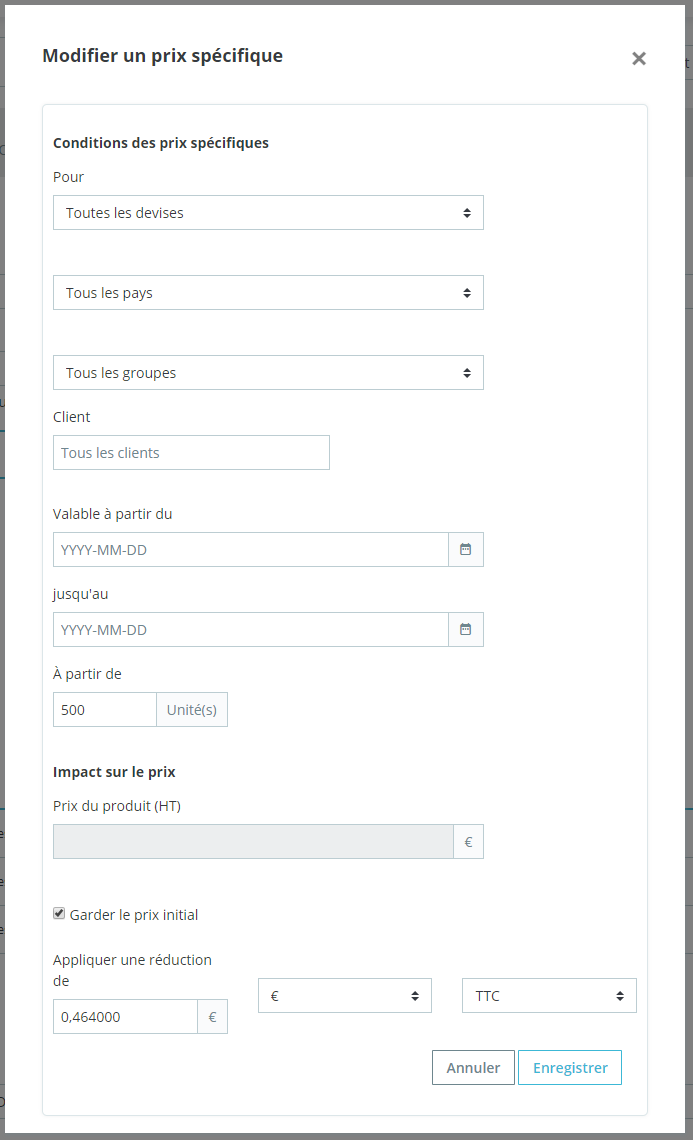
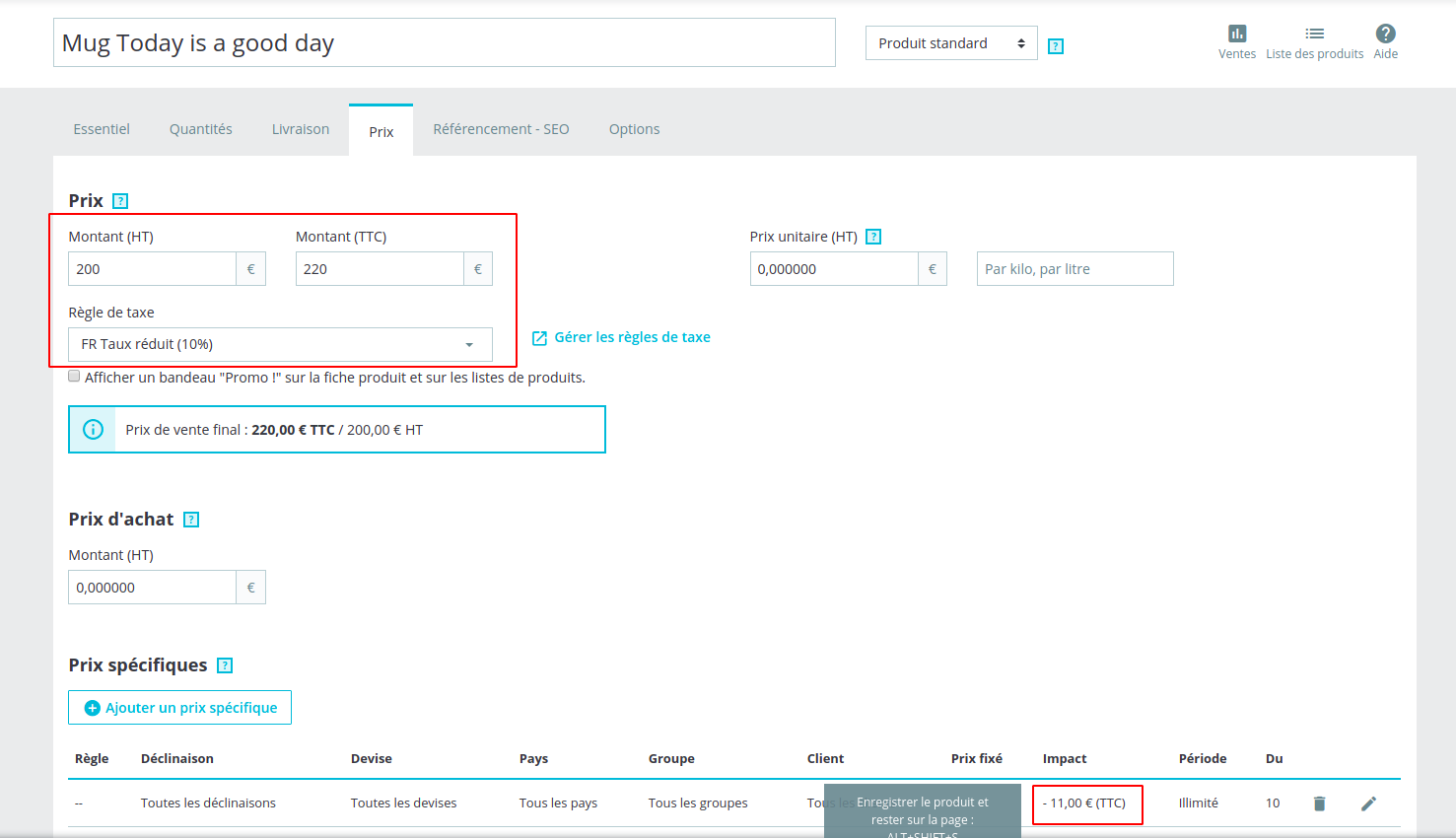
- In back office: set up a product with specific prices by quantity with "amount" and "tax INCLUDED"
- On front office, try to order a product with specific prices configured before
- Go to cart
- Go to checkout
- Register an address in a country where no taxes
- Validate addresse
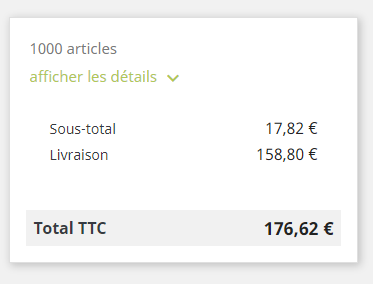
=> you see the products subtotal with a bad amount
Screenshots
Back office configuration:
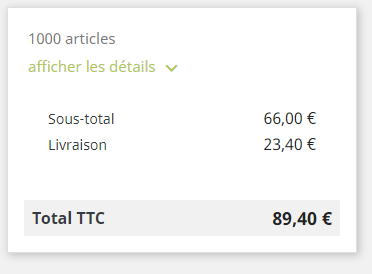
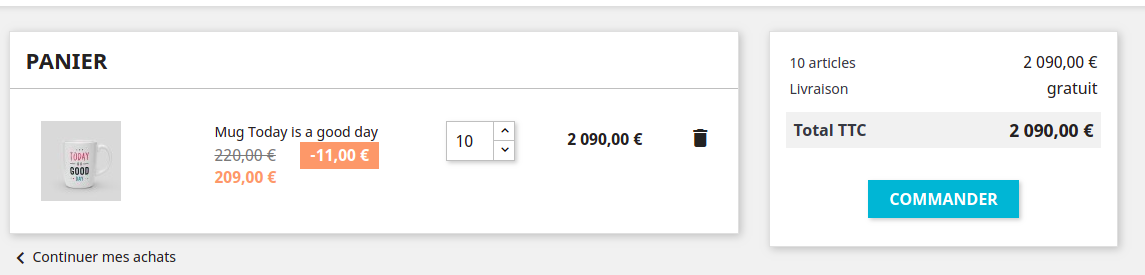
Order with country with tax included:
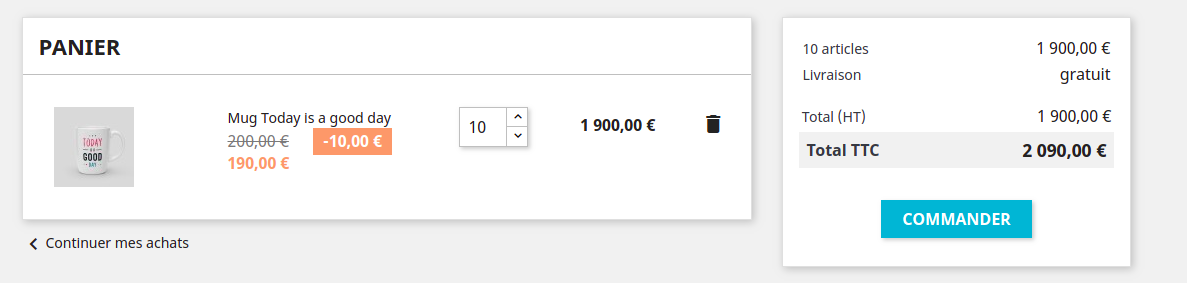
Order with country with tax excluded => bad price !
Additional information
PrestaShop version: 1.7.6.1
PHP version: 7.2
It seems this bug occurs in file classes/tax/TaxCalculator.php in the function "getTotalRate" because, when a country is excluded tax, this function return "0" so, the amount of specific prices stays included tax instead of excluded tax.
 bm-services
All 10 comments
Hi @bm-services,
Thanks for your report.
I manage to reproduce the issue with PS1.7.6.1 & PS1.7.5.2
It is displayed like this
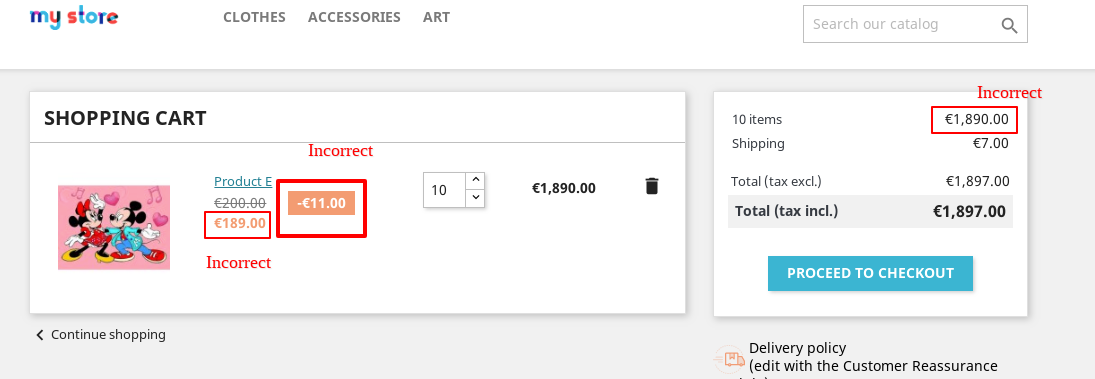
But it is incorrect
It should be like this
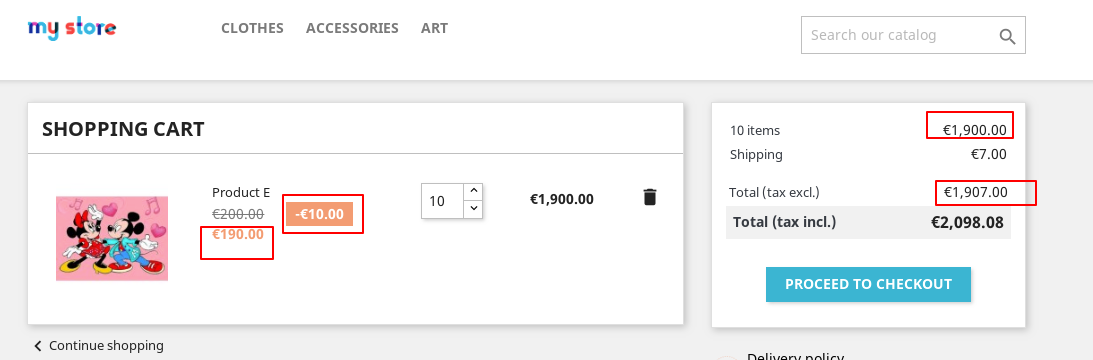
If I try to change the "Price display method" of your customer to "Tax excluded" => It is OK
I’ll add this to the debug roadmap so that it’s fixed. If you have already fixed it on your end or if you think you can do it, please do send us a pull request!
Ping @marionf, this issue should be added to this epic: https://github.com/PrestaShop/PrestaShop/issues/15816
Thanks!
 khouloudbelguith
on 14 Oct 2019
khouloudbelguith
on 14 Oct 2019
@khouloudbelguith Could you please add some details here:
- What is the product price tax excluded ?
- What is the VAT for the product ?
- The specific price is in amount tax included ?
- Prices are displayed tax included or excluded ?
 marionf
on 14 Oct 2019
marionf
on 14 Oct 2019
Hi @marionf,
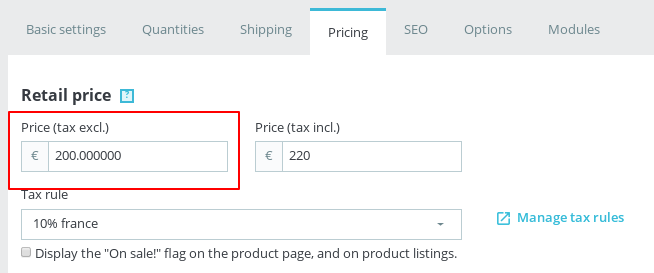
What is the product price tax excluded?
It is 200 Euro
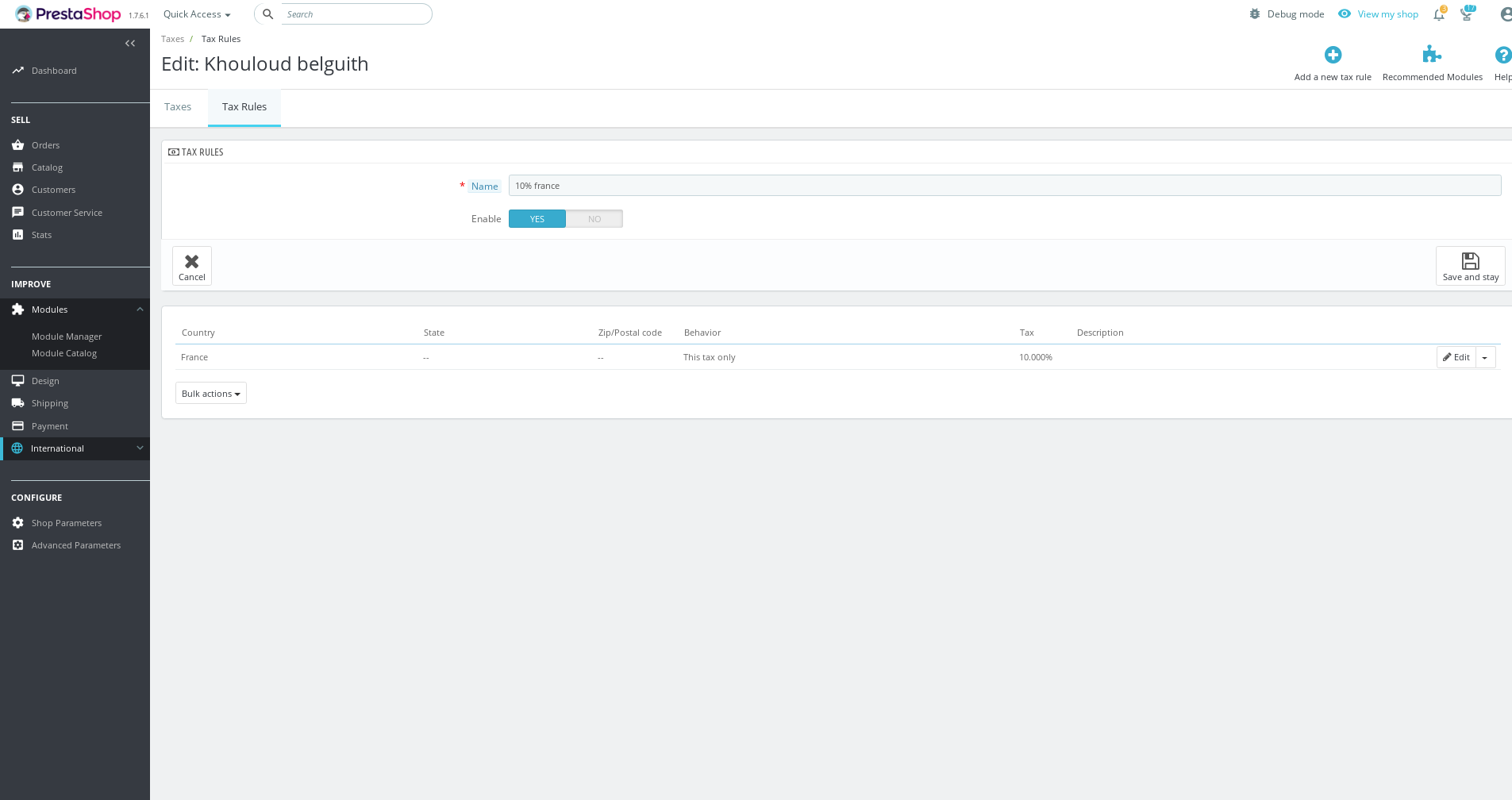
What is the VAT for the product
10% only for France
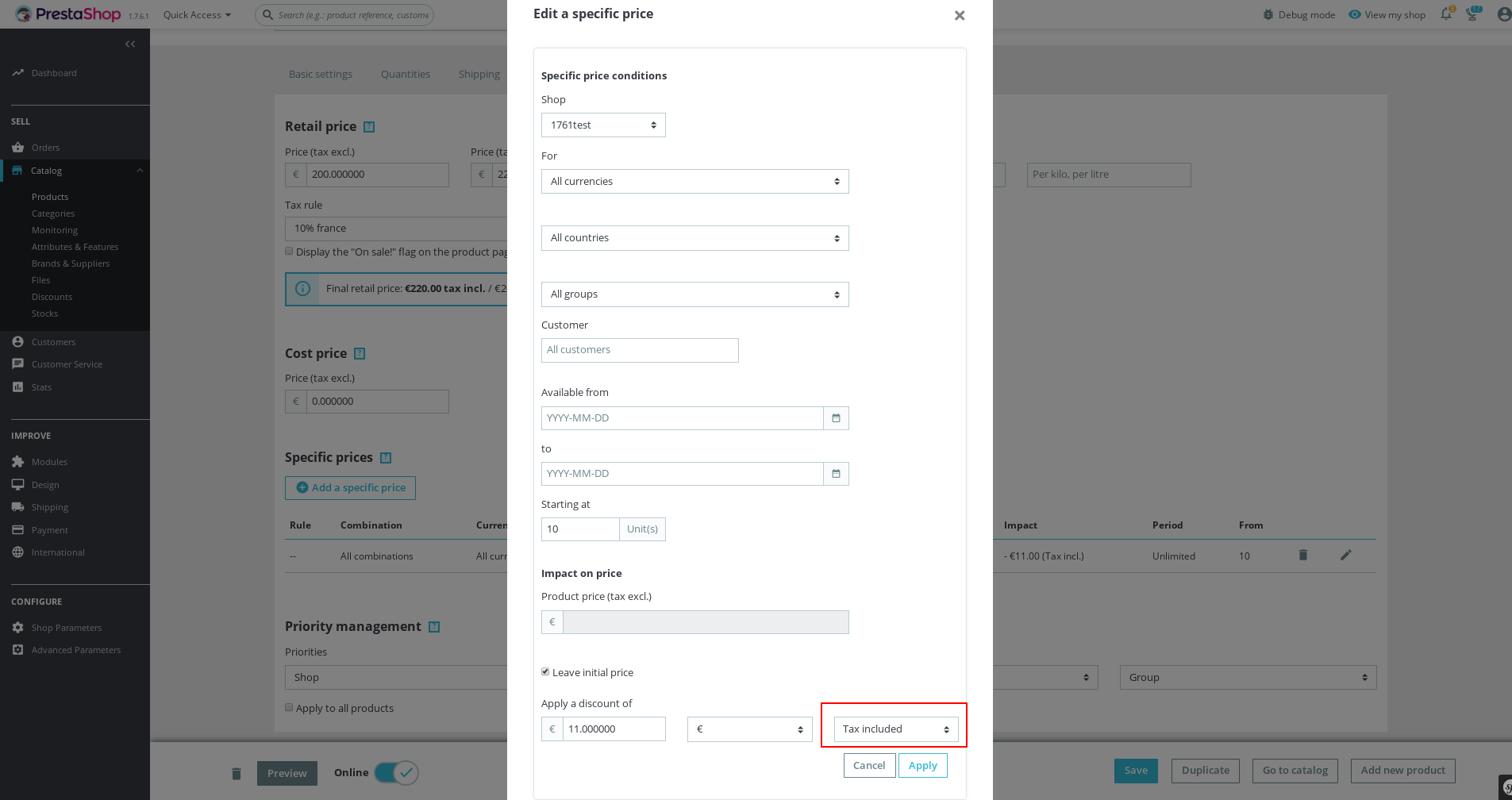
The specific price is in amount tax included?
Yes, it is Tax included
Prices are displayed tax included or excluded ?
It is Tax included.
Thanks!
khouloudbelguith
on 14 Oct 2019
@khouloudbelguith
I can't reproduce the issue with 1.7.6.1
Prices are displayed tax included
Prices are displayed tax excluded
marionf
on 15 Oct 2019
Did you use an address with a country where you don't pay taxes ?
bm-services
on 15 Oct 2019
Hi @marionf,
In your case, you need to select an address in a country where no taxes in the second step (checkout page) => so prices will be displayed in tax excluded.
https://drive.google.com/file/d/1elIL66i4QbPaRcfmv3yFORignbXdSQLr/view
Thanks!
khouloudbelguith
on 15 Oct 2019
@khouloudbelguith @bm-services
Ok, I understand.
However, this is normal behavior as you defined a discount of 11€ tax included, if there is no tax in the country it's equal to 11€ tax excluded. You need to create 2 specific prices, 1 for each country or define your specific price tax excluded
marionf
on 15 Oct 2019
Ok but product prices are wrong, in my example: 17.8€ instead of 66€ for a tax at 10%.
bm-services
on 15 Oct 2019
@bm-services
Did you try to configure 2 specific prices (one for each country) or a specific price with tax excluded ?
It should solve your problem
marionf
on 15 Oct 2019
This is not ideal because my customer sells in 22 countries that must be tax excluded and I have 3 specific prices per product, on more than 2000 products...
I preferred to fix changing my discount amounts to be tax excluded but I think that the with tax option should not be proposed or so we must review the calculations to avoid having the problem that I put here.
bm-services
on 16 Oct 2019
Related issues
 vincent-dp
·
3Comments
khouloudbelguith
·
3Comments
vincent-dp
·
3Comments
khouloudbelguith
·
3Comments
 matks
·
3Comments
matks
·
3Comments
 centoasa
·
3Comments
centoasa
·
3Comments
 wikao2
·
3Comments
wikao2
·
3Comments