Describe the bug
Hi, after translation on emails I get emails that you can not read. I don't know what is the reason for this. Every email I get is this way. This happened right after translations.
Screenshots

Additional information
PrestaShop version: 1.7.6.1
PHP version: 7.1.32
 sotirisa
All 8 comments
Hi @sotirisa,
I did not manage to reproduce the issue with PS1.7.6.1.
It is OK & the email is well displayed after the translation.
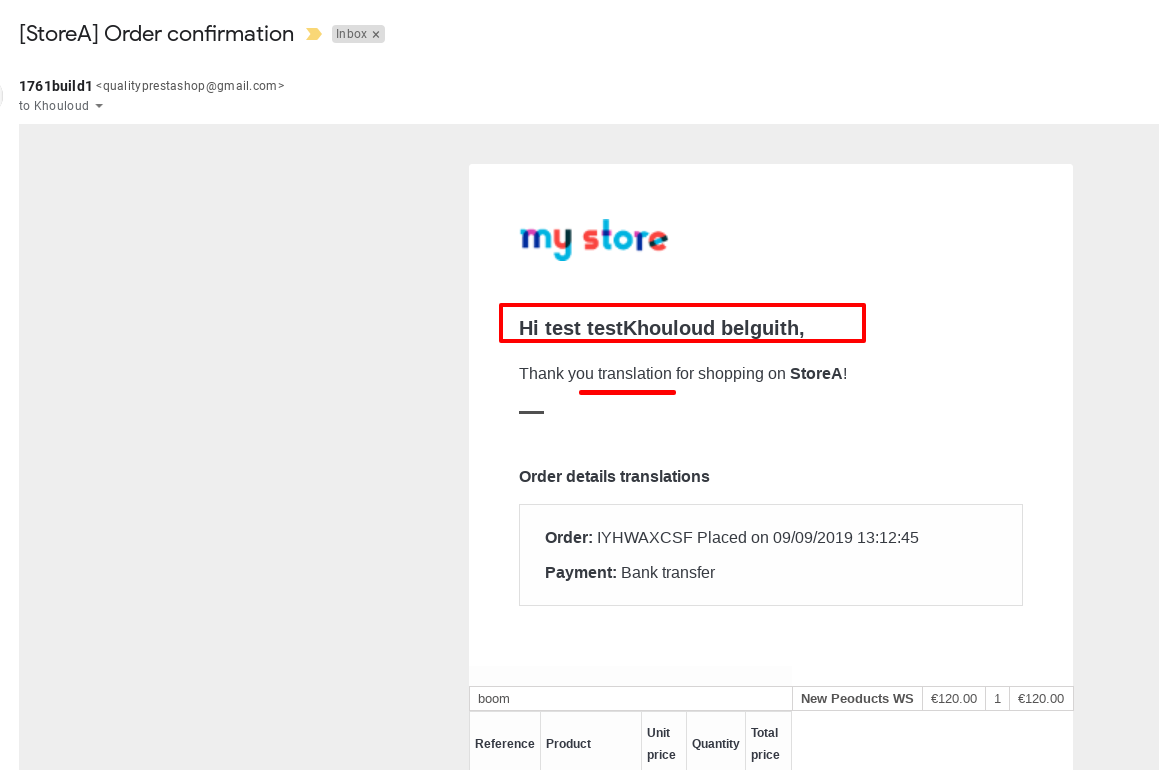
Could you please provide the exact steps that you have done to reproduce the issue.
What is the exact type of this email? order_conf, ..?
Thanks!
 khouloudbelguith
on 9 Sep 2019
khouloudbelguith
on 9 Sep 2019
Hi,
After the translations in greek I try to make an account the mail that I received was like that.
This text that I send you is from test email. I go to Advanced parameter->Email->Test your email configuration. I put my email and I received this:

All the emails that I test like new account, new order comes like this. I think is something with UTF but I don't know for sure.
sotirisa
on 9 Sep 2019
@sotirisa,
Thanks for your feedback.
I manage to reproduce the issue with PS1.7.6.1 & PS1.7.5.2 with Greek language / or we add some special characters in the test message
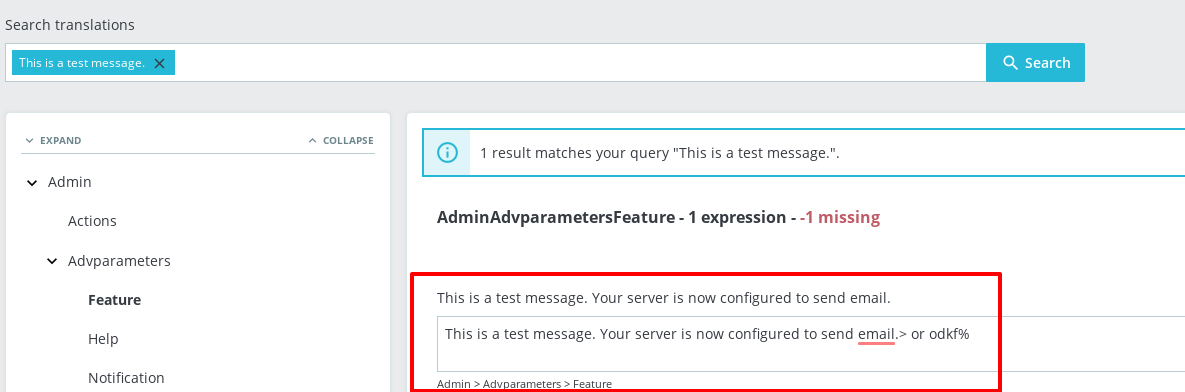

With the Greek language
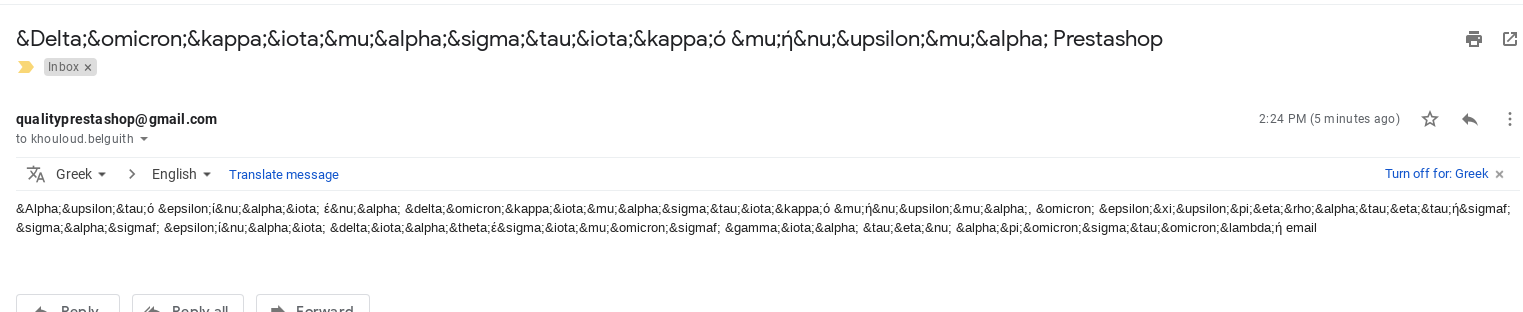
I’ll add this to the debug roadmap so that it’s fixed. If you have already fixed it on your end or if you think you can do it, please do send us a pull request!
Thanks!
Related to https://github.com/PrestaShop/PrestaShop/issues/9726
khouloudbelguith
on 9 Sep 2019
I couldn't fix it and I don't know if I can. If I'll make it I'll write back to you.
sotirisa
on 9 Sep 2019
Hi, do we know when this is gonna fix?
sotirisa
on 18 Sep 2019
Hi @sotirisa,
Sorry not yet.
There are some major issues to solve before this one.
So, it will probably not solved right now.
But PrestaShop is an open-source project, so it can be solved before if someone submits a pull request to solve it.
Thanks!
khouloudbelguith
on 18 Sep 2019
Hi,
For this I found a soution that it works. You must go and translate the mails files from themes/YOURTHEME/mails.
When I translate this everything is ok. I don't know if this is the right solution but from now it works.
sotirisa
on 7 Nov 2019
Same issue with frensh translation
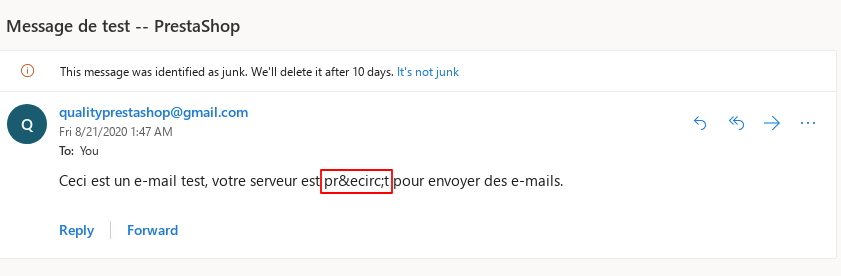
khouloudbelguith
on 21 Aug 2020
Related issues
 rGaillard
·
3Comments
khouloudbelguith
·
3Comments
rGaillard
·
3Comments
khouloudbelguith
·
3Comments
 vincent-dp
·
3Comments
vincent-dp
·
3Comments
 marionf
·
3Comments
marionf
·
3Comments
 centoasa
·
3Comments
centoasa
·
3Comments