Prestashop: Order cannot offer FULL Refund in 1.7.5.1
I am new to Prestashop 1.7.5 but has been using 1.6 for few years.
In PS 1.6, order can be FULLY refund or partial refund as soon as the order has not been delivered, But, in 1.7.5, NO FULL refund button is available. Partial refund is available.
To Reproduce
Steps to reproduce the behavior:
- Create an order with paypal payment
- Order can be created successfully.
- No FULL Refund fucntion in BO -> Order
- For Partial refund, refund all mount of product and shipping cost. Only Amount of product is refunded successful to paypal.
- Try to set the status as "REFUNDED" after I did the refund in paypal directly. Status "refunded" cannot be set.
Screenshots
If applicable, add screenshots or screenrecords to help explain your problem.
Additional information
PrestaShop version: 1.7.5.1
PHP version: 7.3.7
 dtwfung
All 15 comments
Hi @dtwfung,
In your BO => Customer Service => Marchandise Returns => thanks to enable this oprion "Enable returns"

Also PrestaShop is not compatible with PHP 7.3, in fact, PrestaShop 1.7.0 to 1.7.3 is compatible with PHP 7.1 and PrestaShop 1.7.4 & 1.7.5 are compatible with PHP 7.2.
For more details, you can follow this link: http://build.prestashop.com/news/prestashop-1-7-is-moving-to-symfony-3-4-and-php-5-6/
Thanks to downgrade your version PHP.
 khouloudbelguith
on 2 Sep 2019
khouloudbelguith
on 2 Sep 2019
Thx for prompt response. I used PHP 7.1 before but did not have Marchandise Returns enabled.
I have downgraded to PHP 7.1 and enabled the option. Now I see the refund button. Will do more testing on it.
dtwfung
on 2 Sep 2019
@dtwfung, thanks for your feedback.
Feel free to open a new one when needed.
Thanks!
khouloudbelguith
on 2 Sep 2019
In PS 1.7.5.1, when I enabled Marchandise Returns.
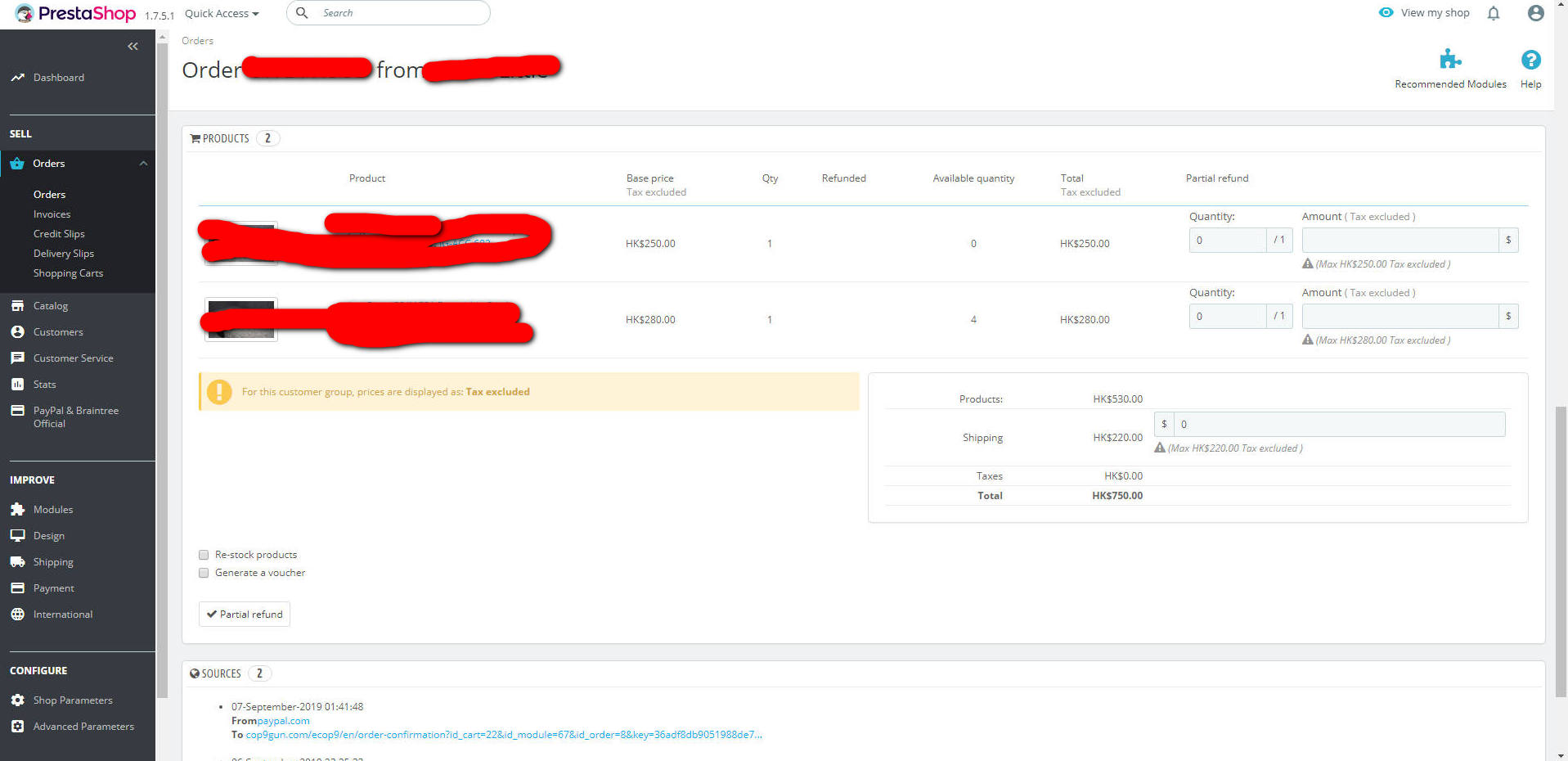
There are TWO refund buttons, "Standard Refund" & "Partial Refund".
When I click "Partial Refund", It allows me to enter the refund amount of product and shipping cost...
However, in "Standard Refund", it ONLY allows me to enter refund amount of product but NOT the shipping cost. Will it refund the shipping cost BY DEFAULT ?!
See attached screen for "Standard Refund" & "Partial Refund" in my actual system respectively

Thanks
dtwfung
on 7 Sep 2019
Hi @dtwfung,
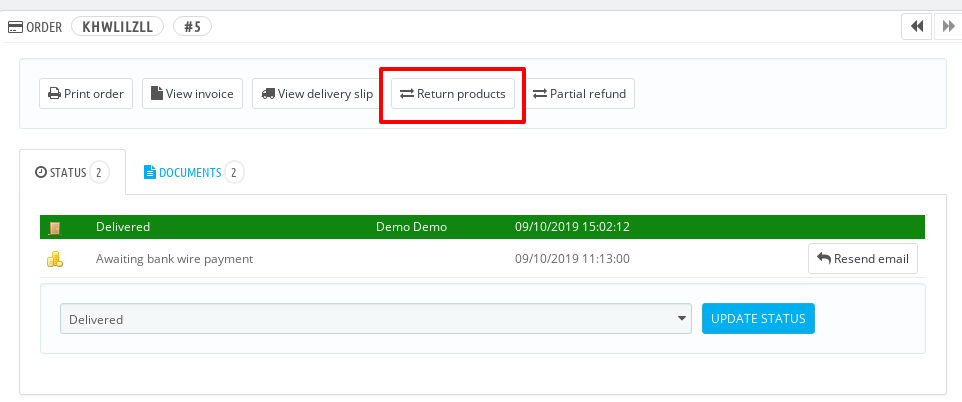
The standard return is used to return products only.
Thanks!
khouloudbelguith
on 10 Sep 2019
I see.
So, I can perform FULL refund in the "Partial refund" ?!
dtwfung
on 11 Sep 2019
@dtwfung,
Standard refund. Available once the order reaches the "Payment accepted" status. Not available once the products have been sent.
To be used when you need to refund the totality of the order, and can be done as long as the products are still in your warehouse.
Click the "Standard refund" button and a new column will appear in the product list, titled "Refund". Set the amount and quantity for each of the affected products, choose one of the options at the bottom of the list (see below), and click the "Refund products" button at the bottom of the table.Partial refund. Available once the order reaches the "Payment accepted" status.
To be used when you need to refund only part of the order and not the whole order, either because the customer returned the ordered product, or simply as a sign of goodwill for a damaged product that the customer chose to keep anyway.
Click the "Partial refund" button and a new column will appear in the product list, titled "Partial refund". Set the amount and quantity for each of the affected products, choose one of the options at the bottom of the list (see below), and click the "Partial refund" button at the bottom of the table.- Return products. Available once the order reaches the "Shipped" status. PrestaShop must be set to accept merchandise returns, which is in the Customer Service > Merchandise Returns page, with the "Enable returns" option.
To be used only when the customer has effectively returned products: once the returned product has been received, you can mark it as returned directly in the order form.
Click the "Return products" button and a new column will appear in the product list, titled "Return". Check the box of the affected products, indicate the quantity of items that were returned, and click the "Return products" at the bottom of the table.
khouloudbelguith
on 11 Sep 2019
Wonderful! Thanks for your great help.
dtwfung
on 11 Sep 2019
@dtwfung, thanks!
Feel free to open a new one when needed.
khouloudbelguith
on 11 Sep 2019
I have tried once again. For refund WHOLE order, I have selected all products in the order and then click refund. The process seems completed since NO message showed me, at least order status should change...
What I found is
- The order amount had refunded in PayPal (I have to login and check there.)
- In PS, I have to check in the logs in PS' paypal configuration.
Then, I have to change the order status to "refunded" myself manually..
Is it work as designed ?
Thx
dtwfung
on 7 Dec 2019
Hi @dtwfung,
So, did you follow these steps:
- Click on "Return products"
- Select all products
- Click on the Return products
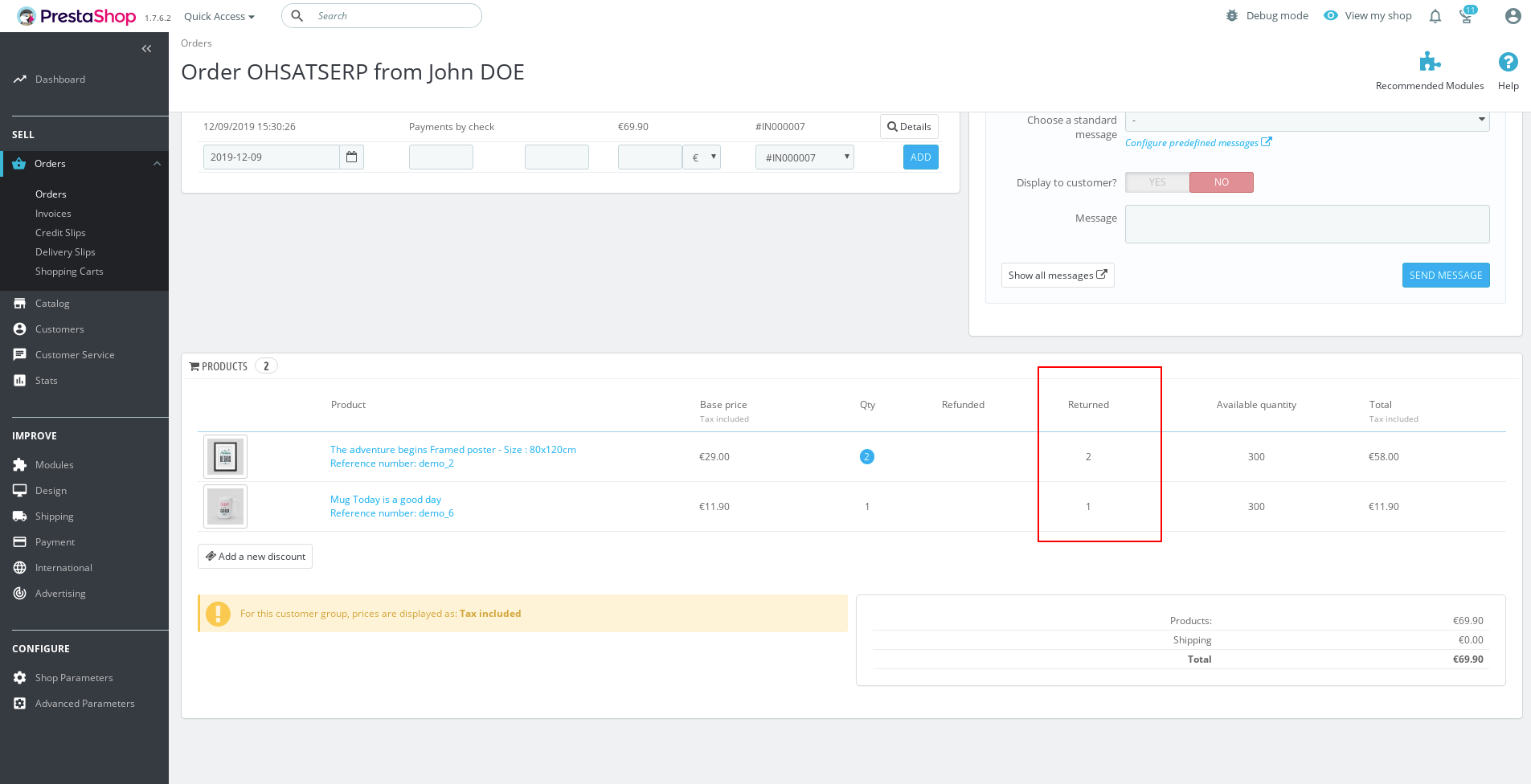
As described in the screenshot?

The process seems completed since NO message showed me
In my case, I have this alert "The discount was successfully generated."

And I have this section
Thanks!
khouloudbelguith
on 9 Dec 2019
Yes, the message is just pop up. When,the discount message pop up, the refund should be completed in paypal, should the status change to "refunded" automatically.
Thx again
dtwfung
on 10 Dec 2019
@dtwfung, but Refunded status should be updated only if you have all your products, isn't?
If you just refunded one specific product?
Thanks!
khouloudbelguith
on 10 Dec 2019
I see. Thx for your help.
dtwfung
on 11 Dec 2019
@dtwfung, thanks for your feedback.
khouloudbelguith
on 11 Dec 2019
Related issues
khouloudbelguith
·
3Comments
 rGaillard
·
3Comments
rGaillard
·
3Comments
 esistgut
·
3Comments
esistgut
·
3Comments
 vincent-dp
·
3Comments
vincent-dp
·
3Comments
 sandra2n
·
3Comments
sandra2n
·
3Comments