Prestashop: 1.7.6 Back office freeze after rebuild entire search index
After clicking on rebuild entire search index in the search tab. Our backoffice freezes.
In the back ground the index gets updated, but its impossible to go to another tab. Even when the page is closed in the same browser then BO is still frozen. Only way to get back in to BO is via a different browser. I tried in safari and chrome and vice versa.
PrestaShop version: 1.7.6
PHP version: 7.2
 01park
All 25 comments
Hi @01park,
I did not manage to reproduce the issue with PS1.7.6.0.
https://drive.google.com/file/d/1CkJuP86GlTp_-m7iNQdZJ3XG4CYMfrnY/view
Could you please provide us with more info? We need more details to understand how we can reproduce your issue:
- host
- server setup and configuration
- debug mode report
- PHP error logs
- apache error log
- javascript console log
- screenshots
Don't you know how to get this information? Please read the following article:
http://build.prestashop.com/howtos/misc/how-to-create-bug-report/
Thanks!
 khouloudbelguith
on 20 Aug 2019
khouloudbelguith
on 20 Aug 2019
Hi @khouloudbelguith
I see no error with debug turned on. That said, since the BO freezes I have no control over anything.
Before I click on the rebuild option, the debug mode showed no errors.
Also, this is something I mentioned before. After saving an item the index never is update.
prestashop 1.7.6 multistore on
HOST: godaddy (VPN server)
PHP 7.2
All packages for PHP installed

01park
on 20 Aug 2019
@01park, "All shops" is selected in your case?
https://drive.google.com/file/d/1OSrYY1Df1u4YgXkwuBqCYftxo9G-mjtP/view
Thanks!
khouloudbelguith
on 20 Aug 2019
@khouloudbelguith
Correct, ALL SHOPS are selected
01park
on 20 Aug 2019
@01park, We need to retrieve the PHP error log in order to find out what's wrong.
If you don't have it, you should ask your hosting provider.
Thanks!
khouloudbelguith
on 20 Aug 2019
@khouloudbelguith
I will contact them.
01park
on 20 Aug 2019
@01park, thanks!
Waiting for your feedback.
khouloudbelguith
on 20 Aug 2019
Hi @01park,
Since we had no news from you for more than 30 days, I'll close this ticket. Feel free to open another one if you can give specific details.
Thanks!
khouloudbelguith
on 19 Sep 2019
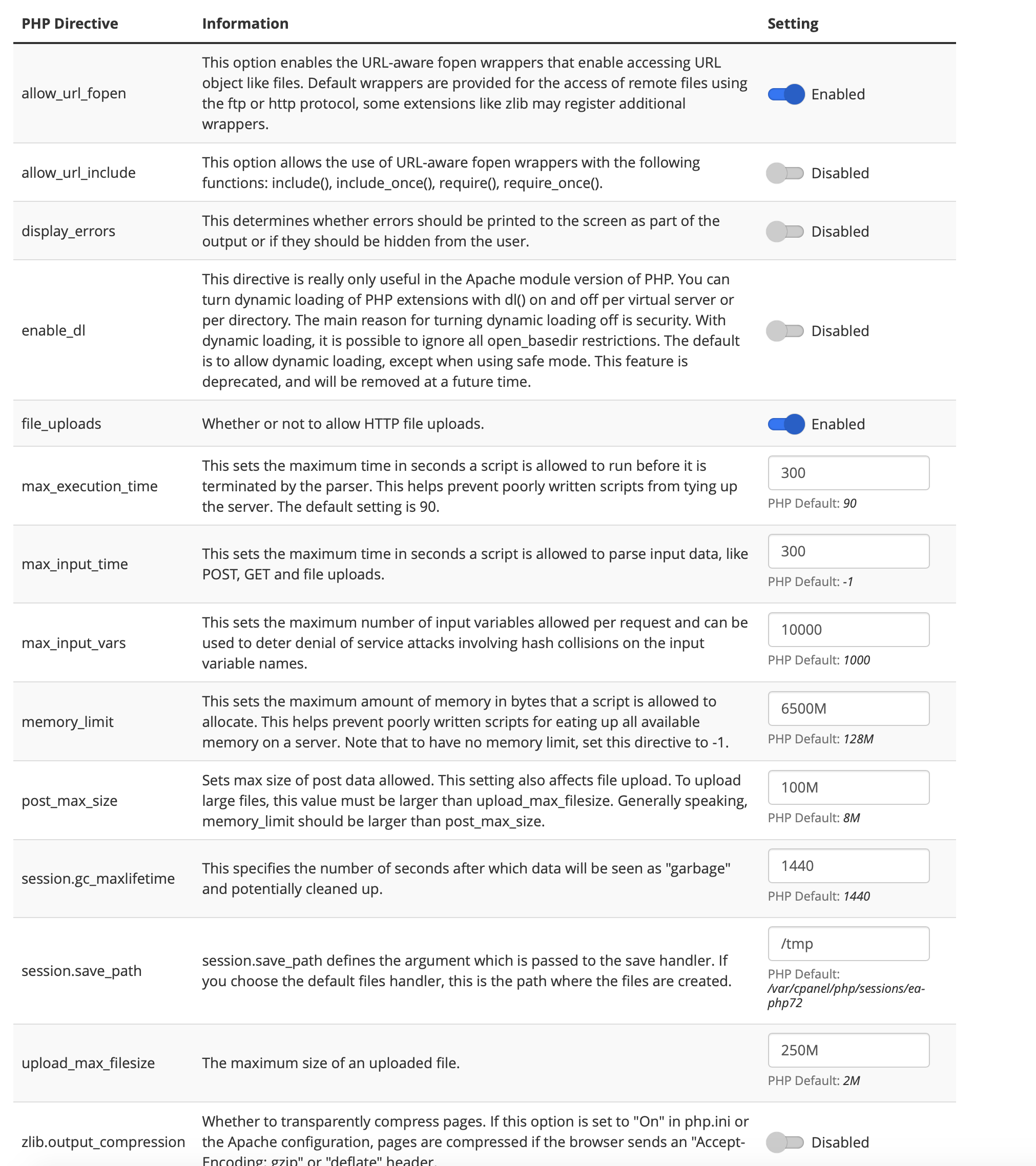
Hi,
Im still having this issue with 1.7.6.2. Maybe you can help with:
I attached a screen shot of my php.ini file, is this what you're looking for?,
Do I need to have a certain PHP extension installed to make the work?
01park
on 16 Jan 2020
Hi @01park,
We need to retrieve the PHP error log and the debug mode report in order to find out what's wrong.
Don't you know how to get this information? Please read the following article:
http://build.prestashop.com/howtos/misc/how-to-create-bug-report/
Thanks!
khouloudbelguith
on 16 Jan 2020
Hi @khouloudbelguith
I don't understand where to get the error log files from. Do I need to get them by SSH?
01park
on 16 Jan 2020
@01park, To turn on the Debug mode on PrestaShop 1.7, follow these steps:
- Got to Advanced Parameters > Performance
- In the Debug Mode section, set “Debug Mode” to “Yes”.
- Click the “Save” button.
You can find logs in the path /Project_Folder/var/logs/.
Thanks!
khouloudbelguith
on 16 Jan 2020
Where do I find this?
"You can find logs in the path /Project_Folder/var/logs/."
Is this in file management?
01park
on 16 Jan 2020
@01park, your Project folder PrestaShop: https://github.com/PrestaShop/PrestaShop/tree/develop/var/logs
Thanks!
khouloudbelguith
on 16 Jan 2020
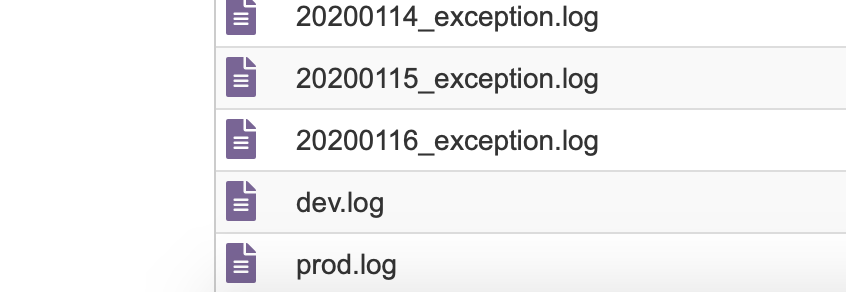
Is this what your looking for, I found it in var/logs
01park
on 16 Jan 2020
@01park, yes!
Thanks!
khouloudbelguith
on 16 Jan 2020
so what exactly do you need? with file?
Question can I delete all these files? incl. dev. log and prod.log.
Second piece of information, when I clear cache, the same thing happens. browser becomes non responsible until the cache is emptied
01park
on 16 Jan 2020
@01park, thanks to provide me dev.log & prod.log.
Thanks!
khouloudbelguith
on 16 Jan 2020
01park
on 16 Jan 2020
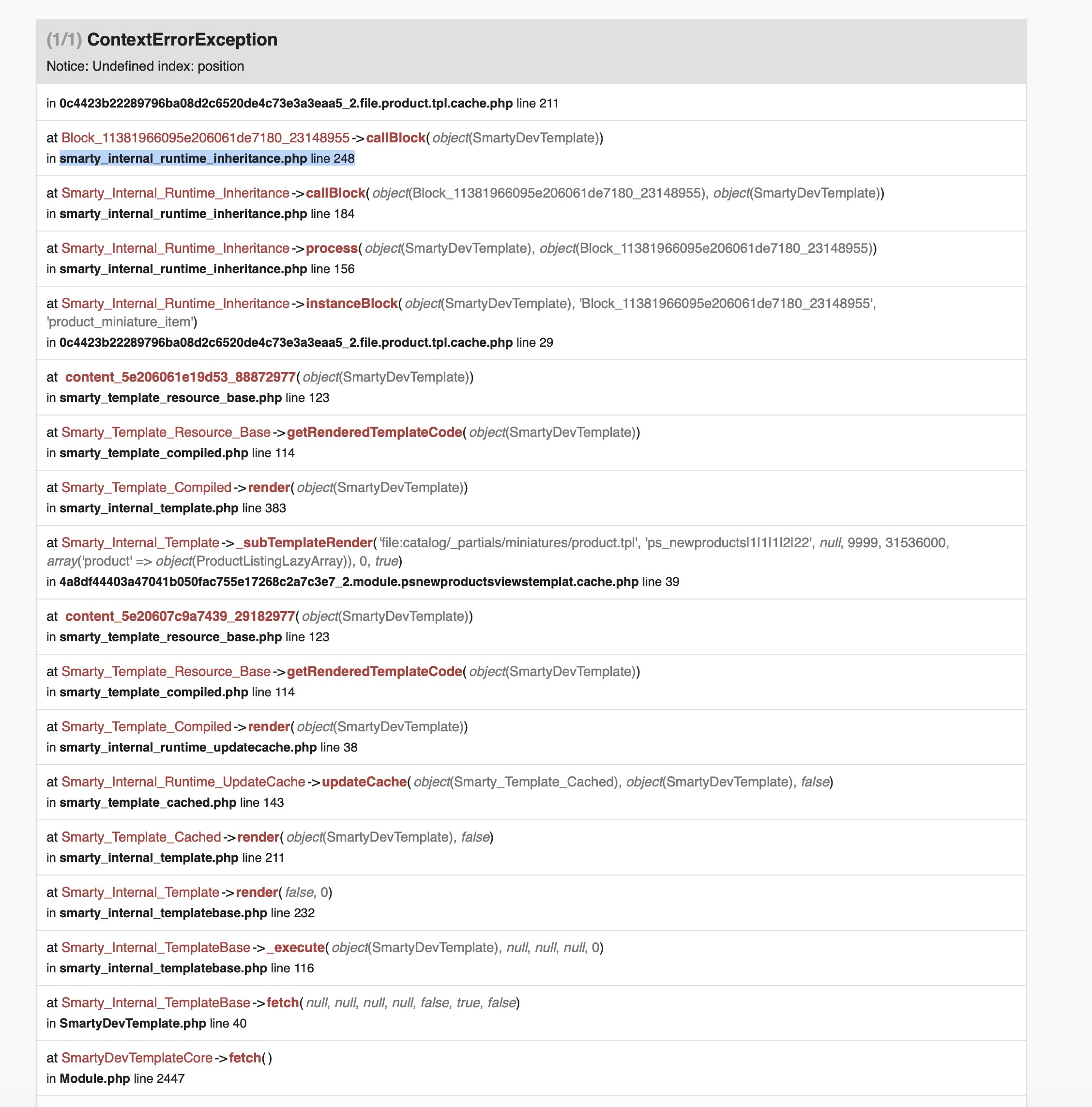
im now getting this error with debug mode on
do you know what this is?
01park
on 16 Jan 2020
@01park, it seems that this issue ir related to the ps_newproducts module
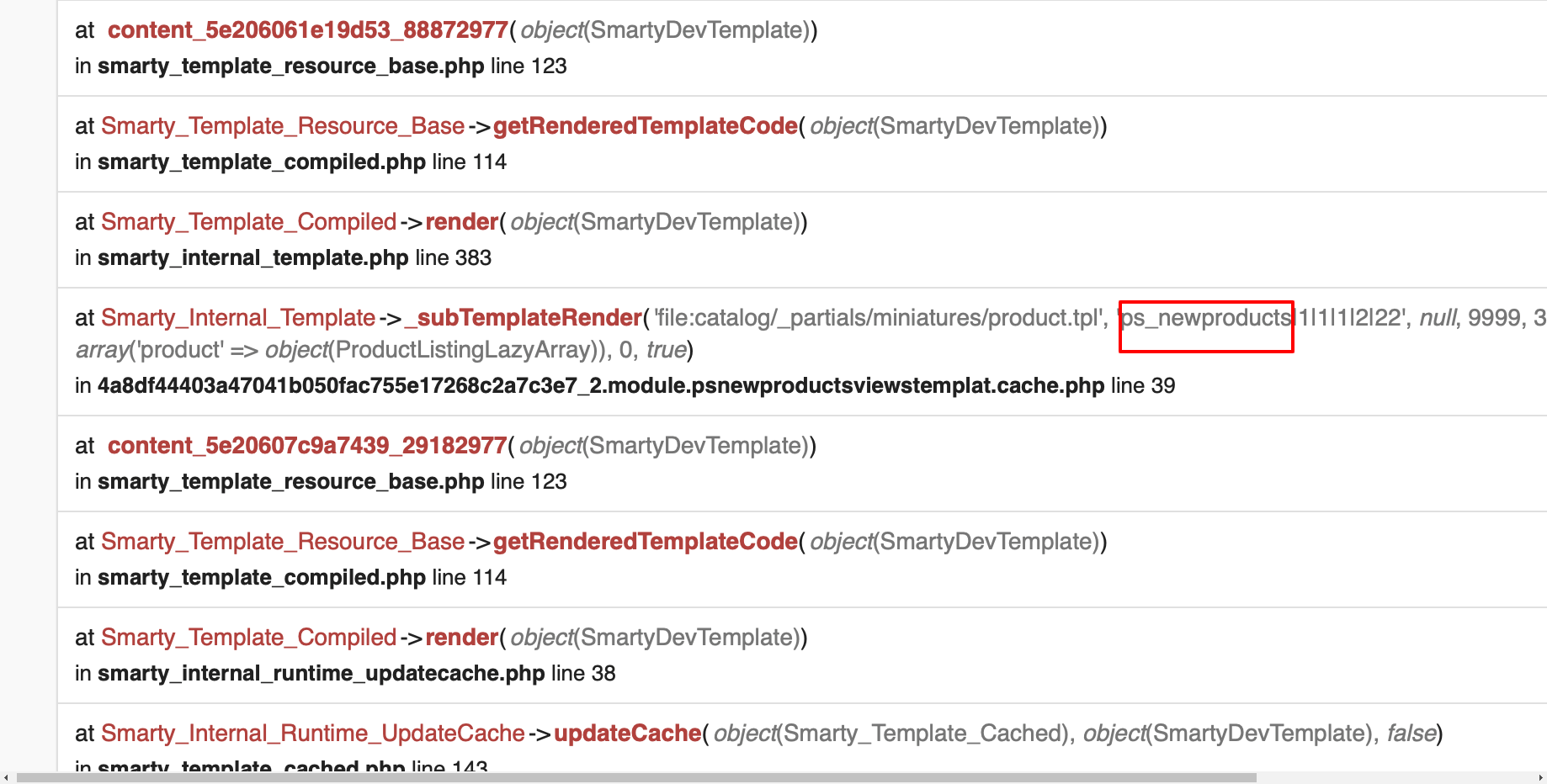
What is the exact version of the ps_newproducts did you use?
In the meantime, could you please try to clear cache manually by deleting all the folder into var/cache (prod & dev).
Thanks to check and feedback.
khouloudbelguith
on 16 Jan 2020
Im using version 1.01 new products.
No sure if this has anything to do with it, but I recently applied this fix:
01park
on 16 Jan 2020
@01park, could you please try to remove this fix, clear cache & check if you have the same issue.
Thanks!
khouloudbelguith
on 16 Jan 2020
I tried to putting things back, but doesn't seem to, only making things worse.
I'll wait until 1.7.7 comes out any idea when this will happen?
Regarding the issue what this is all about.
php.INFO: User Deprecated: Implementing "Symfony\Component\HttpKernel\DataCollector\DataCollectorInterface" without the "reset()" method is deprecated since Symfony 3.4 and will be unsupported in 4.0 for class "Csa\Bundle\GuzzleBundle\DataCollector\GuzzleCollector". {"exception":"[object] (ErrorException(code: 0): User Deprecated: Implementing \"Symfony\Component\HttpKernel\DataCollector\DataCollectorInterface\" without the \"reset()\" method is deprecated since Symfony 3.4 and will be unsupported in 4.0 for class \"Csa\Bundle\GuzzleBundle\DataCollector\GuzzleCollector\". at /vendor/symfony/symfony/src/Symfony/Component/HttpKernel/Profiler/Profiler.php:215)"}
What does the mean, I found this the dev.log file. Maybe this RESET is the major problem why I have to wait for my execution time to pass to be able to access the site again. After clearing cache and rebuilding search index
01park
on 16 Jan 2020
@01park,
php.INFO: User Deprecated
It is not an error, it is a just a PHP information.
I'll wait until 1.7.7 comes out any idea when this will happen?
We are still working in the PS1.7.7.0.
You can follow our Project: https://github.com/PrestaShop/PrestaShop/projects/7
Since, I cannot reproduce the issue, It seems that your issue is not a PrestaShop's core bug but most likely a customization problem.
I invite you to contact our support team: http://addons.prestashop.com/en/388-support to help you solve your issue.
Thanks!
khouloudbelguith
on 16 Jan 2020
Related issues
 esistgut
·
3Comments
esistgut
·
3Comments
 marionf
·
3Comments
marionf
·
3Comments
 PrestaShark
·
3Comments
PrestaShark
·
3Comments
 centoasa
·
3Comments
centoasa
·
3Comments
 Van-peterson
·
3Comments
Van-peterson
·
3Comments