Prestashop: Edit window for product images in BO does not appear.
Describe the bug
I can't edit products images, because, edit window for products images in BO does not appear after click on image.
To Reproduce
Steps to reproduce the behavior:
- Go to BO ->Product ->
- Click on Product image
Screenshots
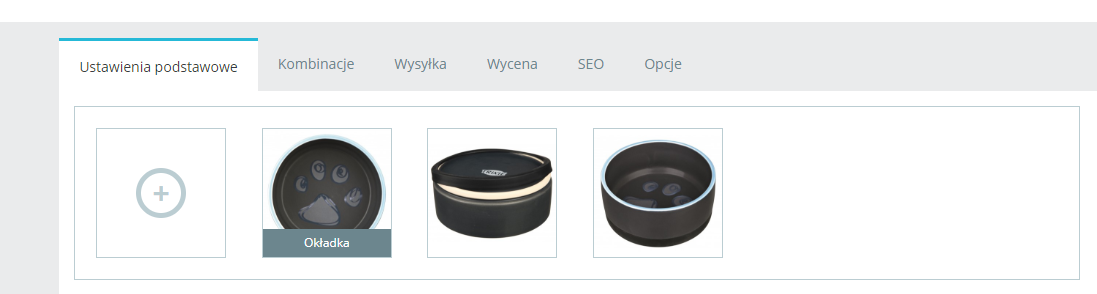

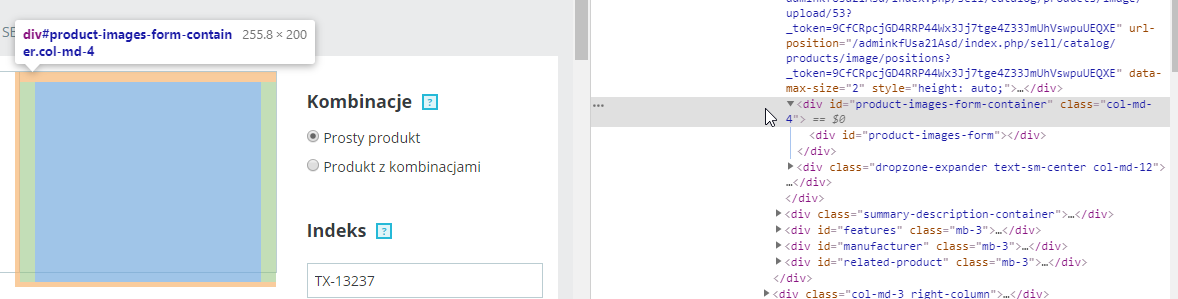
Console:

Additional information
PrestaShop version: 1.7.6.0
PHP version: 7.1.31
 kkasztann
All 30 comments
Hi @kkasztann,
I did not manage to reproduce the issue with PS1.7.6.0.
I attached a screen record
https://drive.google.com/file/d/11IgssWaKHxZqY872AJf4Txq_r86zsI50/view
You need to enable debug mode in your store and debug request which is sent for product save in your browser, using DevTools, so:
- enable debug mode
- go to the product page
- open up developer tools
- go to Network tab
- Click on the product's image
- wait for an error, you should see red request information in Network tab (error 500 in your case)
- click on it, you should see the error message in "Response" or "Preview" tab
Thanks!
 khouloudbelguith
on 19 Aug 2019
khouloudbelguith
on 19 Aug 2019
Hi @khouloudbelguith
Headers:
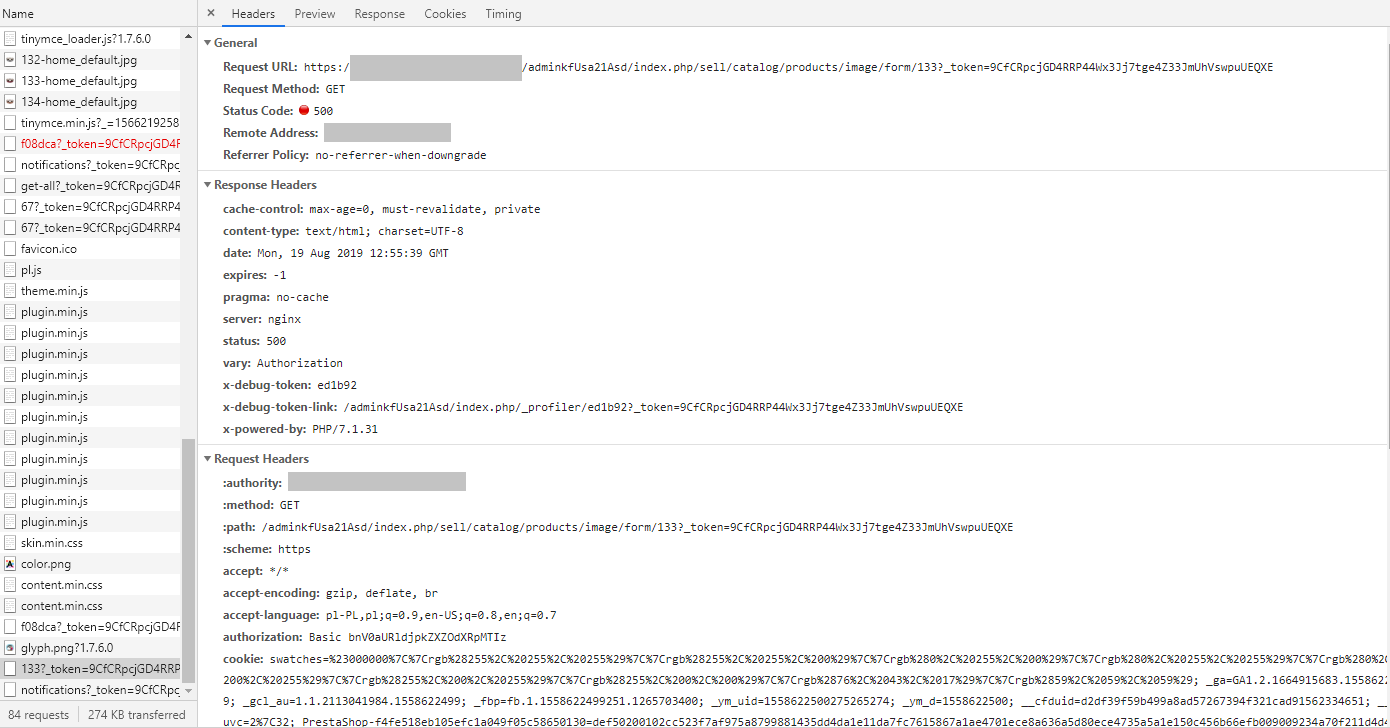
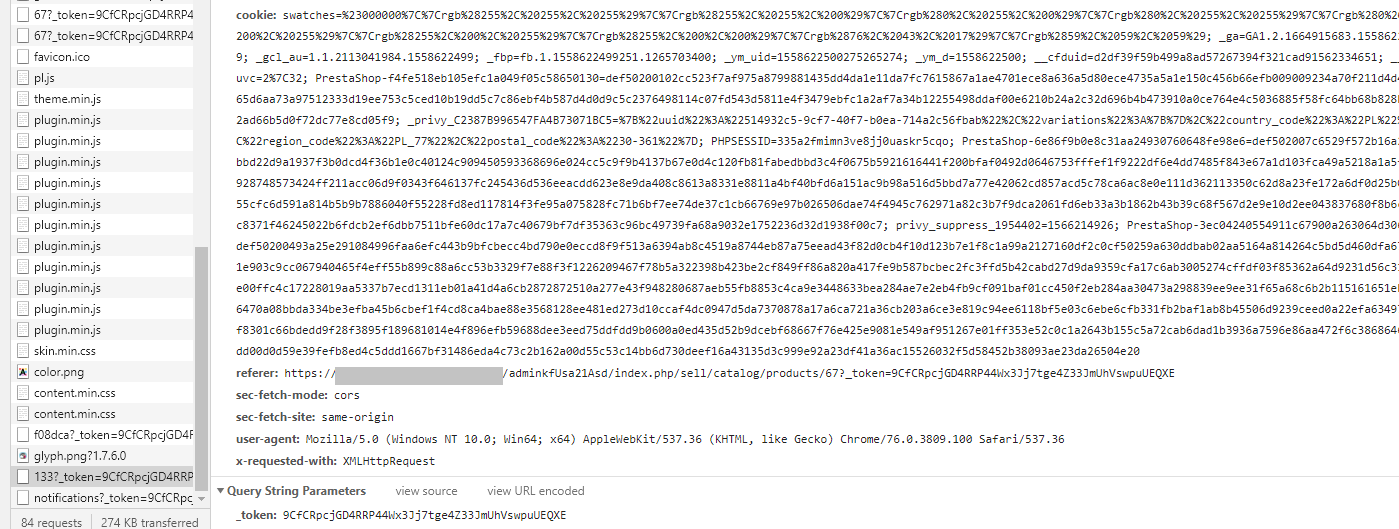
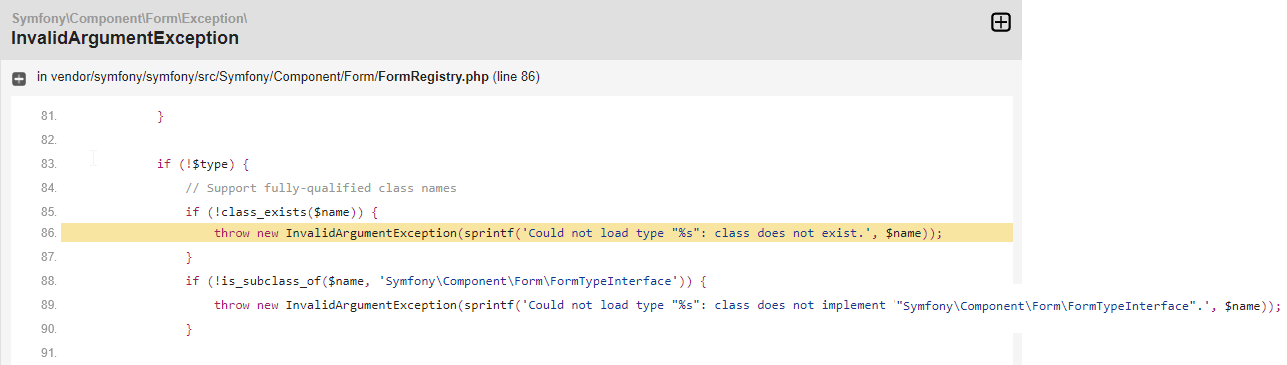
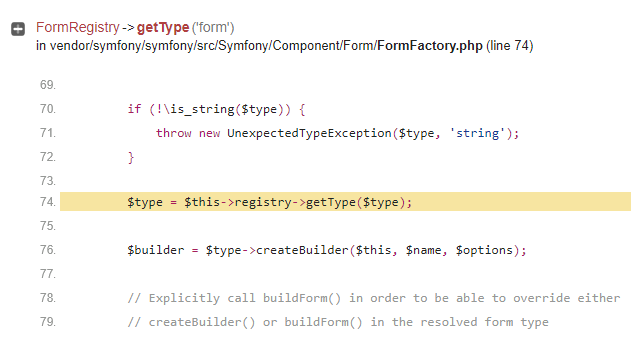
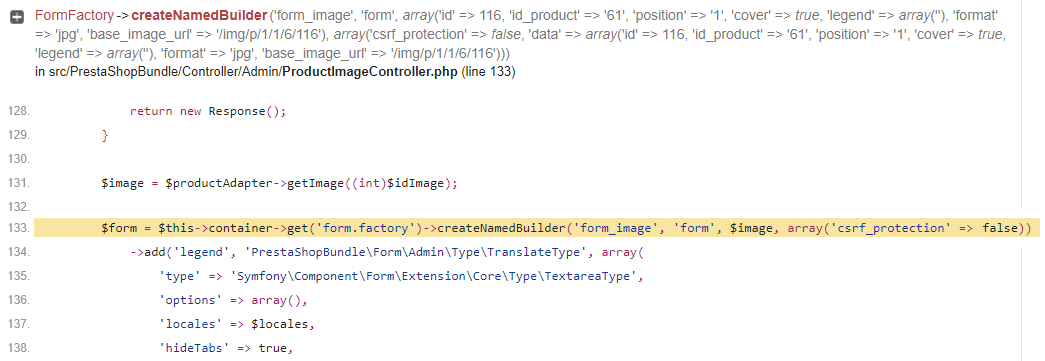
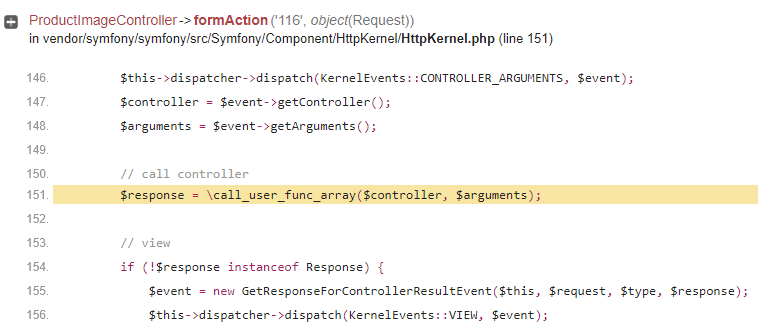
Preview:
kkasztann
on 19 Aug 2019
Same issue here.
- PS 1.7.6.0
- PHP 7.2.20
"Failed to load resource: the server responded with a status of 500 (Internal Server Error):
http://www.site.com/admin241hymz2r/index.php/sell/catalog/products/image/form/16?_token=43QZDjyHlokdypAaaJsIDiy4FoporGEP02ikUyHZy_o"
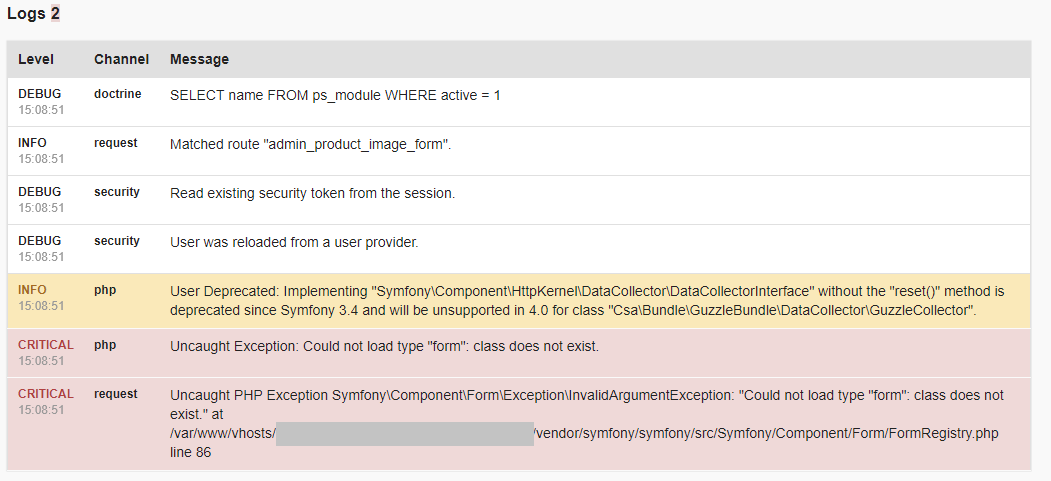
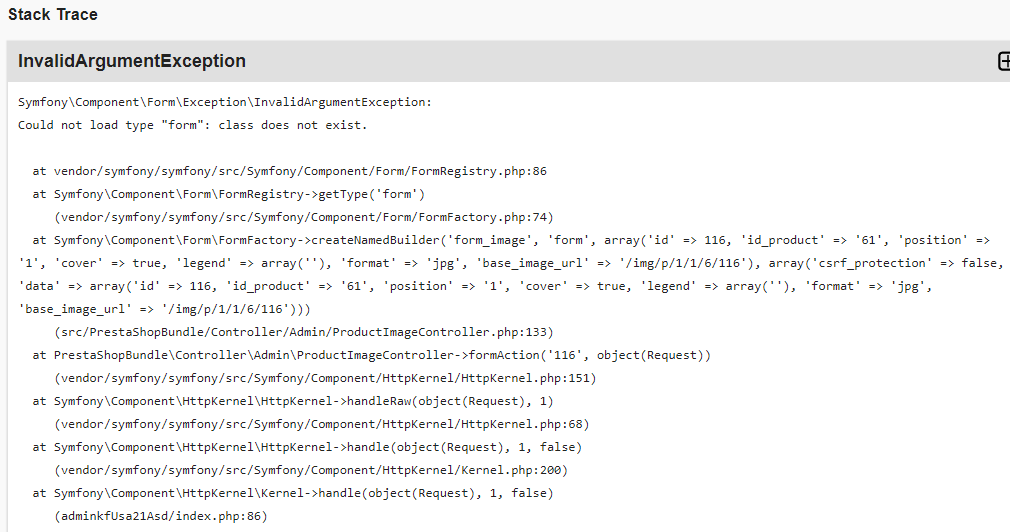
Symfony\Component\Form\Exception\InvalidArgumentException:
Could not load type "form": class does not exist.
at vendor/symfony/symfony/src/Symfony/Component/Form/FormRegistry.php:86
at Symfony\Component\Form\FormRegistry->getType('form')
(vendor/symfony/symfony/src/Symfony/Component/Form/FormFactory.php:74)
at Symfony\Component\Form\FormFactory->createNamedBuilder('form_image', 'form', array('id' => 16, 'id_product' => '9', 'position' => '2', 'cover' => false, 'legend' => array('', ''), 'format' => 'jpg', 'base_image_url' => '/img/p/1/6/16'), array('csrf_protection' => false, 'data' => array('id' => 16, 'id_product' => '9', 'position' => '2', 'cover' => false, 'legend' => array('', ''), 'format' => 'jpg', 'base_image_url' => '/img/p/1/6/16')))
(src/PrestaShopBundle/Controller/Admin/ProductImageController.php:133)
at PrestaShopBundle\Controller\Admin\ProductImageController->formAction('16', object(Request))
(vendor/symfony/symfony/src/Symfony/Component/HttpKernel/HttpKernel.php:151)
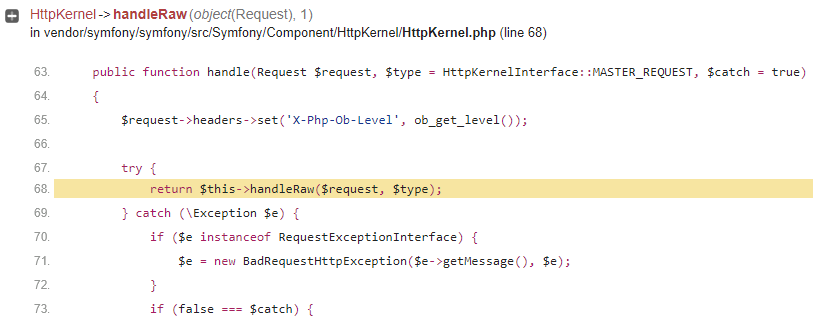
at Symfony\Component\HttpKernel\HttpKernel->handleRaw(object(Request), 1)
(vendor/symfony/symfony/src/Symfony/Component/HttpKernel/HttpKernel.php:68)
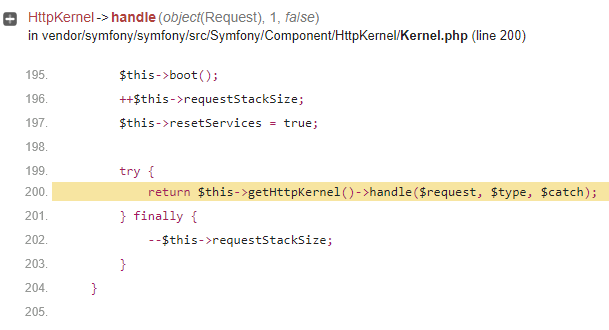
at Symfony\Component\HttpKernel\HttpKernel->handle(object(Request), 1, false)
(vendor/symfony/symfony/src/Symfony/Component/HttpKernel/Kernel.php:200)
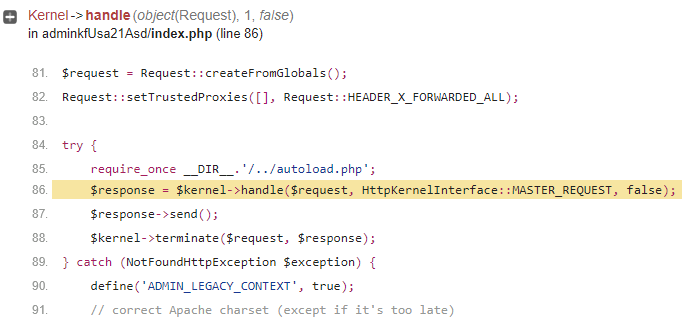
at Symfony\Component\HttpKernel\Kernel->handle(object(Request), 1, false)
(admin241hymz2r/index.php:88)
 pitangaweb
on 19 Aug 2019
pitangaweb
on 19 Aug 2019
@kkasztann, what is the exact type for those images?
Thanks!
khouloudbelguith
on 19 Aug 2019
@khouloudbelguith
*.jpg
kkasztann
on 20 Aug 2019
@kkasztann, @pitangaweb this issue occurs with a Fresh install PS1.7.6.0 or after an upgrade from previous version PrestaShop?
Thanks!
khouloudbelguith
on 20 Aug 2019
@khouloudbelguith this issue occured to me with a fresh install PS 1.7.6.0
kkasztann
on 20 Aug 2019
Fresh install as well !
pitangaweb
on 20 Aug 2019
@kkasztann, @pitangaweb did you installed any custom module before this issue occurs?
Thanks!
khouloudbelguith
on 20 Aug 2019
@khouloudbelguith to be honest I don't know when this issue appeared. But I installed just few modules related to delivery and payments.
kkasztann
on 20 Aug 2019
@kkasztann, could you please try to disable one by one & check if the issue occurs again.
Thanks!
khouloudbelguith
on 20 Aug 2019
@khouloudbelguith issue still occurs.
kkasztann
on 20 Aug 2019
@kkasztann, could you please navigate to the BO => Design => Image Settings page => click on the "Regenerate thumbnails" button, check & feedback.
khouloudbelguith
on 20 Aug 2019
@khouloudbelguith It was my first step before I open this issue. I regenerated thumbnails at this moment and as before it finish successful, but issue still occurs.
kkasztann
on 20 Aug 2019
@kkasztann, this product is created manually for the BO => Products page & uploaded from the import page?
Thanks!
khouloudbelguith
on 20 Aug 2019
@khouloudbelguith
Yes, product was created manually.
kkasztann
on 20 Aug 2019
@kkasztann, Could you please provide me the access to your shop to test it.
This is a public space.
You can provide me the credentials by email.
My address mail: khouloud.[email protected]
Let's be safe!
Thanks!
khouloudbelguith
on 20 Aug 2019
Hi @khouloudbelguith
I sent access data to Your email.
kkasztann
on 21 Aug 2019
@kkasztann, I just received the email.
I will check & feedback.
khouloudbelguith
on 21 Aug 2019
@kkasztann, doing some tests.
I find this error
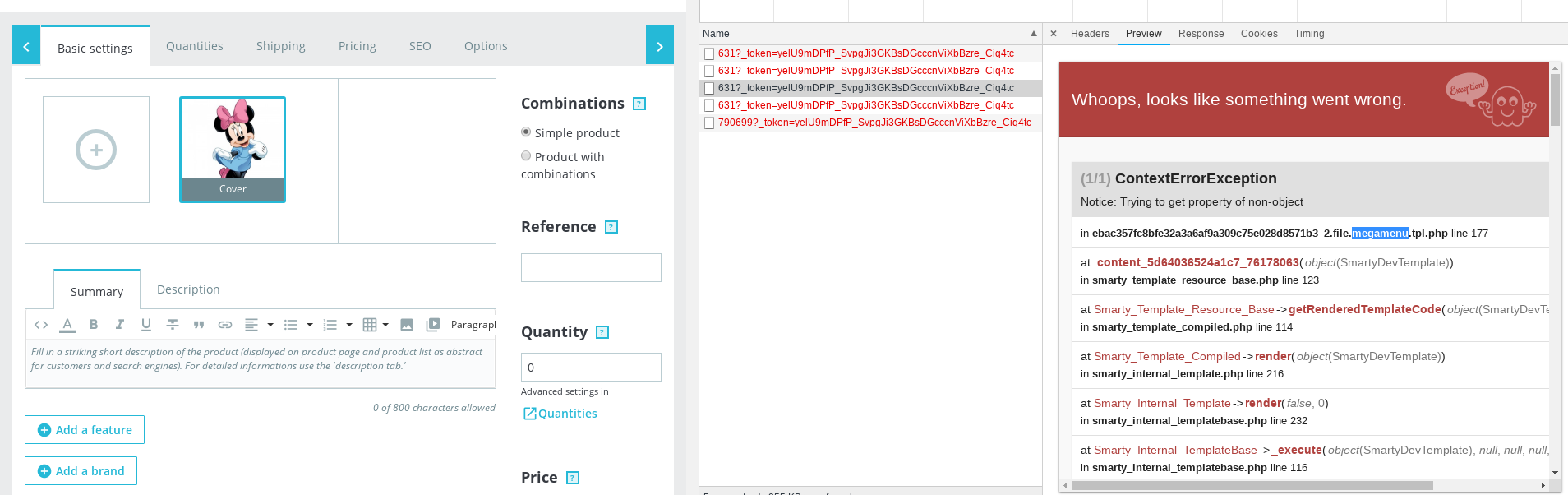
It is related to your module provided by a theme.
Could you please try to use the classic theme, clear cache, check & feedback.
khouloudbelguith
on 26 Aug 2019
@khouloudbelguith thank you for your time :)
The problem was something else, but after the upgrade from 1.7.6.0 to 1.7.6.1 the issue disappeared.
kkasztann
on 27 Aug 2019
@kkasztann, thanks for your feedback.
Feel free to open a new one when needed.
khouloudbelguith
on 28 Aug 2019
The same problem
Can anyone solve this for me? I have the same problem. Pictures in product settings cannot be deleted and img options are not displayed. How to fix it? I have Prestashop 1.7.6.1. I can't make changes to product images. All I can do is remove the product and add it again.
screen product https://prnt.sc/ppnrk3
please help what to do
 Stolaweb
on 29 Oct 2019
Stolaweb
on 29 Oct 2019
@Stolaweb, it is a module issue.
As it's not a module provided by Prestashop, we can't do anything with this.
You should contact the module author via your addons.prestashop.com account, they are the only ones to help you with it.
Thanks!
khouloudbelguith
on 29 Oct 2019
Thank You but, how to check which module cause the problem? It could be the module delivered with the theme?
Stolaweb
on 29 Oct 2019
@Stolaweb, you can follow these steps:
You need to enable debug mode in your store and debug request which is sent for product edition in your browser, using DevTools, so:
- enable debug mode
- go to the product page
- open up developer tools
- go to Network tab
- edit product
- wait for an error, you should see red request information in Network tab
- click on it, you should see the error message in "Response" or "Preview" tab
Thanks!
khouloudbelguith
on 29 Oct 2019
I have theese: Is this a problem with theme module or prestashop module? I turned off all modules and change for classic theme and the problem still exist:
Symfony\Component\Form\Exception\
InvalidArgumentException
in vendor/symfony/symfony/src/Symfony/Component/Form/FormRegistry.php (line 86)
} if (!$type) { // Support fully-qualified class names if (!class_exists($name)) { throw new InvalidArgumentException(sprintf('Could not load type "%s": class does not exist.', $name)); } if (!is_subclass_of($name, 'Symfony\Component\Form\FormTypeInterface')) { throw new InvalidArgumentException(sprintf('Could not load type "%s": class does not implement "Symfony\Component\Form\FormTypeInterface".', $name)); }
FormRegistry->getType('form')
in vendor/symfony/symfony/src/Symfony/Component/Form/FormFactory.php (line 74)
if (!\is_string($type)) { throw new UnexpectedTypeException($type, 'string'); } $type = $this->registry->getType($type); $builder = $type->createBuilder($this, $name, $options); // Explicitly call buildForm() in order to be able to override either // createBuilder() or buildForm() in the resolved form type
FormFactory->createNamedBuilder('form_image', 'form', array('id' => 31, 'id_product' => '27', 'position' => '1', 'cover' => true, 'legend' => array(''), 'format' => 'jpg', 'base_image_url' => '/img/p/3/1/31'), array('csrf_protection' => false, 'data' => array('id' => 31, 'id_product' => '27', 'position' => '1', 'cover' => true, 'legend' => array(''), 'format' => 'jpg', 'base_image_url' => '/img/p/3/1/31')))
in src/PrestaShopBundle/Controller/Admin/ProductImageController.php (line 133)
return new Response(); } $image = $productAdapter->getImage((int)$idImage); $form = $this->container->get('form.factory')->createNamedBuilder('form_image', 'form', $image, array('csrf_protection' => false)) ->add('legend', 'PrestaShopBundle\Form\Admin\Type\TranslateType', array( 'type' => 'Symfony\Component\Form\Extension\Core\Type\TextareaType', 'options' => array(), 'locales' => $locales, 'hideTabs' => true,
ProductImageController->formAction('31', object(Request))
in vendor/symfony/symfony/src/Symfony/Component/HttpKernel/HttpKernel.php (line 151)
$this->dispatcher->dispatch(KernelEvents::CONTROLLER_ARGUMENTS, $event); $controller = $event->getController(); $arguments = $event->getArguments(); // call controller $response = \call_user_func_array($controller, $arguments); // view if (!$response instanceof Response) { $event = new GetResponseForControllerResultEvent($this, $request, $type, $response); $this->dispatcher->dispatch(KernelEvents::VIEW, $event);
HttpKernel->handleRaw(object(Request), 1)
in vendor/symfony/symfony/src/Symfony/Component/HttpKernel/HttpKernel.php (line 68)
public function handle(Request $request, $type = HttpKernelInterface::MASTER_REQUEST, $catch = true) { $request->headers->set('X-Php-Ob-Level', ob_get_level()); try { return $this->handleRaw($request, $type); } catch (\Exception $e) { if ($e instanceof RequestExceptionInterface) { $e = new BadRequestHttpException($e->getMessage(), $e); } if (false === $catch) {
HttpKernel->handle(object(Request), 1, false)
in vendor/symfony/symfony/src/Symfony/Component/HttpKernel/Kernel.php (line 200)
$this->boot(); ++$this->requestStackSize; $this->resetServices = true; try { return $this->getHttpKernel()->handle($request, $type, $catch); } finally { --$this->requestStackSize; } }
Kernel->handle(object(Request), 1, false)
in fyxmrlznlsjlkivm/index.php (line 86)
$request = Request::createFromGlobals();Request::setTrustedProxies([], Request::HEADER_X_FORWARDED_ALL);try { require_once __DIR__.'/../autoload.php'; $response = $kernel->handle($request, HttpKernelInterface::MASTER_REQUEST, false); $response->send(); $kernel->terminate($request, $response);} catch (NotFoundHttpException $exception) { define('ADMIN_LEGACY_CONTEXT', true); // correct Apache charset (except if it's too late)
Stolaweb
on 29 Oct 2019
I have correct working Presta instalaltion, Can I rename some catalogues between installations?
Stolaweb
on 29 Oct 2019
sorry *replace some directories or files?
Stolaweb
on 29 Oct 2019
@Stolaweb, your issue is different.
This issue is currently closed, can you open a new one with more information about your configuration.
Thanks!
khouloudbelguith
on 29 Oct 2019
Related issues
 PrestaShark
·
3Comments
PrestaShark
·
3Comments
 zuk3975
·
3Comments
zuk3975
·
3Comments
zuk3975
·
3Comments
zuk3975
·
3Comments
 itisco
·
3Comments
itisco
·
3Comments
 wikao2
·
3Comments
wikao2
·
3Comments