Prestashop: Faceted Search - products are displayed in wrong order when sorted by "position" and "Show products from subcategories" is disabled
Describe the bug
As title says. When products are sorted by position they are not in the order ive set in admin panel. If I change order from ascending to descending, products are changing order, but still this is not the order that is set in admin panel.
To Reproduce
Steps to reproduce the behavior:
- Go to admin panel -> add some products and sort them the way you wish
- Save it
- Go to your shop and category you put products in.
- See error
Additional information
PrestaShop version: 1.7.5.2
PHP version: 7.0.27
MYSQL version: 10.0.38-MariaDB
Ive spent some time and it boiled down to this query:
SELECT p.id_product FROM (SELECT p.id_product, p.id_manufacturer, sa.quantity, p.condition, p.weight, p.price, cp.position FROM ps_product p LEFT JOIN ps_stock_available sa ON (p.id_product = sa.id_product AND 0 = sa.id_product_attribute AND sa.id_shop = 1 AND sa.id_shop_group = 0 ) INNER JOIN ps_category_product cp ON (p.id_product = cp.id_product) INNER JOIN ps_product_shop ps ON (p.id_product = ps.id_product AND ps.id_shop = 1 AND ps.active = TRUE) WHERE p.id_category_default='37' AND p.visibility IN ('both', 'catalog') AND ps.id_shop='1' GROUP BY p.id_product) p INNER JOIN ps_category_product cp ON (p.id_product = cp.id_product) GROUP BY p.id_product ORDER BY p.position ASC LIMIT 0, 12
Its from
/**
     * Construct the final sql query
     *
     * @return string
     */
    public function getQuery()
This one returns p.id_product list in wrong order.
 gbr161
All 16 comments
Hello @gbr161
I tried to reproduce the issue with PS 1.7.6.0 & faceted search v 3.2.0 but without success as you can see in the screenrecord below:
https://drive.google.com/file/d/1rgX4dcHdTGAHL6GU6_41LkRUMRkWqMAH/view?usp=sharing
 marionf
on 12 Aug 2019
marionf
on 12 Aug 2019
Hi,
I think I found something (thanks @gbr161, you get me on the right way).
-> "src/Adapter/MySQL.php" in "getFieldMapping" method:
...
'position' => [
                'tableName' => 'category_product',
                'tableAlias' => 'cp',
                'fieldName' => 'position',  // <- ADD THIS
                'joinCondition' => '(p.id_product = cp.id_product)',
                'joinType' => self::INNER_JOIN,
            ],
...
Hope that helps ;)
 Mindfield-Studio
on 12 Aug 2019
Mindfield-Studio
on 12 Aug 2019
@marionf : it seems you have to have at least one filter on the category to reproduce this issue
Mindfield-Studio
on 12 Aug 2019
@Mindfield-Studio
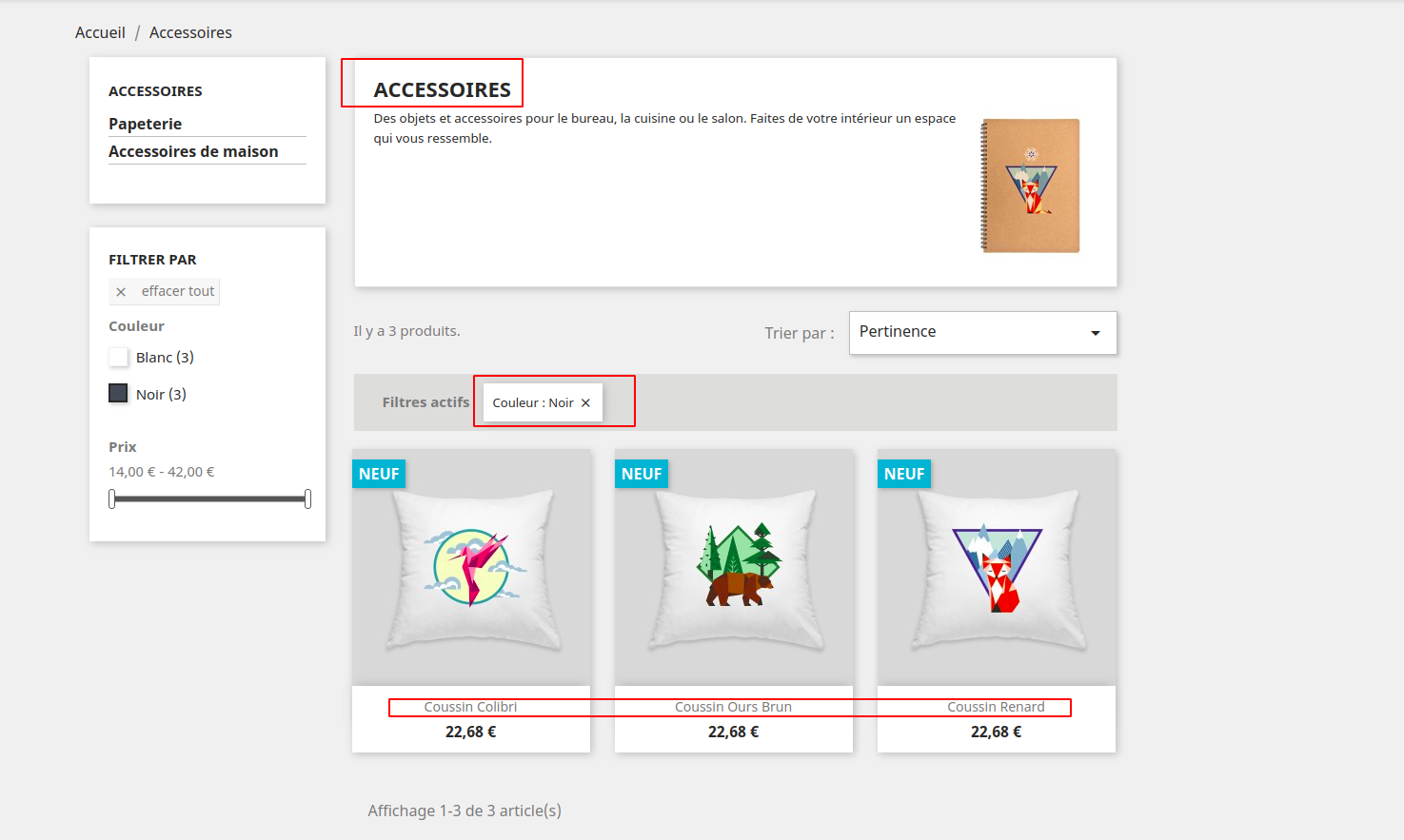
I tried to reproduct but even with 1 filter it's correclty sorted by position ascending

marionf
on 12 Aug 2019
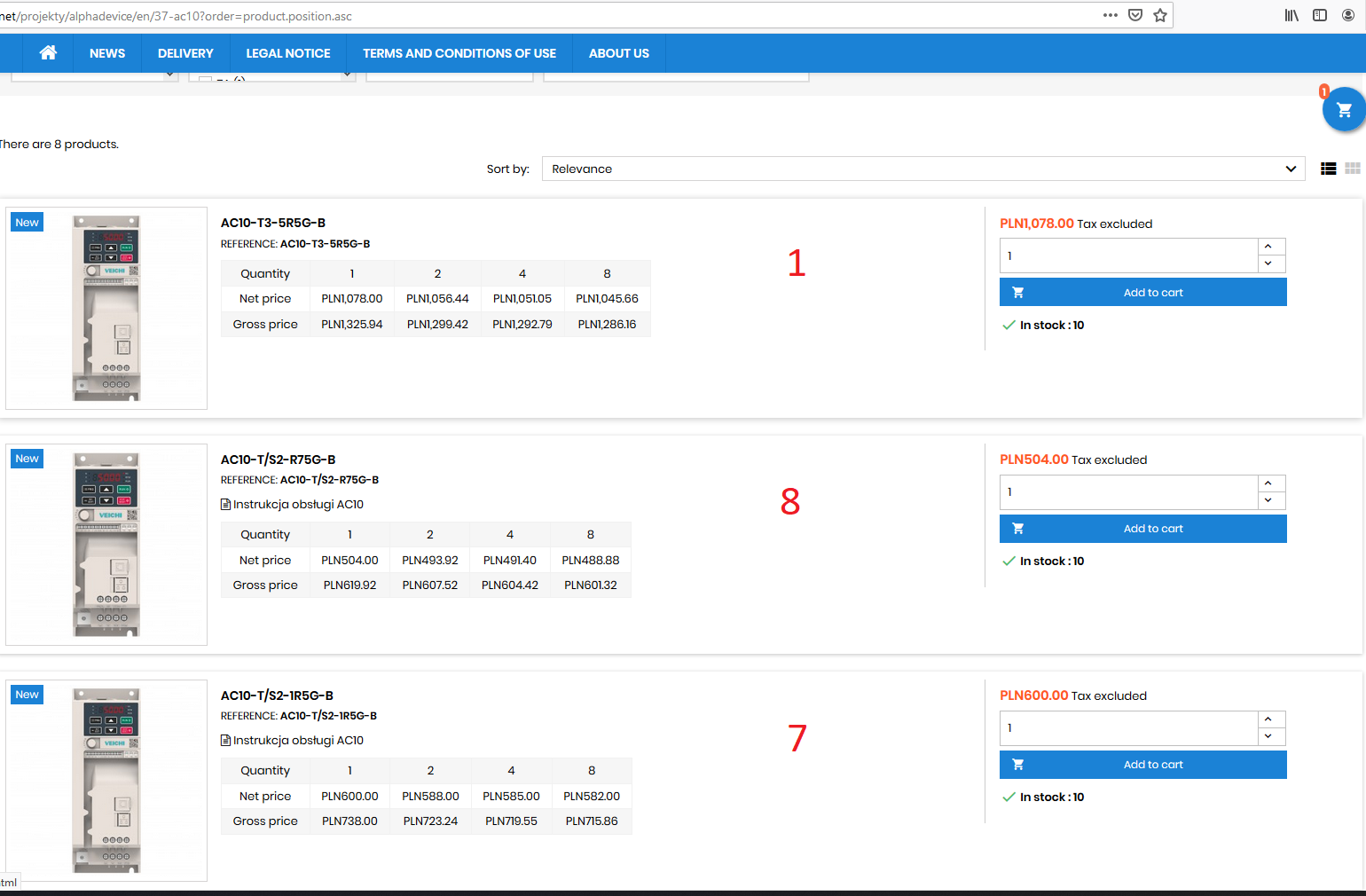
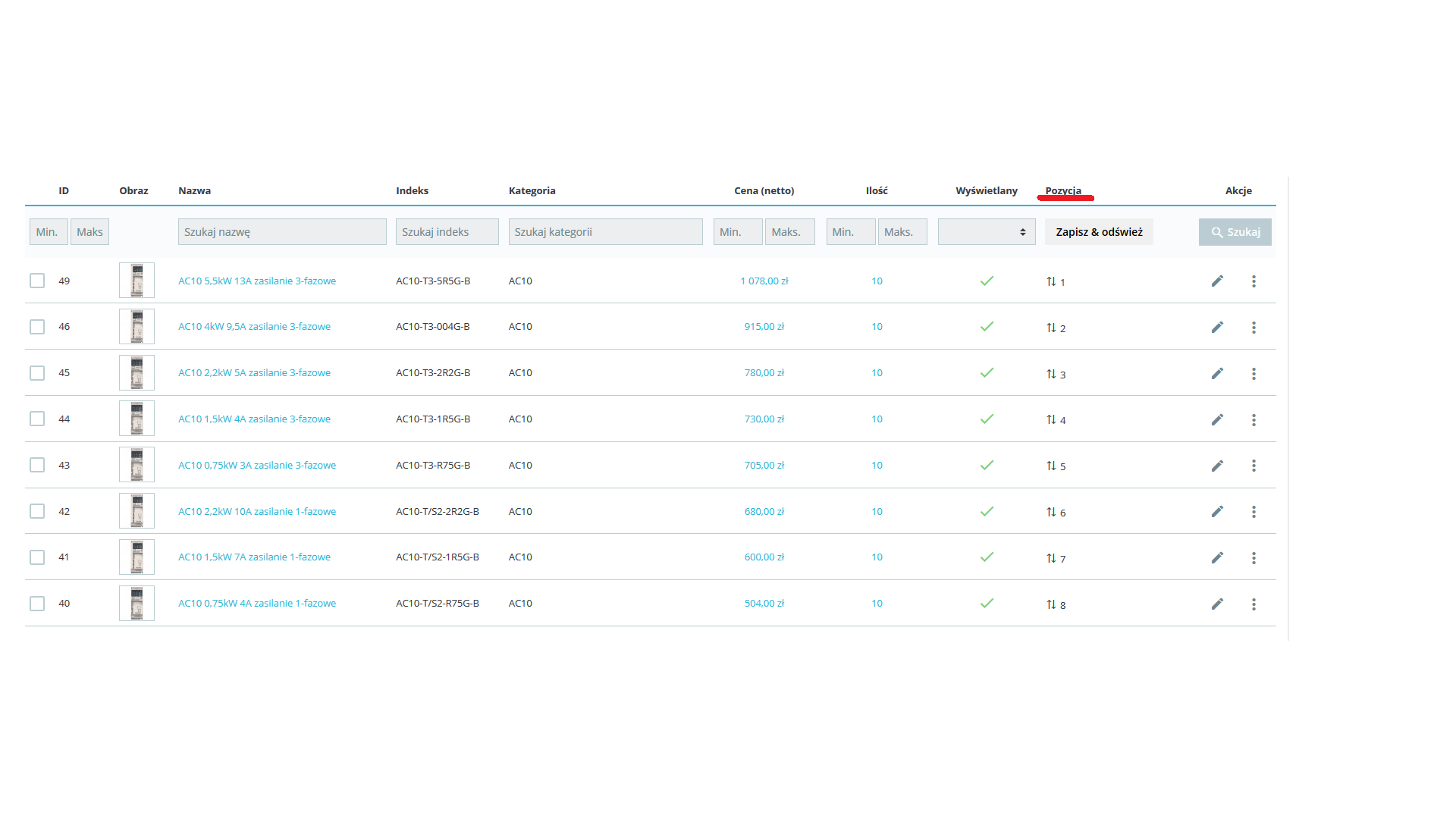
@Mindfield-Studio thanks for the reply but this doesnt fix the problem.
Here are the screenshots:
gbr161
on 12 Aug 2019
@marionf @Mindfield-Studio
After hours of looking whats wrong, changing servers and database version i ended with setting up clean install of prestashop and it worked. Looking further and extracting the sql query on both setups i found that query is different:
"Bugged" query:
SELECT p.id_product FROM (SELECT p.id_product, p.id_manufacturer, sa.quantity, p.condition, p.weight, p.price, cp.position FROM ps_product p LEFT JOIN ps_stock_available sa ON (p.id_product = sa.id_product AND 0 = sa.id_product_attribute AND sa.id_shop = 1 AND sa.id_shop_group = 0 ) INNER JOIN ps_category_product cp ON (p.id_product = cp.id_product) INNER JOIN ps_product_shop ps ON (p.id_product = ps.id_product AND ps.id_shop = 1 AND ps.active = TRUE) WHERE p.id_category_default='37' AND p.visibility IN ('both', 'catalog') AND ps.id_shop='1' GROUP BY p.id_product) p INNER JOIN ps_category_product cp ON (p.id_product = cp.id_product) GROUP BY p.id_product ORDER BY cp.position ASC LIMIT 0, 12
Working query:
SELECT * FROM (SELECT p.id_product, cp.id_category, p.id_manufacturer, sa.quantity, p.condition, p.weight, p.price, cp.position FROM ps_product p LEFT JOIN ps_stock_available sa ON (p.id_product = sa.id_product AND 0 = sa.id_product_attribute AND sa.id_shop = 1 AND sa.id_shop_group = 0 ) INNER JOIN ps_category_product cp ON (p.id_product = cp.id_product) INNER JOIN ps_category c ON (cp.id_category = c.id_category AND c.active=1) INNER JOIN ps_product_shop ps ON (p.id_product = ps.id_product AND ps.id_shop = 1 AND ps.active = TRUE) WHERE p.visibility IN ('both', 'catalog') AND c.nleft>=4 AND c.nright<=5 AND ps.id_shop='1' GROUP BY p.id_product) p INNER JOIN ps_category_product cp ON (p.id_product = cp.id_product) GROUP BY p.id_product ORDER BY p.position ASC LIMIT 0, 12
"Bugged" uses 'id_category_default' to get products from category we are in and working one uses tree structure marks from category table to get category id.
The 'id_category_default' appears in:
/**
     * @param array $selectedFilters
     * @param Category $parent
     * @param int $idShop
     */
    private function addSearchFilters($selectedFilters, $parent, $idShop)
and
/**
     * Init the initial population of the search filter
     *
     * @param array $selectedFilters
     */
    public function initSearch($selectedFilters)
{
<cut>
        $psLayeredFullTree = Configuration::get('PS_LAYERED_FULL_TREE');
        if (!$psLayeredFullTree) {
            $this->addFilter('id_category_default', [$parent->id]);
        }
</cut>
}
So if I want to display products only from the last child category it will use the 'id_category_default' and sorting by position will not work.
It seems problem was there before latest version because on 3.0.6 it acts the same.
Thats all ive found for now. If im wrong, please correct me.
gbr161
on 14 Aug 2019
Maybe it's different depending on prestashop version (i'm on a "fixed" version of 1.7.4).
The "p.position" ordering does not make sense, I don't even think this field exists in "product" table.
The position field is in "category_product", so the ordering need to be on "ps.position". Everything is in the "src/Adapter/MySQL" class. My previous post fixed the issue for me (by adding "'fieldName' => 'position'").
Mindfield-Studio
on 14 Aug 2019
@Mindfield-Studio
I don't know how it is on 1.7.4 but since it all happens in module it shouldn't be the difference. Have you tried switching "Show products from subcategories" to "No"? This what makes the problem visible.
I know that there is no "p.position" and it should use "cp.position" but there is no difference in result i have got after changing it on two hosts where i have tested it running clean install and even running the extracted query - the order is wrong when "Show products from subcategories" is set to "No" in module config page.
gbr161
on 14 Aug 2019
Thank you for these details @gbr161
I can reproduce the issue when "Show products from subcategories" is disabled
marionf
on 14 Aug 2019
@gbr161
I did not see the "Show products from subcategories" options ^^
All I can see is, on 1.7.4, when this option is enabled, position is also in wrong order. It seems it's not exactly the same issue then :D
Mindfield-Studio
on 14 Aug 2019
I have the same problem and with the latest version of facet search 3.5.0 it doesn't work either.
 agalussio
on 27 Mar 2020
agalussio
on 27 Mar 2020
@gbr161 Have you been able to work it out? I'm the same way.
agalussio
on 27 Mar 2020
It shows me by root category. It doesn't have the category parameter.
As I see in
"/modules/ps_facetedsearch/src/Adapter/MySQL.php"
in "getFieldMapping" method:
...
'position' => [
'tableName' => 'category_product',
'tableAlias' => 'cp',
'fieldName' => 'position', // <- ADD THIS
'joinCondition' => '(p.id_product = cp.id_product)',
'joinType' => self::INNER_JOIN,
],
It does not happen in the condition that the id_category = id_category
Whenever I make this select it shows the first position
SELECT * from ps_category_product where id_product = (x)
agalussio
on 27 Mar 2020
Hello @agalussio
I tried to reproduce the issue with ps_facetedsearch 3.5.0 but without success
Below is my configuration:
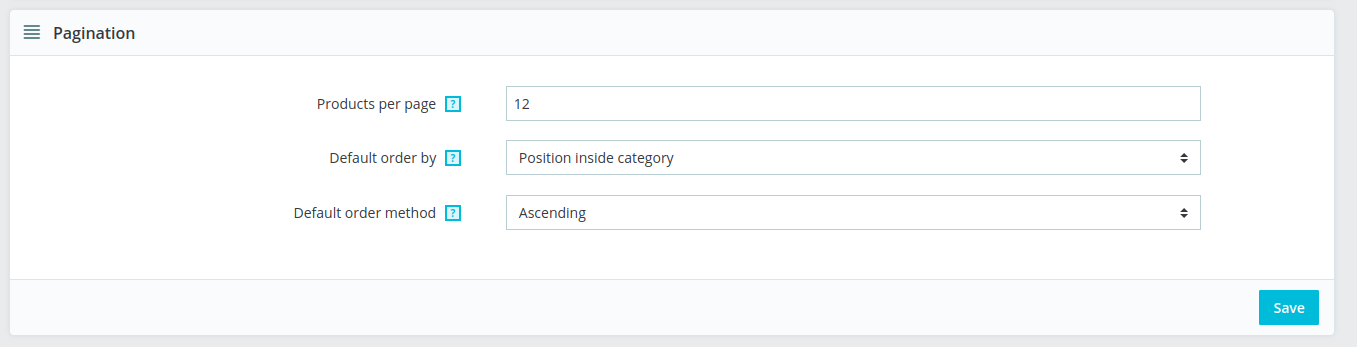
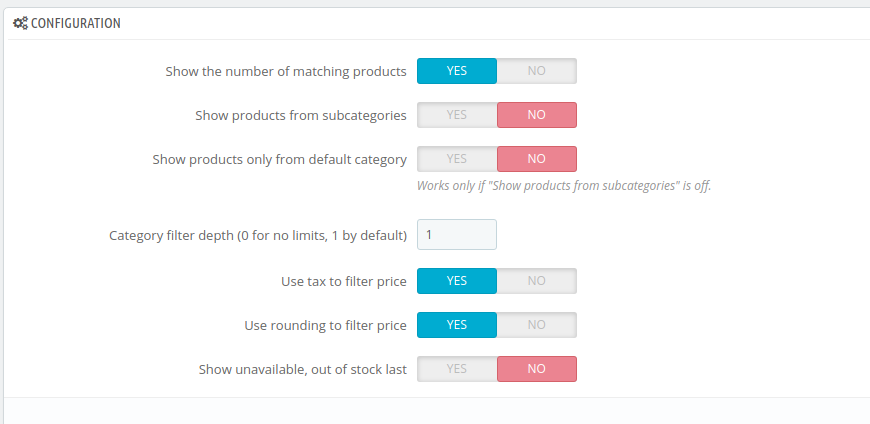
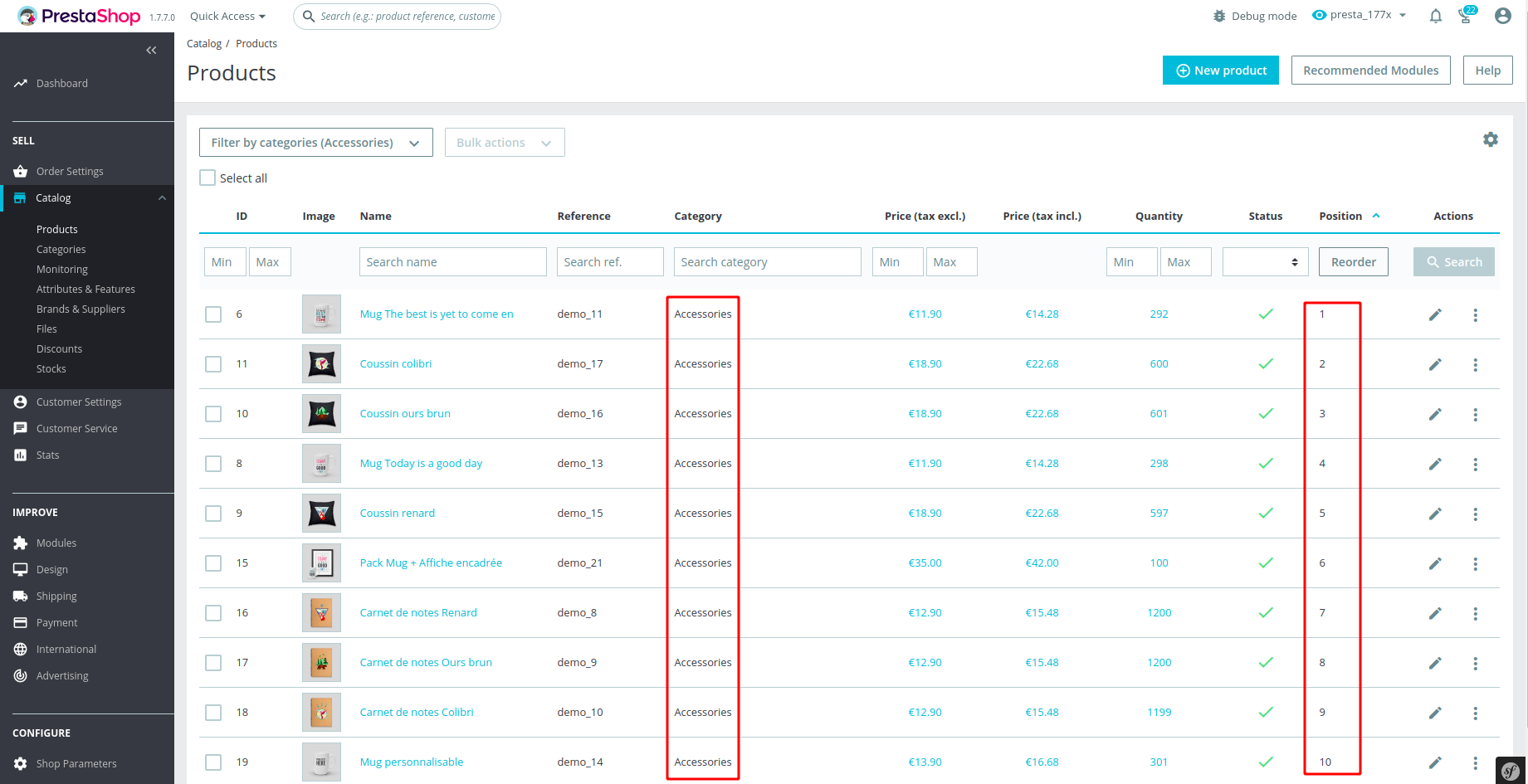
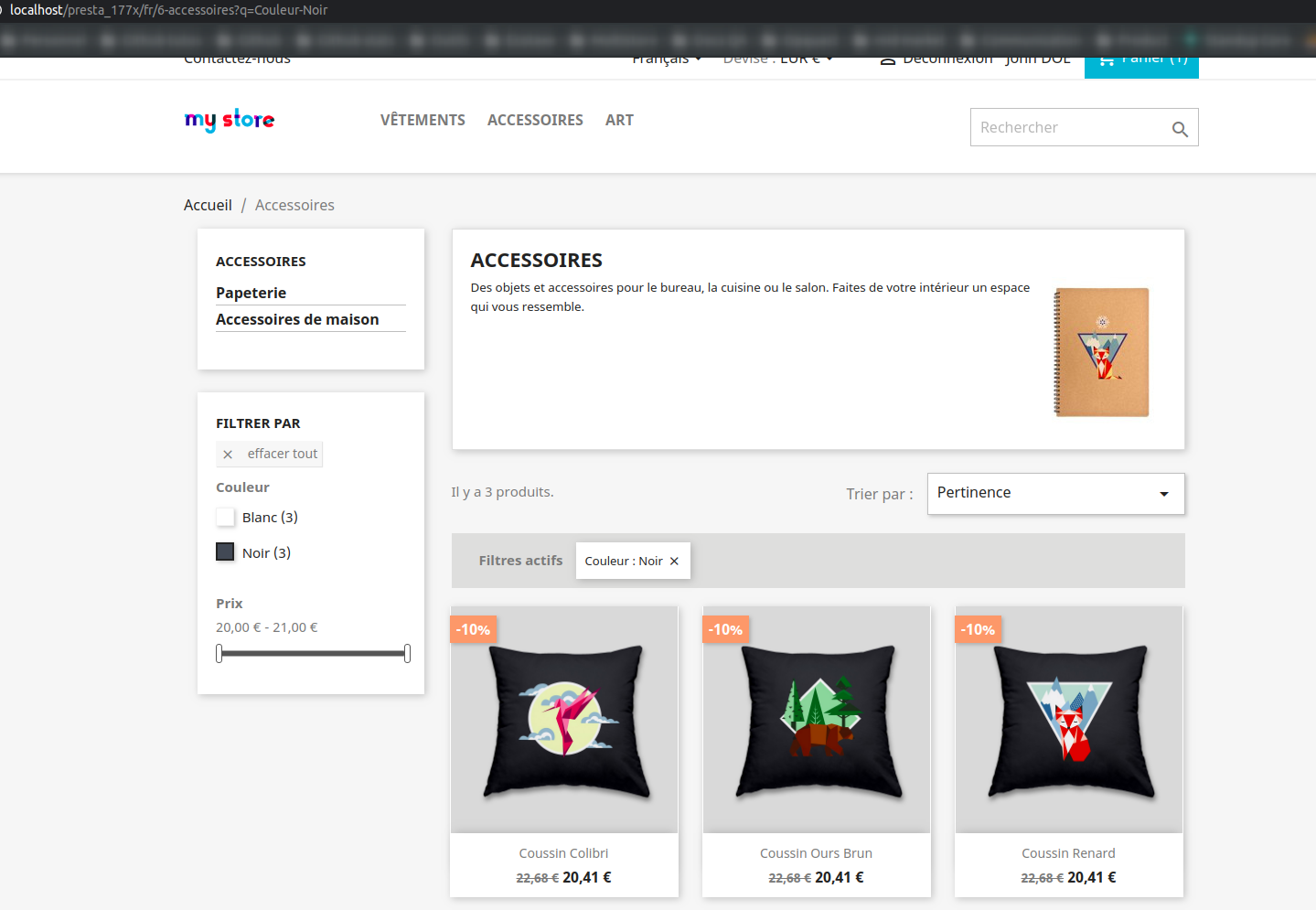
Could you give me more details about your configuration ?
marionf
on 27 Mar 2020
@marionf
Yeah, right. Attached are captures.
Prestashop 1.7.6.3
ps_facetedsearch 3.5.0
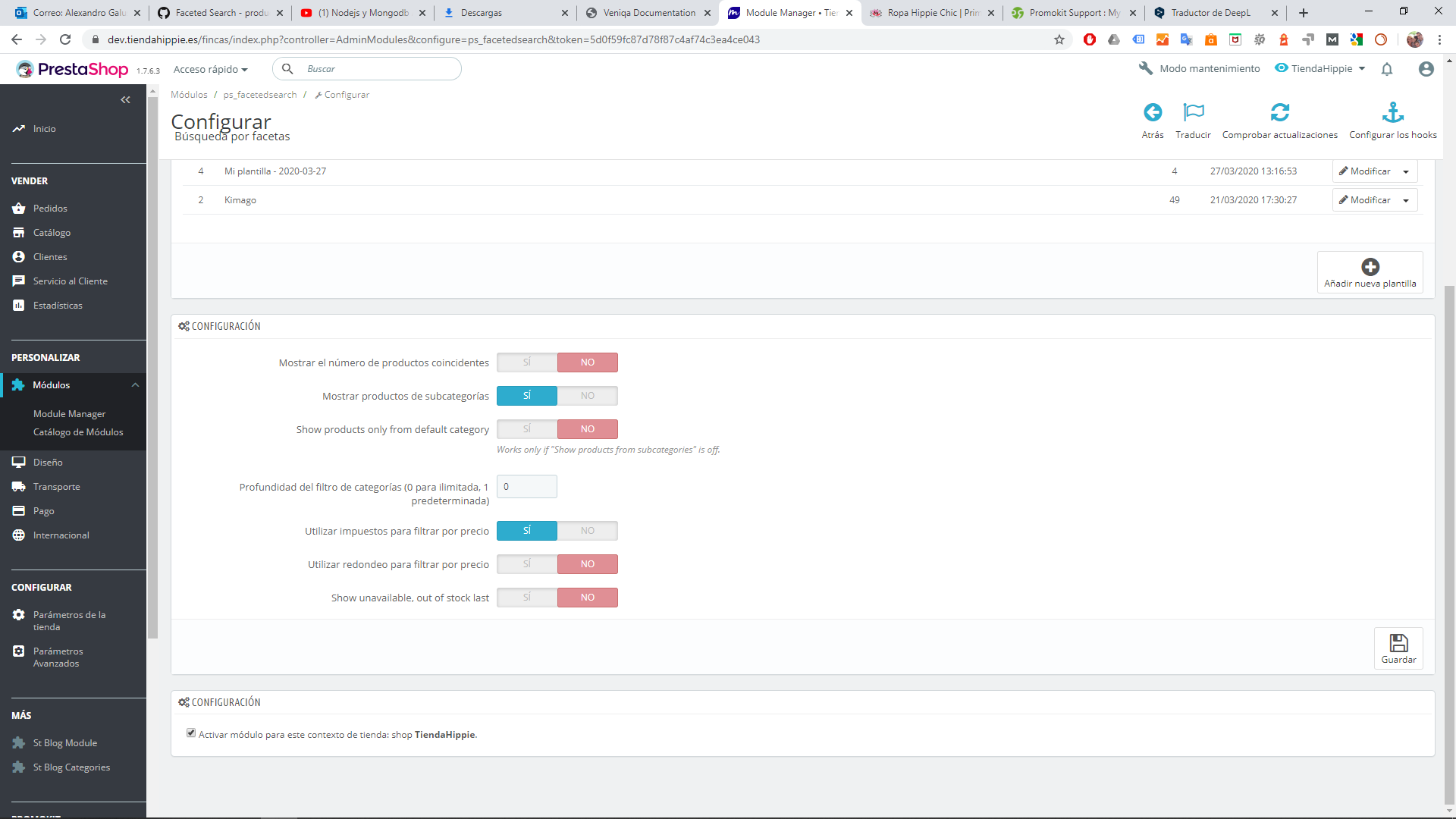
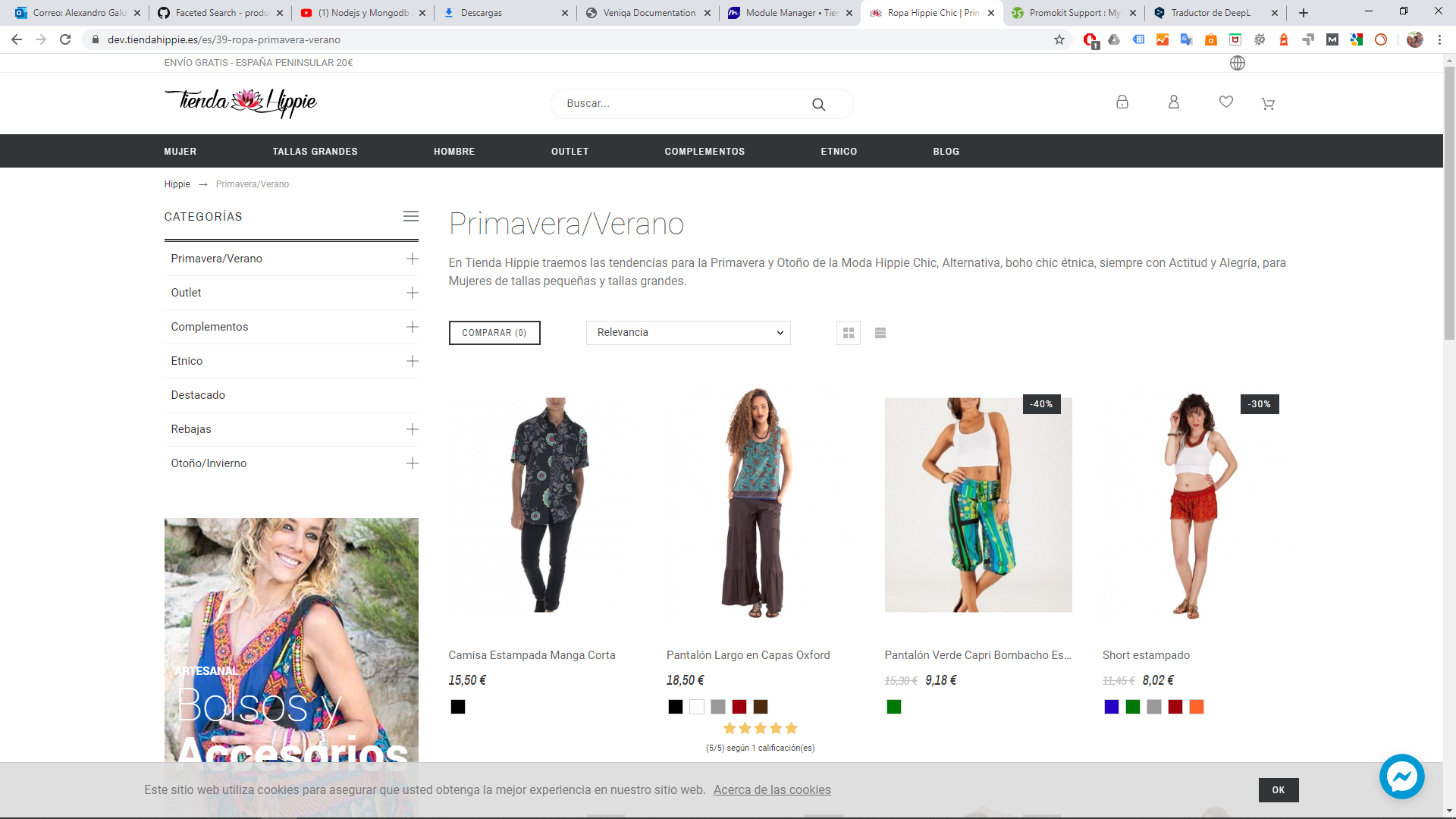
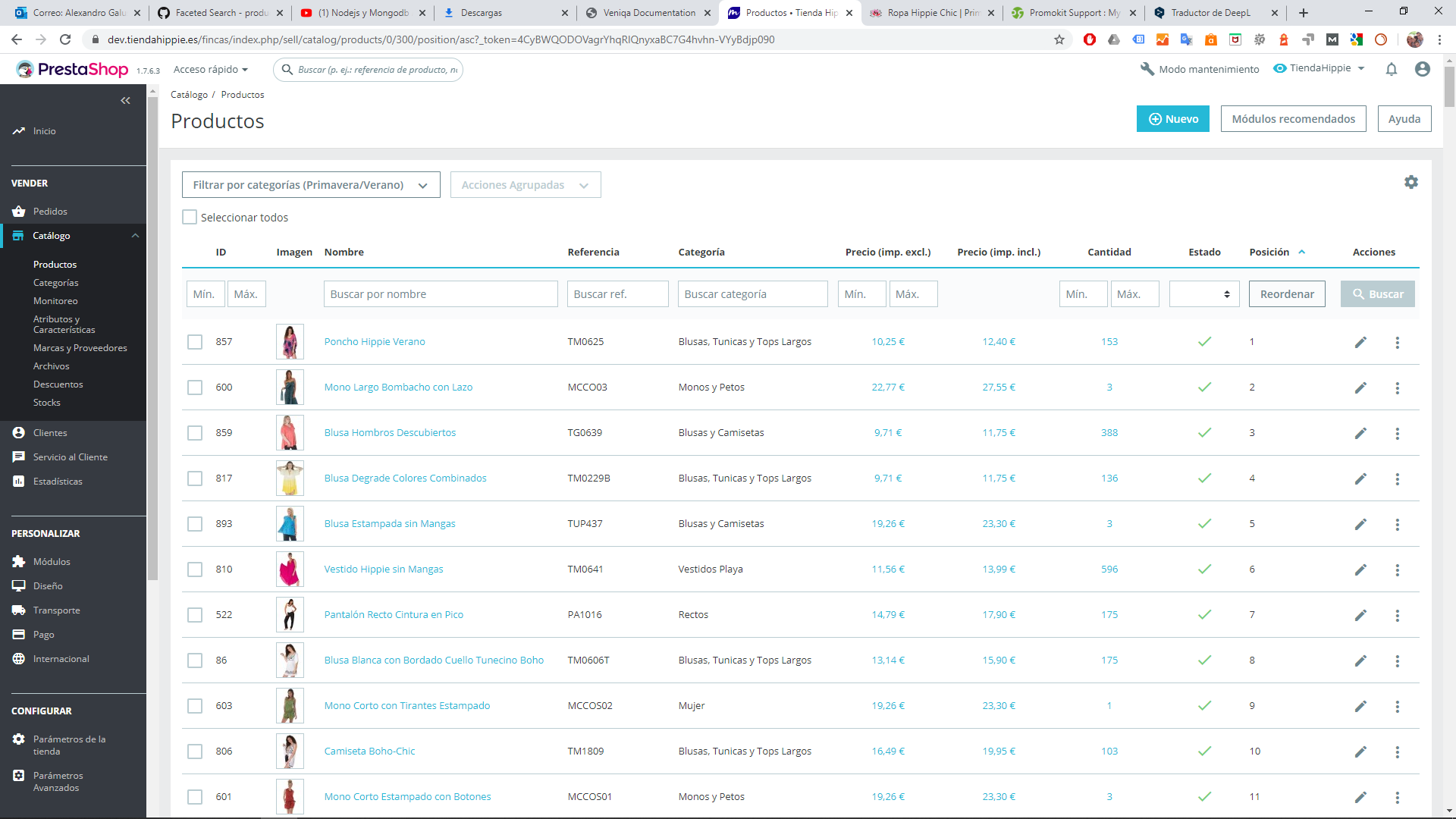
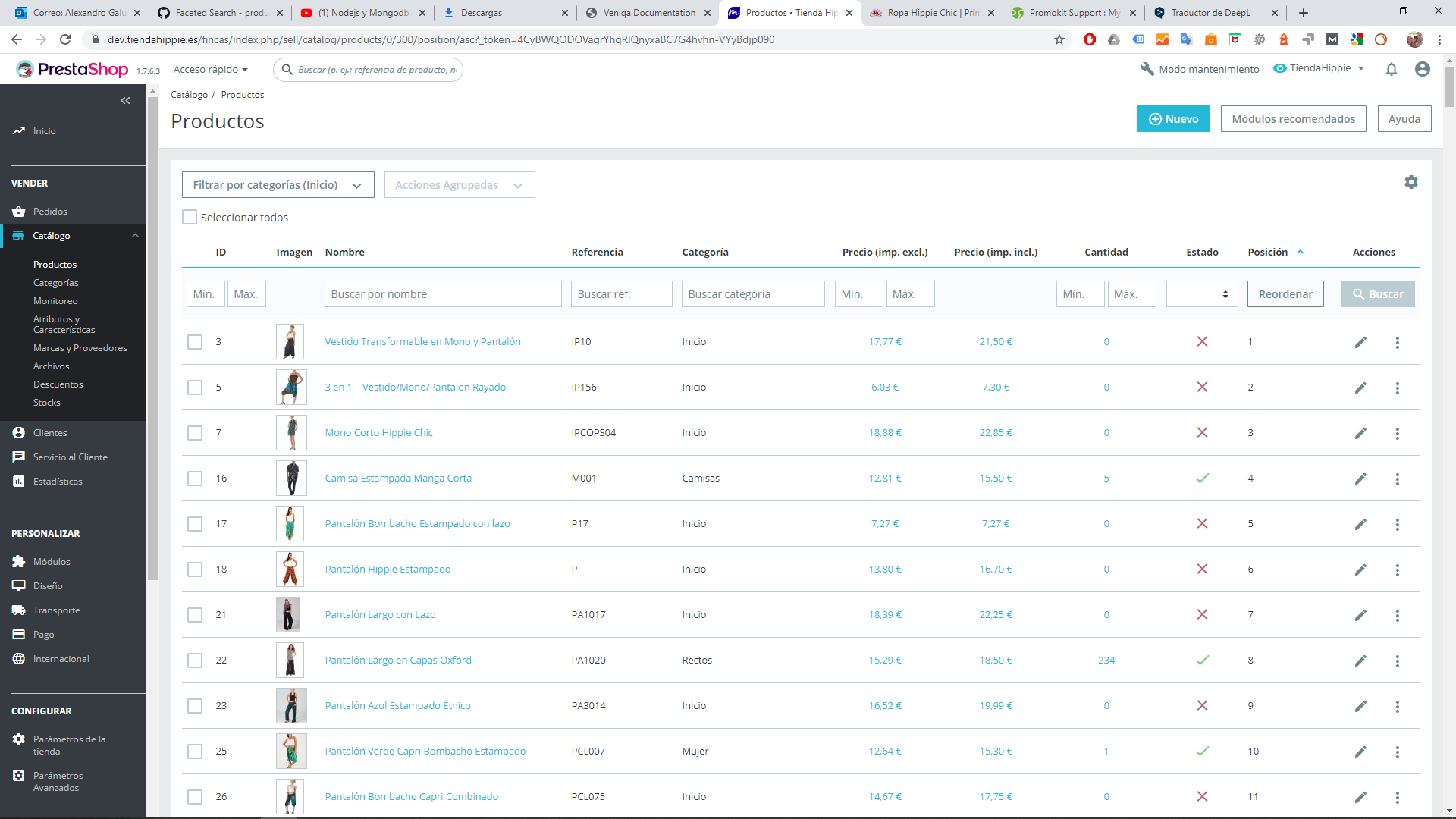
As you will see the order within the category with the facet search module is not correct.
But I see that the order it puts is the one with the root folder (id=2)
Attached
agalussio
on 27 Mar 2020
@agalussio
I applied the same configuration as you:
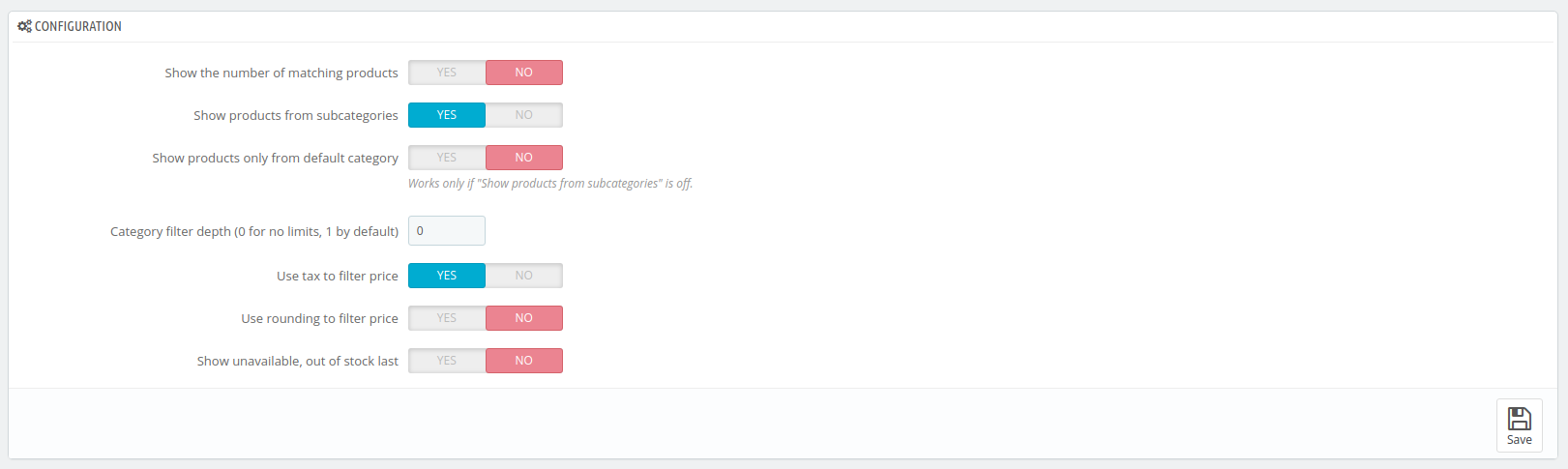
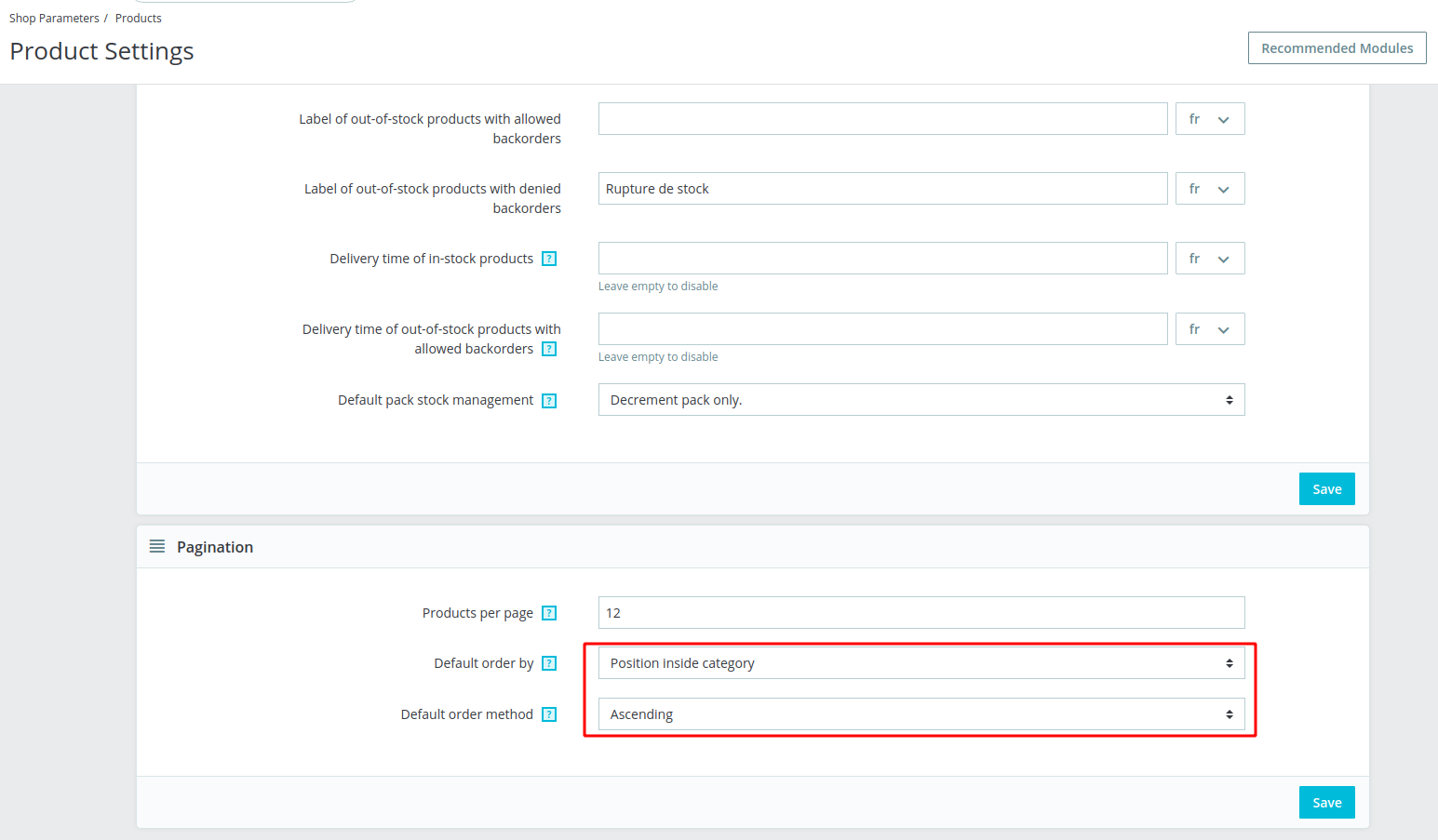
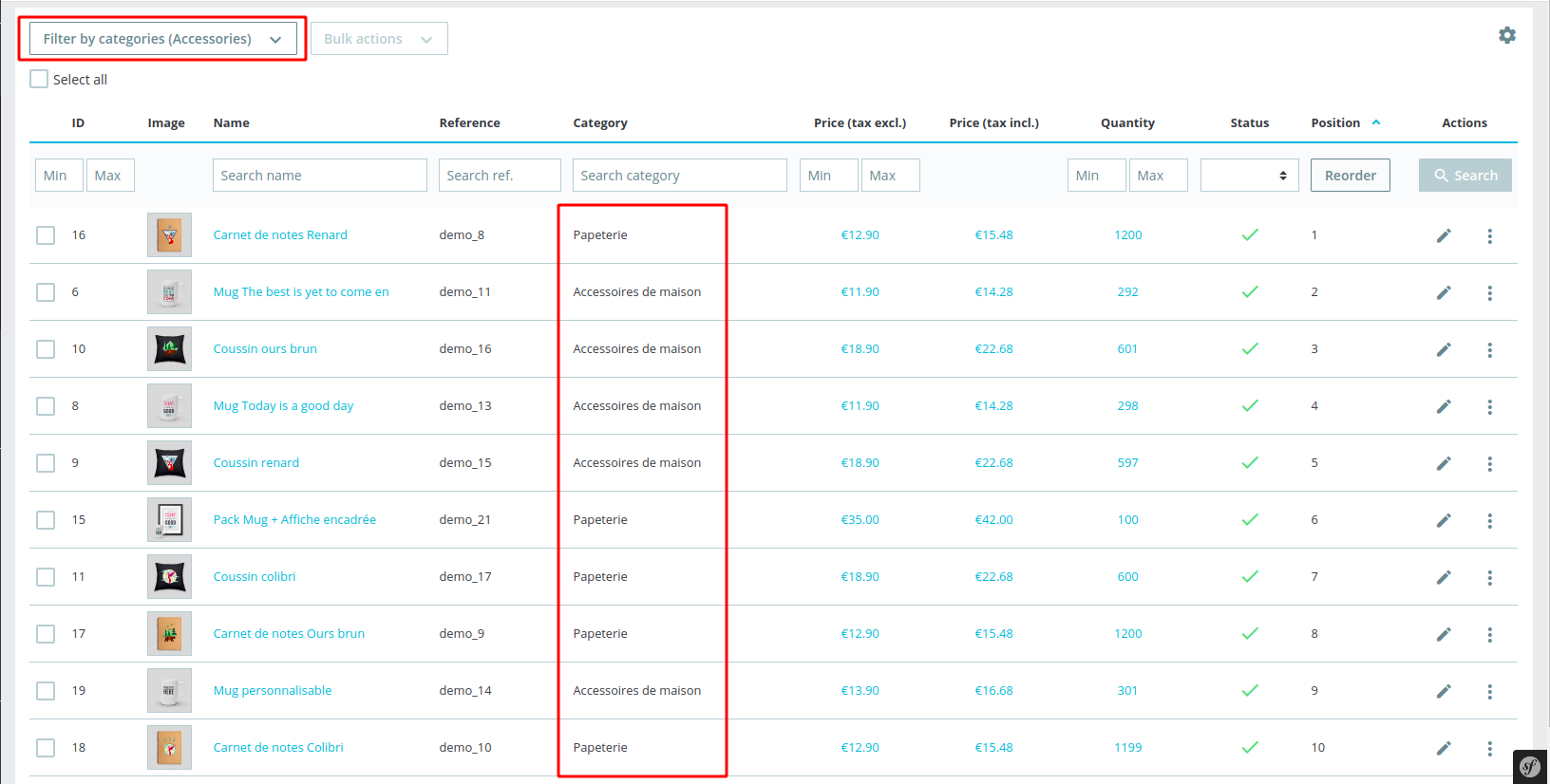
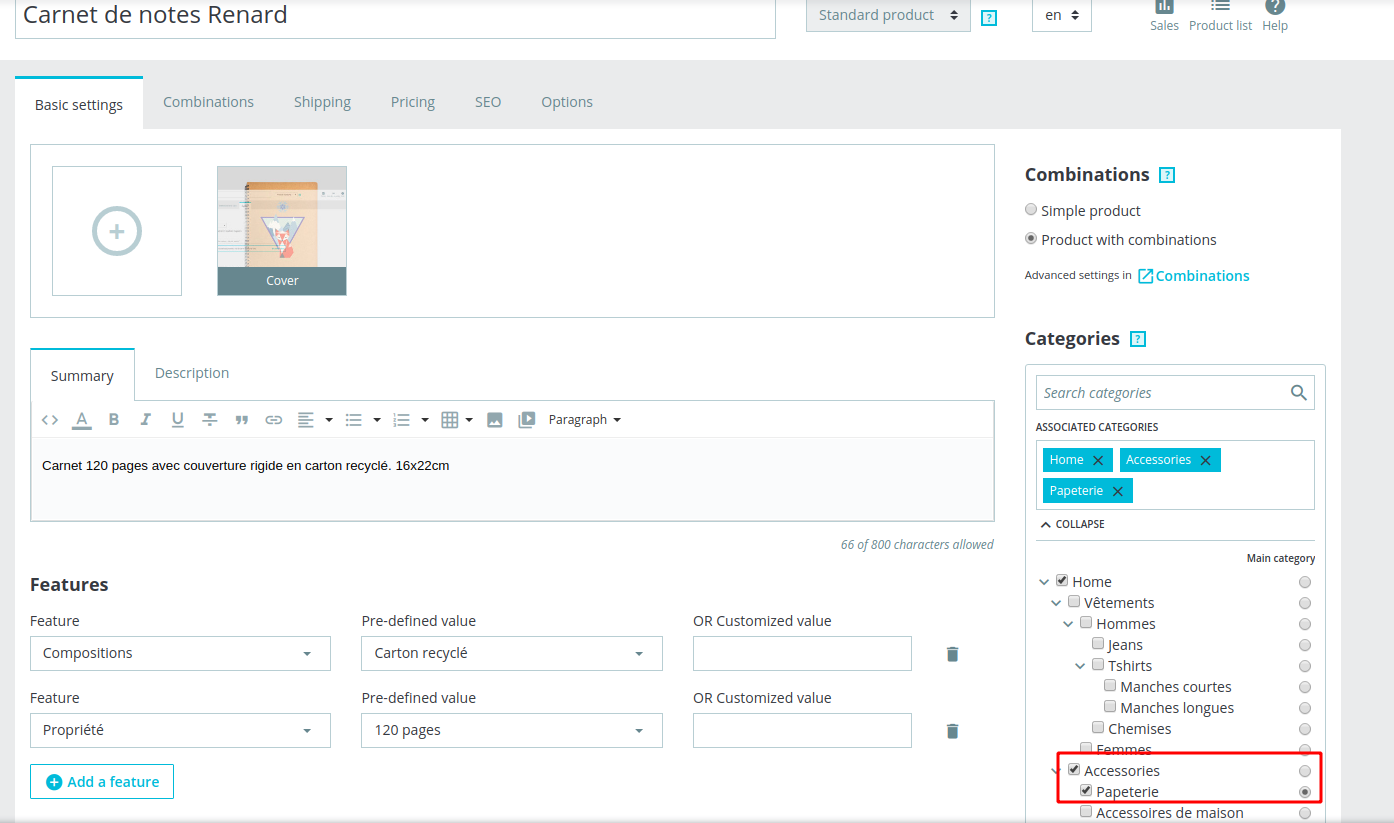
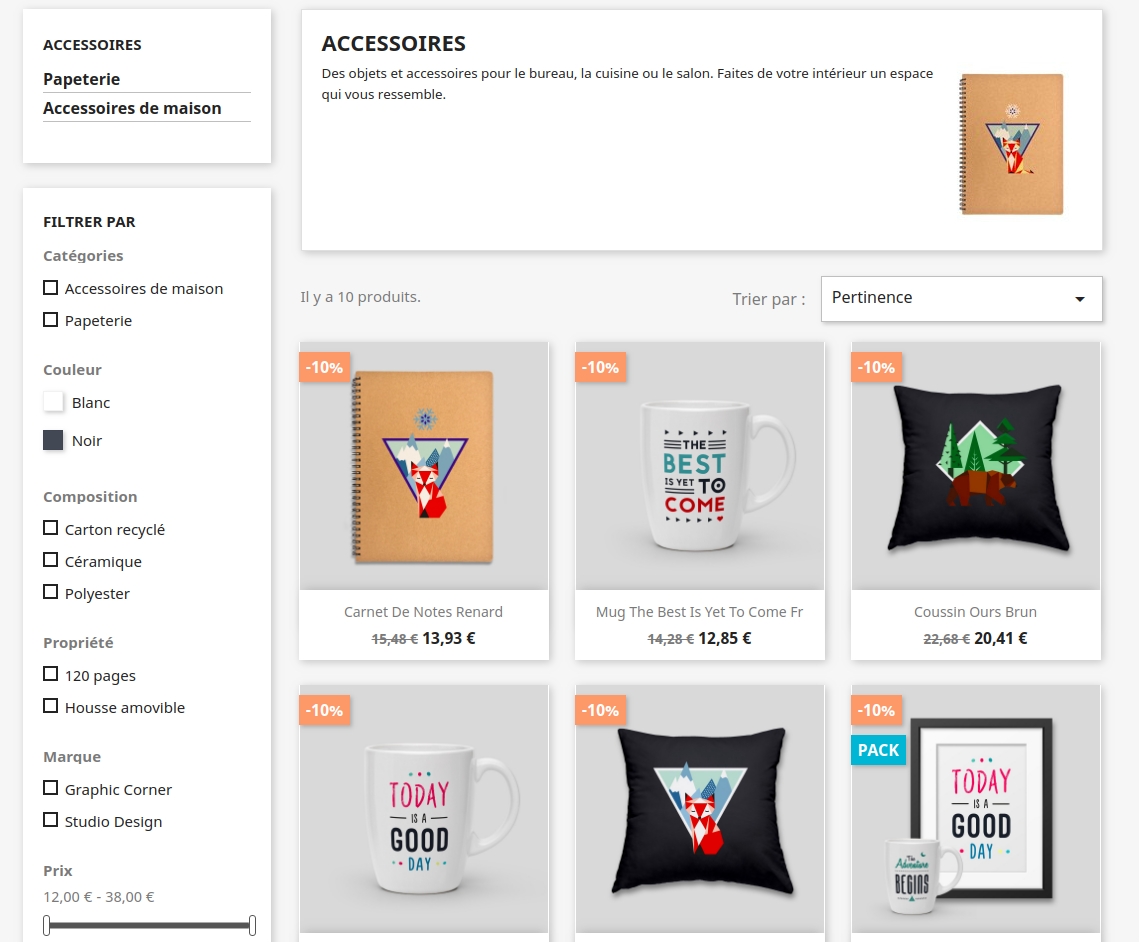
But I can't reproduce the issue
marionf
on 31 Mar 2020
Related issues
 matks
·
3Comments
matks
·
3Comments
 itisco
·
3Comments
marionf
·
3Comments
itisco
·
3Comments
marionf
·
3Comments
 zuk3975
·
3Comments
zuk3975
·
3Comments
zuk3975
·
3Comments
zuk3975
·
3Comments