Prestashop: Email Notifications - new_order
Hi,
We are not receiving email notifications of new orders. Just yesterday we received, but today several orders have dropped and we have not received email's.
I never changed the module configuration. and now even the site crashes when I have the active module
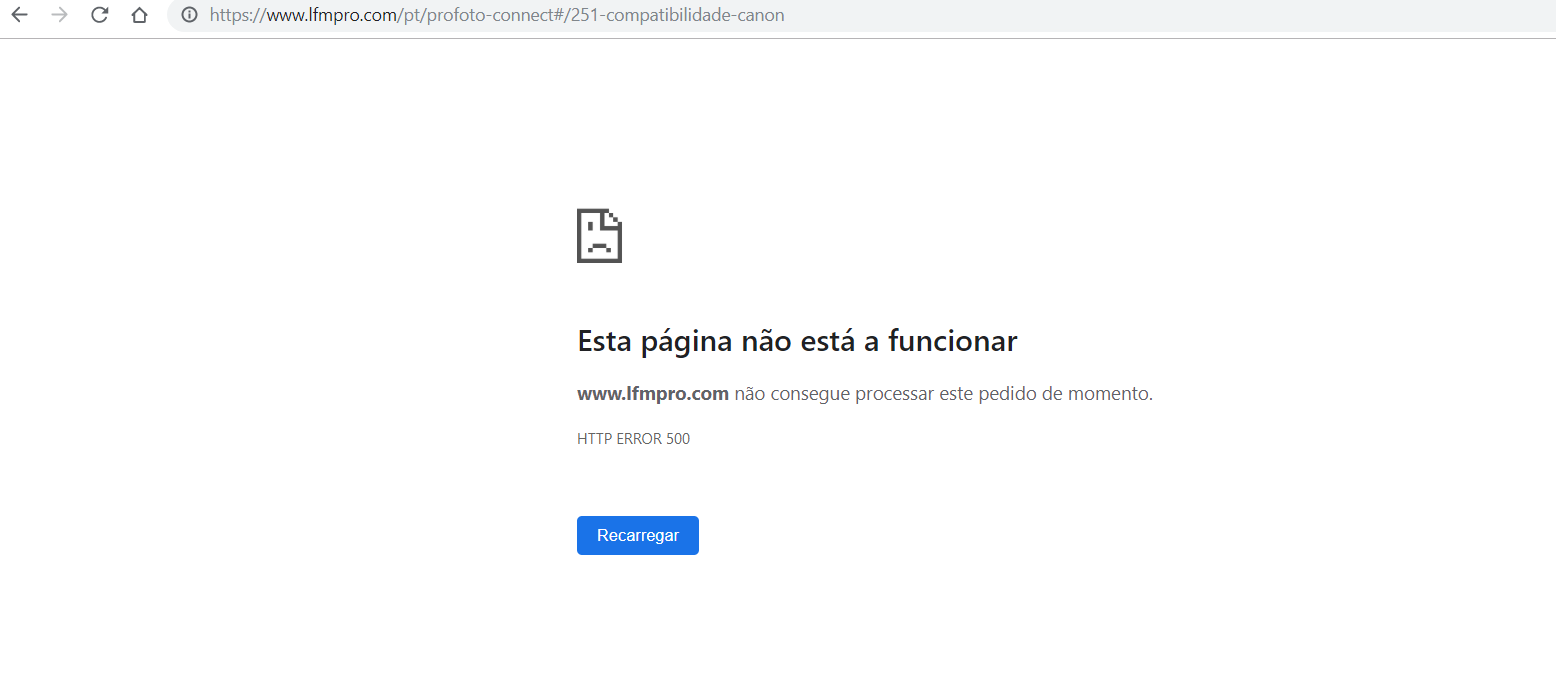
Additional information
PrestaShop version: 1.7.5.2
PHP version: 7.1.22
 JorgeNogueiraLFMPro
All 29 comments
Hi @JorgeNogueiraLFMPro,
Could you please provide us with more info? We need more details to understand how we can reproduce your issue:
- host
- server setup and configuration
- PrestaShop version (source)
- debug mode report
- PHP error logs
- apache error log
- javascript console log
Don't you know how to get this information? Please read the following article:
http://build.prestashop.com/howtos/misc/how-to-create-bug-report/
Thanks!
 khouloudbelguith
on 6 Aug 2019
khouloudbelguith
on 6 Aug 2019
PHP error log:
Apache: /var/log/apache/php_error.log
Nginx: /var/log/php-fpm/default/error.log
IIS: %SystemDrive%\inetpub\logs\LogFiles
Server setup:
Operating system.
Type and version of webserver (Apache, Nginx, IIS, other).
Version of PHP.
Version of MySQL/MariaDB.
Make sure you have emptied PrestaShop’s cache!
JorgeNogueiraLFMPro
on 6 Aug 2019
@JorgeNogueiraLFMPro, thanks for your feedback.
I found this error in your log file
[Tue Aug 06 11:57:18.364551 2019] [php7:error] [pid 17155] [client 37.189.146.145:51135] PHP Fatal error: Cannot declare class MailAlert, because the name is already in use in /home/lab/domains/lfmpro.com/public_html/modules/mailalerts/MailAlert.php on line 290, referer: https://www.lfmpro.com/pt/mirrorless
What is the exact version of the mailalerts module did you use?
Could you please try to reset it, clear cache, check & feedback.
khouloudbelguith
on 6 Aug 2019
Hi,
I tried to do what you told me but still don't send new_order email.
The error on the page has disappeared.
Alertas por e-mail
v2.1.1
JorgeNogueiraLFMPro
on 6 Aug 2019
@JorgeNogueiraLFMPro, in the BO => Advanced Parameters => Administration page, check if the option "Show notifications for new orders" is enabled.
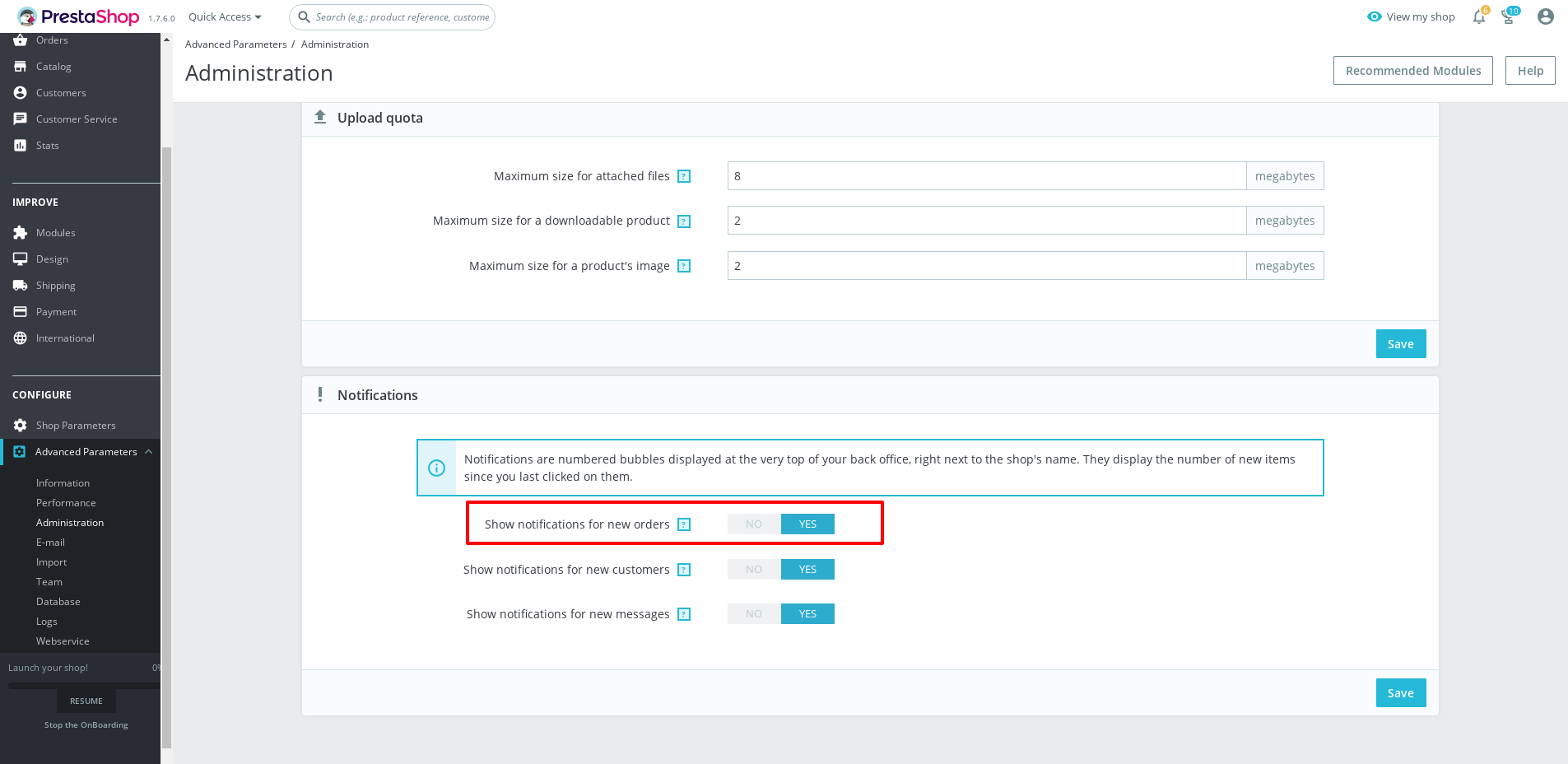
Thanks!
khouloudbelguith
on 6 Aug 2019
@khouloudbelguith yes as you can see it is active
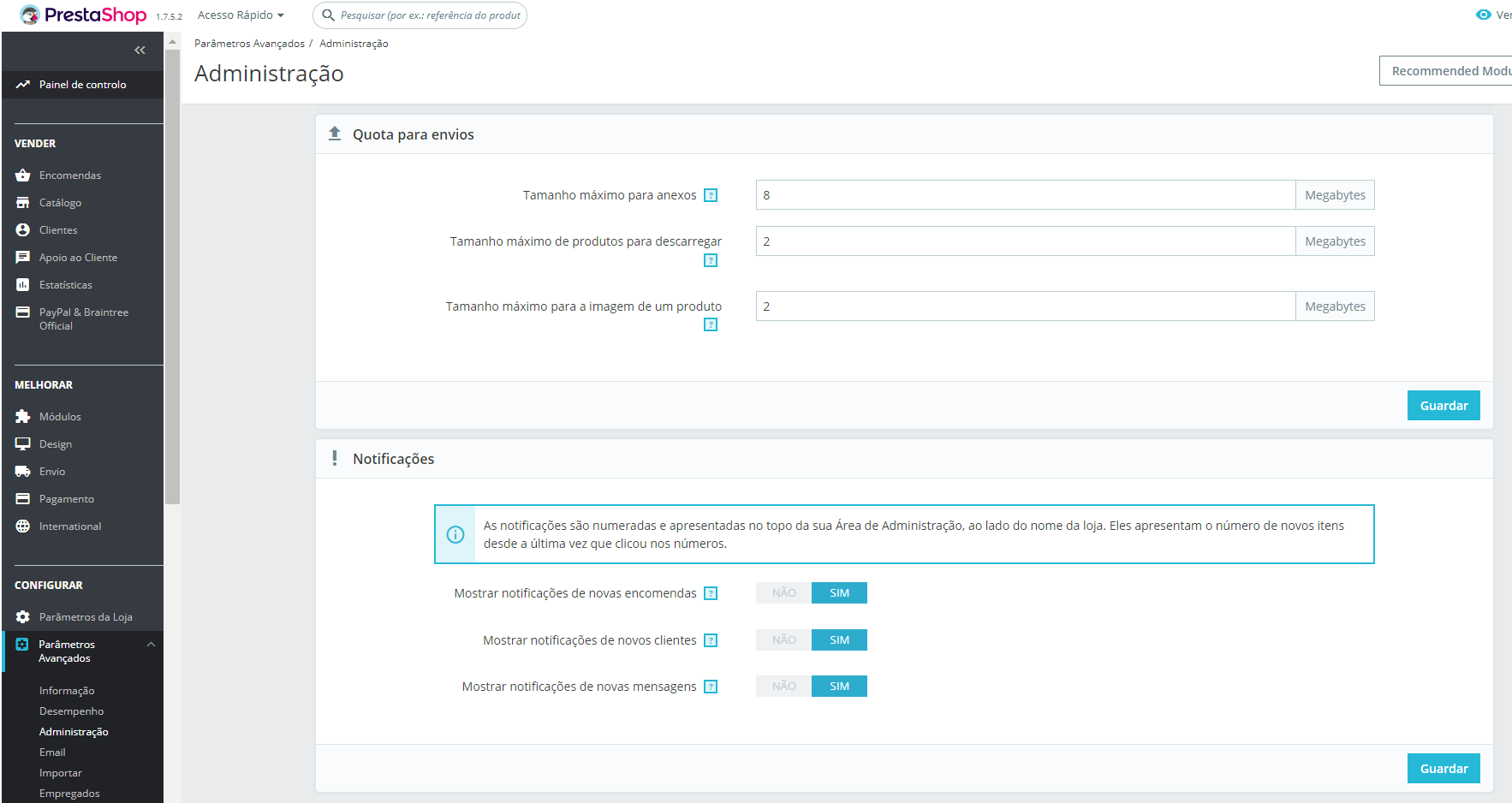
JorgeNogueiraLFMPro
on 6 Aug 2019
@JorgeNogueiraLFMPro, We need to retrieve the PHP error log and the debug mode report in order to find out what's wrong.
Don't you know how to get this information? Please read the following article:
http://build.prestashop.com/howtos/misc/how-to-create-bug-report/
Thanks!
khouloudbelguith
on 6 Aug 2019
@khouloudbelguith
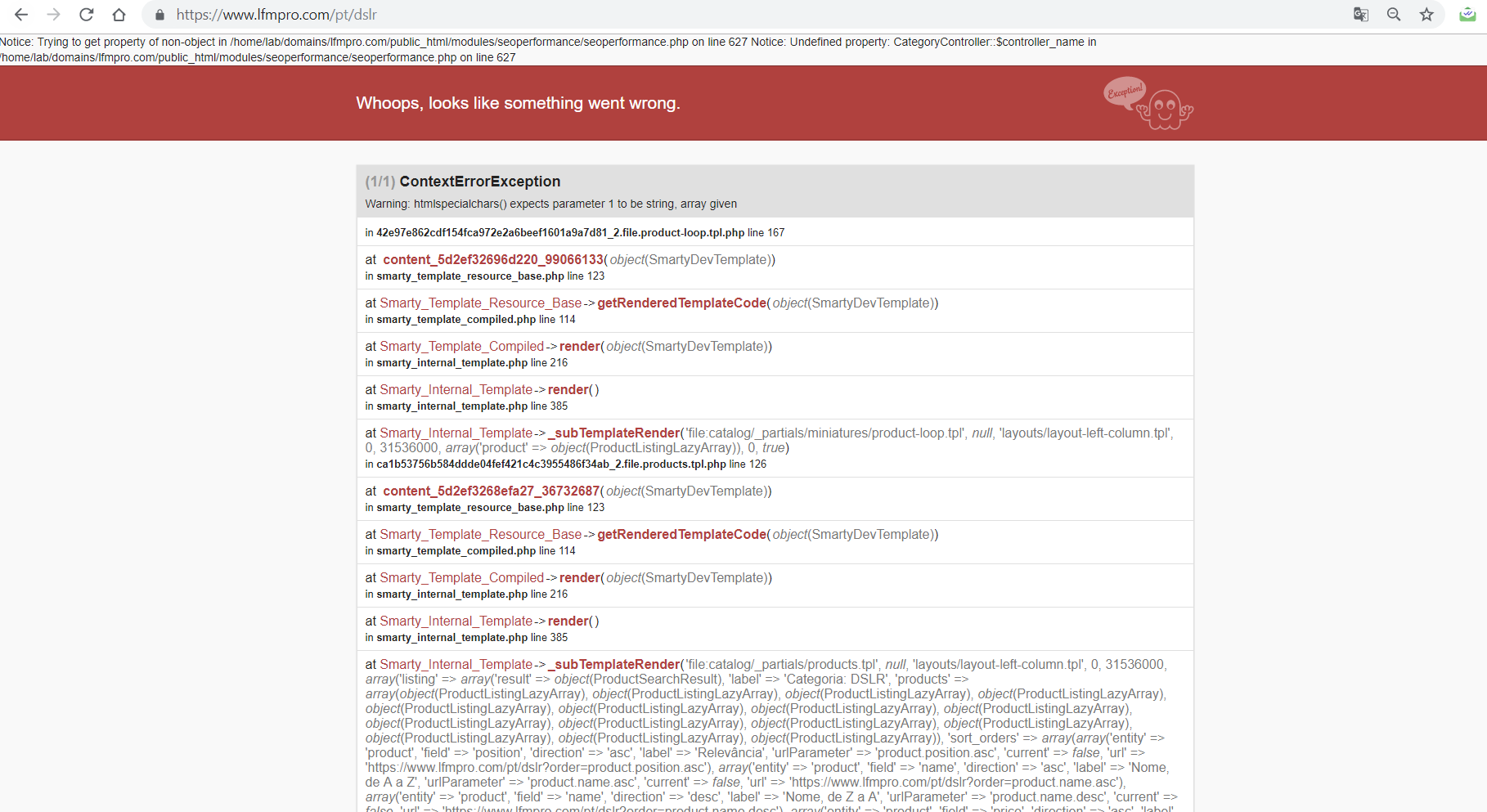
JorgeNogueiraLFMPro
on 6 Aug 2019
@JorgeNogueiraLFMPro, this exception is displayed in the Product page Front office?
This link: https://www.lfmpro.com/pt/profoto-connect#/251-compatibilidade-canon?
Thanks!
khouloudbelguith
on 6 Aug 2019
@khouloudbelguith
This appear on category page.
This Link: https://www.lfmpro.com/pt/dslr
JorgeNogueiraLFMPro
on 6 Aug 2019
@JorgeNogueiraLFMPro, it is OK in my side

Thanks!
khouloudbelguith
on 6 Aug 2019
@khouloudbelguith
Yes I know it is working. What I sent you was when I turned on debug mode in BO. The only problem I have in the store is not receiving new_orders emails. Isn't it better to go to the site BO to test?
JorgeNogueiraLFMPro
on 6 Aug 2019
@JorgeNogueiraLFMPro, Could you please try to clear cache manually by deleting all the folder into var/cache (prod & dev).
Thanks to check and feedback.
khouloudbelguith
on 6 Aug 2019
@JorgeNogueiraLFMPro It could not be related to the module at all.
In my case, when I enable developer mode, Prestashop is unable to send any email.
 Hlavtox
on 7 Aug 2019
Hlavtox
on 7 Aug 2019
@JorgeNogueiraLFMPro, from your BO => Advanced Parameters => Emails => Test Email is well sent?
Thanks!
khouloudbelguith
on 7 Aug 2019
@khouloudbelguith Yes I am receiving thank you
JorgeNogueiraLFMPro
on 7 Aug 2019
@JorgeNogueiraLFMPro, thanks!
Feel free to open a new one when needed.
khouloudbelguith
on 7 Aug 2019
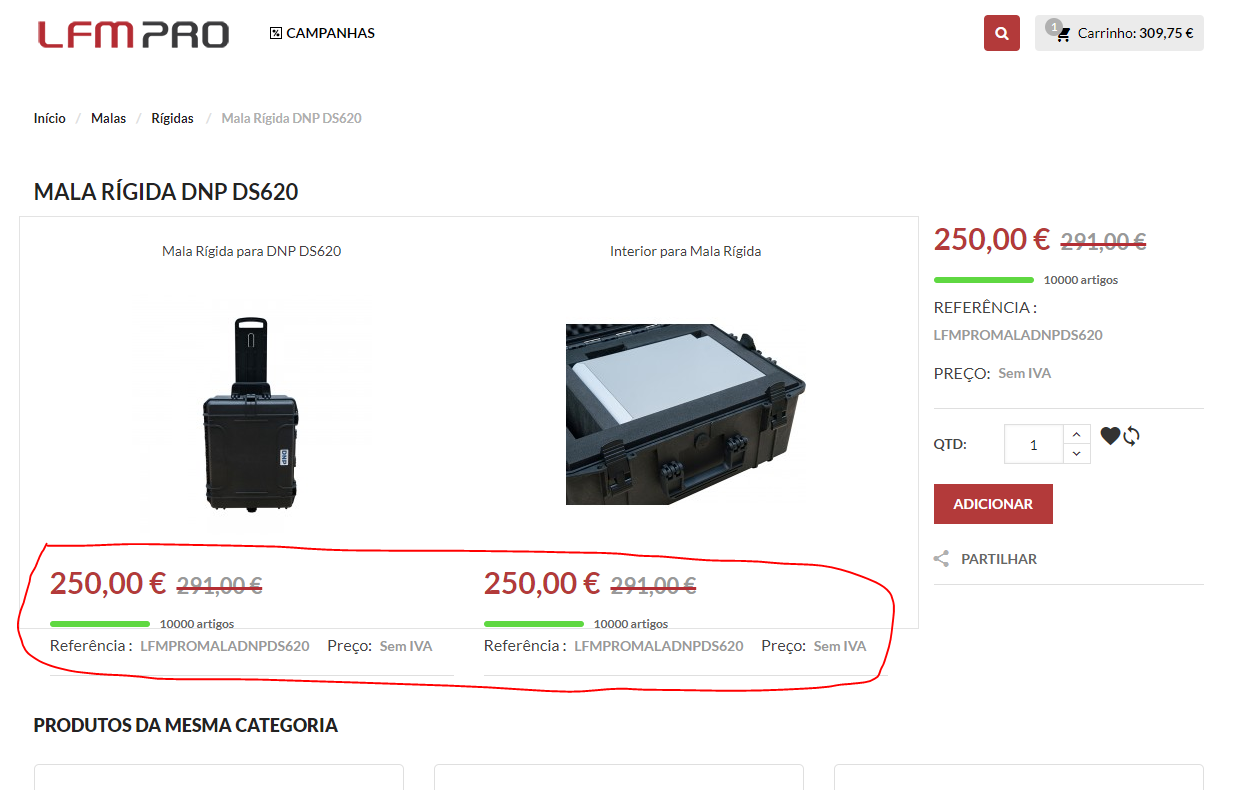
Hi,
After clearing the cache manually, we came across this situation that was not happening in my Pack's module. For the information I pointed out did not appear.
JorgeNogueiraLFMPro
on 7 Aug 2019
@JorgeNogueiraLFMPro, what is the exact issue on your screenshot?
Thanks!
khouloudbelguith
on 7 Aug 2019
@khouloudbelguith
These values, stock and reference that appear below the product image did not appear before. And after we cleared the cache began to appear
JorgeNogueiraLFMPro
on 7 Aug 2019
@JorgeNogueiraLFMPro, about the stock, in your BO => Shop Parameters => Product Settings Page => "Display available quantities on the product page" option is enabled?
Thanks
khouloudbelguith
on 7 Aug 2019
@khouloudbelguith
You can see what happens when I update the page, prices do not appear but when you finish updating the page they appear and should not appear.
JorgeNogueiraLFMPro
on 7 Aug 2019
@JorgeNogueiraLFMPro, show prices option in your case is disabled?
Also, the Display discounted price option is disabled?
Thanks!
khouloudbelguith
on 7 Aug 2019
@khouloudbelguith This is active as this is within a module of making product packs. And no one changed the settings. They appeared because of clearing the cache manually.
JorgeNogueiraLFMPro
on 7 Aug 2019
@JorgeNogueiraLFMPro,
They appeared because of clearing the cache manually.
So, before clearing the cache => they are not displayed => error => they should be displayed because the option is enabled
After clearing the cache, they are displayed again.
Thanks!
khouloudbelguith
on 7 Aug 2019
@khouloudbelguith
I was seeing but the settings are the same as before clearing the cache.
JorgeNogueiraLFMPro
on 7 Aug 2019
@JorgeNogueiraLFMPro, try to disable the "show price" option & the "display the quantity available" & check if they are still displayed?
Thanks!
khouloudbelguith
on 7 Aug 2019
@khouloudbelguith
I created some rules in css inside the module, it worked correctly. Thanks
JorgeNogueiraLFMPro
on 7 Aug 2019
@JorgeNogueiraLFMPro, thanks for your feedback.
Feel free to open a new one when needed.
Thanks!
khouloudbelguith
on 7 Aug 2019
Related issues
 matks
·
3Comments
matks
·
3Comments
matks
·
3Comments
matks
·
3Comments
 vincent-dp
·
3Comments
vincent-dp
·
3Comments
 itisco
·
3Comments
itisco
·
3Comments
 rGaillard
·
3Comments
rGaillard
·
3Comments