Prestashop: Hello I have big problem with the subject email
Hello
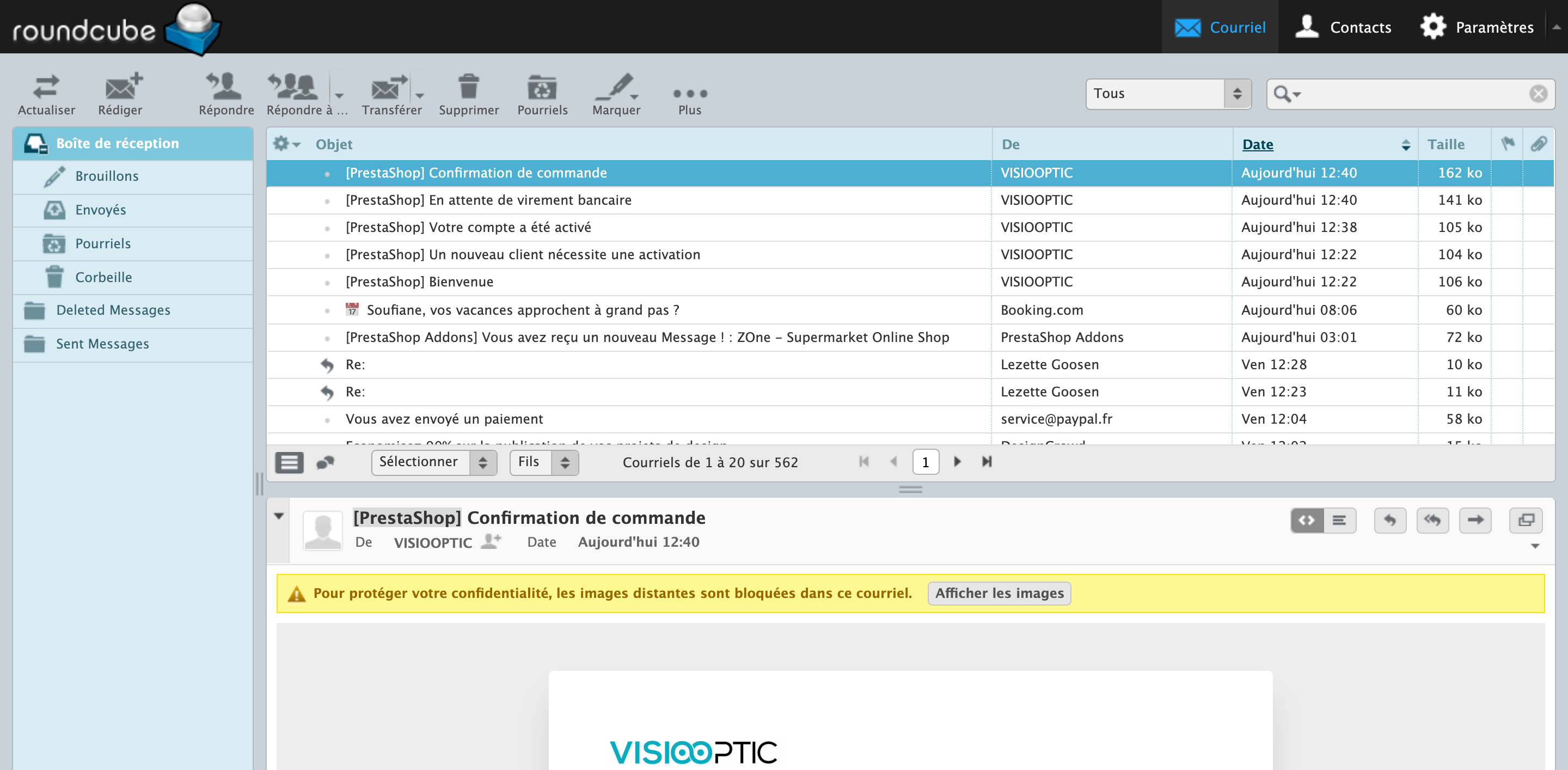
I upgraded to 1.7.6 and since when the customers receive the email of confirmation, in the subject, I don't have the name of my shop but I have [PrestaShop] (please check the picture)
I don't know how can I do
thanks
Version de PrestaShop : 1.7.6.0
Version de PHP : 7.2.19
 yassine1812
All 10 comments
Hi @yassine1812,
I did not manage to reproduce the issue with PS1.7.6.0.
I attached a screenshot

Could you please navigate to the BO => Shop Parameters => Contact => Stores Tab & edit your shop name.
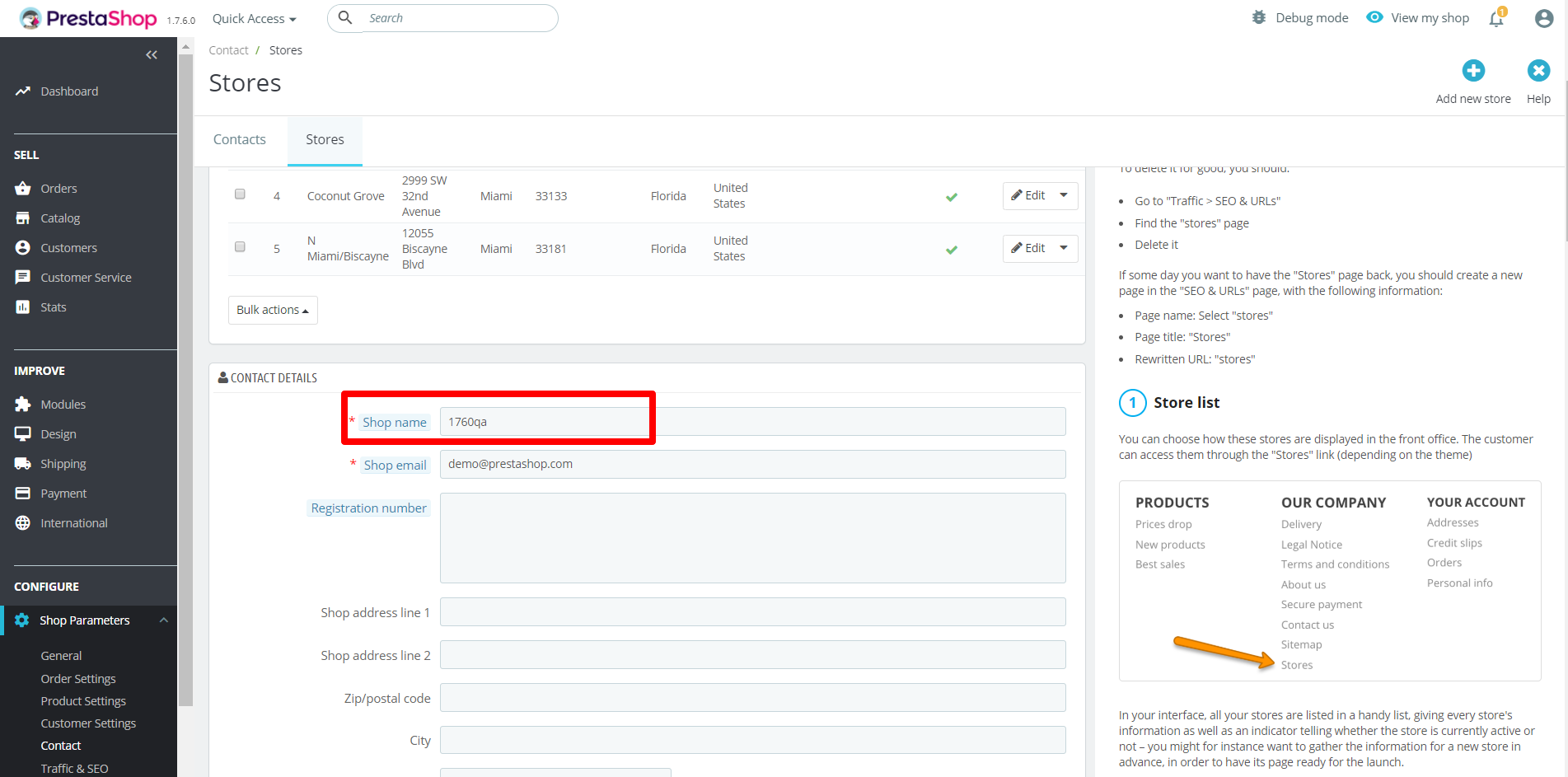
Thanks to check & feedback.
 khouloudbelguith
on 29 Jul 2019
khouloudbelguith
on 29 Jul 2019
Hello friend
thanks for your reply :)
The name shop is right, it's my name shop
yassine1812
on 29 Jul 2019
@yassine1812, could you please try to navigate to the BO => Shop Parameters => General => Enable "Multistore".
Then go to the BO => Advanced Parameters => Multistore => Edit your shop => & edit the shop name & save => after that try to disable multistore.

Thanks to check & feedback
khouloudbelguith
on 29 Jul 2019
Hello
yes perfect it's working now :) but I don't know why I lost all my small category, isn't a problem I can create again, do you know why ?
yassine1812
on 29 Jul 2019
@yassine1812, when trying to save your shop; you didn't select all your categories.
You just selected your subcategories.
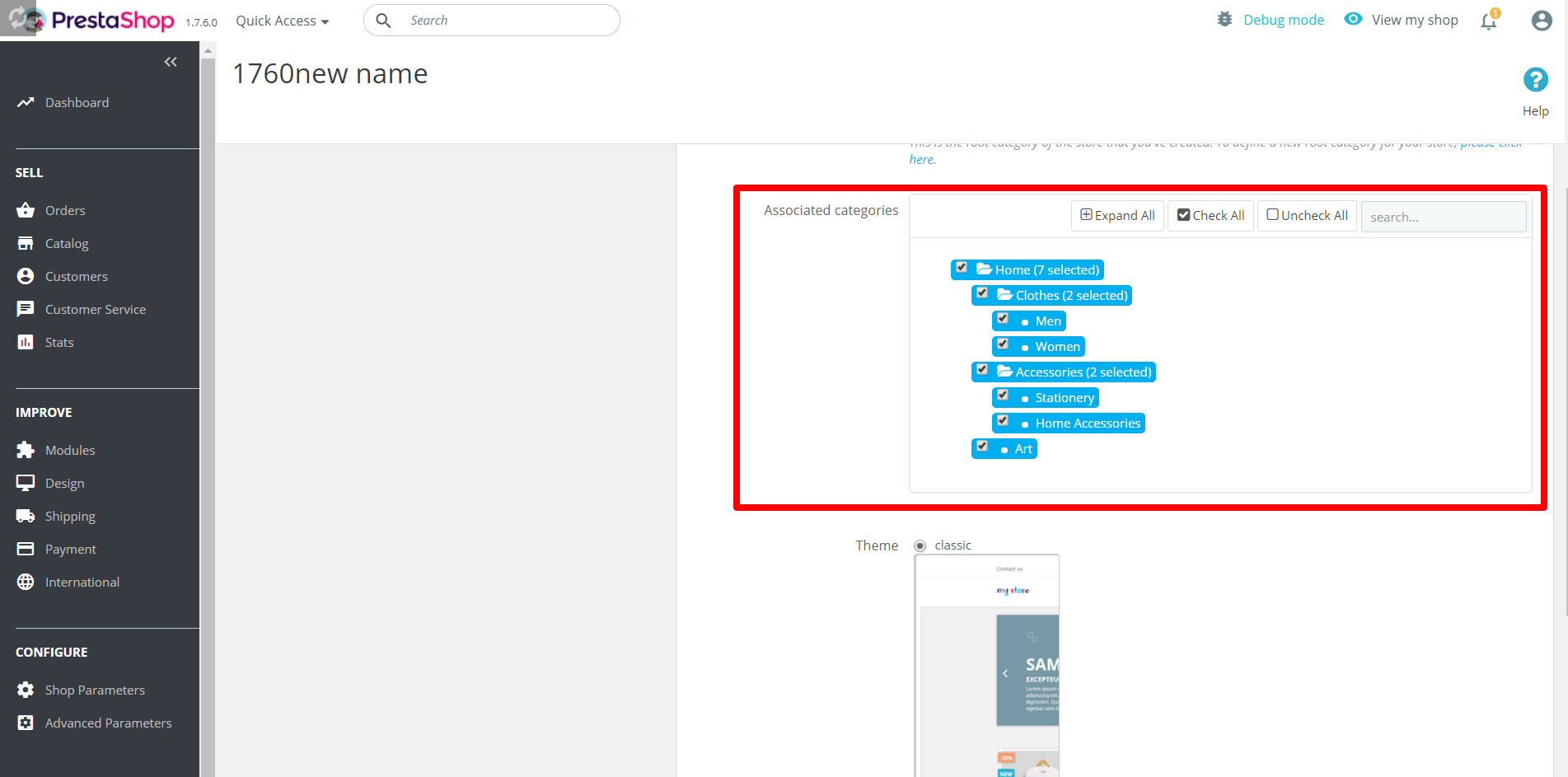
Thanks!
khouloudbelguith
on 29 Jul 2019
Ok no problem thanks for your help :)
yassine1812
on 29 Jul 2019
@yassine1812, you are welcome.
Since it is fixed.
close the issue, feel free to open a new one when needed.
Thanks!
khouloudbelguith
on 29 Jul 2019
This is NOT SOLVED, all my subcategories are desappered and there's no way to show them back!!!!
 FaustoBoscaro
on 22 Feb 2020
FaustoBoscaro
on 22 Feb 2020
@yassine1812, when trying to save your shop; you didn't select all your categories.
You just selected your subcategories.
Thanks!
This solution cause to my shop worst problems!!!!
FaustoBoscaro
on 22 Feb 2020
Hi @FaustoBoscaro,
In the Multistore page, The sub-categories issue is reported here: https://github.com/PrestaShop/PrestaShop/issues/9701
It is added to our bug roadmap.
Thanks!
khouloudbelguith
on 24 Feb 2020
Related issues
 esistgut
·
3Comments
esistgut
·
3Comments
 zuk3975
·
3Comments
zuk3975
·
3Comments
 itisco
·
3Comments
itisco
·
3Comments
 rGaillard
·
3Comments
zuk3975
·
3Comments
rGaillard
·
3Comments
zuk3975
·
3Comments