Prestashop: Cannot install product comments module
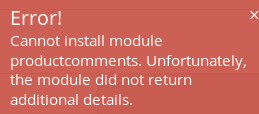
Cannot install Product Comments module
To Reproduce
Steps to reproduce the behavior:
- Go to modules->module catalog->Product Comments
- Click on Install
- See error
DEBUG:
Exception thrown by module productcomments on install. Column count doesn\'t match value count at row 1INSERT IGNORE INTO ps_product_comment_criterion VALUES (\'1\', \'1\', \'1\')
Firefox developer console:
{"productcomments":{"status":false,"msg":"Cannot install module productcomments. Unfortunately, the module did not return additional details."}}
Screenshots
Additional information
PrestaShop version: 1.7.6
PHP version: 7.2
 blahapeta
All 10 comments
Hi @blahapeta,
Could you please provide us with more info? We need more details to understand how we can reproduce your issue:
- host
- server setup and configuration
- PrestaShop version (source)
- debug mode report
- PHP error logs
- apache error log
- javascript console log
- screenshots
Don't you know how to get this information? Please read the following article:
http://build.prestashop.com/howtos/misc/how-to-create-bug-report/
Thanks!
 mariem-abid
on 15 Jul 2019
mariem-abid
on 15 Jul 2019
Hi @mariem-abid ,
i have solved it.
Problem was in my database. There was one extra row in my table. After removing it i was able to install module.
ALTER TABLE ps_product_comment_criterion DROP COLUMN id_shop;
I had Mypresta product comment module i installed previously. It probably altered this db table.
https://mypresta.eu/modules/advertising-and-marketing/free-product-reviews-comments.html
Thanks!
blahapeta
on 15 Jul 2019
Hi @blahapeta,
As it's not a module provided by Prestashop, we can't do anything with this.
You should contact the module author via your addons.prestashop.com account, they are the only ones to help you with it.
Thanks!
 khouloudbelguith
on 16 Jul 2019
khouloudbelguith
on 16 Jul 2019
ALTER TABLE ps_product_comment
I also have the same problem and had previously installed the same module from mypresta...
Can you be more specific as to how to resolve this\?
 Stampa-Stampa
on 18 Jul 2019
Stampa-Stampa
on 18 Jul 2019
My Prestashop is totally broken now, have to reinstall. Not sure why. Only thing i can recommend it to do not do changes by hand like me. Hope Mypresta and official Prestashop will communicate about this matter and resolve it
blahapeta
on 18 Jul 2019
@Stampa-Stampa and @blahapeta
You can remove vikea's module tables on phpMyadmin manually.
--
@khouloudbelguith
Why this module can be just/min. usable for +1.7.6.0?
//$this->ps_versions_compliancy = array('min' => '1.7.6', 'max' => _PS_VERSION_);
It needs which changes to be avaible for 1.7.4.4?
Thanks!
 shnslmz
on 31 Dec 2019
shnslmz
on 31 Dec 2019
Hi @shnslmz,
It is compatible with PrestaShop from PS1.7.6.0.
You can change this line
$this->ps_versions_compliancy = array('min' => '1.7.6', 'max' => PS_VERSION);
by this
$this->ps_versions_compliancy = array('min' => '1.7.4', 'max' => PS_VERSION);
But, it is not official this change, it can provide you issues because it is not compatible.
Thanks!
khouloudbelguith
on 31 Dec 2019
Hi @shnslmz,
It is compatible with PrestaShop from PS1.7.6.0.
You can change this line
$this->ps_versions_compliancy = array('min' => '1.7.6', 'max' => PS_VERSION);
by this
$this->ps_versions_compliancy = array('min' => '1.7.4', 'max' => PS_VERSION);
But, it is not official this change, it can provide you issues because it is not compatible.Thanks!
Hi @khouloudbelguith ,
Yes.
This is exactly what I want to ask:
"But, it is not official this change, it can provide you issues because it is not compatible."
Is there any big changes between this two versions, at this point, do you have any info?
Thanks!
shnslmz
on 31 Dec 2019
@shnslmz, you can follow this link & check the changelog between each version.
Thanks!
khouloudbelguith
on 31 Dec 2019
Hi @mariem-abid ,
i have solved it.Problem was in my database. There was one extra row in my table. After removing it i was able to install module.
ALTER TABLE ps_product_comment_criterion DROP COLUMN id_shop;
I had Mypresta product comment module i installed previously. It probably altered this db table.
https://mypresta.eu/modules/advertising-and-marketing/free-product-reviews-comments.htmlThanks!
The same situation )) Thanks for SQL query )
 photinia73
on 25 Feb 2020
photinia73
on 25 Feb 2020
Related issues
 centoasa
·
3Comments
centoasa
·
3Comments
 vincent-dp
·
3Comments
vincent-dp
·
3Comments
 Prestaworks
·
3Comments
Prestaworks
·
3Comments
 sandra2n
·
3Comments
sandra2n
·
3Comments
 Fabuloops
·
3Comments
Fabuloops
·
3Comments
Most helpful comment
Hi @mariem-abid ,
i have solved it.
Problem was in my database. There was one extra row in my table. After removing it i was able to install module.
ALTER TABLE ps_product_comment_criterion DROP COLUMN id_shop;
I had Mypresta product comment module i installed previously. It probably altered this db table.
https://mypresta.eu/modules/advertising-and-marketing/free-product-reviews-comments.html
Thanks!