Prestashop: automatic indexing of products - Multistore - not working 1.7.5.2
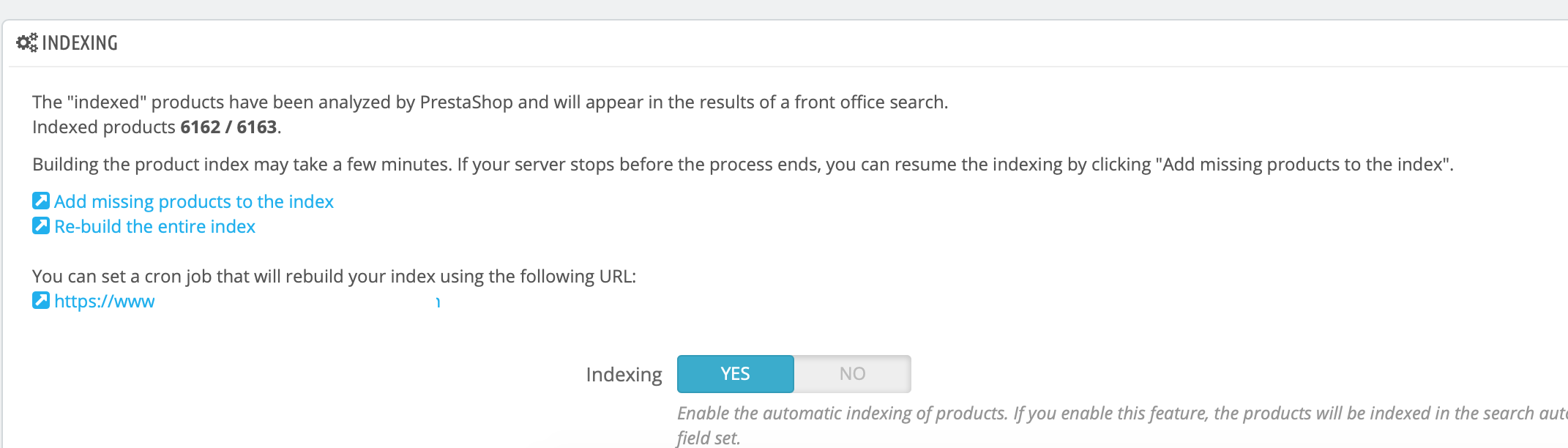
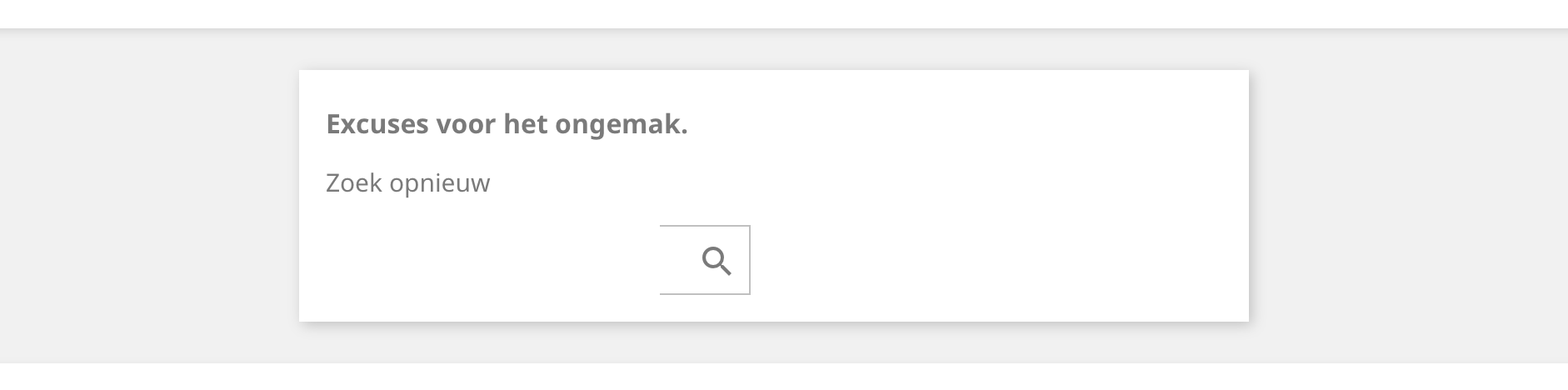
I noticed that after saving or adding a productpage the automatic index for the search does not work. Its necessary to click on : Add missing products to the index
Example before saving a product page:


After saving
Additionnal information
PrestaShop version: 1.7.5.2 - Multistore
PHP version: 7.2
 01park
All 29 comments
Hi @01park,
Thanks for your report.
I did not manage to reproduce the issue with PS1.7.5.2 & PS1.7.6.0.rc1.
I attached a screen record
https://drive.google.com/file/d/1YpxXy4ioCybZZm_pX4Y0x52S65QtTQni/view
Did you add those products throw the import age?
Thanks!
 khouloudbelguith
on 4 Jul 2019
khouloudbelguith
on 4 Jul 2019
Hi khouloudbelguith,
We add products with multistore on ALL SHOPS. The index does not work after adding a product, but also once a product is saved is not update. I tried adding a product to an individual store ( shop 1 ) and one to shop 2. Same result.
I'm looking forward to 1.7.6. maybe the problem is fixed after this update, if not I'll report back to you.
01park
on 4 Jul 2019
@01park, I tried with "All shops" also & it is OK.
https://drive.google.com/file/d/15k_c4ymqOosvmOt3fqgHqW9anFszf9xX/view
Thanks!
khouloudbelguith
on 4 Jul 2019
Thank you for now
01park
on 4 Jul 2019
@01park, could you please provide us with more info? We need more details to understand how we can reproduce your issue:
- server setup and configuration
- PrestaShop version (source)
- debug mode report
- PHP error logs
- Apache error log
- javascript console log
Don't you know how to get this information? Please read the following article:
http://build.prestashop.com/howtos/misc/how-to-create-bug-report/
Thanks!
khouloudbelguith
on 4 Jul 2019
Hi @01park,
Since we had no news from you for more than 30 days, I'll close this ticket. Feel free to open another one if you can give specific details.
Thanks!
khouloudbelguith
on 5 Aug 2019
Sadly, I have the same issue.
@01park did you found a solution?
PS 1.7.5.0 (Later multistore but now single store)
PHP 7.2
@khouloudbelguith I request to reopen the ticket and found the problem :)
 BenTen
on 21 Jan 2020
BenTen
on 21 Jan 2020
Hi,
No, I don't have any solution to solve this is issue, but I can confirm that I tested this problem this weekend on a single shop store and also here it doesn't work. Maybe we need to install a PHP extension for this option, but what one I don't know. I was hoping someone from PS could help with this.
I have had this on 1.7.5 up to 1.7.6.2
01park
on 21 Jan 2020
@01park, It is ok with PS1.7.6.3
https://drive.google.com/file/d/1PprJWQh-L55hxc65DM0NsjtV2YEVCcAF/view
Thanks!
khouloudbelguith
on 23 Jan 2020
I updated to 1.7.6.3 on both stores, but made no difference.
Is there any server settings that has to be active for this to work?
01park
on 23 Jan 2020
@01park, We need to retrieve the PHP error log and the debug mode report in order to find out what's wrong.
Don't you know how to get this information? Please read the following article:
http://build.prestashop.com/howtos/misc/how-to-create-bug-report/
Thanks!
khouloudbelguith
on 23 Jan 2020
I just discovered something tonight.
When I login in to BO, but not as Super administrator and edit and save an product. The search engine index does work.
Tested again with a new super admin account and search enige index does not work.
01park
on 28 Jan 2020
Since, other profils doesn't have permission for other module by default.
Maybe it's because a module.
Do you have some 3rd part module in hook "actionProductUpdate"?
You can see it in Design > Positions.
BenTen
on 28 Jan 2020
Hi @01park,
It is ok with PS1.7.6.3 using a new employee with a different profile than the super admin.
https://drive.google.com/file/d/1YmCwuLrUzahWyo6bVIHzupHBgnsj_nHZ/view
Thanks to check @BenTen request.
Thanks!
khouloudbelguith
on 29 Jan 2020
Hi, no I don't have this module installed.
But I do have another store and the same issue with super-admin profile. Very strange.
01park
on 5 Feb 2020
@01park, We need to retrieve the PHP error log and the debug mode report in order to find out what's wrong.
Thanks!
khouloudbelguith
on 5 Feb 2020
Hi, no I don't have this module installed.
@01park I mean, in the BO, in Design > Positions page, you can see hook.
If you search "_actionProductUpdate_" and check the box "Display non-positionable hooks", you will see all modules hook to this position.
Which modules can you see? Could you make a screenshot of them (or just copy/past)?
BenTen
on 5 Feb 2020
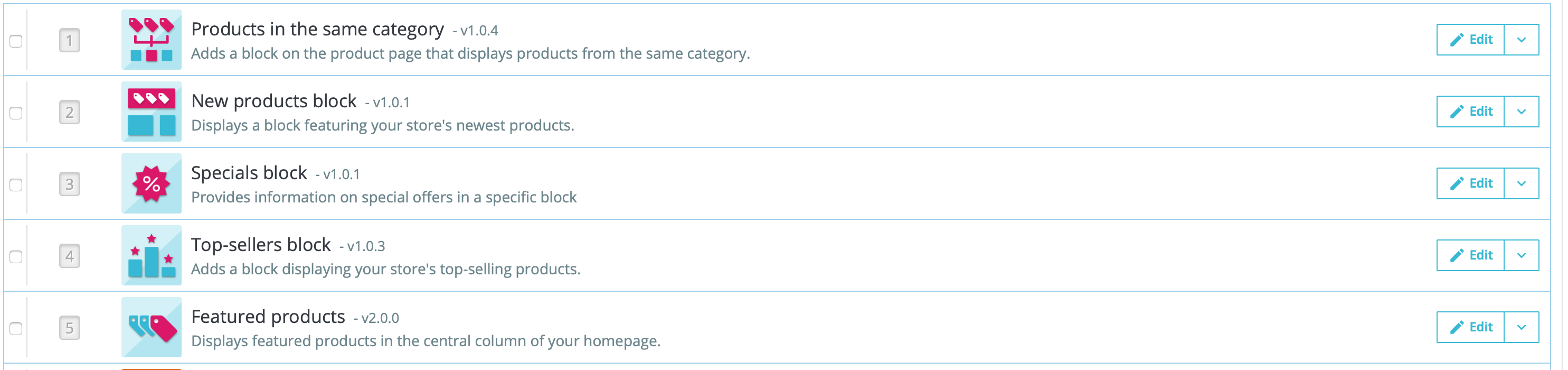
Hi Ben, this is what I see.
01park
on 5 Feb 2020
@01park Is there only 5? It's like your screenshot is cut. (sorry)
BenTen
on 5 Feb 2020
One more module which I do not use. Could this be blocking it?
01park
on 5 Feb 2020
@01park What's the name of this module?
If you don't use it, try to deactivate (or uninstall it) and check if the indexing works.
BenTen
on 5 Feb 2020
No way, I disabled this and now it works!!!
Ben thank you so much!!!
01park
on 5 Feb 2020
@01park, As it's not a module provided by Prestashop, we can't do anything with this.
You should contact the module author via your addons.prestashop.com account, they are the only ones to help you with it.
Thanks!
khouloudbelguith
on 5 Feb 2020
I stopped using this module because it's related to another problem we have with Prestashop. Its about the product features. When one value gets updated, this value is not updated over all fields of languages. I opened a ticket for this last year, but looks like doesn't have a priority.
This said, my search is working again. Thank you for your help.
01park
on 5 Feb 2020
@01park Could you tell me the name of the module please, I have the same issue but for my part I can't find the wrong module. Maybe I have the same.
BenTen
on 5 Feb 2020
The module is named: Multiple Features
01park
on 5 Feb 2020
Btw this is the other case: #13751
Any chance this will be solved?
01park
on 5 Feb 2020
@01park, It is not fixed yet.
It is added to our bug roadmap.
Thanks!
khouloudbelguith
on 5 Feb 2020
I have the same issue on multistore 1.768
 valy72ro
on 30 Sep 2020
valy72ro
on 30 Sep 2020
Related issues
 matks
·
3Comments
matks
·
3Comments
 zuk3975
·
3Comments
zuk3975
·
3Comments
 wikao2
·
3Comments
wikao2
·
3Comments
 hiousi
·
3Comments
hiousi
·
3Comments
 centoasa
·
3Comments
centoasa
·
3Comments
Most helpful comment
The module is named: Multiple Features