Prestashop: PRESTASHOP 1.7.5.2 COMBINATIONS IMAGES GENERATION BUG
Describe the bug
A clear and concise description of what the bug is.
To Reproduce
Steps to reproduce the behavior:
- Go to '...'
- Click on '....'
- Scroll down to '....'
- See error
Screenshots
If applicable, add screenshots or screenrecords to help explain your problem.
Additionnal information
PrestaShop version: N/A
PHP version: N/A
 MEGA911
All 20 comments
Hi @MEGA911,
Could you please provide us with more info? We need more details to understand how we can reproduce your issue:
- host
- server setup and configuration
- PrestaShop version (source)
- debug mode report
- PHP error logs
- apache error log
- javascript console log
- screenshots
Don't you know how to get this information? Please read the following article:
http://build.prestashop.com/howtos/misc/how-to-create-bug-report/
Thanks!
 khouloudbelguith
on 22 May 2019
khouloudbelguith
on 22 May 2019
Describe the bug
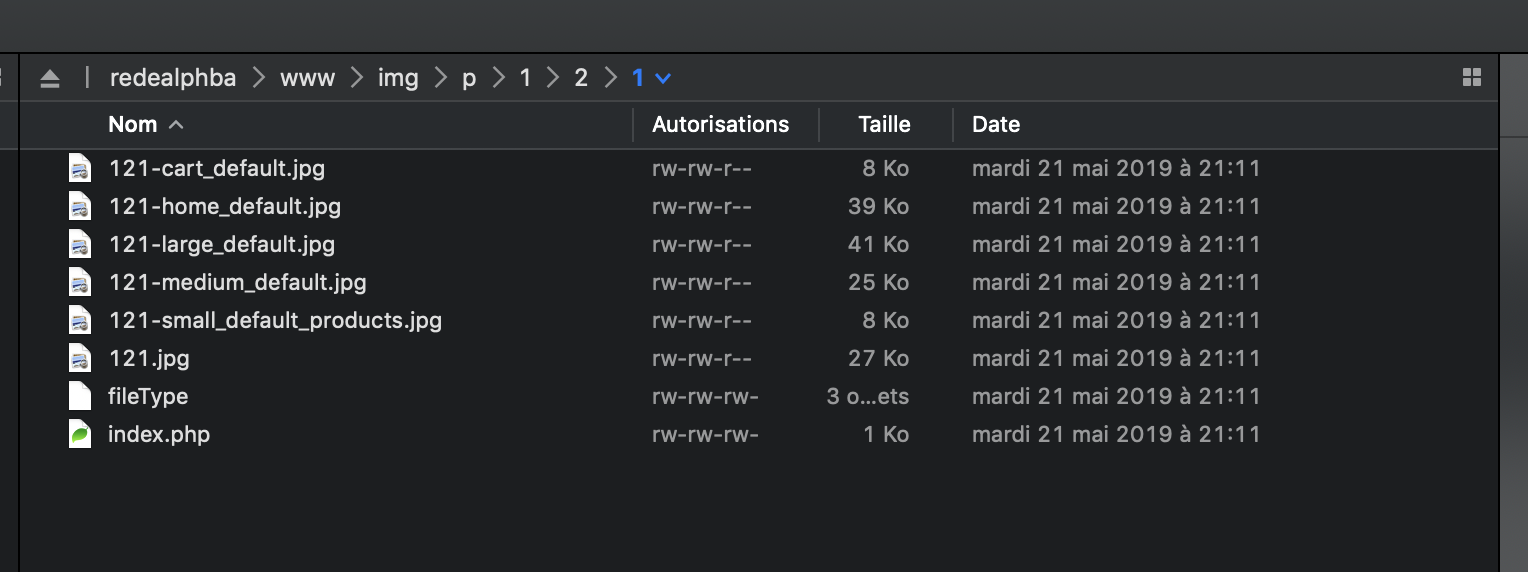
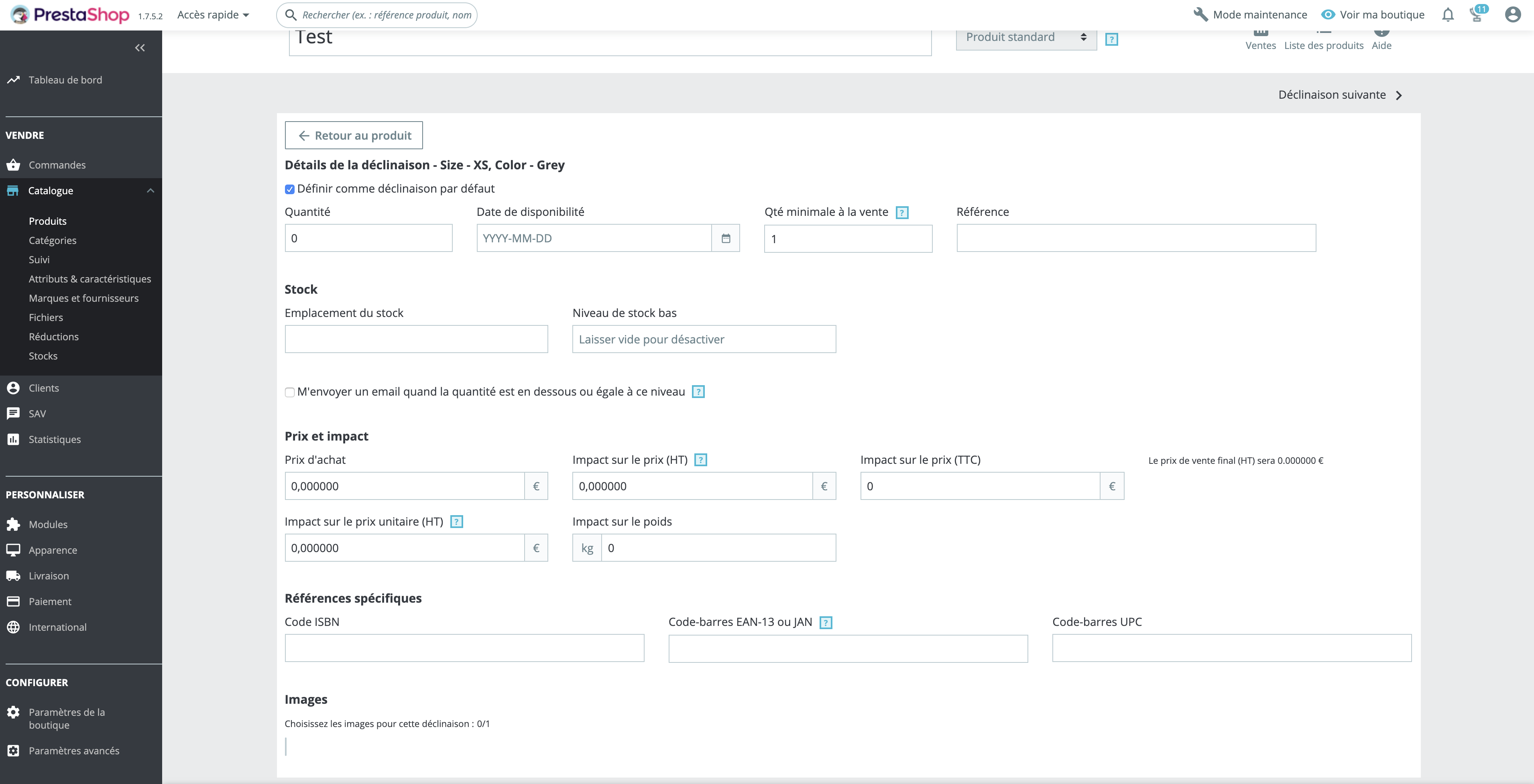
In the Back-Office => In a product => In combination product => when i want to assign an other image for a combination => It's impossible => The miniature of the image product does not appear => I go to the console and i see ERROR 404 => I go to my FTP and i look for the first error "XXX-small_default.jpg" => This generation of this image does not appear
To Reproduce
Steps to reproduce the behavior:
In the Back-Office
Go to 'PRODUCT ID40 LABEL TEST'
Click on 'COMBINATIONS / DECLINAISONS'
Scroll down to '.COMBINATIONS / DECLINAISONS and click on the pen to modify'
See error at the end of the page we have some verticals lines whithout images to create the variation of the product
Screenshots
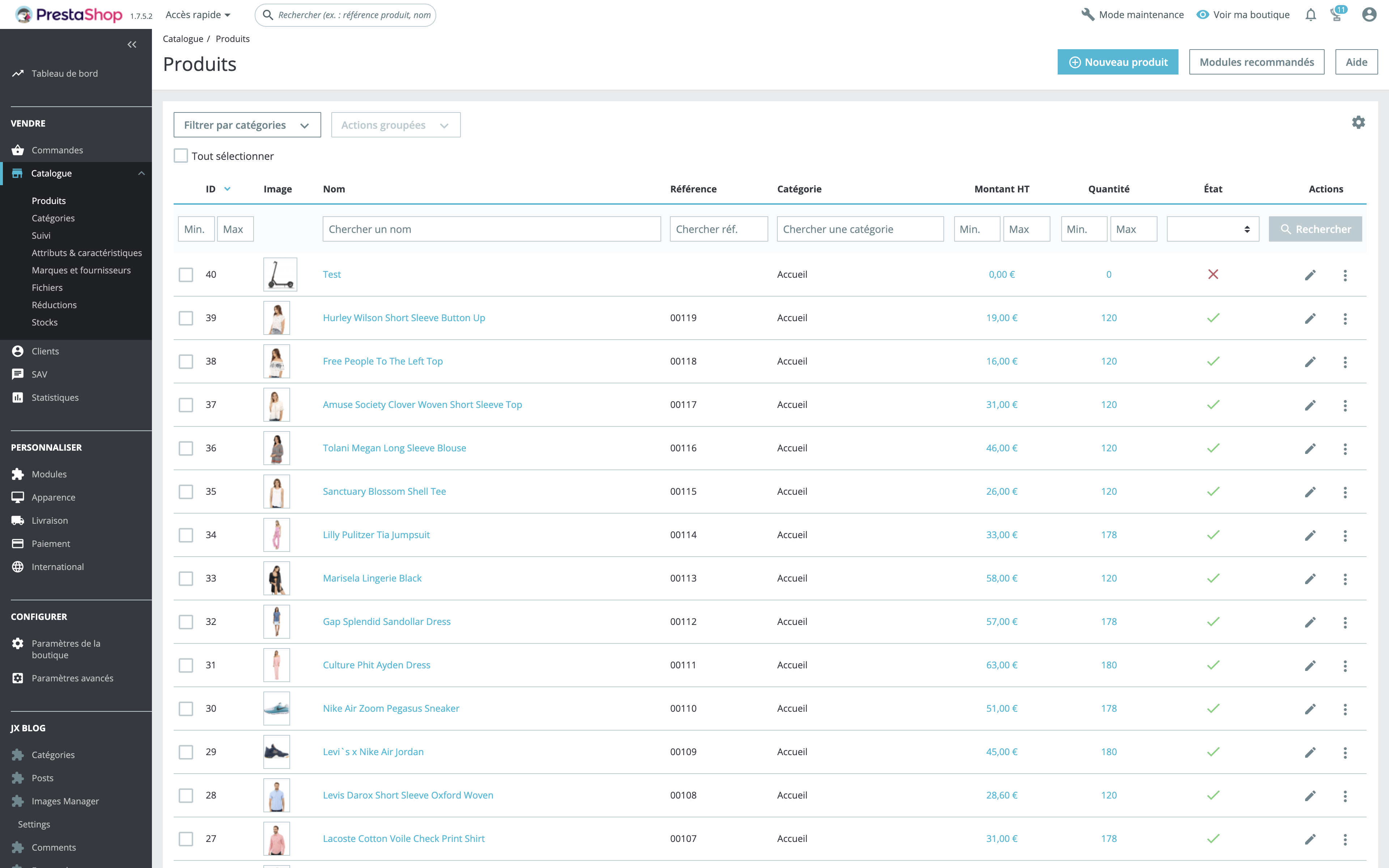
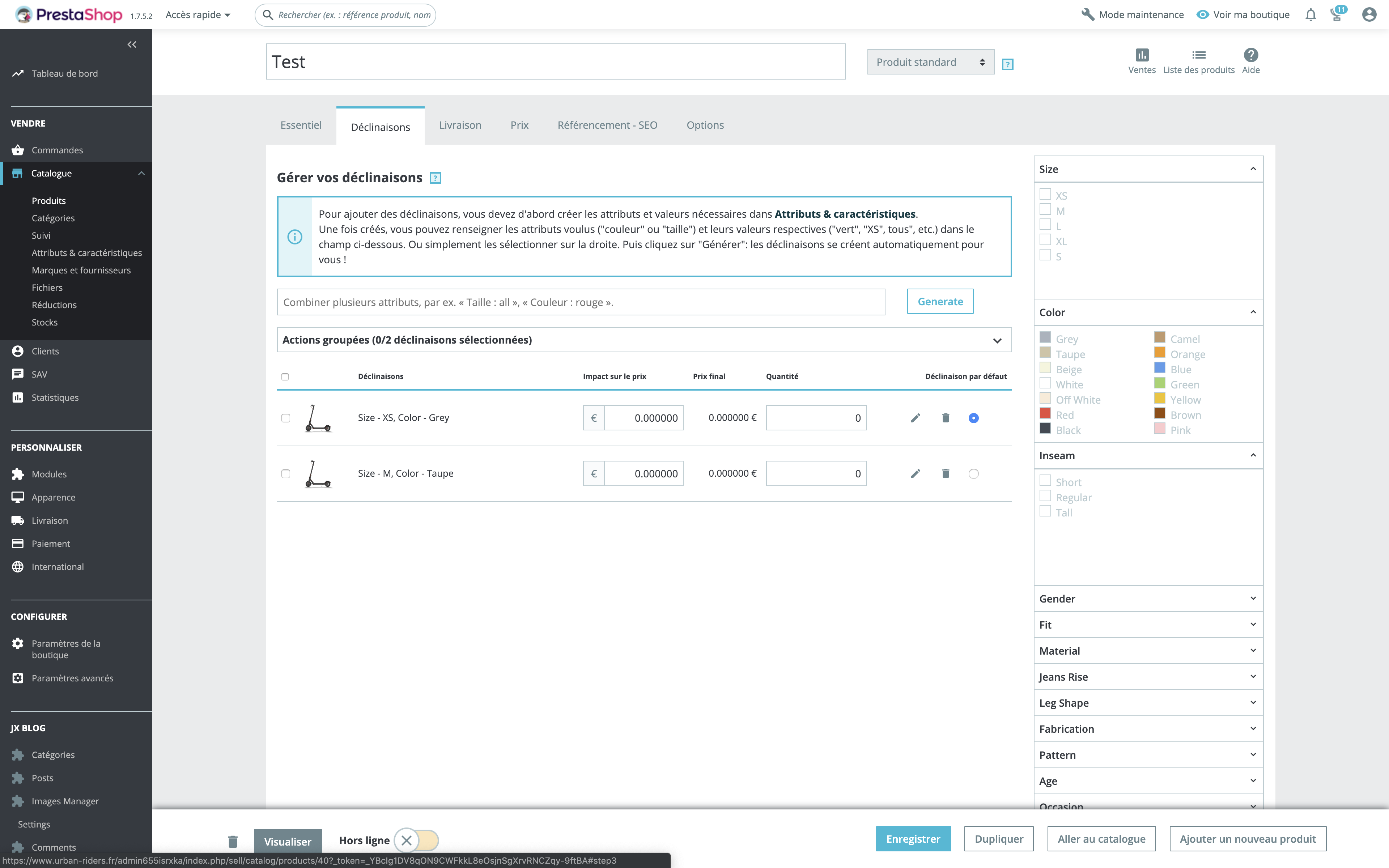

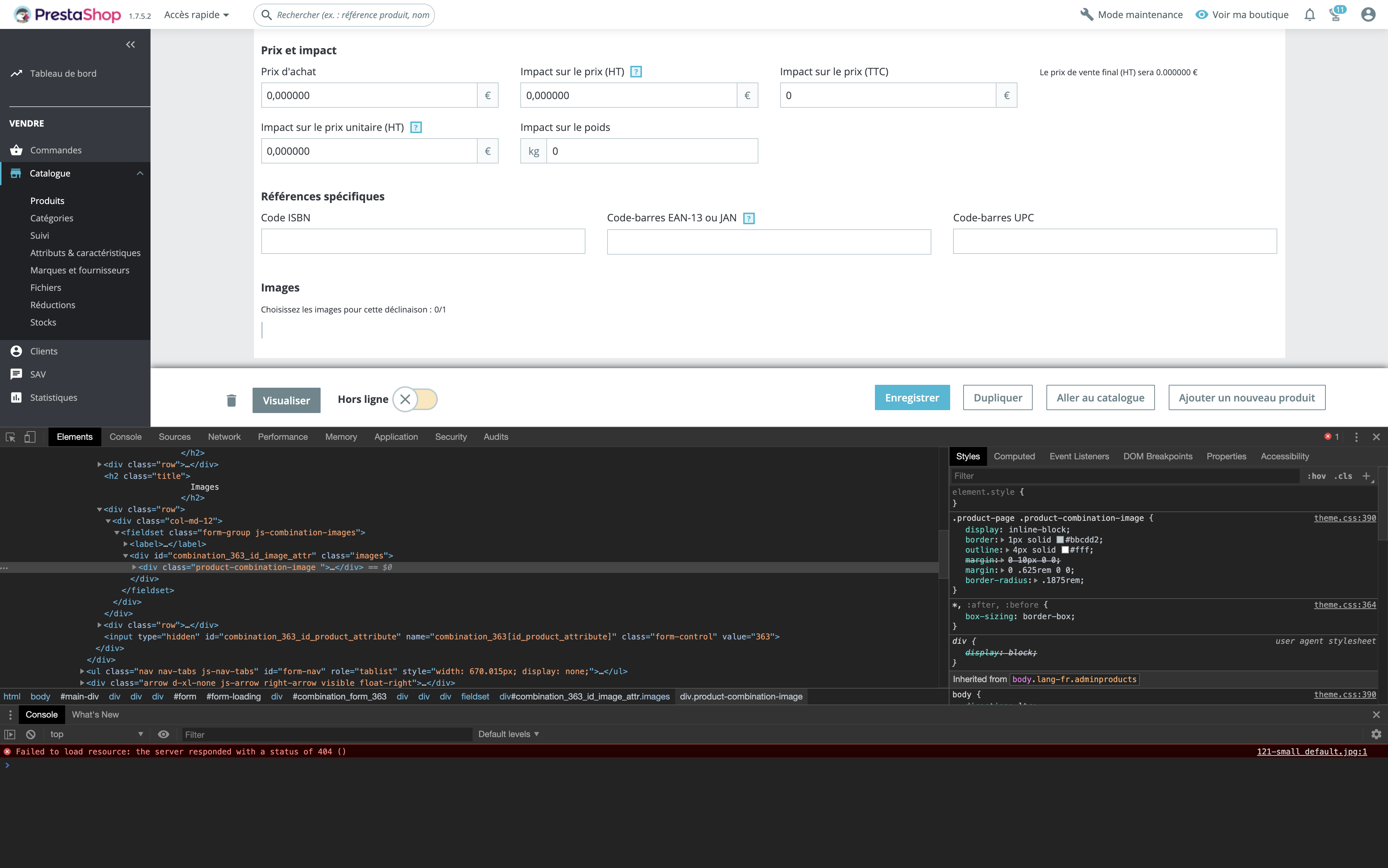
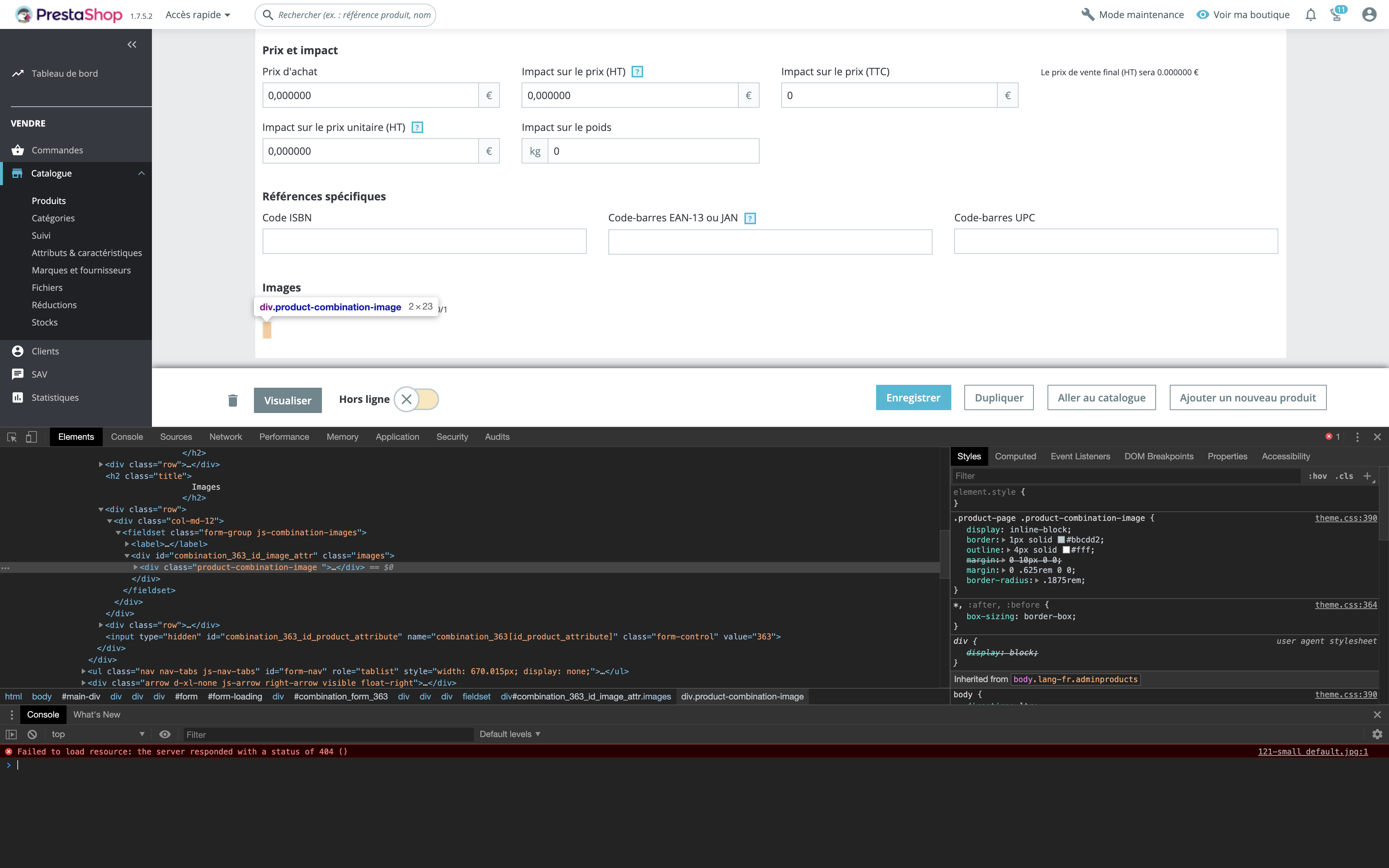
FTP SCREENSHOT
Additionnal information
I have the same bug with Prestashop 1.7.5.1
PrestaShop version: 1.7.5.2 fresh install with theme VENTE + Data sample
https://www.templatemonster.com/prestashop-themes/vente-apparel-store-prestashop-theme-73782.html
PHP version: 7.1 ( I test 7.2 & 7.3 with the same bug)
MEGA911
on 22 May 2019
Do you want an accès to the Back-Office ?
MEGA911
on 22 May 2019
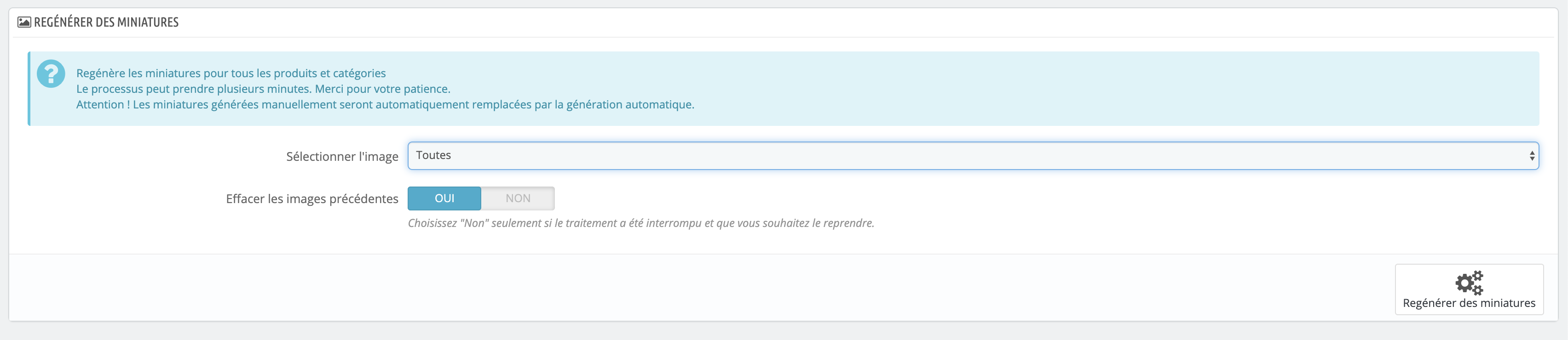
@MEGA911, thanks to navigate to your BO => Design => Images Settings => Click on the Regenerate thumbnails button.
Thanks to check & feedback
khouloudbelguith
on 22 May 2019
Hello => I do that yesterday with no succes => But i try it now to retest
MEGA911
on 22 May 2019
@MEGA911, thanks!
waiting for your feedback.
khouloudbelguith
on 22 May 2019
I test it =>i clear the cache but => Doesn't work => The same bug

MEGA911
on 22 May 2019
@MEGA911, We need to retrieve the PHP error log and the debug mode report in order to find out what's wrong.
Thanks!
khouloudbelguith
on 22 May 2019
Ok i active the debug mode
MEGA911
on 22 May 2019
do you want an access to the Back-Office ?
MEGA911
on 22 May 2019
How i give you the PHP error log ?
MEGA911
on 22 May 2019
@MEGA911, you can provide your credentials to access your shop by email.
This is a public space.
My address mail: khouloud.[email protected]
Let's be safe!
Thanks!
khouloudbelguith
on 22 May 2019
It s ok for you to connect ?
MEGA911
on 22 May 2019
I send you the email to connect at the BO
MEGA911
on 22 May 2019
For information I test an other install (the same configuration + Presta 1.7.5.2 + Theme) on an other server and domaine => I have the same bugs for combinations
MEGA911
on 22 May 2019
@MEGA911, Yes!
I will check & feedback.
khouloudbelguith
on 22 May 2019
perfect :)
MEGA911
on 22 May 2019
@MEGA911, it is OK now.
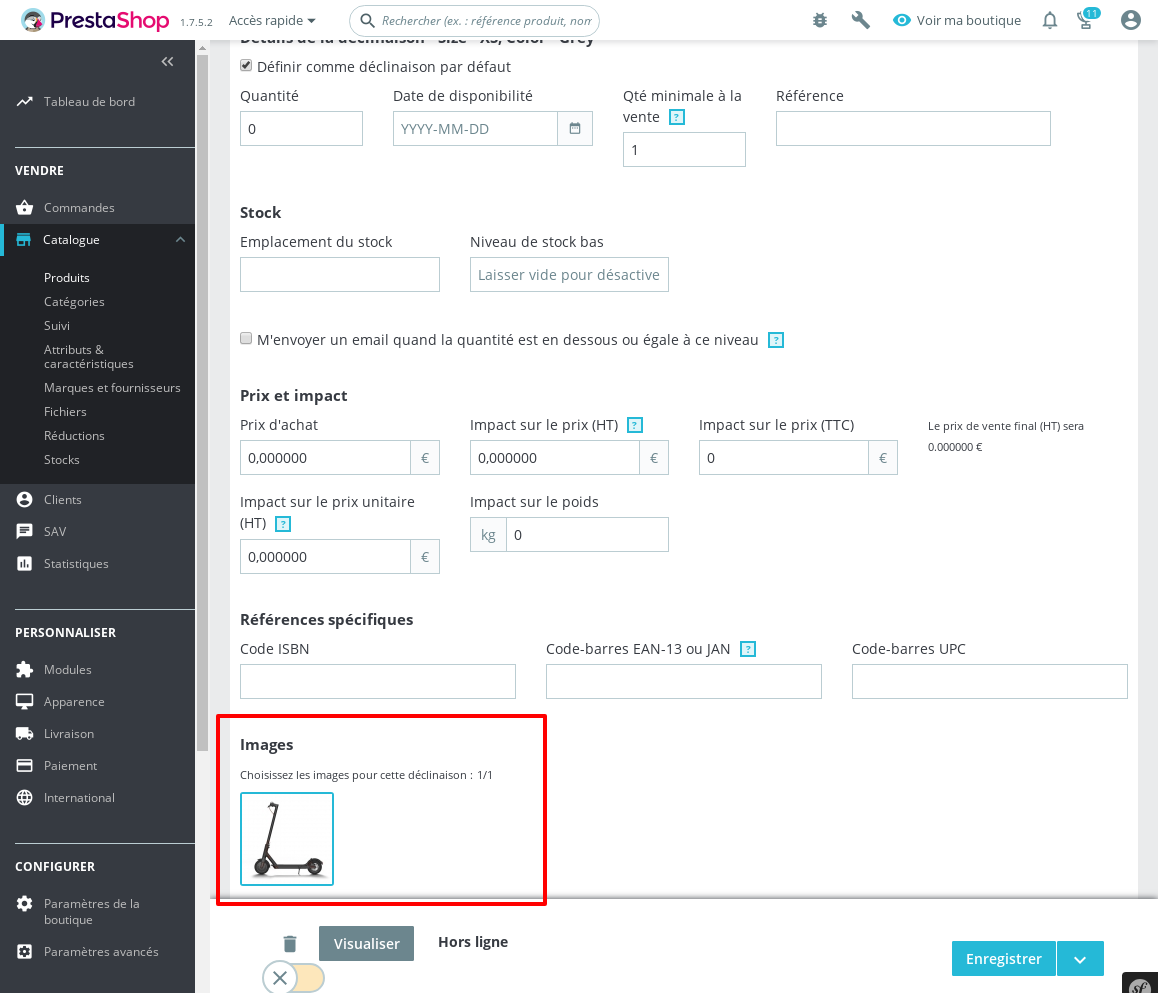
I enabled small_default for products, it shouldn't disabled
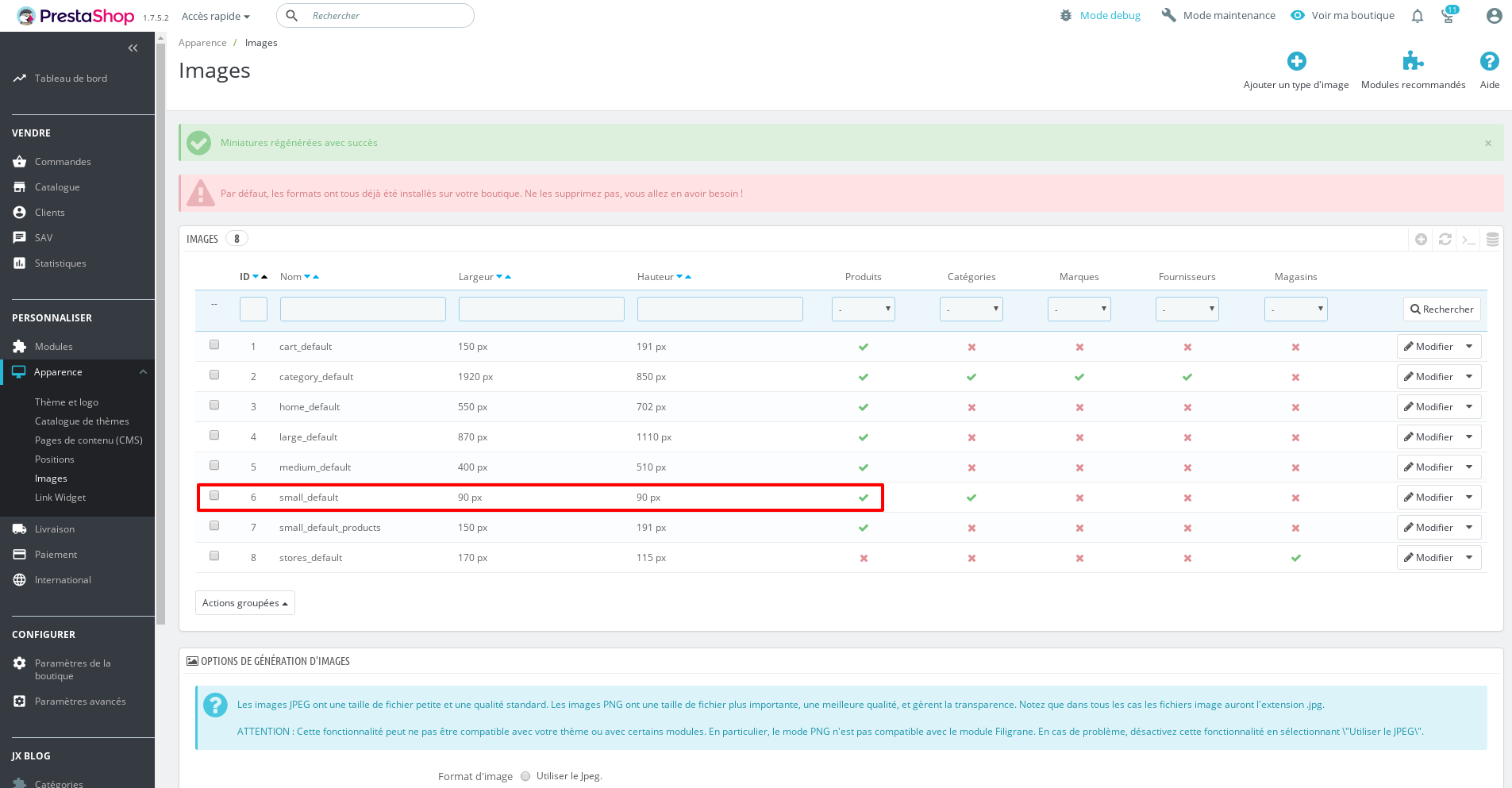
I close the issue, feel free to open a new one when needed.
Thanks!
khouloudbelguith
on 22 May 2019
Perfect !! You are the BEST !! I try to my other website and its works ! Thanks for all !! Have a nice day
MEGA911
on 22 May 2019
@MEGA911, thanks!
You are welcome!
khouloudbelguith
on 22 May 2019
Related issues
 marionf
·
3Comments
marionf
·
3Comments
 matks
·
3Comments
matks
·
3Comments
 zuk3975
·
3Comments
zuk3975
·
3Comments
 Prestaworks
·
3Comments
Prestaworks
·
3Comments
 rGaillard
·
3Comments
rGaillard
·
3Comments