Prestashop: "The ISO Code field is not valid"
Describe the bug
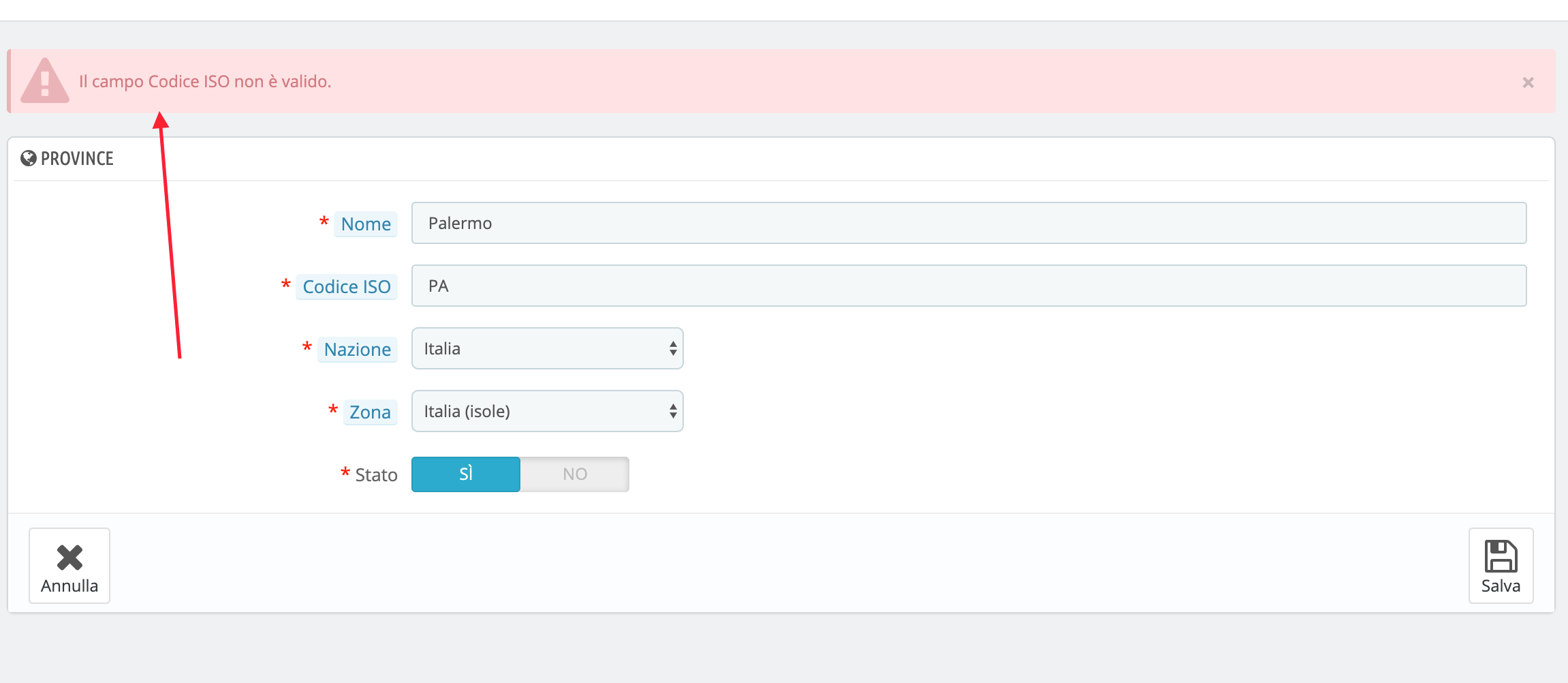
Hi, I try to move Province (State) in a new Zone, but Prestashop does not allow moving and allert to me "The ISO Code field is not valid"
To Reproduce
Steps to reproduce the behavior:
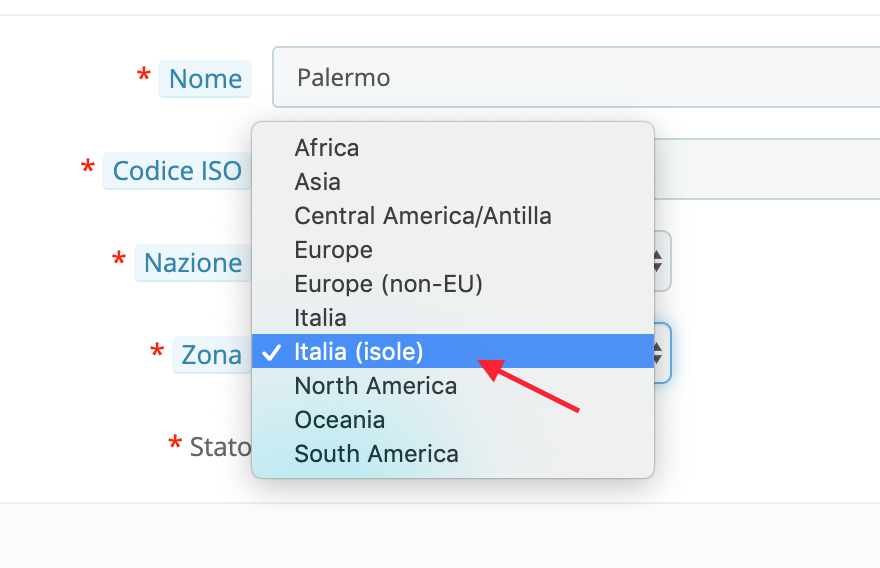
- Go to 'Location => Zone => create new one called "Italia island"'
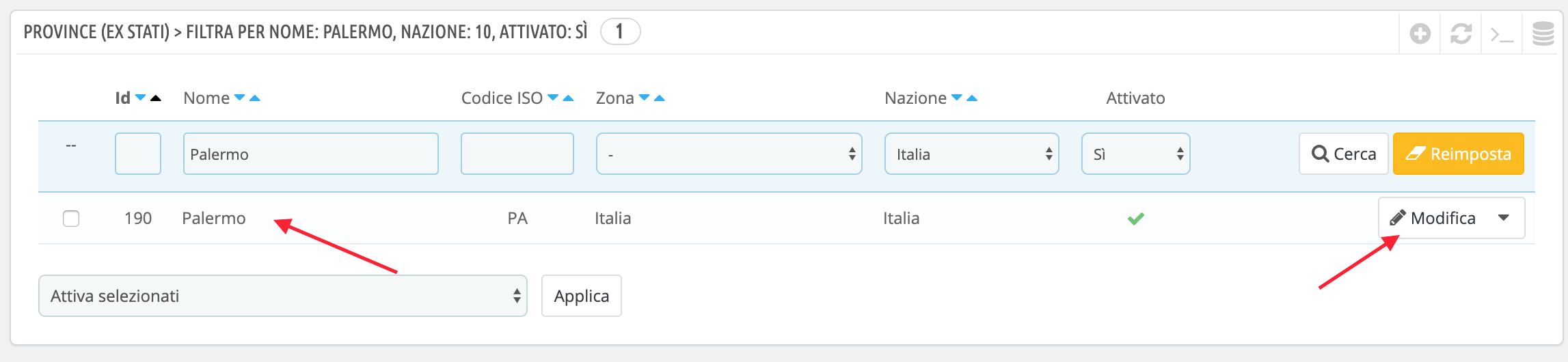
- Click on 'Province (Ex State) '
- Scroll down to 'the name of the provincia, and try to modification => move to the new zone I create before'
- Try to save but => "The ISO Code field is not valid"
HOW TO FIX IT
Delete the "ISO code" field and write it again, in this way the system accepts the change
Thanks a lot.
Screenshots
If applicable, add screenshots or screenrecords to help explain your problem.
Additionnal information
PrestaShop version: 1.6.1.23
PHP version: N/A
 ballashop
All 5 comments
Hi @ballashop,
I did not manage to reproduce the issue with PS1.7.6.0beta1.
I attached a video record
https://drive.google.com/file/d/1c8uK20lnmeObrNEY2eaQ4XrxzEBhlPHA/view
As you may already know, normal maintenance support for PrestaShop 1.6 ended in October 2018, which is now in extended maintenance mode until June 30, 2019.
I close the issue, feel free to open a new one when needed.
Thanks!
 khouloudbelguith
on 17 May 2019
khouloudbelguith
on 17 May 2019
Hi, thanks a lot, with PS1.7.6.0beta1 works but not really with 1.6.1.23,
I know of the suspension of support for the 1.6 :(,
Unfortunately we cannot upgrade to 1.7 at the moment because the graphic theme does not support this version.
But can we still use 1.6? Or not?
Thanks a lot for your support.
ballashop
on 17 May 2019
@ballashop, yes you can still use PS1.6.
Thanks!
khouloudbelguith
on 17 May 2019
I discovered why it generates error:
See the image.
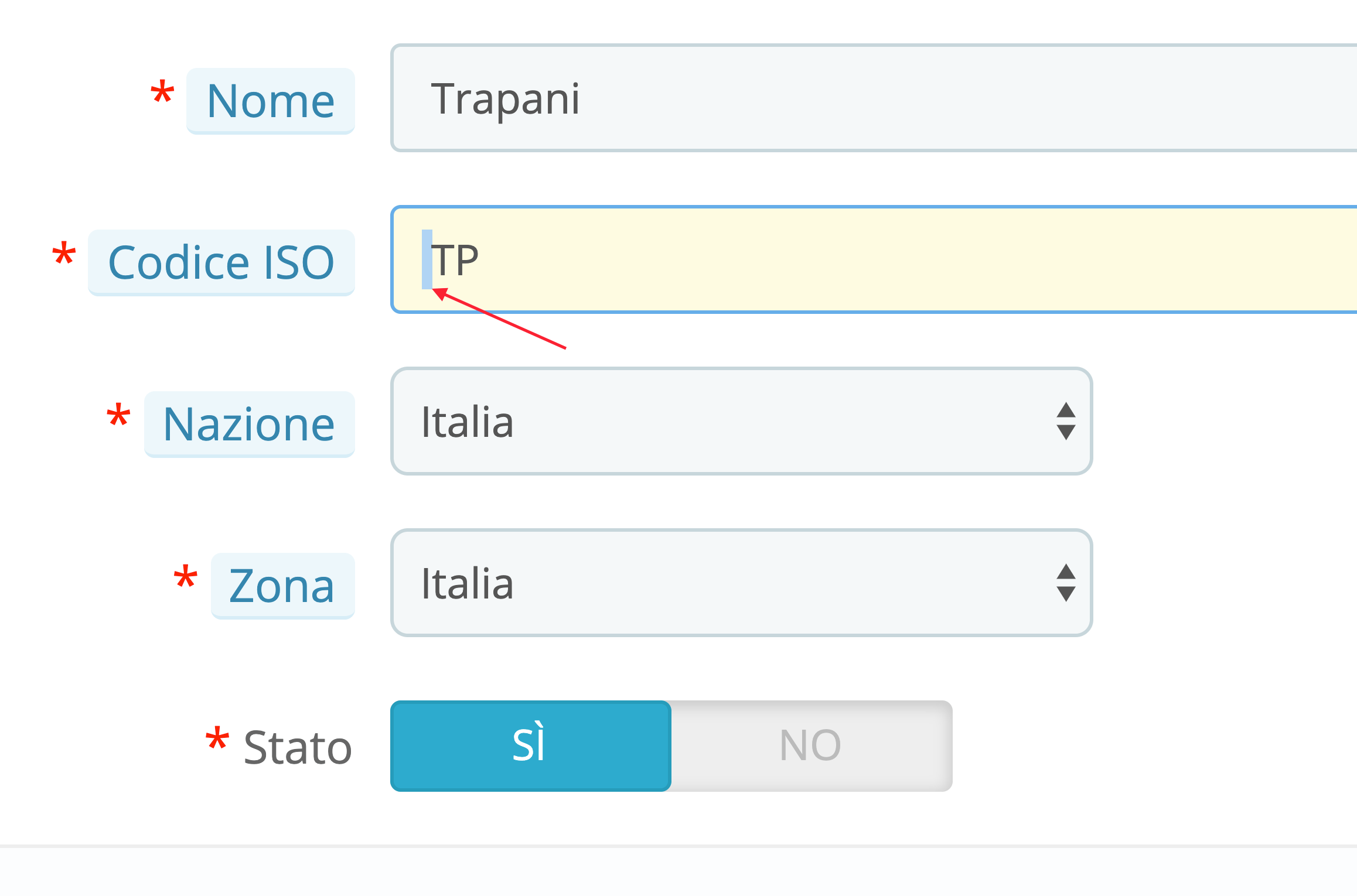
When accessing the province (ex state) change, the ISO code field generates a space before the text!
Thanks a lot.
ballashop
on 17 May 2019
@ballashop, thanks for your feedback.
khouloudbelguith
on 17 May 2019
Related issues
 esistgut
·
3Comments
esistgut
·
3Comments
 itisco
·
3Comments
itisco
·
3Comments
 marionf
·
3Comments
marionf
·
3Comments
 matks
·
3Comments
matks
·
3Comments
 Prestaworks
·
3Comments
Prestaworks
·
3Comments