Prestashop: Problem on install modules and visiting advanced sections pages
Describe the bug
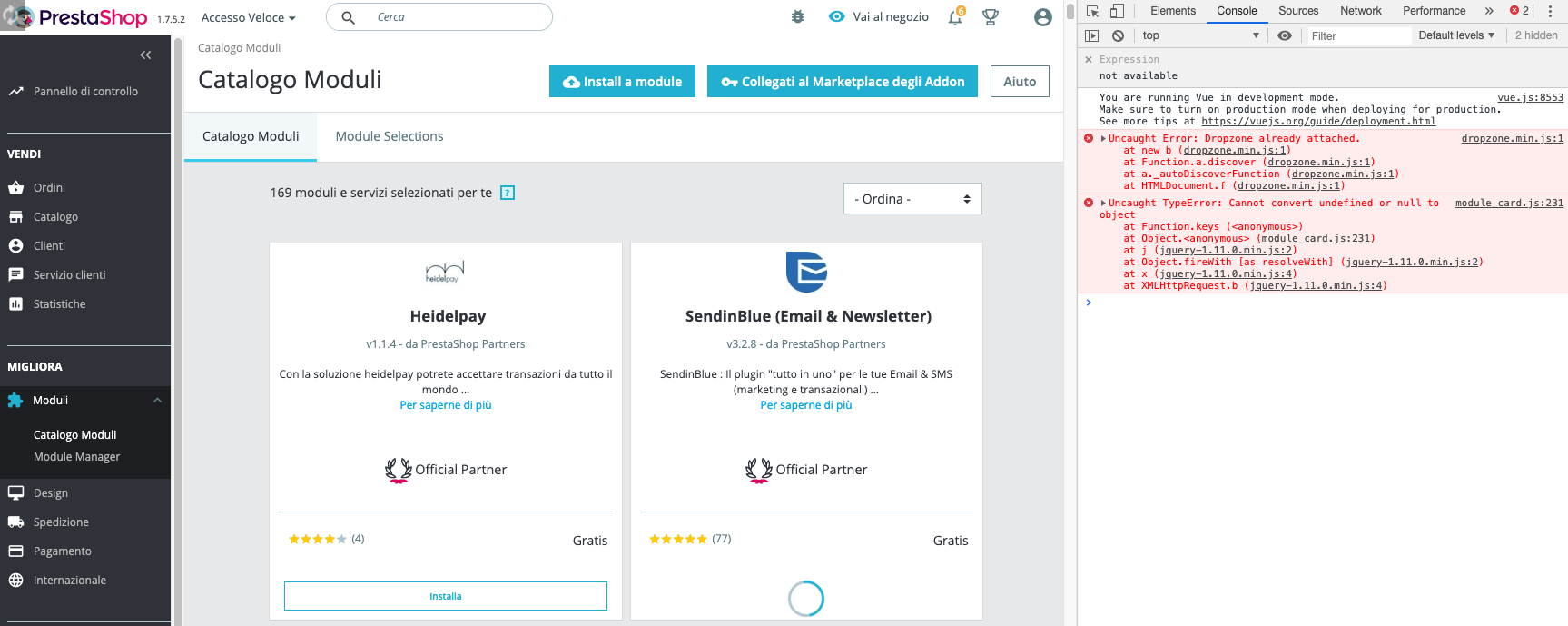
1)Can't install module, when click on install the module loading still spinning and we receive this js error
module_card.js:231 Uncaught TypeError: Cannot convert undefined or null to object
2)Can't visit advanced setting page, when click we see this page with a redirect [Debug] This page has moved
Please use the following URL http://prestashop.test/index.php?_token=fwhz9ZtImtidgTFAQhoWyQ8lbyrflR-AqkAo44P6l98
To Reproduce
Steps to reproduce the behavior:
1) Install a moduel
2) Go do performance section under advanced
Screenshots
Additionnal information
On Homestead Vagrant
PrestaShop version: 1.7.5.2
PHP version: PHP 7.3
 insology
All 7 comments
Hi @insology,
I did not manage to reproduce the issue with PS1.7.5.2.
I attached a video record
https://drive.google.com/file/d/1Jr2nZPAIuVVzIctreAUS02DtDvpeyHGx/view
PrestaShop is not compatible with PHP 7.3, in fact, PrestaShop 1.7.0 to 1.7.3 is compatible with PHP 7.1 and PrestaShop 1.7.4 & 1.7.5 are compatible with PHP 7.2.
For more details, you can follow this link: http://build.prestashop.com/news/prestashop-1-7-is-moving-to-symfony-3-4-and-php-5-6/
Thanks to downgrade your version PHP, check & feedback.
 khouloudbelguith
on 9 May 2019
khouloudbelguith
on 9 May 2019
Hello @khouloudbelguith
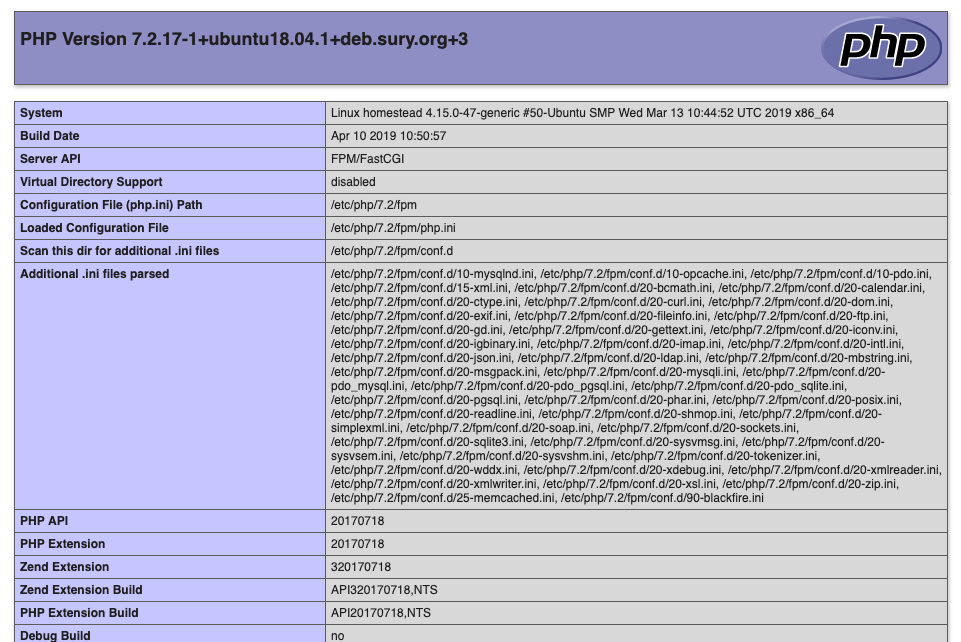
Same problem for php 7.2
insology
on 9 May 2019
@insology, We need to retrieve the PHP error log and the debug mode report in order to find out what's wrong.
Don't you know how to get this information? Please read the following article:
http://build.prestashop.com/howtos/misc/how-to-create-bug-report/
Thanks!
khouloudbelguith
on 9 May 2019
Solved the issue by adding
location ~ /(sell|improve|configure|international|_profiler|product|feature|attribute|supplier|combination|specific-price)/(.*)$ {
      try_files $uri $uri/ /index.php?q=$uri&$args $admin_dir/index.php$is_args$args;
    }
in nginx config file.
Is there any official configuration for ngnix/apache server?
insology
on 9 May 2019
@insology, yes!
You can follow this link
https://github.com/PrestaShop/PrestaShop/blob/develop/docs/docker/nginx_fpm/prestashop-nginx/prestashop-nginx.conf
Since it is fixed, I close the issue, feel free to open a new one when needed.
Thanks!
khouloudbelguith
on 9 May 2019
@insology, yes!
You can follow this link
https://github.com/PrestaShop/PrestaShop/blob/develop/docs/docker/nginx_fpm/prestashop-nginx/prestashop-nginx.conf
Since it is fixed, I close the issue, feel free to open a new one when needed.
Thanks!
Need some fix but ok, thanks
insology
on 9 May 2019
Hi @insology, I saw you made some configuration in your nginx inside vagrant homestead. Can you let me know where this config file is? I have kinda the same problem and I wanted to try your solution but I am having hard time finding where that config file is.... thanks!
 roncarino
on 26 Aug 2020
roncarino
on 26 Aug 2020
Related issues
 Prestaworks
·
3Comments
Prestaworks
·
3Comments
 sandra2n
·
3Comments
sandra2n
·
3Comments
 itisco
·
3Comments
itisco
·
3Comments
 Van-peterson
·
3Comments
Van-peterson
·
3Comments
 nrcjea001
·
3Comments
nrcjea001
·
3Comments
Most helpful comment
Need some fix but ok, thanks