Prestashop: Admin keep send me to login
Hello
I installed the new version on my website but I can't use it
the assistant spinner keep loadin and if i click on later it send me to login page
i removed then reinstalled it again but same error
Regards
Describe the bug
A clear and concise description of what the bug is.
To Reproduce
Steps to reproduce the behavior:
- Go to '...'
- Click on '....'
- Scroll down to '....'
- See error
Screenshots
If applicable, add screenshots or screenrecords to help explain your problem.
Additionnal information
PrestaShop version: N/A
PHP version: N/A
 go-sudo
All 9 comments
Hi @go-sudo,
Could you please provide us with more info? We need more details to understand how we can reproduce your issue:
- host
- server setup and configuration
- PrestaShop version (source)
- debug mode report
- PHP error logs
- apache error log
- javascript console log
- screenshots
Don't you know how to get this information? Please read the following article:
http://build.prestashop.com/howtos/misc/how-to-create-bug-report/
Thanks!
 khouloudbelguith
on 9 May 2019
khouloudbelguith
on 9 May 2019
I'm experiencing the same issue. https://github.com/PrestaShop/PrestaShop/issues/13908
If anyone can provide a solution to this, please do so.
 ToyPerson
on 22 May 2019
ToyPerson
on 22 May 2019
Hi @go-sudo, @ToyPerson,
We need to retrieve the PHP error log and the debug mode report in order to find out what's wrong.
Thanks!
khouloudbelguith
on 22 May 2019
Hi @khouloudbelguith
The thing is, I don't have access to the PHP. I experience the error from the point of view of a user.
ToyPerson
on 23 May 2019
@go-sudo, We need to retrieve the PHP error log and the debug mode report in order to find out what's wrong.
Thanks!
khouloudbelguith
on 23 May 2019
hi @go-sudo and @ToyPerson, are you both using google Chrome?
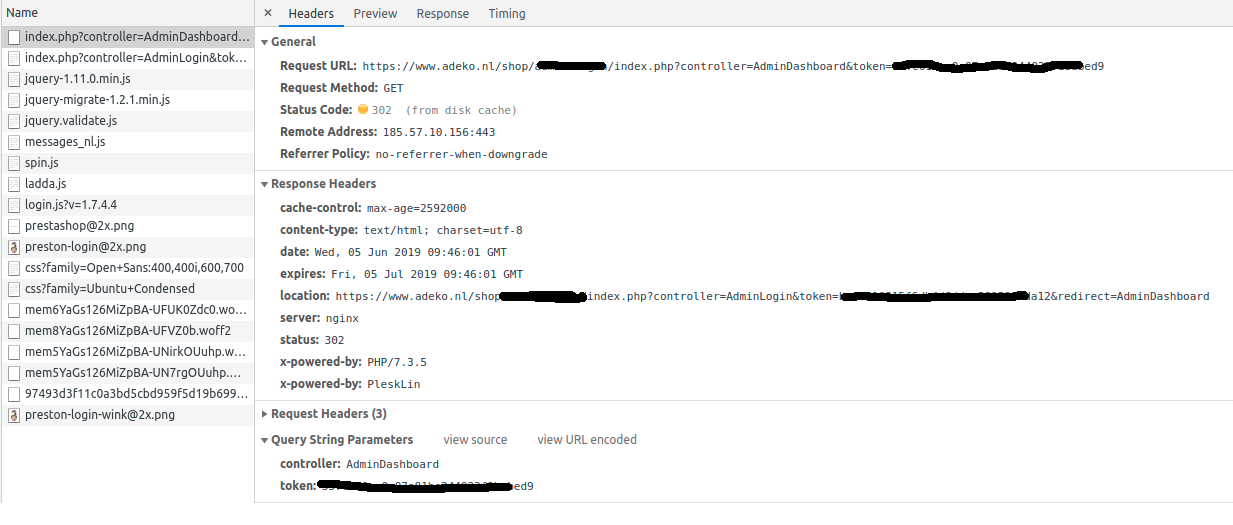
It seems i have some issues with the token, regularly forcing me to the login page just seconds after login. These issues mostly occur on the most popular backend pages.
Also, when logging in, it is not redirecting me to the dashboard until i change the 'controller' in the url. When debugging i found that Chrome is taking the request url from the disk-cache, with the incorrect token (probably from earlier).
@khouloudbelguith, i've made some screenshots, unfortunately cannot tell how to accurately recreate this issue, it just occured and doesn't go away. This happens when i click 'Login':
And the second request (Notice the token is different):
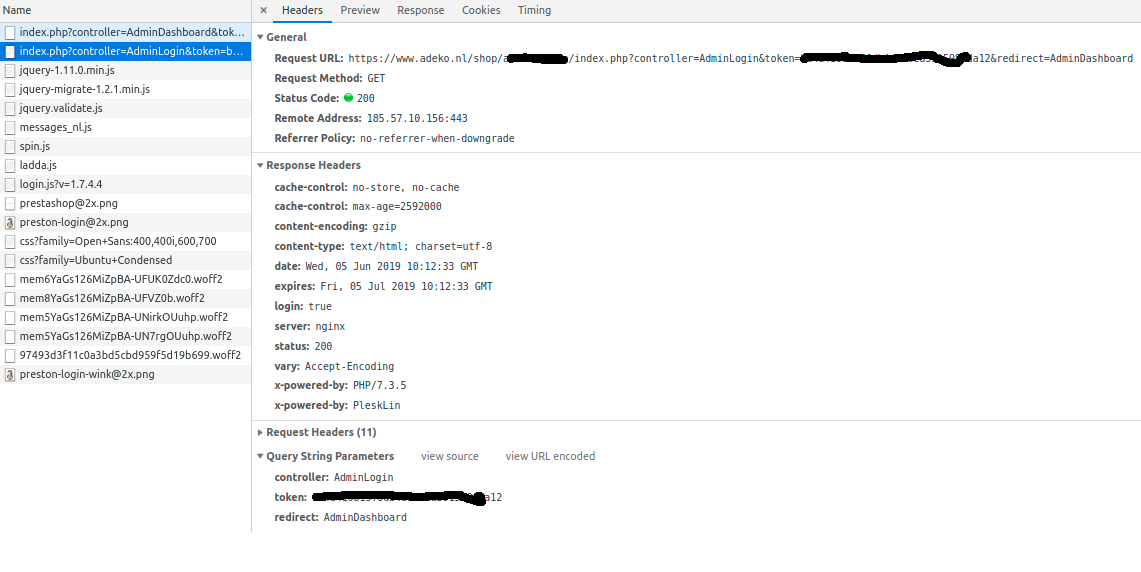
Hope this helps!
PHP7.3
Google chrome: Version 74.0.3729.157 (Official Build) (64-bit)
 Adekonl
on 5 Jun 2019
Adekonl
on 5 Jun 2019
@Adekonl
The issue exists across all browsers: Edge, IE, Firefox, Safari, Opera - I've tested them all.
The best way to solve this problem is to whitelist your working PC's IP address. This is how we are able to make it work. Make sure, though, that your IP address is static.
ToyPerson
on 6 Jun 2019
Hi
For me the issue is resolved , it was a problem with DNS , my website wasnt lined to my IPv4 Adress
Regards
go-sudo
on 6 Jun 2019
Hi @go-sudo,
Thanks for your feedback.
Since it is fixed, I close the issue, feel free to open a new one when needed.
Thanks!
khouloudbelguith
on 11 Jun 2019
Related issues
 prestonBot
·
3Comments
prestonBot
·
3Comments
 matks
·
3Comments
matks
·
3Comments
 sandra2n
·
3Comments
matks
·
3Comments
sandra2n
·
3Comments
matks
·
3Comments
 marionf
·
3Comments
marionf
·
3Comments