Prestashop: Related Products problem
Describe the bug
When I save related products to product all working fine. But when I refresh product page I get an error. I mean that "ref" in the related product. I receive that information from my template support:
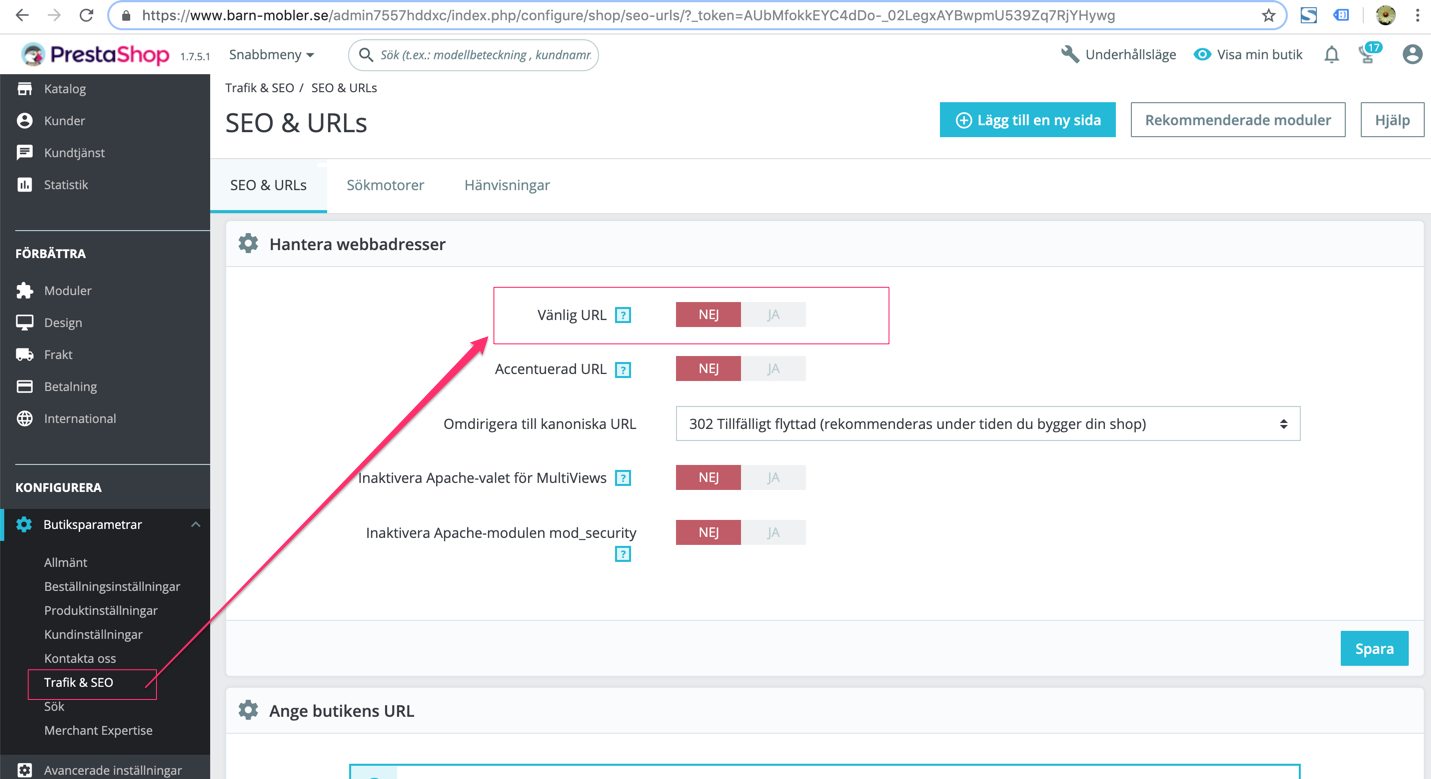
"Sorry, I really don't know this problem. When I disable the friendly URL option on your site, it works, see the attachment. I think it is related to the UTF-8 character code in your site, because I see you have some product title with non-UTF-8 characters. But I don't know how to check this problem."
To Reproduce
Steps to reproduce the behavior:
- Go to 'product page'
- Click on 'product'
- Scroll down to 'add related products'
- See error
Screenshots
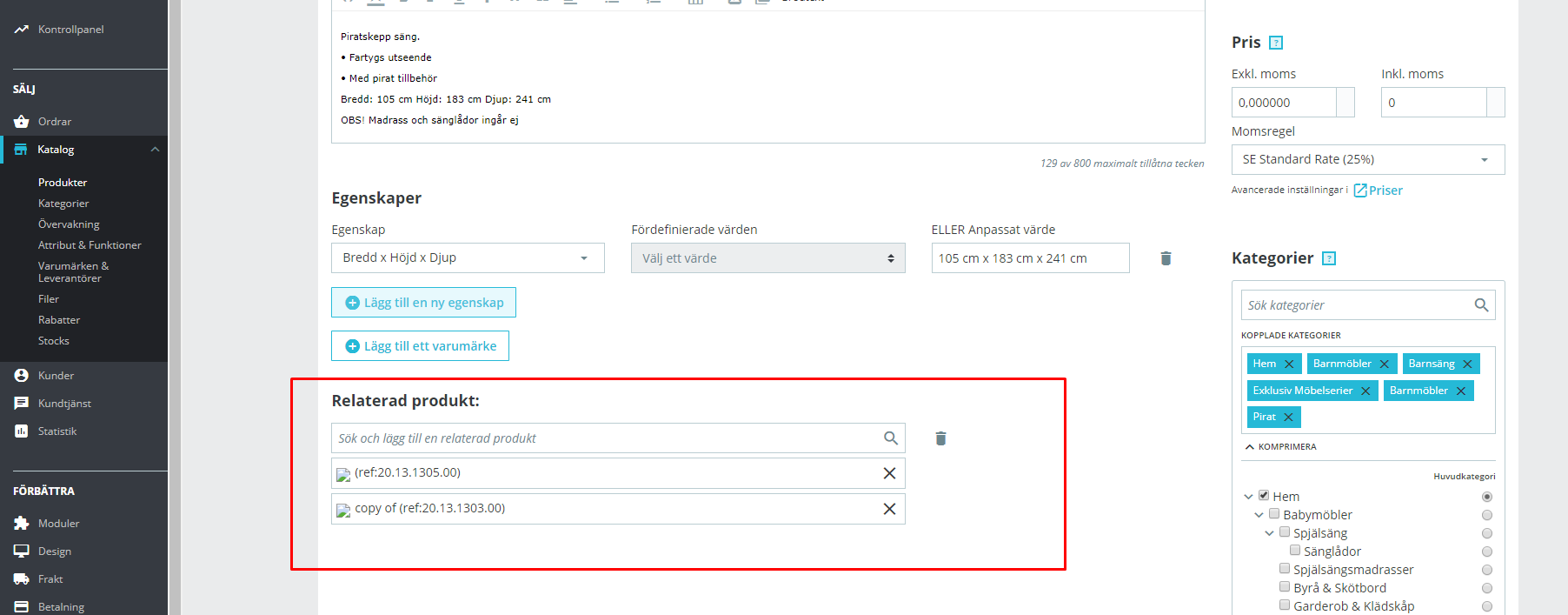
Additionnal information
PrestaShop version: 1.7.5.1
PHP version: 7.2
 Ortezjan
All 32 comments
Hi @Ortezjan,
I did not manage to reproduce the issue with PS1.7.5.1.
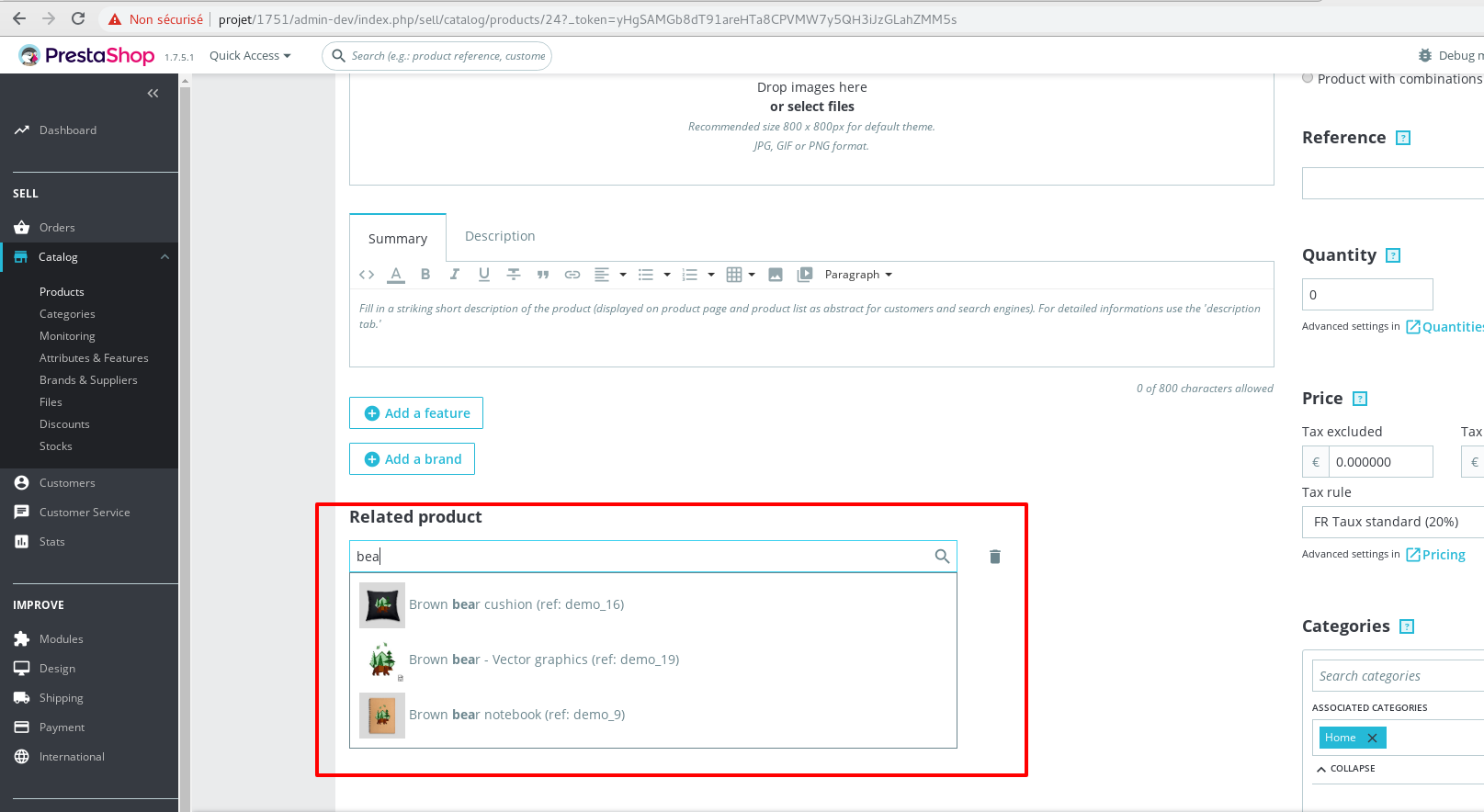
You need to enable debug mode in your store and debug request which is sent for product save in your browser, using DevTools, so:
- enable debug mode
- go to the product page
- open up developer tools
- go to Network tab
- save the product
- wait for an error, you should see red request information in Network tab
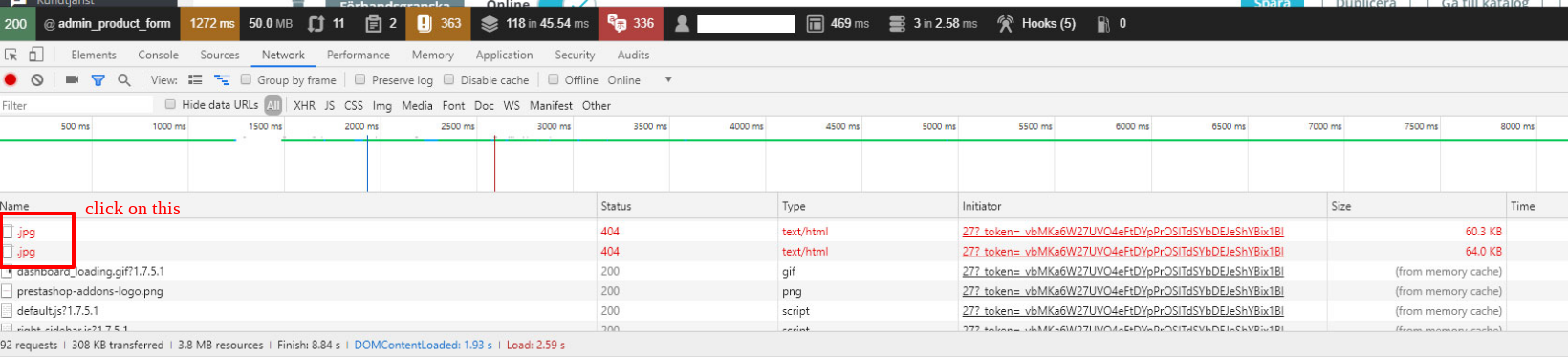
- click on it, you should see the error message in "Response" or "Preview" tab
Thanks to check & feedback.
 khouloudbelguith
on 23 Apr 2019
khouloudbelguith
on 23 Apr 2019
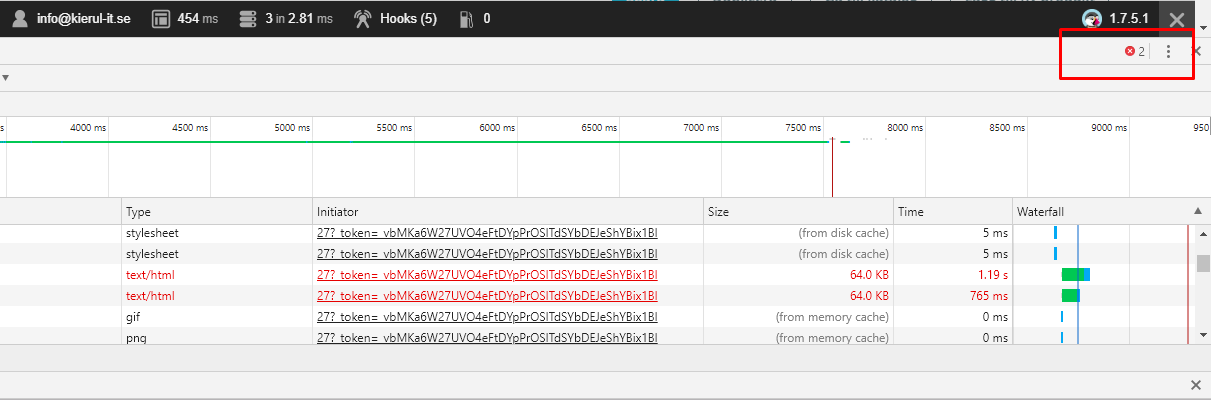
This error showing when i refresh the product page. I have no idea i doing good but:
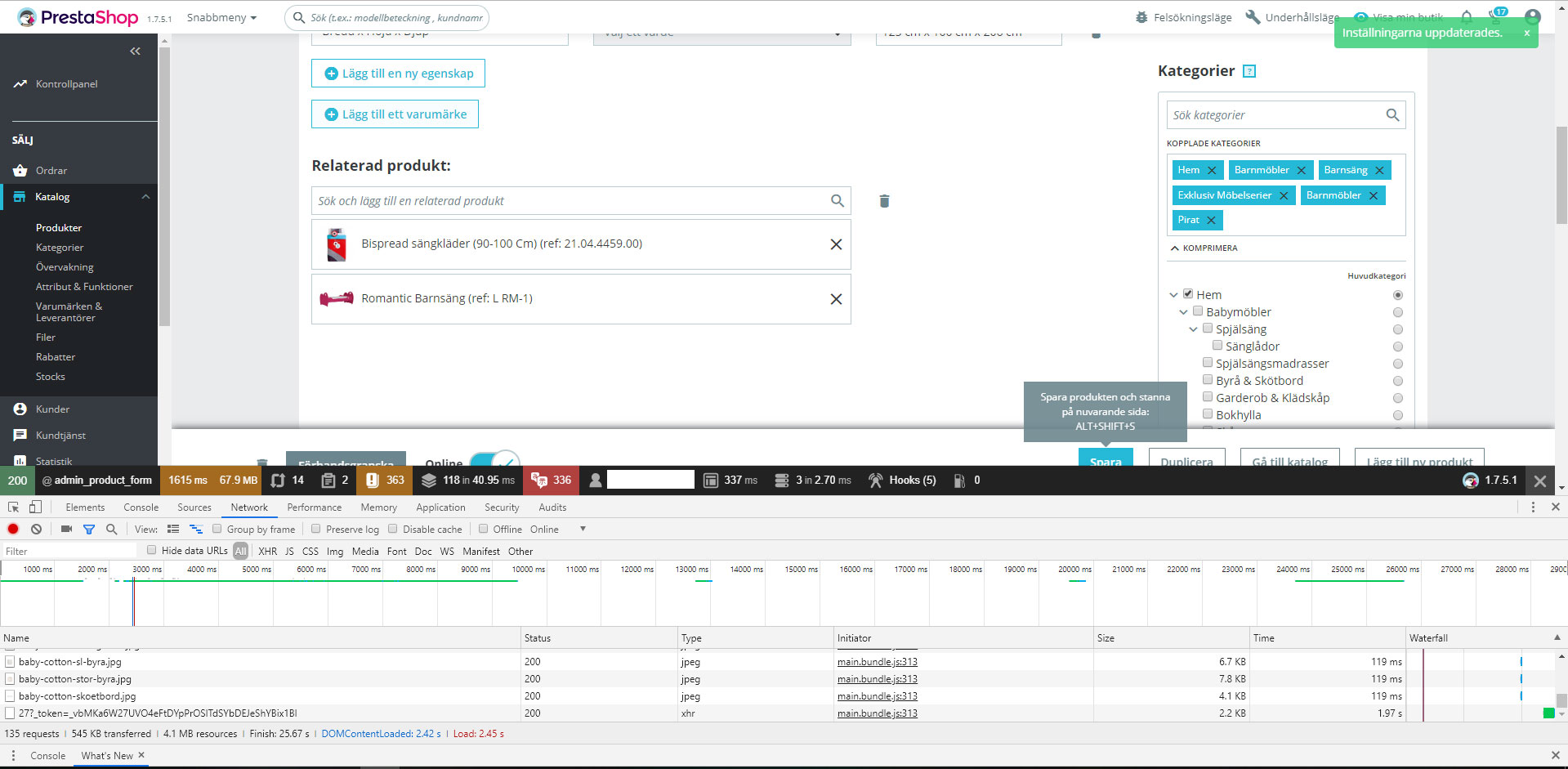
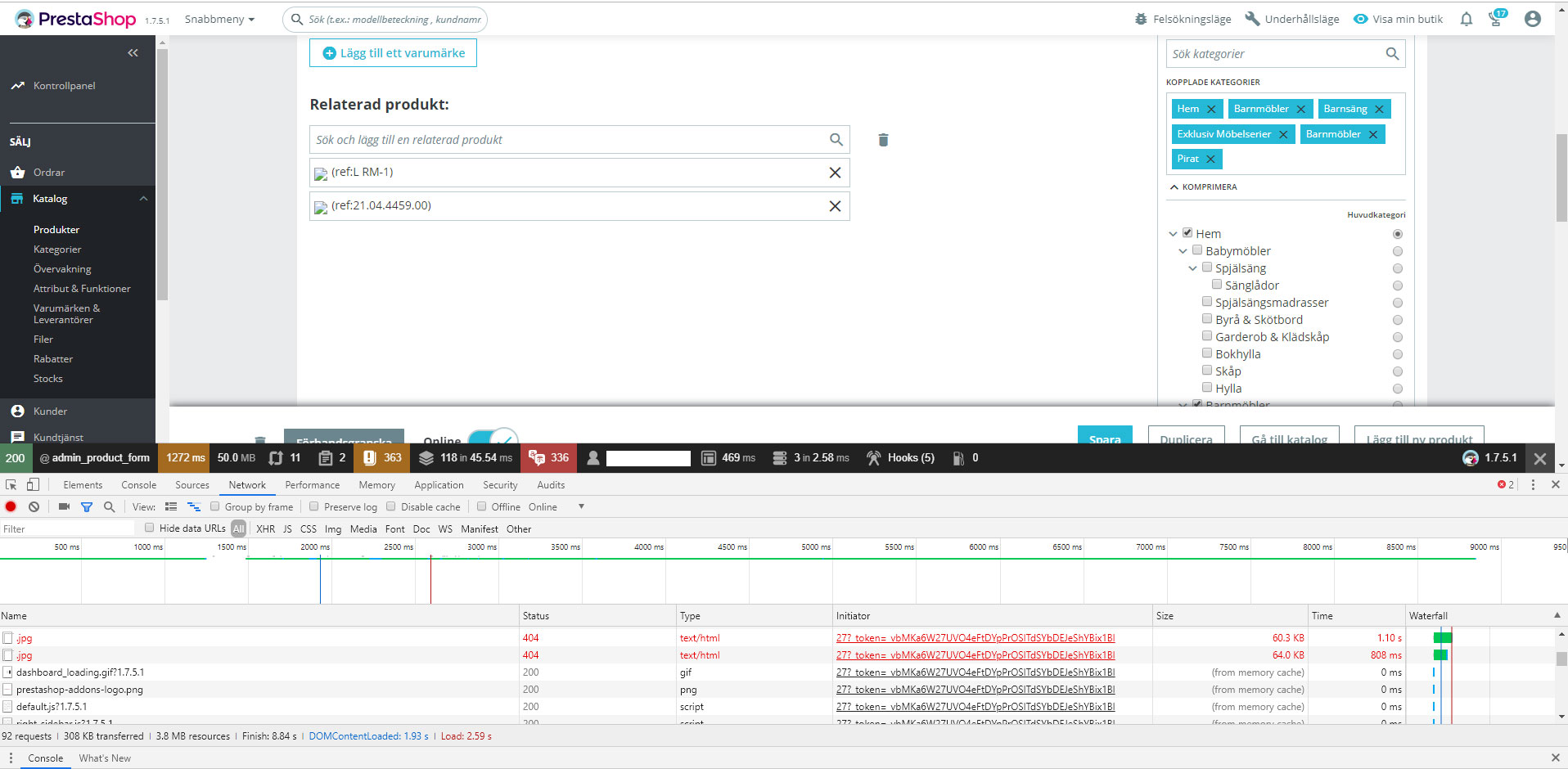
Ortezjan
on 23 Apr 2019
@Ortezjan, in your second screenshot, could you please try to click on the error, you should see the error message in "Response" or "Preview" tab
Thanks!
khouloudbelguith
on 23 Apr 2019
I can't click on that.
Ortezjan
on 23 Apr 2019
@Ortezjan, you should click on the error as described in this screenshot
thanks to check & feedback
khouloudbelguith
on 23 Apr 2019
In text file is all information from response.
(https://github.com/PrestaShop/PrestaShop/files/3108668/Nowy.dokument.tekstowy.txt)
Ortezjan
on 23 Apr 2019
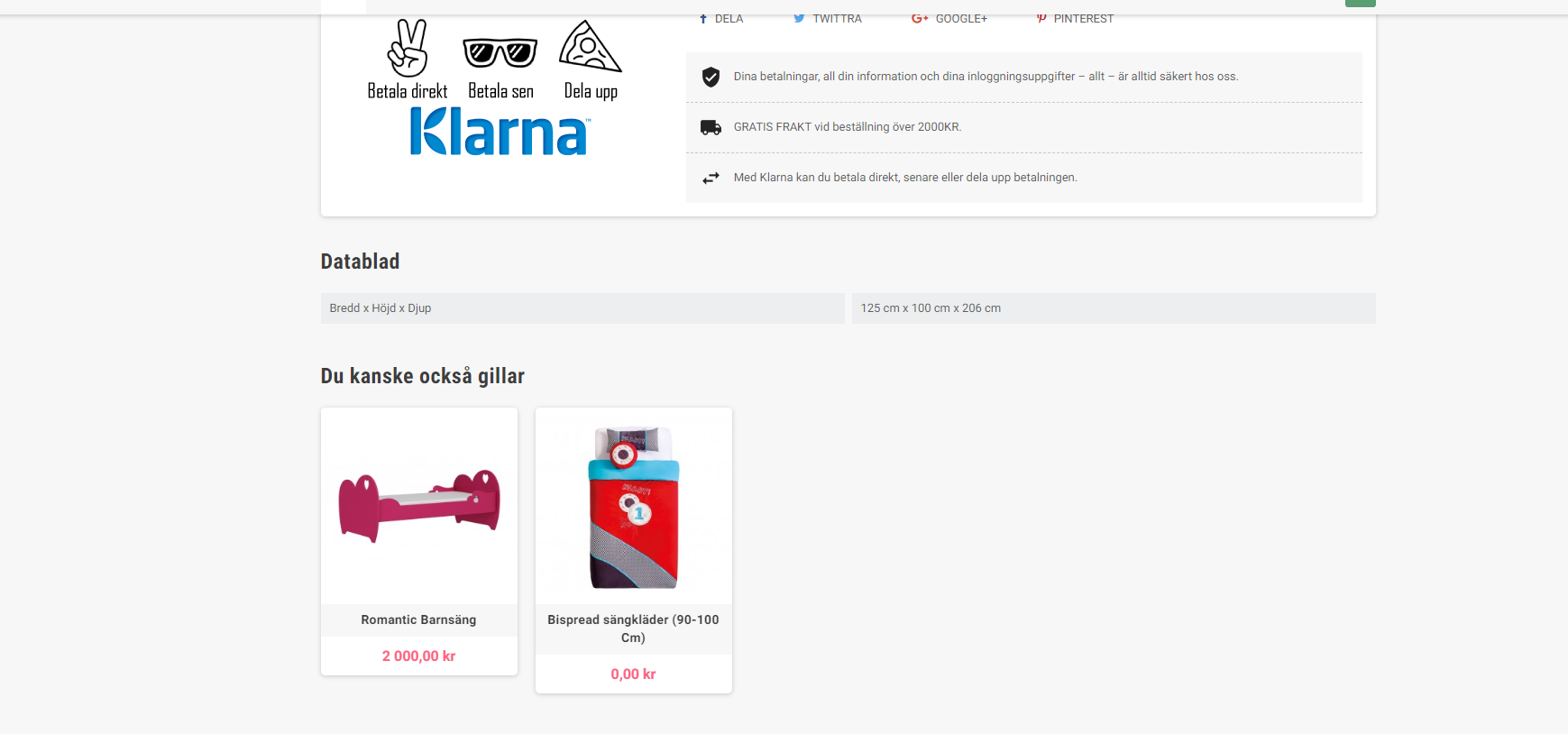
And on FO related products display normally:
Ortezjan
on 23 Apr 2019
@Ortezjan, no, your file doesn't contain the errors.
Could you please navigate to you BO => Design => Image Settings => Click on the "Regenerate thumbnails" button
Thanks to check & feedback.
khouloudbelguith
on 23 Apr 2019
Same thing.
Ortezjan
on 23 Apr 2019
Only when I change URL settings these related products show up.
Ortezjan
on 23 Apr 2019
@Ortezjan,
Could you please try to regenerate the file .htaccess
- Rename the old file to .htaccess_old
- Disable friendly URL
- Enable friendly URL
Thanks to check and feedback
khouloudbelguith
on 24 Apr 2019
Done but same thing.
Ortezjan
on 24 Apr 2019
@Ortezjan, We need to retrieve the PHP error log and the debug mode report in order to find out what's wrong.
Don't you know how to get this information? Please read the following article:
http://build.prestashop.com/howtos/misc/how-to-create-bug-report/
Thanks!
khouloudbelguith
on 24 Apr 2019
I turn on PHP error:
Parse error: syntax error, unexpected 'finally' (T_STRING), expecting catch (T_CATCH) in /home/barnmobleg/www/vendor/symfony/symfony/src/Symfony/Component/HttpKernel/Kernel.php on line 201
Ortezjan
on 24 Apr 2019
I have it shared hosting in OVH company and I don't have access to PHP logs and server logs.
Ortezjan
on 24 Apr 2019
@Ortezjan,
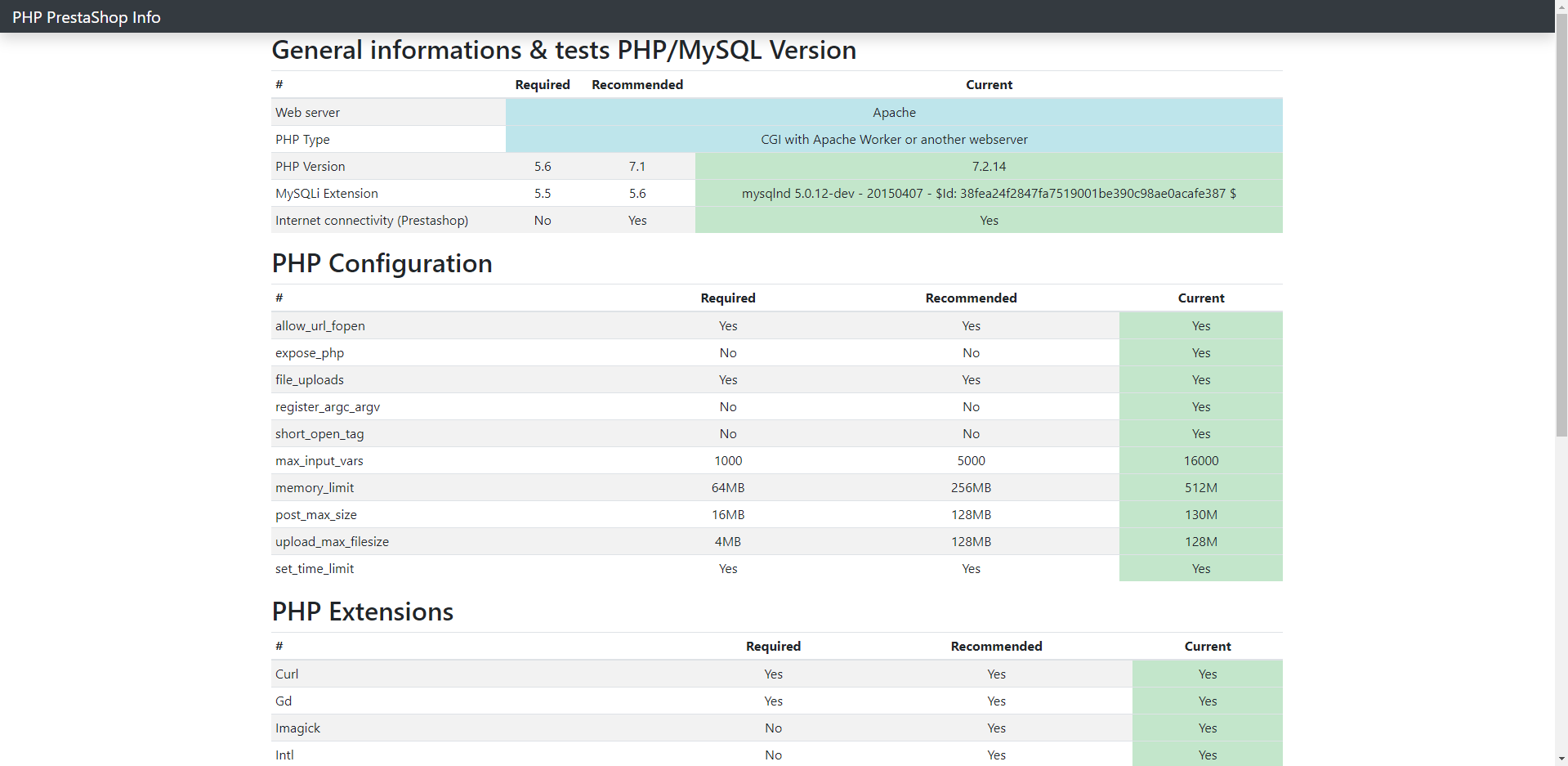
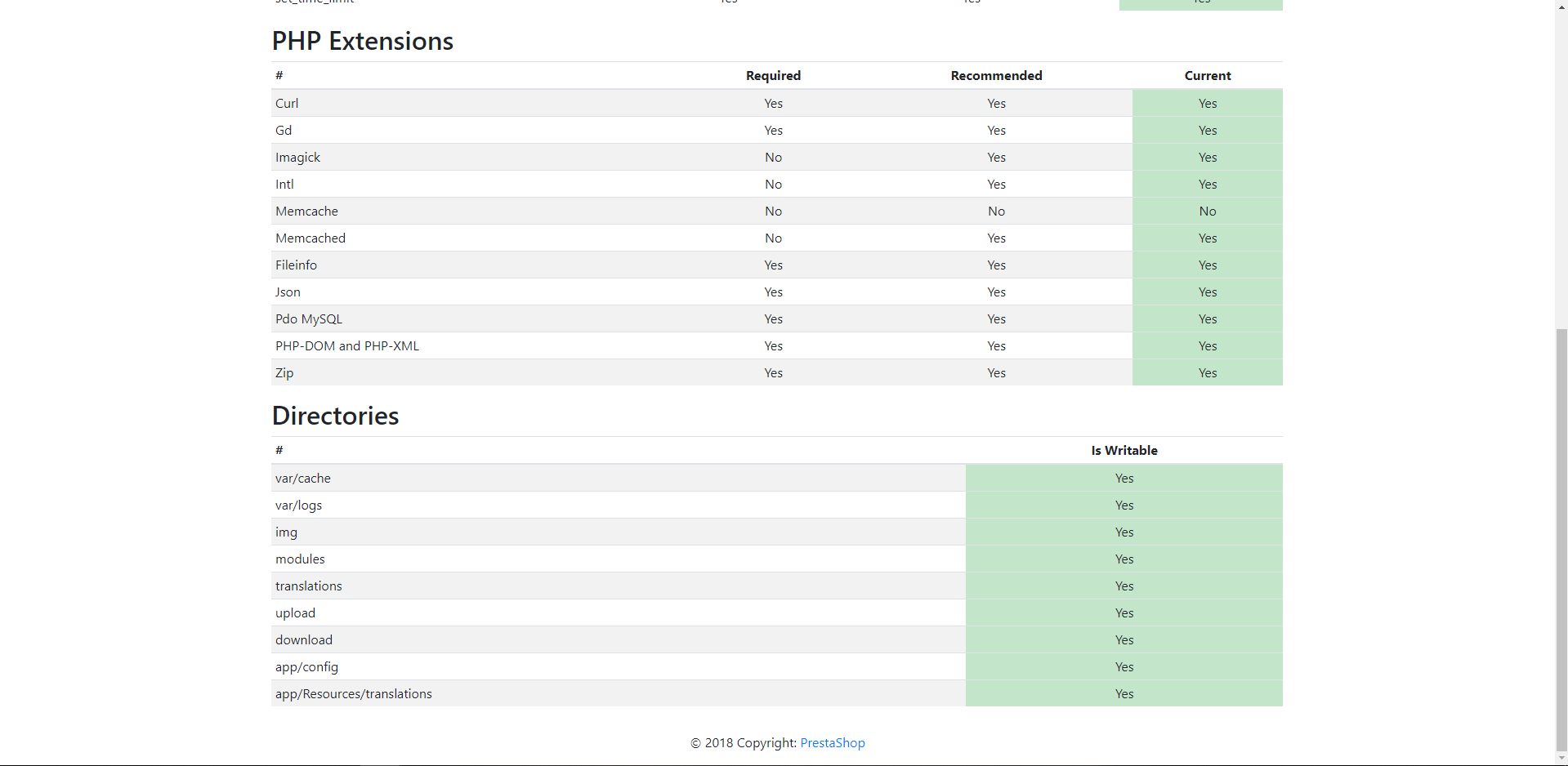
Could you please follow this link: https://github.com/PrestaShop/php-ps-info
phppsinfo file provides an equivalent to the phpinfo() function that reports PrestaShop Requirements information about the PHP/MySQL/Apache environment and offers suggestions for improvement.
- Upload the file to the server. You should upload your file to the exact directory you want to test. Typically, this will be your httpdocs (/var/www/vhosts/example.com/httpdocs/) directory, although you can upload it to any subdirectory on your server as well. Use FTP to upload the file.
- Visit the page in your browser. If you uploaded it to your html directory, you should now visit http://www.example.com/phppsinfo.php, replacing example.com with your own domain name.
- Now you can view all of the information about PHP for your server for that particular directory.

Thanks to check and feedback.
khouloudbelguith
on 24 Apr 2019
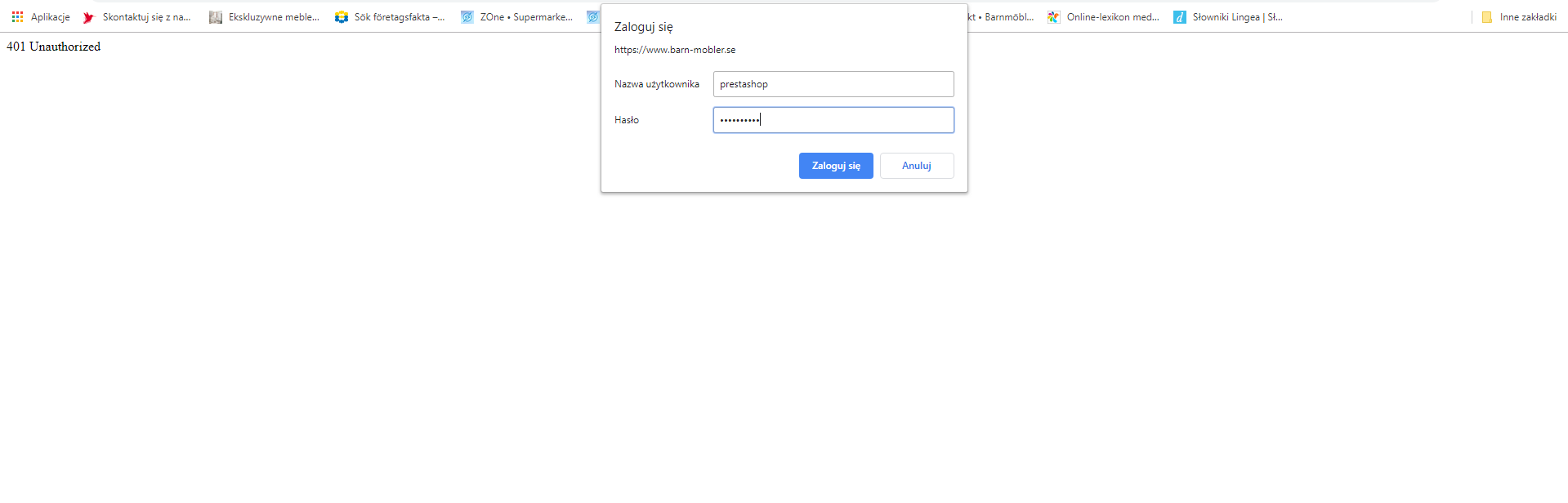
I upload this file and go to https://www.barn-mobler.se/phppsinfo.php and I try to login with default login and password but I can't. Nothing happened.
Ortezjan
on 24 Apr 2019
I should upload just "phppsinfo.php" file?
Ortezjan
on 24 Apr 2019
Ortezjan
on 24 Apr 2019
@Ortezjan, Thanks to check with this file a feedback
phppsinfo.php.zip
khouloudbelguith
on 24 Apr 2019
Ortezjan
on 24 Apr 2019
@Ortezjan, the error "Parse Error: syntax error, unexpected 'class' (T_CLASS), expecting identifier (T_STRING) or variable (T_VARIABLE)" ... happens when you have a PHP older than 5.5 which is not your case.
Hav you any feedbacks from your hosting?
Thanks!
khouloudbelguith
on 24 Apr 2019
Nope. I have no idea about what I should ask them.
Ortezjan
on 24 Apr 2019
@Ortezjan, that's ok, you can ask them about your error displayed.
If you put php -v in your terminal what is the exact information provided?
Thanks!
khouloudbelguith
on 24 Apr 2019
I don't have a possibility to open terminal.
Ortezjan
on 24 Apr 2019
@Ortezjan, could you please check that the mbstring is installed on your server.

Thanks!
khouloudbelguith
on 24 Apr 2019
Hi @Ortezjan,
Since we had no news from you for more than 30 days, I'll close this ticket. Feel free to open another one if you can give specific details.
Thanks!
khouloudbelguith
on 27 May 2019
I Have exactly the same issue.
So I see the broblem isn't solved, decide to continue thread.
when I disable friendly URLs related products show up.
In phppsinfo got all green except yellow PHP version, mine is 5.6.38 but it shouldn't matter cause required is 5.6 (Ortezjan got 7.2 and problem also occurred).
I have in phpinfo mbstring set as above except oniguruma version it not appears in mine.
I have no access to PHP log but in Apache error log I have:
AH01071: Got error 'Primary script unknown\n', referer: https://admirsklep.pl/admin516ncnsa4/index.php/sell/catalog/products/1?_token=TOjqsgkbEghAGWICydVkBAx6QzciwWrUL_41eqOJRKU
PHP version 5.6.38
Presta Shop version: 1.7.6.1
 kazzo
on 13 Dec 2019
kazzo
on 13 Dec 2019
@kazzo, the issue created here: #16799
khouloudbelguith
on 19 Dec 2019
I have the same problem.
I read that it might be a server problem, but it doesn't make sense.
PHP version 7.2.27
Prestashop 1.7.6.2
 Nerque
on 9 Feb 2020
Nerque
on 9 Feb 2020
Hi @Nerque,
This issue is currently closed, can you open a new one with more information about your configuration.
Thanks!
khouloudbelguith
on 10 Feb 2020
Nerque
on 22 Feb 2020
Related issues
 matks
·
3Comments
matks
·
3Comments
 zuk3975
·
3Comments
zuk3975
·
3Comments
 prestonBot
·
3Comments
prestonBot
·
3Comments
 sandra2n
·
3Comments
sandra2n
·
3Comments
 wikao2
·
3Comments
wikao2
·
3Comments