Prestashop: Image Slider slide expiration date
With this little feature we can prevent to show expired slider banners on homepage.
https://github.com/PrestaShop/ps_imageslider/pull/39
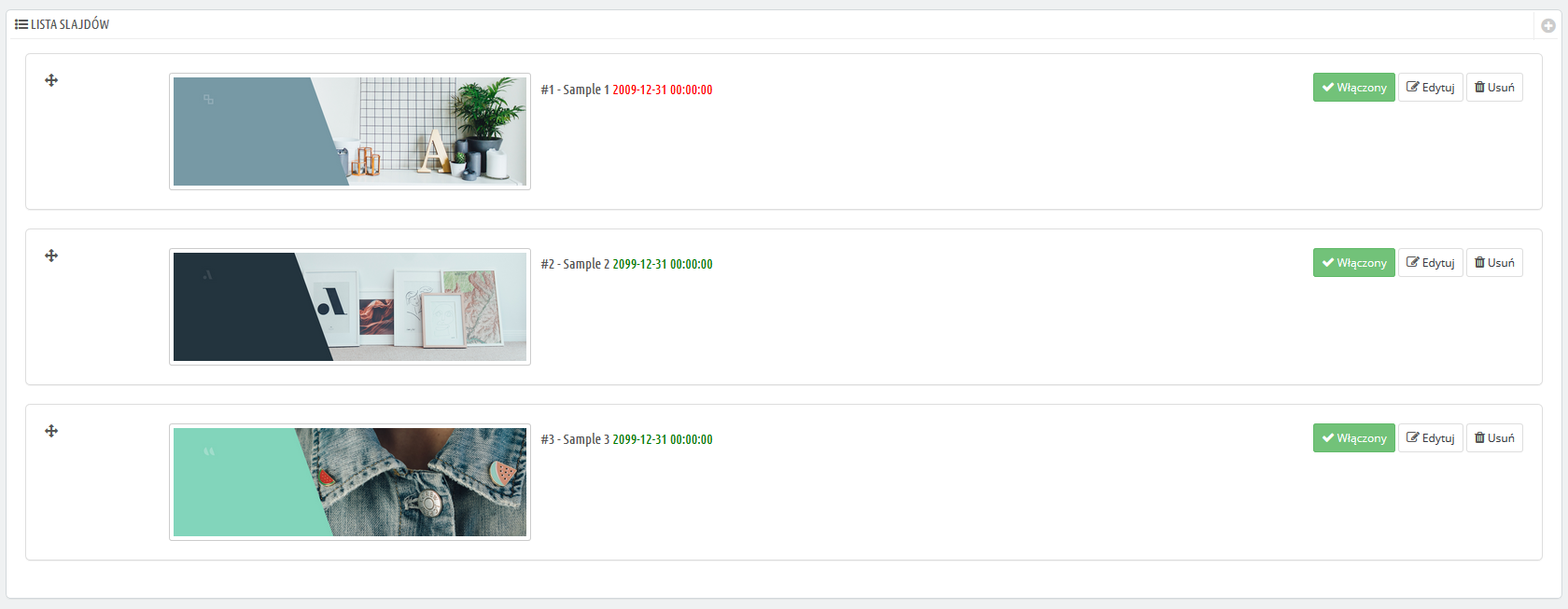

 PrestaShark
All 7 comments
Hi @PrestaShark,
Thanks for your suggestion & for your PR fix.
@marionf, @colinegin what do you think?
Thanks!
 khouloudbelguith
on 21 Mar 2019
khouloudbelguith
on 21 Mar 2019
Hello @PrestaShark, thanks for your idea and PR !
It's a nice improvement, I think we can review your code and test it.
We'll keep you posted.
Have a nice day !
 colinegin
on 10 Apr 2019
colinegin
on 10 Apr 2019
Does the UX team want to have a look at this?
 Quetzacoalt91
on 10 Apr 2019
Quetzacoalt91
on 10 Apr 2019
Hi @PrestaShark, thank you for your contribution.
I suggest a few modifications on your interface:
- The expiration date would be better under the name of the slide, so it's position will not depend on the length of the name, so dates will be easier to 'scan'
- The color indication is not inclusive enough as some people might have troubles to differentiate colors. It's always better not to use color as the only information vector and add a clear wording.
- Please use the font open-sans for the date ;)
That would give us something like that:
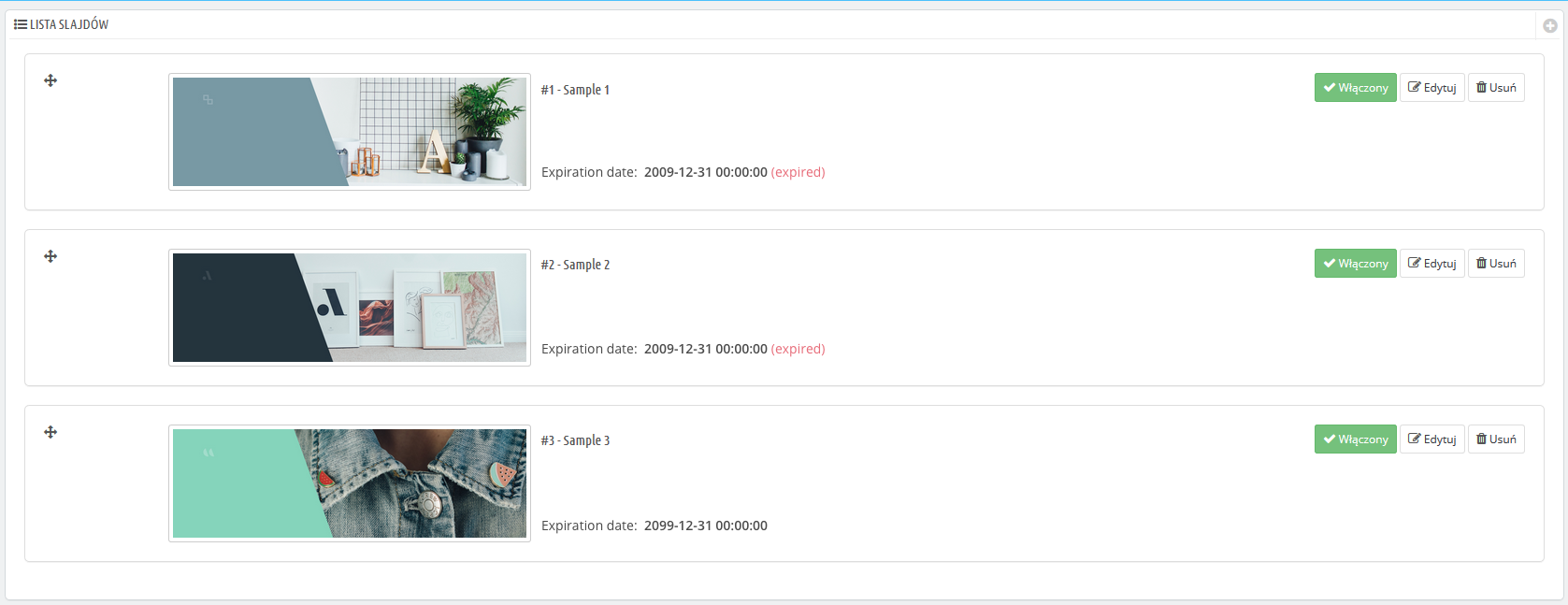
 TristanLDD
on 23 Apr 2019
TristanLDD
on 23 Apr 2019
Hi guys and sorry for delay. I will work with all mentioned suggestions and brb soon! Have a good day and keep going with 1.7.6 :)
PrestaShark
on 25 Apr 2019
Hello @PrestaShark
Could you please apply the changes requested by @jolelievre on your PR.
Thanks!
 hibatallahAouadni
on 27 Nov 2020
hibatallahAouadni
on 27 Nov 2020
Hello @PrestaShark ,
Since we had no news from you for more than 20 days, I'll close this ticket to avoid cluttering up the backlog.
Please note that you can always create a new one if further information pops up.
Thanks!
hibatallahAouadni
on 16 Dec 2020
Related issues
khouloudbelguith
·
3Comments
 itisco
·
3Comments
itisco
·
3Comments
 Fabuloops
·
3Comments
Fabuloops
·
3Comments
 Van-peterson
·
3Comments
Van-peterson
·
3Comments
 zuk3975
·
3Comments
zuk3975
·
3Comments