Prestashop: Category thumbnail can not be displayed properly
Describe the bug
During Category thumbnail editing the bug appears. I am editing Categories images and cat. thumbnails.
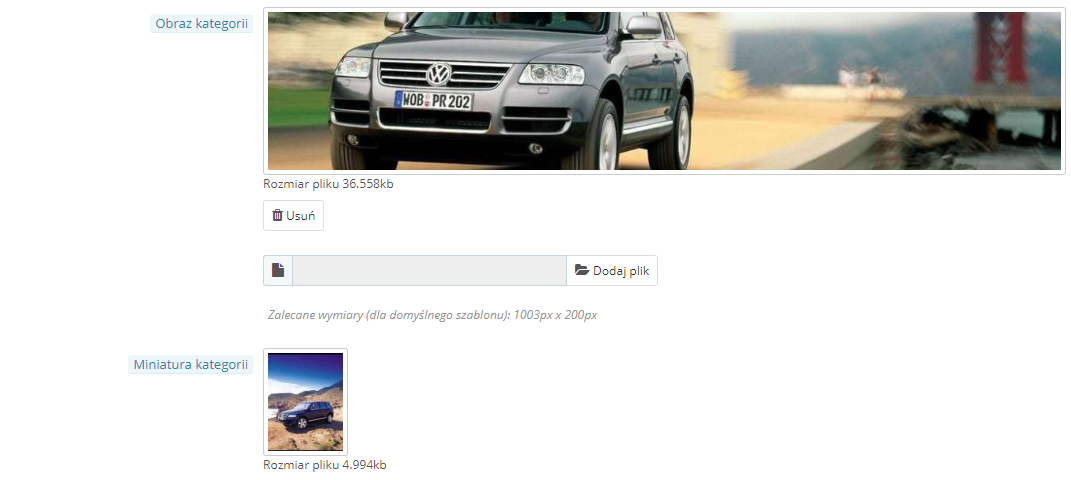
My Theme's Category cover image should have 1003200px. When I chose the image. it is automatically set as Category thumbnail, and CANNOT cahnge it. In my backoffice i chose Category thumbnail (97128px) and I can only see it in my backoffice, but there is unproperly thumbnail in the front. Whereas when i chose Category thumbnail image in backoffice FIRST, it automatically bacomes the Category cover image. (See screenshots). I deleted cache in backoffice, in browser and on FTP and the problem is still the same. My theme's support respond that it is PRESTASHOP'S 1.7.x.x bug. How to solve this problem?
BackOffice preview
Categoty preview

subcategory preview
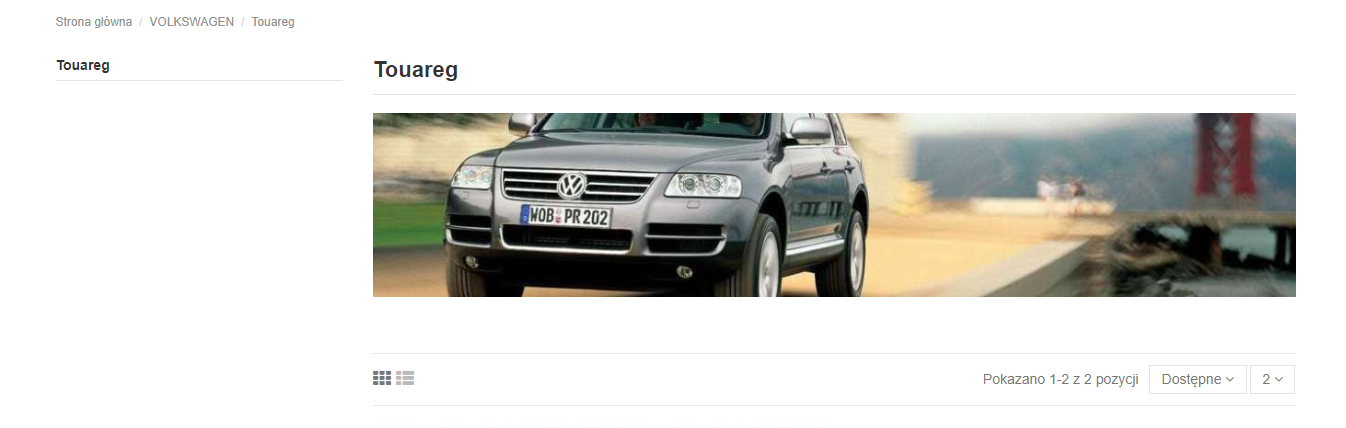
Additionnal information
PrestaShop version: 1.7.5.0
PHP version: 7.1.21
 MarsDevPL
All 12 comments
Hi @MarsDevPL,
Could you please confirm these steps to reproduce your issue:
- If I upload a cover image after the category thumbnail, it erases the thumbnail.
- If I delete the "Category Cover Image" the "Category thumbnail" is deleted too.
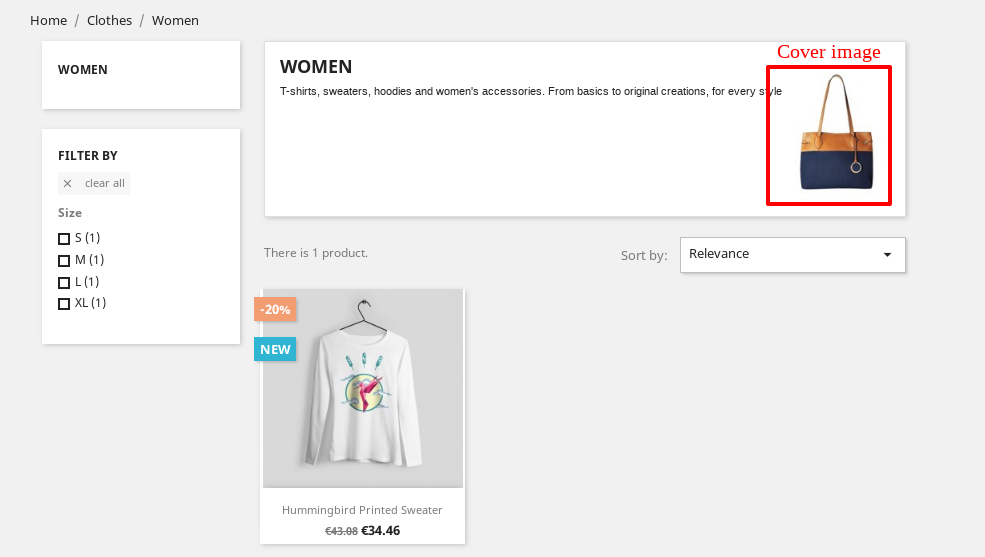
- I tried to add a thumbnail image, in the FO, it is not displayed
In the BO

In the FO:
Thanks!
 khouloudbelguith
on 1 Mar 2019
khouloudbelguith
on 1 Mar 2019
In my case:
1. If I upload a cover image after the category thumbnail;
- In the front I see the cover image instead the thumbnail, but when entering a subcategory - the cover image is showed correctly, but thumbnail is not showing correctly. On the thumbnail's place i see category image with disproportional size.
2. If I delete the "Category Cover Image" the "Category thumbnail" is deleted too. - EXACTLY THE SAME
3. I tried to add a thumbnail image ONLY , in the FO, it is not displayed
MarsDevPL
on 1 Mar 2019
@MarsDevPL, thanks for your feedback.
For the conclusion, I tried with PS1.7.5.1 & PS1.7.4.4
- If I upload a cover image after the category thumbnail, it erases the thumbnail.
- If I upload a thumbnail image after the cover image, the thumbnail image, in the FO is not displayed.
- If I delete the "Category Cover Image" the "Category thumbnail" is deleted too.
- I tried to add a thumbnail image, in the FO, it is not displayed
I’ll add this to the debug roadmap so that it’s fixed. If you have already fixed it on your end or if you think you can do it, please do send us a pull request!
Thanks!
khouloudbelguith
on 1 Mar 2019
I am not so deep into coding, so I just will wait for some solution:)
MarsDevPL
on 1 Mar 2019
Hello,
is there a solution for this problem?
Thanks a lot for your help
 esterflore1
on 30 Mar 2019
esterflore1
on 30 Mar 2019
I use the WAREHOUSE theme and i just built the category page with internal
PageBuilder, so I solved this problem in such way.
sob., 30 mar 2019 o 19:16 esterflore1 notifications@github.com napisał(a):
Hello,
is there a solution for this problem?
Thanks a lot for your help—
You are receiving this because you were mentioned.
Reply to this email directly, view it on GitHub
https://github.com/PrestaShop/PrestaShop/issues/12760#issuecomment-478273643,
or mute the thread
https://github.com/notifications/unsubscribe-auth/AtqpqrzEVQ2iPYvzKxGuG0C1Gs4GulL5ks5vb6oVgaJpZM4bYshO
.
--
MarsDevelopment Sp. z o.o
ul. Brochowska 21/10
52-019 Wrocław
NIP 8992810774
REGON 366648341
KRS 0000665452
MarsDevPL
on 1 Apr 2019
@khouloudbelguith
If I upload a cover image after the category thumbnail, it erases the thumbnail.
Yes, because the thumbnail is the same as the category cover image but in smaller
If I upload a thumbnail image after the cover image, the thumbnail image, in the FO is not displayed.*
Yes, because the thumbnail is not used in classic template
If I delete the "Category Cover Image" the "Category thumbnail" is deleted too.
Yes, because the thumbnail is the same as the category cover image
These behaviors are normal
 marionf
on 10 Jun 2019
marionf
on 10 Jun 2019
@khouloudbelguith
If I upload a cover image after the category thumbnail, it erases the thumbnail.
Yes, because the thumbnail is the same as the category cover image but in smaller
If I upload a thumbnail image after the cover image, the thumbnail image, in the FO is not displayed.*
Yes, because the thumbnail is not used in classic template
If I delete the "Category Cover Image" the "Category thumbnail" is deleted too.
Yes, because the thumbnail is the same as the category cover image
These behaviors are normal
Hello folks,
I'd like to comment this thread despite it is closed now,
Is there any way to use "category image" an "thumbnail category image" separetly?
I unsderstand that classic theme doesn't, but other people might try to use them like so (as I'm trying).
Thanks!
 zenerry
on 3 Oct 2019
zenerry
on 3 Oct 2019
Hello all,
after reviewing this issue, it seems there is a bug indeed with how work thumbnail images with cover images.
As said @khouloudbelguith
- If I upload a cover image after the category thumbnail, it erases the thumbnail and add a new thumbnail with the cover image. (it works well when uploading a thumbnail after the cover image).
- If I delete the "Category Cover Image" the "Category thumbnail" is deleted too.
- It is not possible to delete the thumbnail alone. There is no reason for that.
About those 2 issues @khouloudbelguith , did you test it with Classic theme ?
- If I upload a thumbnail image after the cover image, the thumbnail image, in the FO is not displayed.
- I tried to add a thumbnail image, in the FO, it is not displayed
==> if so, this is normal, Classic theme in 1.7 does not use category thumbnails.
@marionf, if we offer category thumbnail feature, we should enable merchants to choose to have different cover image and thumbnail. I reopen this issue, and we'll discuss about it to decide what to do !
Thanks everyone for your feedback.
Coline
 colinegin
on 21 Nov 2019
colinegin
on 21 Nov 2019
Hi @colinegin,
About those 2 issues @khouloudbelguith , did you test it with Classic theme ?
1.If I upload a thumbnail image after the cover image, the thumbnail image, in the FO is not displayed.
2.I tried to add a thumbnail image, in the FO, it is not displayed
==> if so, this is normal, Classic theme in 1.7 does not use category thumbnails.
Yes, I used the classic theme provided by PrestaShop Version 1.0.0
https://drive.google.com/file/d/120yFPfXsab7RwpvpS8jG7ixr2nB93GWX/view
Thanks!
khouloudbelguith
on 21 Nov 2019
We should re-think the behavior in BO category page
marionf
on 26 Nov 2019
Why not add a [Delete] Button here too??
 HartLarsson
on 26 Nov 2019
HartLarsson
on 26 Nov 2019
Related issues
 prestonBot
·
3Comments
prestonBot
·
3Comments
 itisco
·
3Comments
itisco
·
3Comments
 esistgut
·
3Comments
khouloudbelguith
·
3Comments
esistgut
·
3Comments
khouloudbelguith
·
3Comments
 matks
·
3Comments
matks
·
3Comments
Most helpful comment
Hello all,
after reviewing this issue, it seems there is a bug indeed with how work thumbnail images with cover images.
As said @khouloudbelguith
About those 2 issues @khouloudbelguith , did you test it with Classic theme ?
==> if so, this is normal, Classic theme in 1.7 does not use category thumbnails.
@marionf, if we offer category thumbnail feature, we should enable merchants to choose to have different cover image and thumbnail. I reopen this issue, and we'll discuss about it to decide what to do !
Thanks everyone for your feedback.
Coline