Prestashop: Discounts can be combined eaven if cart_rule_restriction is 0
When adding 2 discounts (Cart rules) and make them NONcompatible one with another, should let a customer use only one discount, but in reality the customer can use both of them.
To Reproduce
Steps to reproduce the behavior:
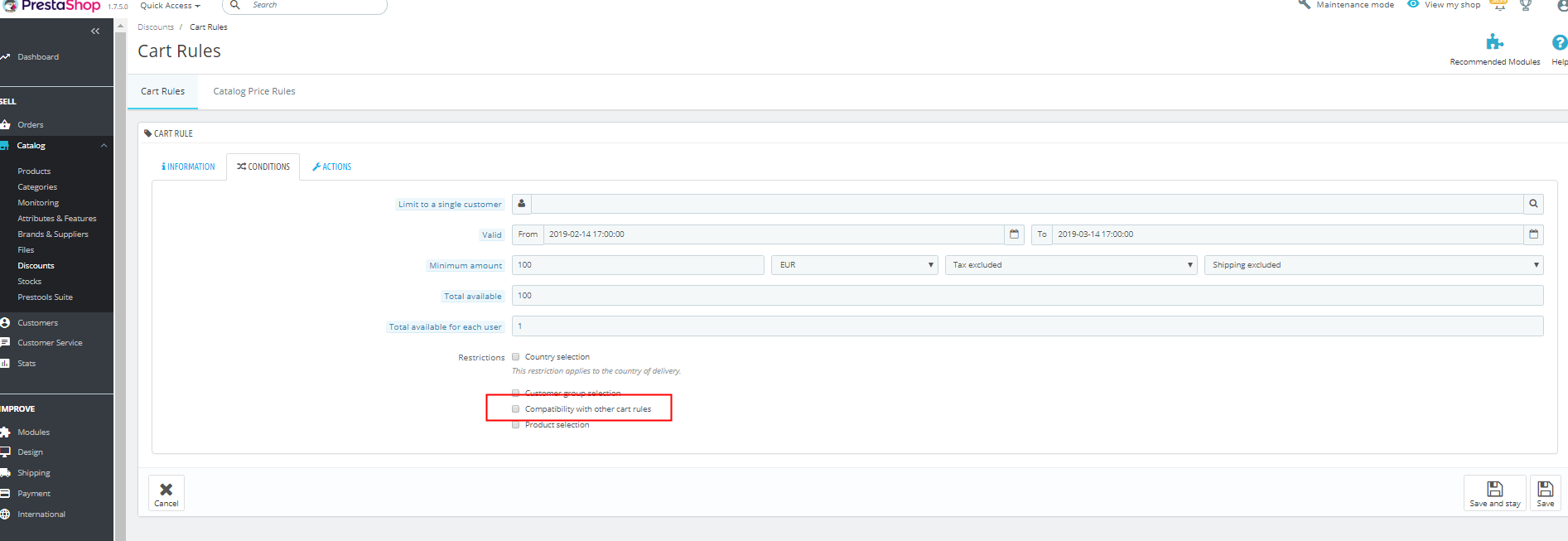
- Create two cart rules and make them incompatible (see screen)
- Add a product to cart and try to add both rules/discounts
- Both discounts are added, but only one should be
Screenshots

Additionnal information
PrestaShop version: 1.7.5.0
PHP version: 7.2 php-fpm (apache)
One solution is to go rule by rule and make them like this:
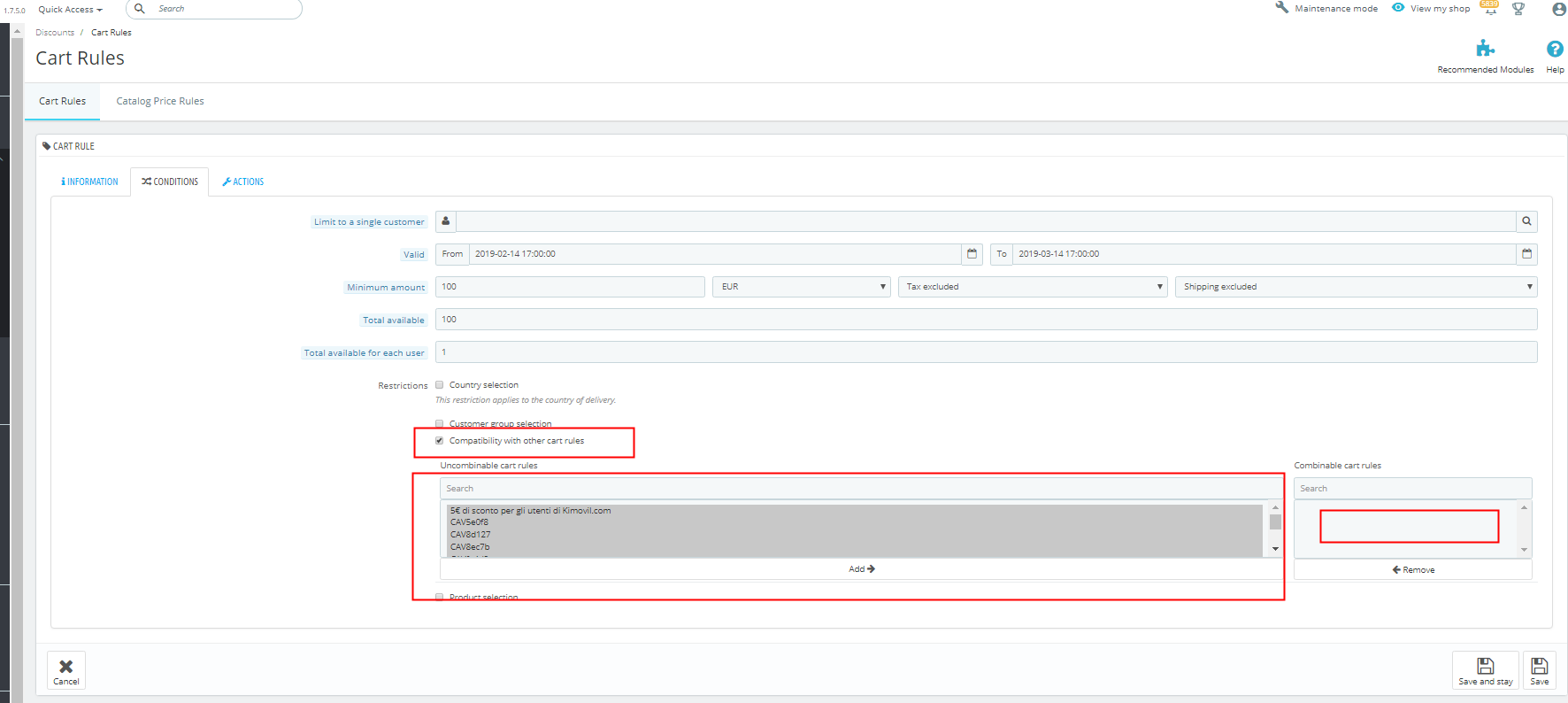
but i have 1000+ rules.
Is there a way to make all of them incompatible maybe with some code? I remember i did something similar on 1.6.x
 espacious
All 8 comments
Hi @espacious,
Thanks for your report.
You can find in our documentation http://doc.prestashop.com/display/PS17/Cart+Rules that by default, an order can benefit from any number of cart rules.
In fact, if you create a new cart rule, check the compatibility with other cart rules, you can find that all the other cart rules are displayed in the "Combinable cart rules" section.
https://drive.google.com/file/d/1LAo6wlMIunTonhcVxqa-11JknENLig2g/view
So, the Compatibility with other cart rules option can tell PrestaShop that this rule cannot be combined with a selection of other rules.
To edit this behavior, you can modify ps_cart_rule table in your database and put cart_rule_restriction default value to 1 instead of 0
If you want to change existing vouchers:
update ps_cart_rule set cart_rule_restriction = 1
I hope it helps
Thanks!
 khouloudbelguith
on 25 Feb 2019
khouloudbelguith
on 25 Feb 2019
Yes i understand. But correct me if i'm wrong. I have 1000 Cart Rules and i did:
update ps_cart_rule set cart_rule_restriction = 1
So now all rules should be incompatible with each other. But they are not.
To reassume if i do: "update ps_cart_rule set cart_rule_restriction = 1" Cart Rules are still compatible till i go to the field you mentioned in the video and move all Cart Rules from compatible to NON compatible window.
Is there a way to do this for all discounts from DB ?
espacious
on 25 Feb 2019
@espacious, you can apply this command to update all the carts rule.
UPDATE ps_cart_rule SET cart_rule_restriction = '1' WHERE ps_cart_rule.id_cart_rule > 0

khouloudbelguith
on 25 Feb 2019
Yes you are right. But my opinion is it would be better if done in opposite.
For example:
I have 1000+ Discounts (90% of them should be incompatible with each other) this is also the normal way of thinking in a normal shop. Usualy discounts are not compatible, only in some rare cases yes.
So i ran the sql which did ok (set cart_rule_restriction to 1), but i have to repass all 1000+ discounts and move all compatible rules from "compatible field" to "incompatible field" and this takes ages.
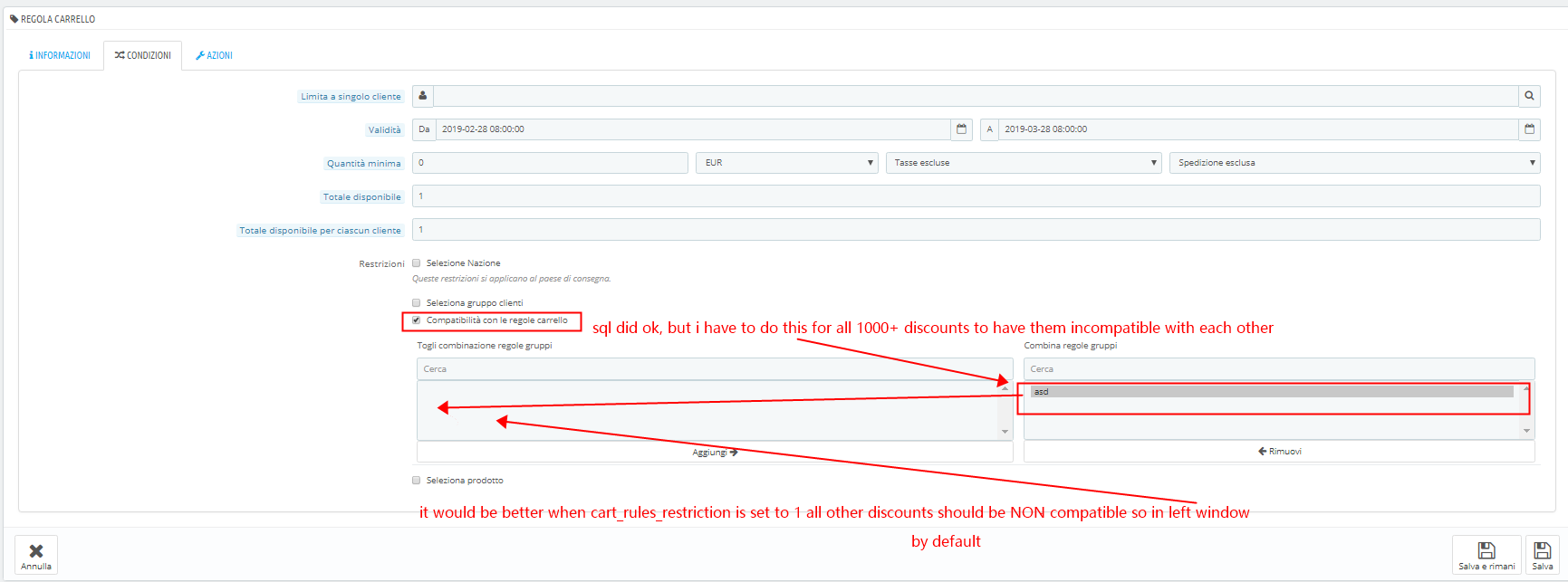
Is there a way to move them from compatible to non compatible field in one step with an sql or maybe another way?
Hope i was clear. I understand this is not a bug, but im searching for solutions and joust wanted to say out loud my way of seeing how those discounts should work.
Thanks 4 all.
espacious
on 28 Feb 2019
@espacious, with this command line: UPDATE ps_cart_rule SET cart_rule_restriction = '1' WHERE ps_cart_rule.id_cart_rule > 0
You can udate all your cart_rule_restriction from compatible to non compatible, in table from 0 to 1
I attached a video record.
https://drive.google.com/file/d/10vTES-ZdJcC2Faw0WbwT3HpbcNtyW_q_/view
THanks!
khouloudbelguith
on 28 Feb 2019
Yes seems ok. I will retest.
espacious
on 28 Feb 2019
@espacious, thanks!
khouloudbelguith
on 28 Feb 2019
Hello,
PS 1.7.6.4
I experience exactly the same problem as the one described above, unfortunately, when I set cart_rule_restriction = 1, the newly create discounts are still created compatible with other existing discounts, so it clearly seems that this is not the good parameter to change.............

Here the newly created TESTCOMPATIBILITY rule is by default put in the compatible tab while I already set cart_rule_restriction = 1..........
I don't want to apply any command making all rule incompatible in between themselves, I just want a logical behaviour, to set all newly created rules incompatible with others, by default, then tune finely wich rule should be compatible with others or not.
Any REAL solution (without having to apply any command line every time a rule is created, just waste of time....) ?
Thanks
 superskyman100
on 25 Jun 2020
superskyman100
on 25 Jun 2020
Related issues
 matks
·
3Comments
matks
·
3Comments
 esistgut
·
3Comments
esistgut
·
3Comments
 PrestaShark
·
3Comments
PrestaShark
·
3Comments
 marionf
·
3Comments
marionf
·
3Comments
 centoasa
·
3Comments
centoasa
·
3Comments