Prestashop: ContextErrorException on order if Legal compliance module is installed
Describe the bug
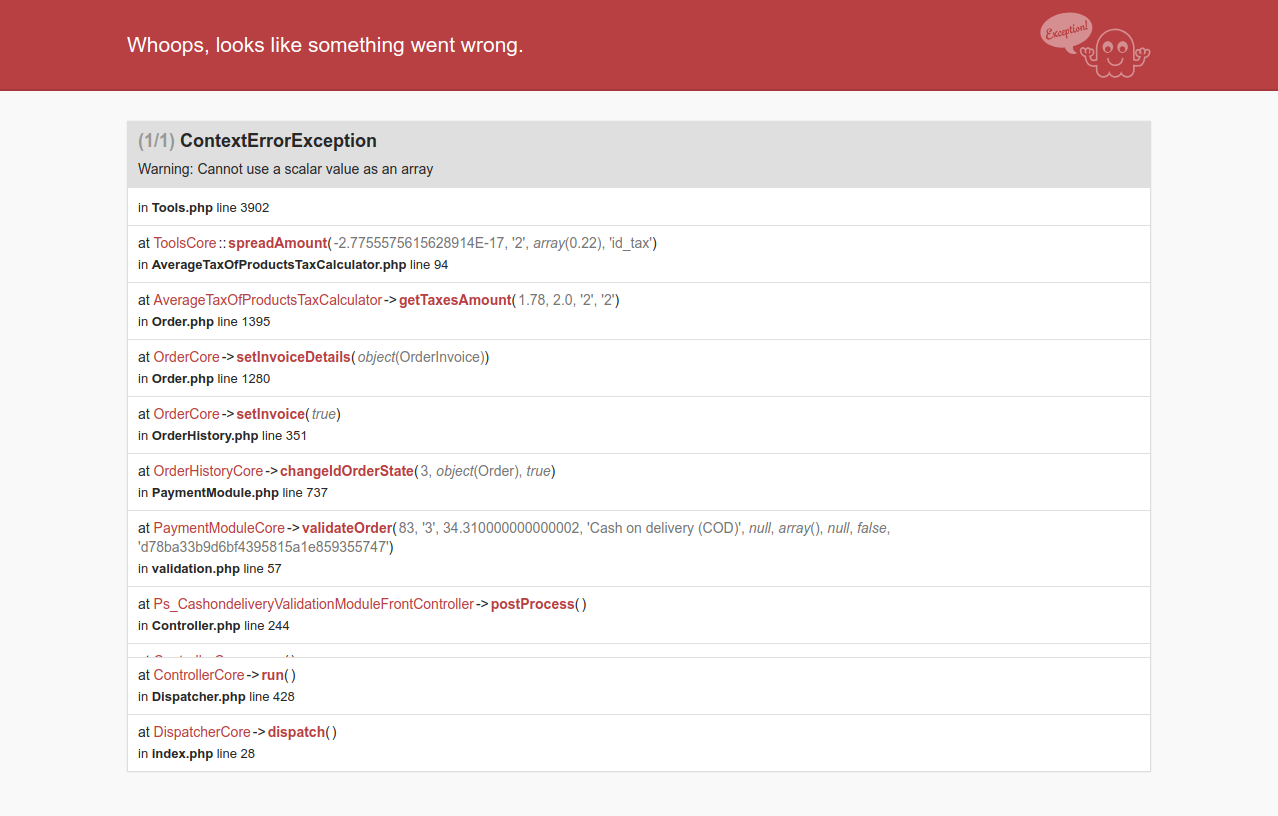
When we do an order with Cash on delivery payment method then the (1/1) ContextErrorException
Warning: Cannot use a scalar value as an array exception will occur. The exception occurs when only the debug mode is on and the configuration in this module "Proportionate tax for shipping and wrapping" is set to YES
To Reproduce
Steps to reproduce the behavior:
- configure the pretashop as mentioned in the description.
- Add any product in cart, a tax should be applied on the product.
- Go to checkout, select the shoipping method, (it should not be free)
- Chosse payment method
- and click on "Order with an obligation to pay"
Screenshots
Module Configuration page -

Error -
Additionnal information
PrestaShop version: 1.7.4.4, 1.7.5.0
PHP version: 7.0
 PeeyushAgrawalWebkul
All 6 comments
Hi @PeeyushAgrawalWebkul,
I did not manage to reproduce the issue with PS1.7.5.0 & the ps_legalcompilance v3.0.1.
I attached a video record.
https://drive.google.com/file/d/1DuZf_632TbC78yB2LlQyuOKsLOmxbCKQ/view
Thanks to check & feedback.
Thanks!
 khouloudbelguith
on 8 Feb 2019
khouloudbelguith
on 8 Feb 2019
Hello @khouloudbelguith,
Have you set the debug mode to yes before proceed to do an order.
This error only occurs when the debug mode is set to yes. Please make sure the debug mode is on.
Thanks.
PeeyushAgrawalWebkul
on 13 Feb 2019
@PeeyushAgrawalWebkul, I found the exact issue.
Steps to reproduce the issue:
- install the ps_legalcompilance module
- configure this module where "Proportionate tax for shipping and wrapping" must be enabled
- install the COD module
- Add any product in the cart, a tax should be applied on the product.
- Go to checkout, select the shipping method, (it should not be free)
- Chosse payment method => it must be the COD method
- click on "Order with an obligation to pay" an exception is displayed
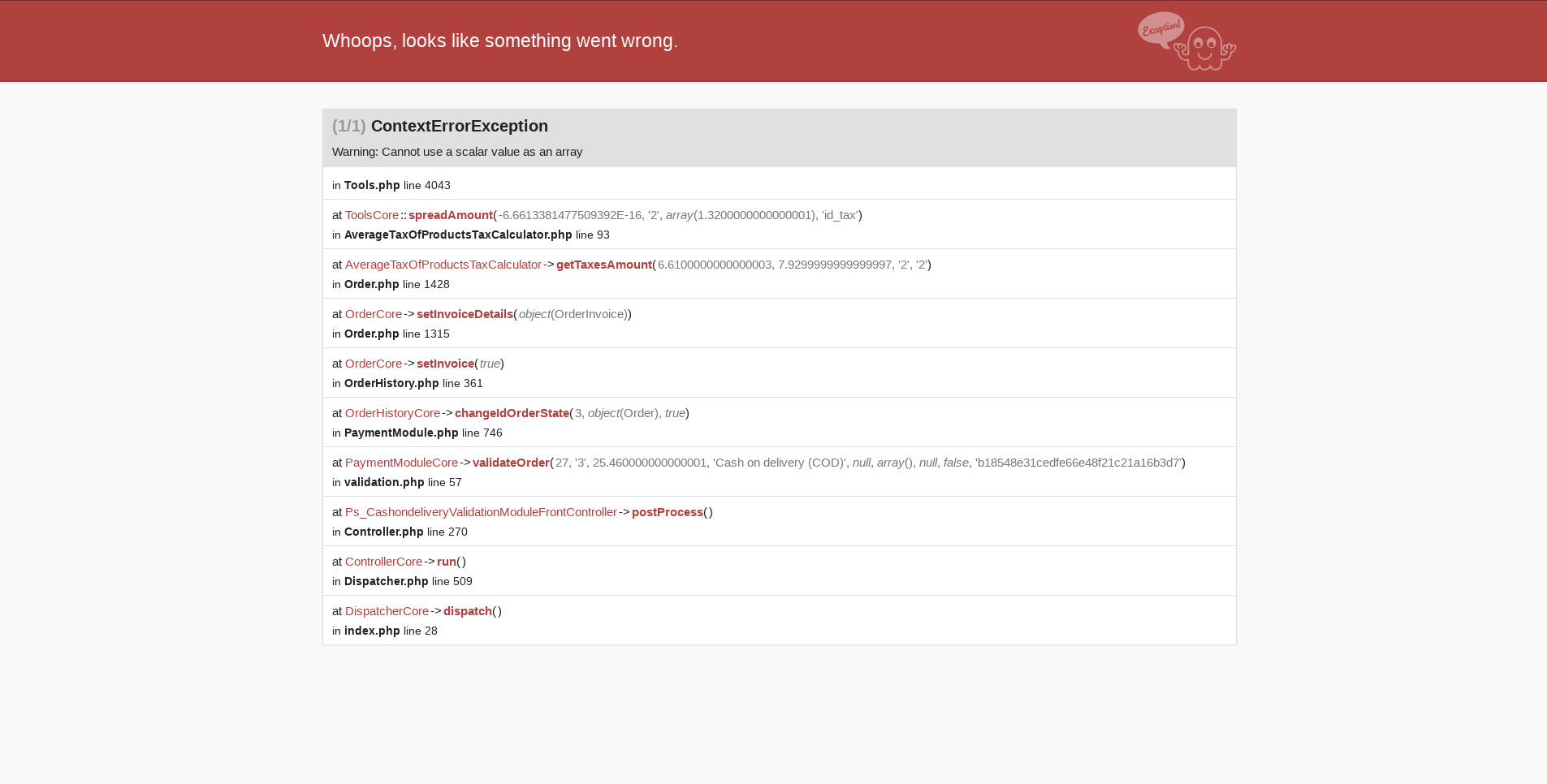
- If you Go to the "history" an exception is displayed

I’ll add this to the debug roadmap so that it’s fixed. If you have already fixed it on your end or if you think you can do it, please do send us a pull request!
Thanks!
khouloudbelguith
on 13 Feb 2019
Hello @khouloudbelguith @marionf
Yes, I have a solution for this, I'll create a pull request for this soon.
Thanks
PeeyushAgrawalWebkul
on 20 Feb 2019
Hello @khouloudbelguith,
Please check, I have created a PR to fix this issue https://github.com/PrestaShop/PrestaShop/pull/12683.
Thanks
PeeyushAgrawalWebkul
on 23 Feb 2019
OK, I spent 2 hours on this issue to understand what was going on. I'm afraid I've got bad news.
This behavior attempts to use AverageTaxOfProductsTaxCalculator::getTaxesAmount() however from what I've seen, this function was broken since the beginning, in the case we use $price_after_tax.
Here's why.
The code
public function getTaxesAmount($price_before_tax, $price_after_tax = null, $round_precision = 2, $round_mode = null)
    {
        $amounts = array();
        $total_base = 0;

        foreach ($this->getProductTaxes() as $row) {
            if (!array_key_exists($row['id_tax'], $amounts)) {
                $amounts[$row['id_tax']] = array(
                    'rate' => $row['rate'],
                    'base' => 0,
                );
            }

            $amounts[$row['id_tax']]['base'] += $row['total_price_tax_excl'];
            $total_base += $row['total_price_tax_excl'];
        }

        $actual_tax = 0;
        foreach ($amounts as &$data) {
            $data = Tools::ps_round(
                $price_before_tax * ($data['base'] / $total_base) * $data['rate'] / 100,
                $round_precision,
                $round_mode
            );
            $actual_tax += $data;
        }
        unset($data);

        if ($price_after_tax) {
            Tools::spreadAmount(
                $price_after_tax - $price_before_tax - $actual_tax,
                $round_precision,
                $amounts,
                'id_tax'
            );
        }

        return $amounts;
    }
What goes wrong when $price_after_tax is used
Bad input given
When this parameter is used, the function calls Tools::spreadAmount() on the result. However the result has not the required format for it to work.
AverageTaxOfProductsTaxCalculator::getTaxesAmount() fetches the BDD and extracts an array of "product tax amounts. This means an array with keys tax ID and data rate and base.
    array(
            1 => array('id_tax' => 1, 'rate' => 10, 'total_price_tax_excl' => 20),
            2 => array('id_tax' => 2, 'rate' => 20, 'total_price_tax_excl' => 10),
        ));
But later in the code, it performs some rounding and convert it to a key/value array whose value is just a float:
    array(
            1 => 4.7
            2 => 4.7
        );
So this is what is returned.
However when $price_after_tax is used in the method inputs, an additional operation is performed: Tools::spreadAmount()
See this function signature and phpDoc:
/**
     * Spread an amount on lines, adjusting the $column field,
     * with the biggest adjustments going to the rows having the
     * highest $sort_column.
     *
     * E.g.:
     *
     * $rows = [['a' => 5.1], ['a' => 8.2]];
     *
     * spreadAmount(0.3, 1, $rows, 'a');
     *
     * => $rows is [['a' => 8.4], ['a' => 5.2]]
     *
     * @param $amount float  The amount to spread across the rows
     * @param $precision int Rounding precision
     *                       e.g. if $amount is 1, $precision is 0 and $rows = [['a' => 2], ['a' => 1]]
     *                       then the resulting $rows will be [['a' => 3], ['a' => 1]]
     *                       But if $precision were 1, then the resulting $rows would be [['a' => 2.5], ['a' => 1.5]]
     * @param &$rows array   An array, associative or not, containing arrays that have at least $column and $sort_column fields
     * @param $column string The column on which to perform adjustments
     */
    public static function spreadAmount($amount, $precision, &$rows, $column)
So $rows needs to be an array of an array. Instead we give it an array of floats. Obviously this will fail.
Bad parameter given
2nd issue: here is how spreadAmount() is called
    Tools::spreadAmount(
                $price_after_tax - $price_before_tax - $actual_tax,
                $round_precision,
                $amounts,
                'id_tax'
            );
So last parameter is supposed to 'id_tax' which indicates on which column spreadAmount is supposed to apply. Wait ... what ?
This means that this function attempts to perform the "amount spreading" on an ID ? An integer ? Obviously this code could never work from the beginning, in order to function it would require to target a key with a float in it, like base, rate, total_price_tax_excl ... something we can make computation on . Not a BDD ID 😆
Conclusion
I think this function AverageTaxOfProductsTaxCalculator::getTaxesAmount() has never been used in the case of $price_after_tax being used. We can see that from test AverageTaxOfProductsTaxCalculatorTest that ignores this.
So we need to reimplement it correctly to make it work. But 1st we need to understand the logic behind.
 matks
on 18 Oct 2019
matks
on 18 Oct 2019
Related issues
 Van-peterson
·
3Comments
Van-peterson
·
3Comments
 itisco
·
3Comments
itisco
·
3Comments
 Prestaworks
·
3Comments
Prestaworks
·
3Comments
 vincent-dp
·
3Comments
vincent-dp
·
3Comments
 esistgut
·
3Comments
esistgut
·
3Comments