Prestashop: Duration of Back Office cookies
Hi
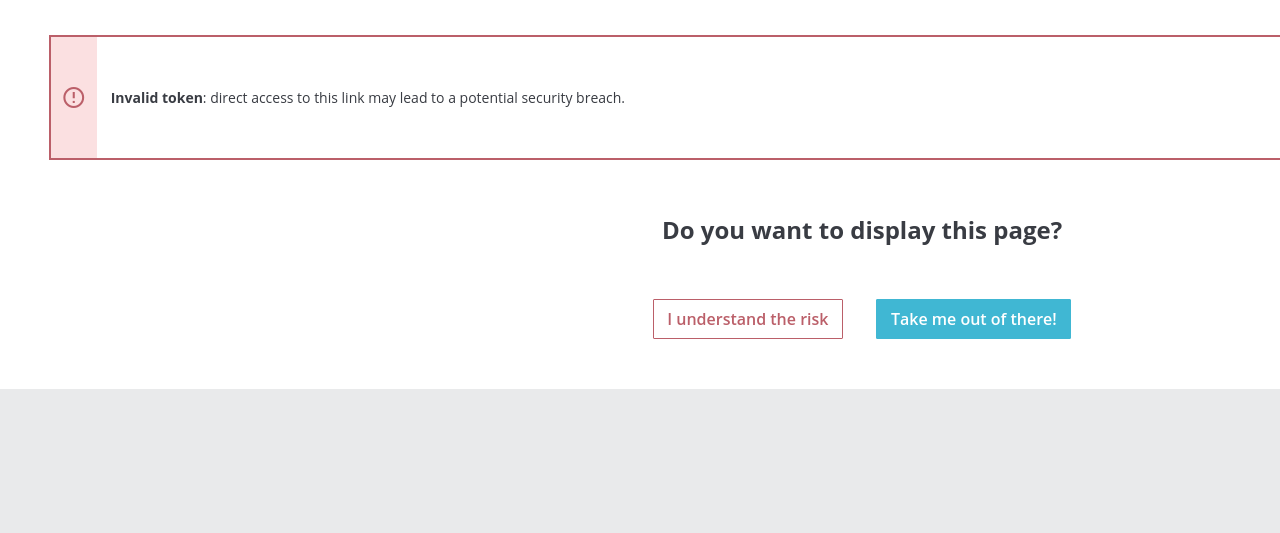
some shopkeepers said me that they have problem with the token errors, because they cannot stay at pc always, so they would like to lengthen the session times.
I have increased the the value of admin cookies to 480000 but they get the same problem?
can you check please if it is present an error?
if I increase to that value the session should be much longer
thanks
Screenshots

Additionnal information
PrestaShop version: 1.7.5.0
PHP version: 7.0
 maofree
All 19 comments
Hi @maofree,
I did not manage to reproduce the issue with PS1.7.5.0, I just tried with a low hour for the lifetime of back office cookies
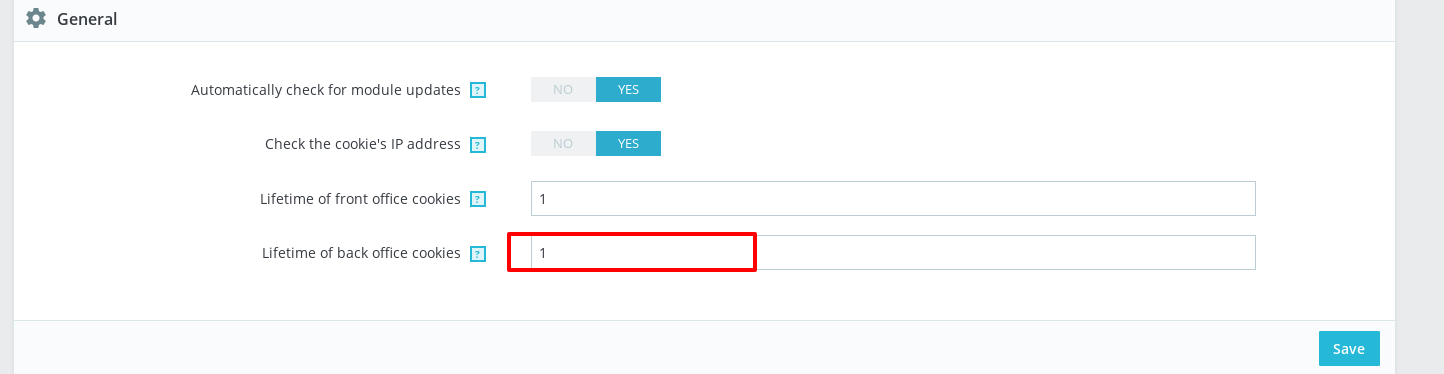
and it is Ok, I'm not frequently disconnected from Prestashop Back office with frequently activity.
The default settings are 15 minutes, so the login is automatically terminated after 15 minutes of inactivity in the PrestaShop.
This time can be easily adjusted in the following folder:
classes / controller / AdminController.php
Look for the following code is to be found:
if ($this->context->cookie->last_activity + 900 < time()) {
Changing 900 to 3600 increases the log-in period from 15 to 60 minutes.

Thanks to check and feedback.
 khouloudbelguith
on 7 Jan 2019
khouloudbelguith
on 7 Jan 2019
hi thanks
it is not possible to increase that value by default?
for a shopkeeper it is too low
because that change will be lost in the next update
is it not possible to get the value of admin cookie?
maofree
on 7 Jan 2019
which editor do you use? for curiosity
maofree
on 7 Jan 2019
@maofree, I use PhpStorm.
@marionf, @colinegin what do you think can we add a new option by default to change the time logout of the inactivity in the PrestaShop ?https://github.com/PrestaShop/PrestaShop/blob/develop/classes/controller/AdminController.php#L2774
Thanks!
khouloudbelguith
on 7 Jan 2019
@khouloudbelguith You mean increase the default value for more than 480 ?
 marionf
on 7 Jan 2019
marionf
on 7 Jan 2019
Hi @marionf if you look at the image in the AdminController.php at line 2733 there is 900
so the admin cookie value is not used
maofree
on 7 Jan 2019
Hi @marionf, about the 900 number which is added to the last_activity: the default settings are 900secondes = 15 minutes, so the login is automatically terminated after 15 minutes of inactivity in the PrestaShop. it could be not constant but an option added so we can edit it.
Thanks!
khouloudbelguith
on 7 Jan 2019
It's not this ?

marionf
on 7 Jan 2019
I thought it myself but if you change that value nothing happens, only if you change the value 900 in the AdminController.php file. You could put that variable instead of 900
maofree
on 7 Jan 2019
@marion I don't think because in the core there is a constant number 900.
Thanks!
khouloudbelguith
on 7 Jan 2019
All right, so we need to change the behavior to keep what is filled in BO > Advanced parameters > Administration > Lifetime of back office cookies and increase the value (currently set to 480 in BO)
marionf
on 7 Jan 2019
Yes, this value should be consistent with the real value taken into account.
2 actions needed then :
- change the default value in the BO --> @eternoendless @PrestaShop/prestashop-core-developers can we increase the value for BO activity to more than 900 ? Is there any security risk ?
- take the indicated value into account and not a constant number.
Thanks !
 colinegin
on 14 Jan 2019
colinegin
on 14 Jan 2019
I don't see any major issue in making the cookie last longer.
 eternoendless
on 16 Jan 2019
eternoendless
on 16 Jan 2019
@colinegin, I think the default value in BO is 480 hours, while the constant number in AdminController.php is 900 seconds (15 minutes), right? Do you think the BO default value should be changed? What do you think would be a good default value for cookie lifetime?
 rblaurin
on 7 Mar 2019
rblaurin
on 7 Mar 2019
Hi, it looks like the way it works is when you don't check the "Stay logged in" checkbox and if you have no activity for 900 seconds, you'll be logged out but if you check the "Stay logged in" checkbox, the value of "Lifetime of back office cookies" in the BO will be used as expiration time.
@colinegin, Do you think we should keep it like that or add an option in the BO to change the expiration time when the checkbox is not checked?
 atomiix
on 15 Oct 2019
atomiix
on 15 Oct 2019
Hello @atomiix ,
I would recommend to keep that behaviour and only increase the lifetime of back office cookies for users who checked "stay logged in". However, I would also recommend to add information to make it clear that this feature only impacts those who checked that option.
What do you think @LouiseBonnard ?
colinegin
on 15 Oct 2019
FYI, a tooltip message already exists about the lifetime of back office cookies, on the Advanced Parameters > Administration page: _Set the amount of hours during which the back office cookies are valid. After that amount of time, the PrestaShop user will have to log in again_. Let me know if you want to improve it!
 LouiseBonnard
on 15 Oct 2019
LouiseBonnard
on 15 Oct 2019
Yes, the thing is the current tooltip does not state that this only applies to users who checked "stay logged in". Maybe we should just improve the current message addind this information.
colinegin
on 18 Oct 2019
Current tooltip is pretty clear for me, even if it is not written in full letters, but here is something else:
_When you access your back office and decide to stay logged in, your cookies lifetime defines your browser session. Set here the number of hours during which you want them valid before logging in again._
LouiseBonnard
on 25 Oct 2019
Related issues
 hiousi
·
3Comments
marionf
·
3Comments
hiousi
·
3Comments
marionf
·
3Comments
 rGaillard
·
3Comments
rGaillard
·
3Comments
 prestonBot
·
3Comments
prestonBot
·
3Comments
 matks
·
3Comments
matks
·
3Comments