Prestashop: Statistics doesn't work
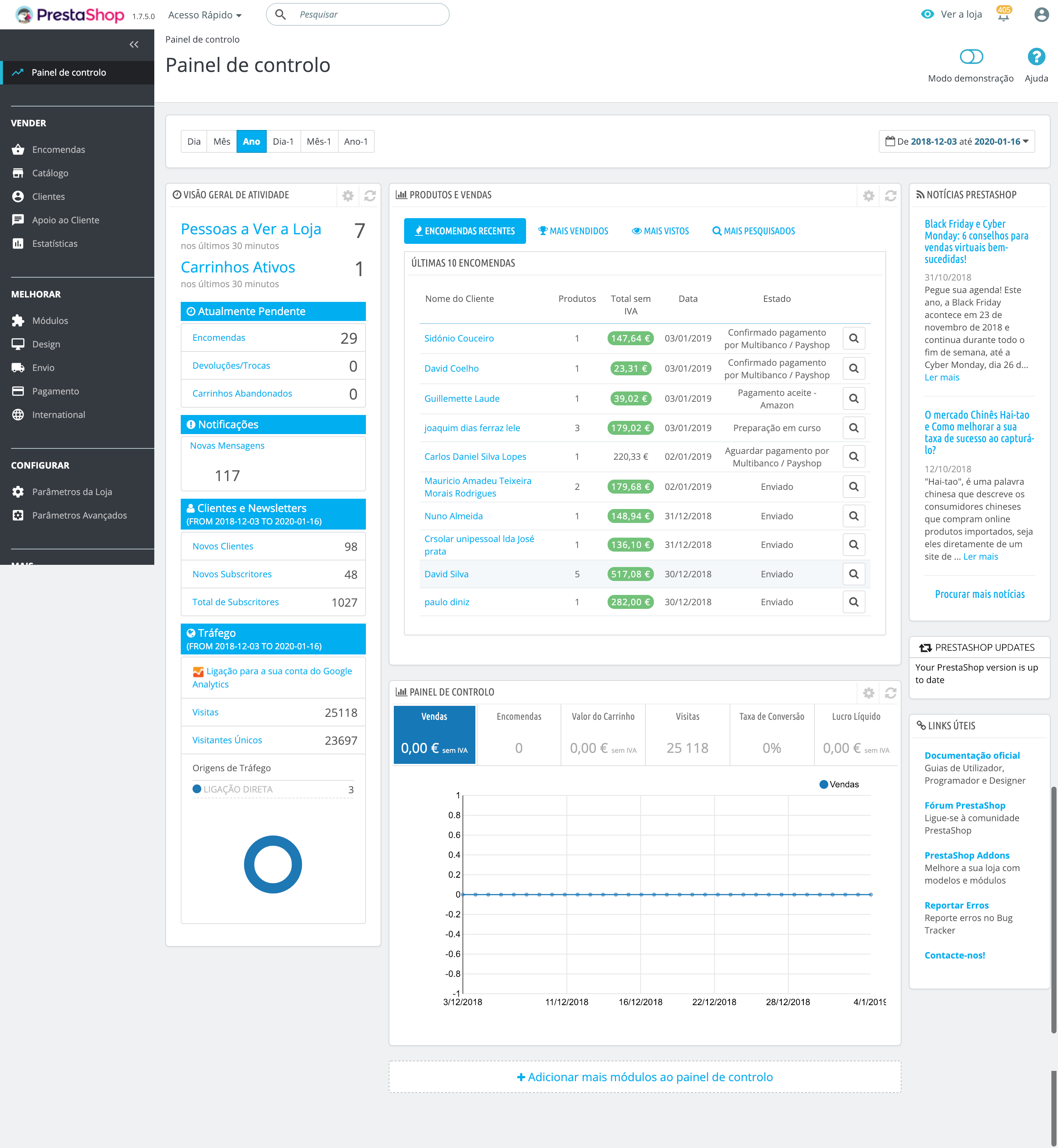
I'm trying to see statistics in trends module but without any result. As you can see in the screenshot attached, there are orders already paid but the graphic is still without any information
I hope you can help me. Thank you
PrestaShop version: 1.7.5.0
PHP version: 7.0.33
 rafaviana
All 20 comments
HI @rafaviana,
During this period "2018-12-03 2020-01-16" did you generated any new invoices?
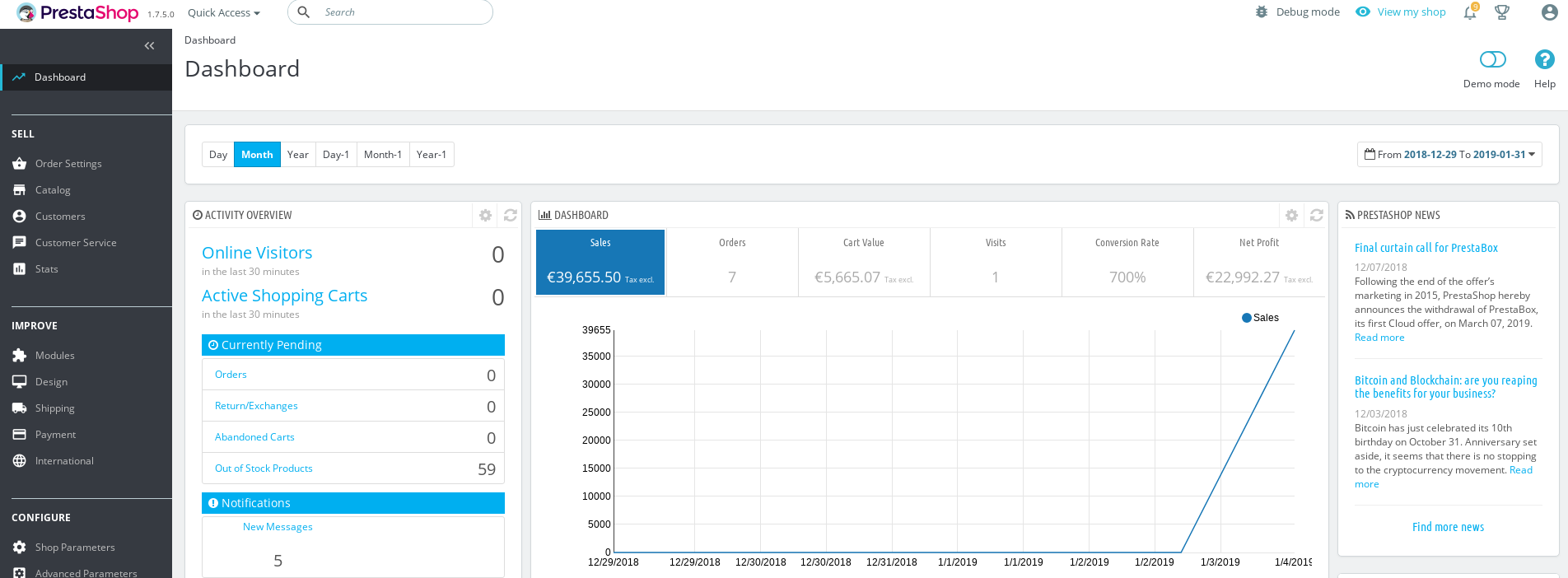
In my case with PS 1.7.5.0, I did not manage to reproduce the issue.
Thanks to check & feedback.
 khouloudbelguith
on 4 Jan 2019
khouloudbelguith
on 4 Jan 2019
Hi @khouloudbelguith ,
thanks for your feedback. I don't use PS to generate invoices, is it necessary?
rafaviana
on 4 Jan 2019
@rafaviana, for this module dashtrends, it is necessary to regenerate invoices so the statistics will be displayed.
Thanks!
khouloudbelguith
on 4 Jan 2019
@khouloudbelguith I tried to regenerate invoices from the last year and it says it's not possible…

rafaviana
on 4 Jan 2019
@rafaviana, that's why you don't have statistics.
Thanks!
khouloudbelguith
on 4 Jan 2019
@khouloudbelguith is it possible to regenerate invoices?
rafaviana
on 4 Jan 2019
@rafaviana, you need to navigate to your BO => Orders => Order details => in the "DOCUMENTS" Tab, you can click to "Generate invoice" button => so the invoice will be generated.

Thanks!
khouloudbelguith
on 4 Jan 2019
@khouloudbelguith can I do it automatically for multiple orders? Without emailing the customer…
Thanks
rafaviana
on 4 Jan 2019
@rafaviana, here's a quick solution to generate invoices for all orders.
You need to:
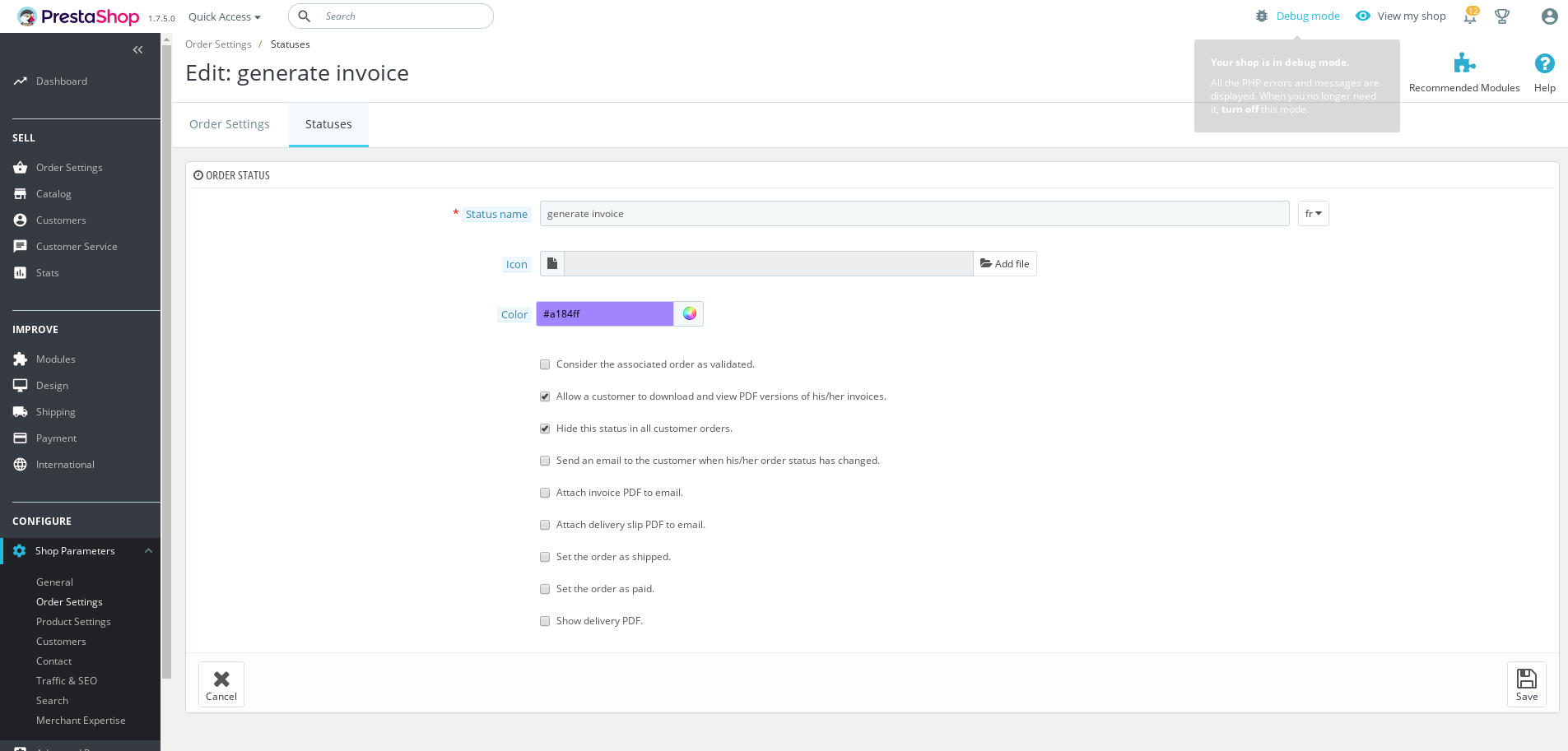
- Navigate to BO => Shop Parameters => Order Settings => Status Tab
- Create a new order status( for example "generate invoice")
- In this order status created
3.1 Check "Allow a customer to download and view PDF versions of his/her invoices."
3.2 Check "Hide this status in all customer orders."
3.3 Save
- In the BO => Orders => Select all orders => Change Order Status with Bulk actions =>

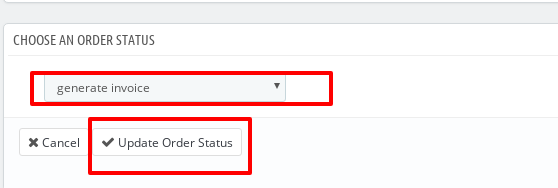
So, all invoices will be generated for all orders without notifying the customer.
You can make a test before applying this solution.
Thanks!
khouloudbelguith
on 4 Jan 2019
wow nice trick @khouloudbelguith !
the only counterpart is that all orders will stay with the status "generate invoice" and it's not what I want honestly… I think I will forget the idea to regenerate invoices
rafaviana
on 4 Jan 2019
@rafaviana, thanks for your feedback.
So can I close the issue?
Thanks!
khouloudbelguith
on 4 Jan 2019
Yes @khouloudbelguith . Thanks for the help!
rafaviana
on 4 Jan 2019
@rafaviana I know this answer is a little late, but a quick way to solve this (in version 1.7.5.0) would be to edit \controllers\admin\AdminStatsController.php file and replace all instances of 'invoice_date' with 'delivery_date' and now you will see the statistics based on delivery date. Alternatively, you could also try replacing with 'date_add' or 'date_upd'.
Try it first on a test site and remember that if you update Prestashop the problem will return again.
@khouloudbelguith I played around with 1.7.5.2 version and added an option in Order Settings -> General that allows you to choose based on which date to display statistics. I think this would be useful for shops that never generate invoices and maybe don't even deliver (virtual products). What do you think? If you think this would be useful I can open a pull request.

 hacchus
on 13 Jun 2019
hacchus
on 13 Jun 2019
@hacchus thank you for your help! I tried with both suggestions but it doesn't work… I still do not understand it 😅
rafaviana
on 14 Jun 2019
Hi @hacchus,
Thanks a lot for your feedback.
Yes, this is could be useful.
Thanks!
khouloudbelguith
on 14 Jun 2019
@rafaviana I tested on 1.7.5.0 fresh installation and if you replace invoice_date with delivery_date it works. I don't know why it's not working for you.
@khouloudbelguith OK I created the pull request.
hacchus
on 14 Jun 2019
@hacchus, thanks!
khouloudbelguith
on 14 Jun 2019
@hacchus can you show me your store preferences? Maybe I have something in my preferences creating a conflict
rafaviana
on 14 Jun 2019
After update to 1.7.6.1 i still have this issue.
Trying all methods from this thread but nothing change
 ghost
on 27 Nov 2019
ghost
on 27 Nov 2019
Hi @simon12q,
This issue is currently closed, can you open a new one with more information about your configuration.
Thanks!
khouloudbelguith
on 27 Nov 2019
Related issues
 marionf
·
3Comments
marionf
·
3Comments
 rGaillard
·
3Comments
khouloudbelguith
·
3Comments
rGaillard
·
3Comments
khouloudbelguith
·
3Comments
 centoasa
·
3Comments
centoasa
·
3Comments
 prestonBot
·
3Comments
prestonBot
·
3Comments