Prestashop: Traffic & SEO falls back to older UI in 1.7.5.0
Describe the bug
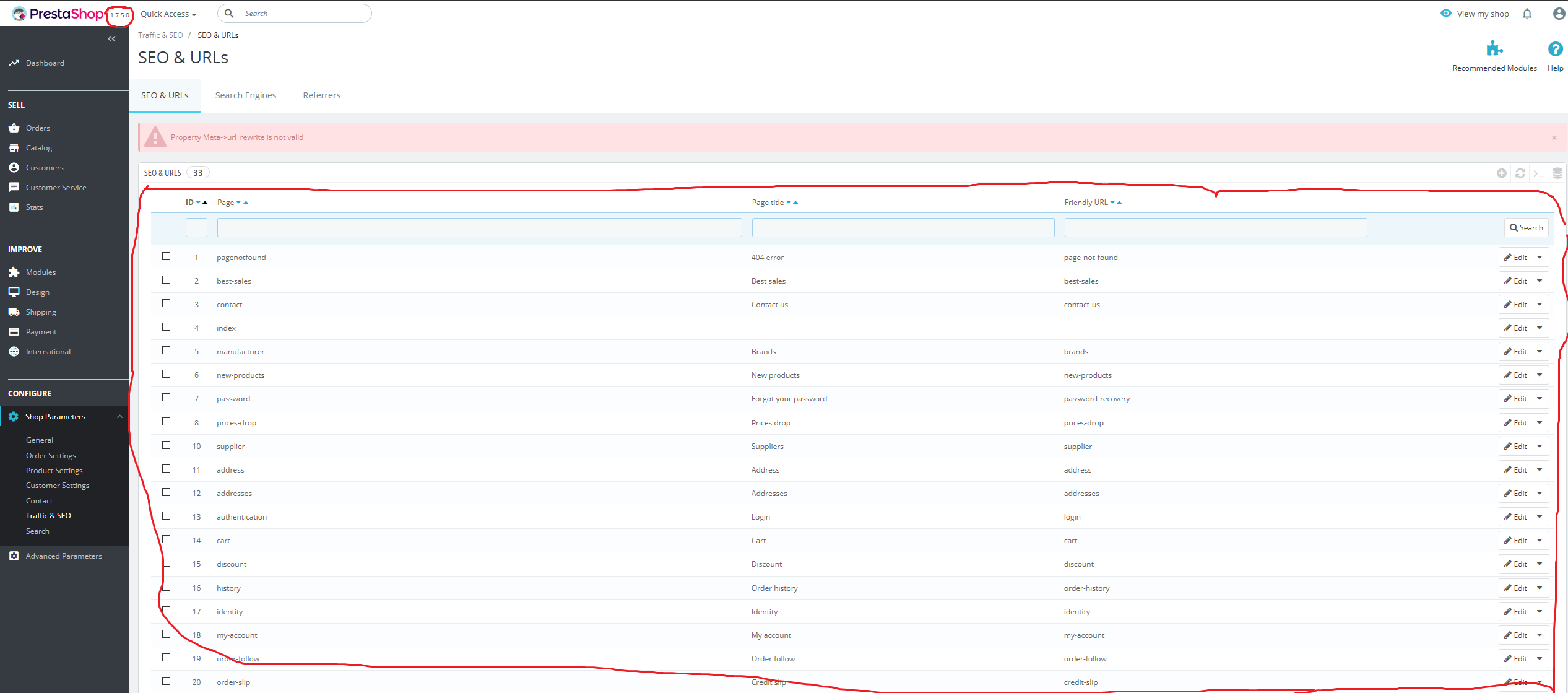
While trying to edit the "Order" page in Traffic & SEO section. I get the error "Property Meta->url_rewrite is not valid". This is a known error from older versions. After the error though the UI seems to "fall back" on the older style, before 1.7.5.0 version. If I try to delete the page from there I get 405 error of method not found
To Reproduce
The shop has 2 languages English and Greek. I'm trying to change the Order page greek name "παραγγελία" for the "Rewritten URL" to English characters ("paraggelia");
- Go to "Shop Parameters" -> "Traffic & SEO".
- Click on "Order" page, switch the boxes to Greek language and change the "Rewritten URL" value to anything.
- Try to save the page and this will give you the error "Property Meta->url_rewrite is not valid", and the page will fall back on the older UI (see image).
- If I try to delete the page (in order to recreate it) from this older UI I get 405 error (see image).
Screenshots

Additionnal information
PrestaShop version: 1.7.5.0
PHP version: 7.2
 hacchus
All 13 comments
Hi @hacchus,
I did not manage to reproduce the issue with PS1.7.5.0.
I attached a video record.
https://drive.google.com/file/d/1UsqjDGi8x56fSIv4C70xrFEWLmm4y8Hm/view
Could you please provide us with more info? We need more details to understand how we can reproduce your issue:
- host
- server setup and configuration
- debug mode report
- PHP error logs
- apache error log
- javascript console log
- screenshots
Don't you know how to get this information? Please read the following article:
http://build.prestashop.com/howtos/misc/how-to-create-bug-report/
Thanks!
 khouloudbelguith
on 24 Dec 2018
khouloudbelguith
on 24 Dec 2018
It is a fresh installation of 1.7.5.0 on my local machine. I setup Cyprus as country during installation and English, Greek and Turkish languages are installed automatically.
In your screencast when you go to the "Order" page in Greek, the Rewritten URL value is "commande". In a fresh installation with Greek language the value is "παραγγελία".
The error "Property Meta->url_rewrite is not valid" happens in 1.7.3, 1.7.4 and 1.7.5 Prestashop versions for the pages "Order" and "Sitemap". In every new Prestashop installation I have to delete these two pages and recreate them in order to be able to modify and save them.
In 1.7.5.0 the same error happens, but it additionally creates the problem of falling back to the older UI.
hacchus
on 24 Dec 2018
@hacchus, I tried with another fresh installation PS1.7.5.0 & it is OK.
https://drive.google.com/file/d/1mPIIriA9yuezUjWHtWBJ65TRDcV1TRC6/view
We need to retrieve the PHP error log and the debug mode report in order to find out what's wrong.
Thanks!
khouloudbelguith
on 24 Dec 2018
OK sorry I forgot to tell you that I always remove the Turkish language, from "International" -> "Localization" -> Languages.
I tried it again in a new installation without deleting Turkish language first and seems to work OK. If I remove Turkish language and try again, the problem appears.
hacchus
on 24 Dec 2018
Hi @hacchus,
Thanks for your feedback.
Very interesting.
I manage to reproduce the issue with PS1.7.5.0.
To reproduce the issue:
- Fresh installation with the Turkish language / France country
- Delete the Turkish language which id_language = 1
- Import the Greece pack
- Go to the BO => Shop Parameters => SEO & Traffic
- Edit the order page
- Switch the boxes to Greek language and change the "Rewritten URL" value to anything.
- Try to save the page and this will give you the error "Property Meta->url_rewrite is not valid", and the page will fall back on the older UI
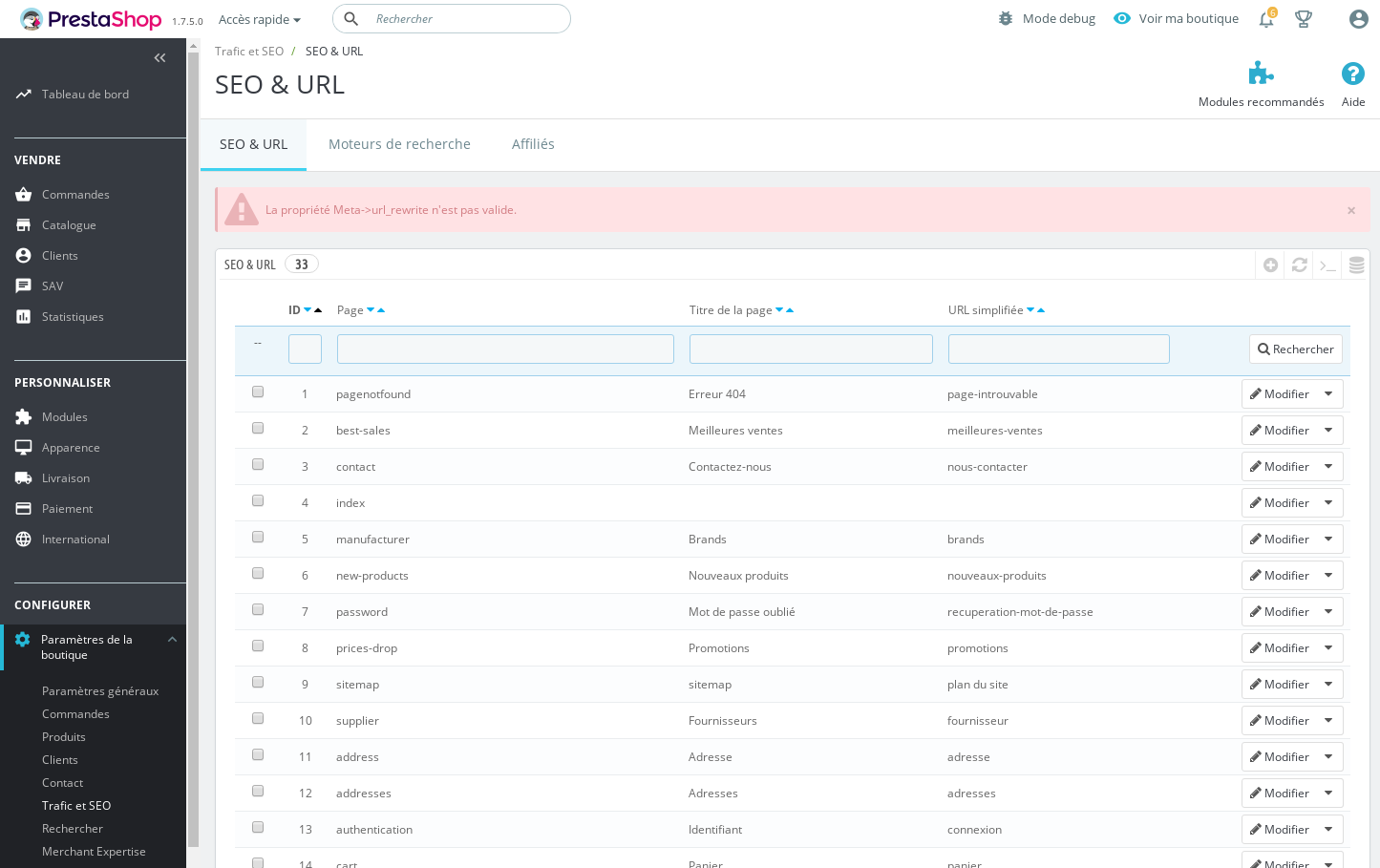
https://drive.google.com/file/d/1pD-bjJQ9wu2ySgVHx7VHqEQ0UiJYQJ9o/view
I tried with other languages during the installation => Nothing happens => OK.
Thanks!
khouloudbelguith
on 25 Dec 2018
Glad you could reproduce it. I checked in the database and there are many remnants of the deleted languages. Shouldn't they all be removed?
I ran an SQL command on the database and the problem gets fixed. This is the command: "DELETE FROM ps_meta_lang WHERE id_lang = 3" (Turkish language Id on my store is 3).
After this it's working properly.
hacchus
on 26 Dec 2018
@khouloudbelguith Do you have the same error message "Property Meta->url_rewrite is not valid" on 1.7.4.4 ?
 marionf
on 26 Dec 2018
marionf
on 26 Dec 2018
@marionf, PS1.7.4.4, I tried to save a page with empty Friendly URL, I have this alert
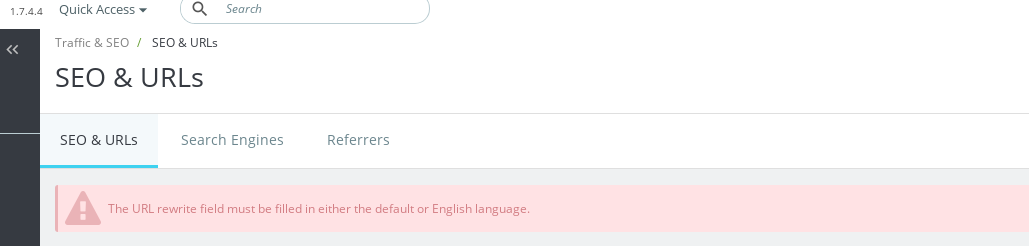
Thanks!
khouloudbelguith
on 26 Dec 2018
Why with empty friendly url ?
What happens if you try the same scenario below ?
- Fresh installation with the Turkish language / France country
- Delete the Turkish language which id_language = 1
- Import the Greece pack
- Go to the BO => Shop Parameters => SEO & Traffic
- Edit the order page
- Switch the boxes to Greek language and change the "Rewritten URL" value to anything.
- Try to save the page
marionf
on 26 Dec 2018
In fact the error "Property Meta->url_rewrite is not valid" happens with previous versions.
I think the fall back on the older legacy page is a "normal" behavior because the add/edit actions are not yet migrated @matks ?
marionf
on 26 Dec 2018
@marionf, yes the same issue occurs with PS1.7.4.4.
https://drive.google.com/file/d/1JUi35nHOIed5WFpdQKd5UL2VDEzyTMzZ/view
Thanks!
khouloudbelguith
on 26 Dec 2018
Hello @khouloudbelguith do you reproduce this issue now that the page has been migrated ?
 colinegin
on 7 Jun 2019
colinegin
on 7 Jun 2019
Hi @colinegin,
I did not manage to reproduce the issue with PS1.7.6.0beta1 => it is ok.
https://drive.google.com/file/d/1ZPb7mJAgtudqOrSyHR_CfGLT3SuG1JMU/view
I close the issue.
Thanks!
khouloudbelguith
on 11 Jun 2019
Related issues
 hiousi
·
3Comments
hiousi
·
3Comments
 vincent-dp
·
3Comments
vincent-dp
·
3Comments
 wikao2
·
3Comments
wikao2
·
3Comments
 sandra2n
·
3Comments
sandra2n
·
3Comments
 matks
·
3Comments
matks
·
3Comments
Most helpful comment
Glad you could reproduce it. I checked in the database and there are many remnants of the deleted languages. Shouldn't they all be removed?
I ran an SQL command on the database and the problem gets fixed. This is the command: "DELETE FROM ps_meta_lang WHERE id_lang = 3" (Turkish language Id on my store is 3).
After this it's working properly.