Prestashop: Can't configure a linklist module
Describe the bug
Can't configure a linklist module
To Reproduce
Steps to reproduce the behavior:
- Go to Module manager > Link List
- Click on 'Configure'
- Internal server 500 error
Screenshots
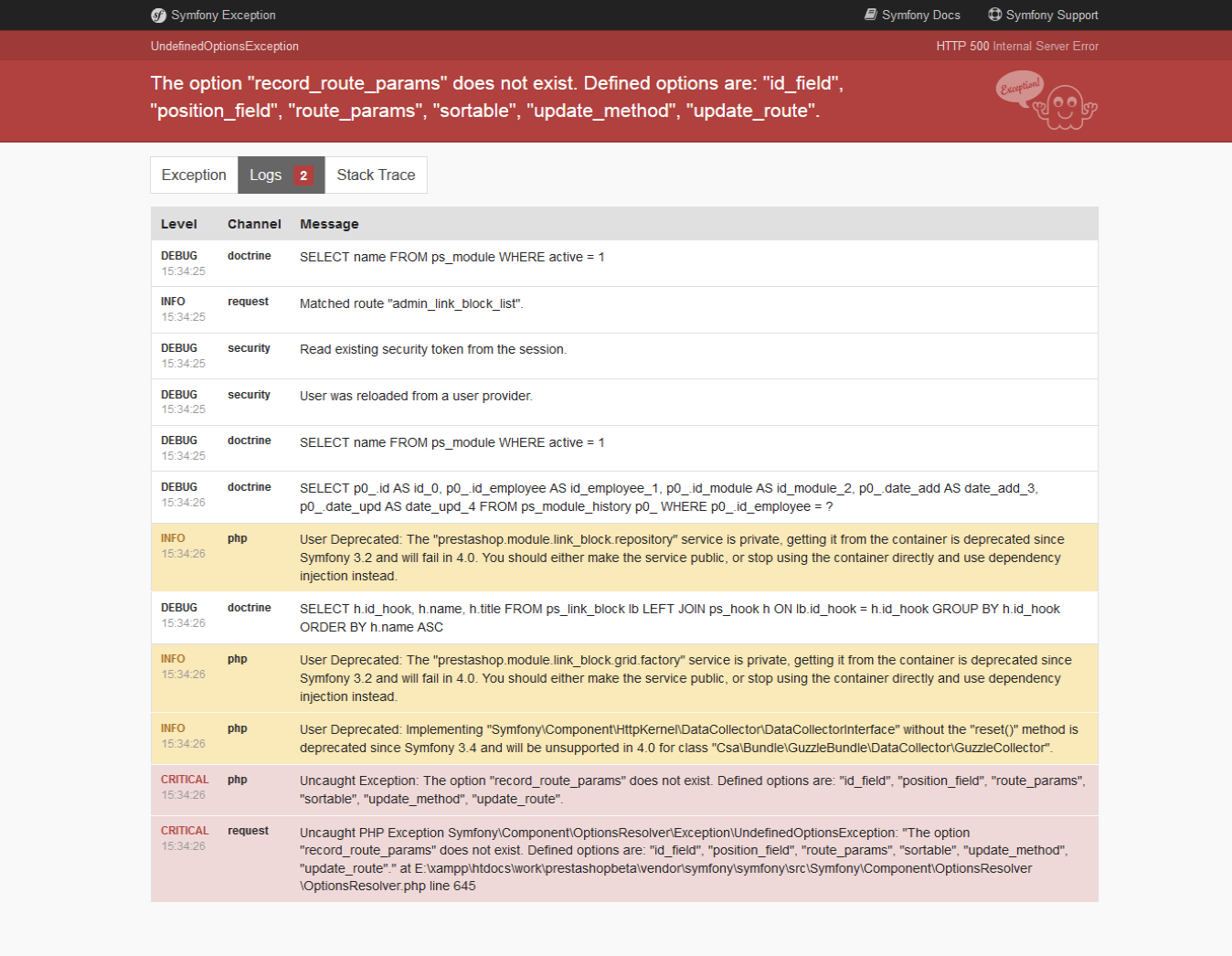
Additionnal information
PrestaShop version: 1.7.5.0 Beta 1
 dineshbadrukhiya
All 14 comments
Hi @dineshbadrukhiya,
I did not manage to reproduce the issue with PS1.7.5.0beta1 & the Link Widget module v2.1.5 by PrestaShop.
I attached a video record.
https://drive.google.com/file/d/10HcodFkHvxRXmUrwcYJ8iFaswJHGPf8-/view
What is the exact version of the link widget module did you use?
Thanks!
 khouloudbelguith
on 15 Nov 2018
khouloudbelguith
on 15 Nov 2018
I'm using Link List module v2.1.5.
dineshbadrukhiya
on 15 Nov 2018
@dineshbadrukhiya, could you please try to uninstall this module, delete the link widget module folder, clear cache, check & feedback.
Thanks!
khouloudbelguith
on 15 Nov 2018
Okay. I will update you.
dineshbadrukhiya
on 15 Nov 2018
@dineshbadrukhiya, thanks!
Waiting for your feedback.
khouloudbelguith
on 15 Nov 2018
@dineshbadrukhiya, it is ok in my case.
https://drive.google.com/file/d/1_BPh2wf4CnJGMmajP4FX8UXllWIglwe3/view
Could you please try to remove the ps_linklist module folder into your path Project_Folder/modules/
Thanks!
khouloudbelguith
on 15 Nov 2018
Hello @khouloudbelguith
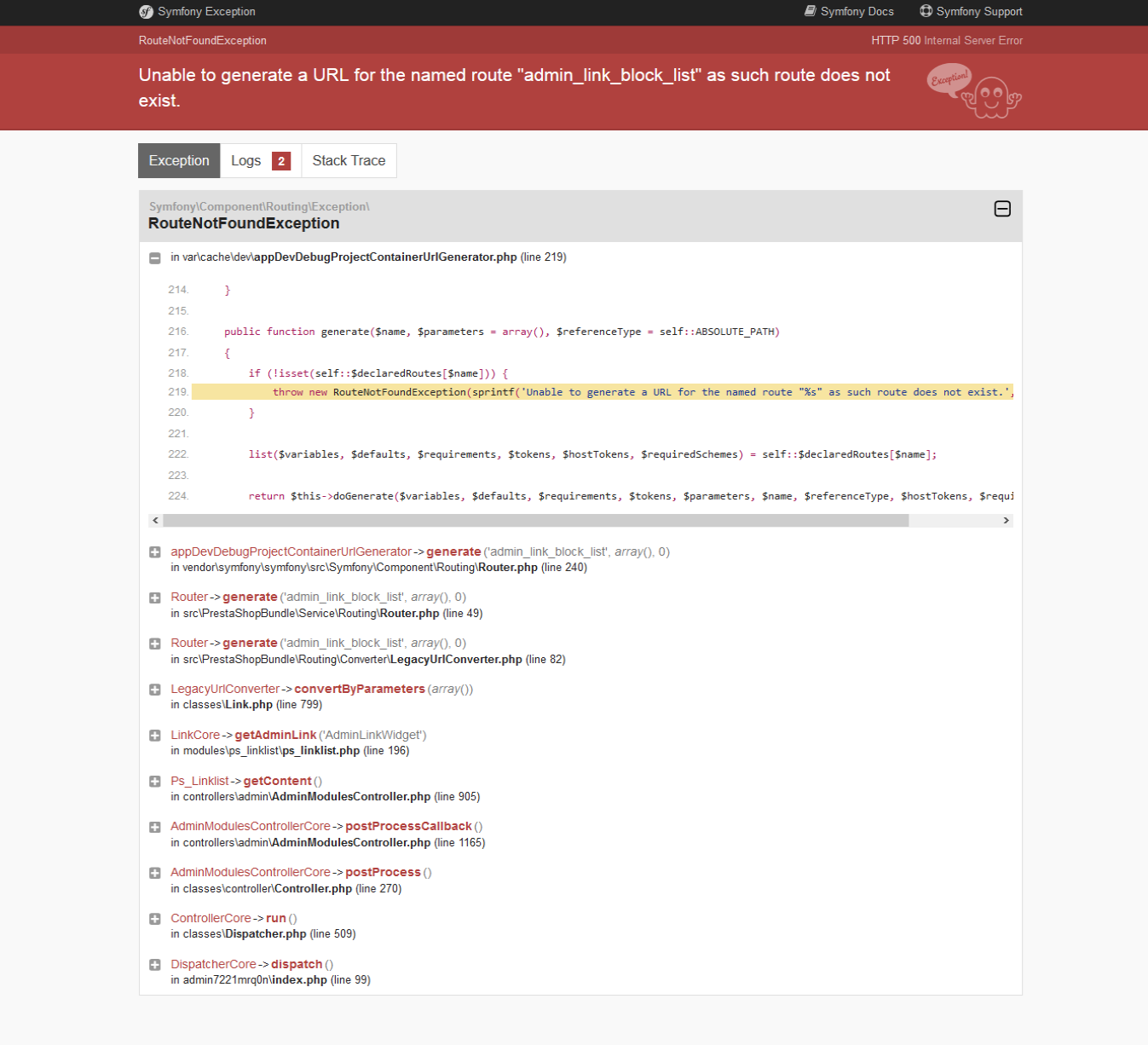
I have uninstalled and cleared cache. After re-installing it facing error as in screenshot below.
dineshbadrukhiya
on 15 Nov 2018
@dineshbadrukhiya, could you please try to clear cache manually by deleting all the folder into var/cache (prod & dev).
Thanks to check and feedback.
khouloudbelguith
on 15 Nov 2018
@khouloudbelguith I did it manually.
dineshbadrukhiya
on 15 Nov 2018
@dineshbadrukhiya, yes you are right.
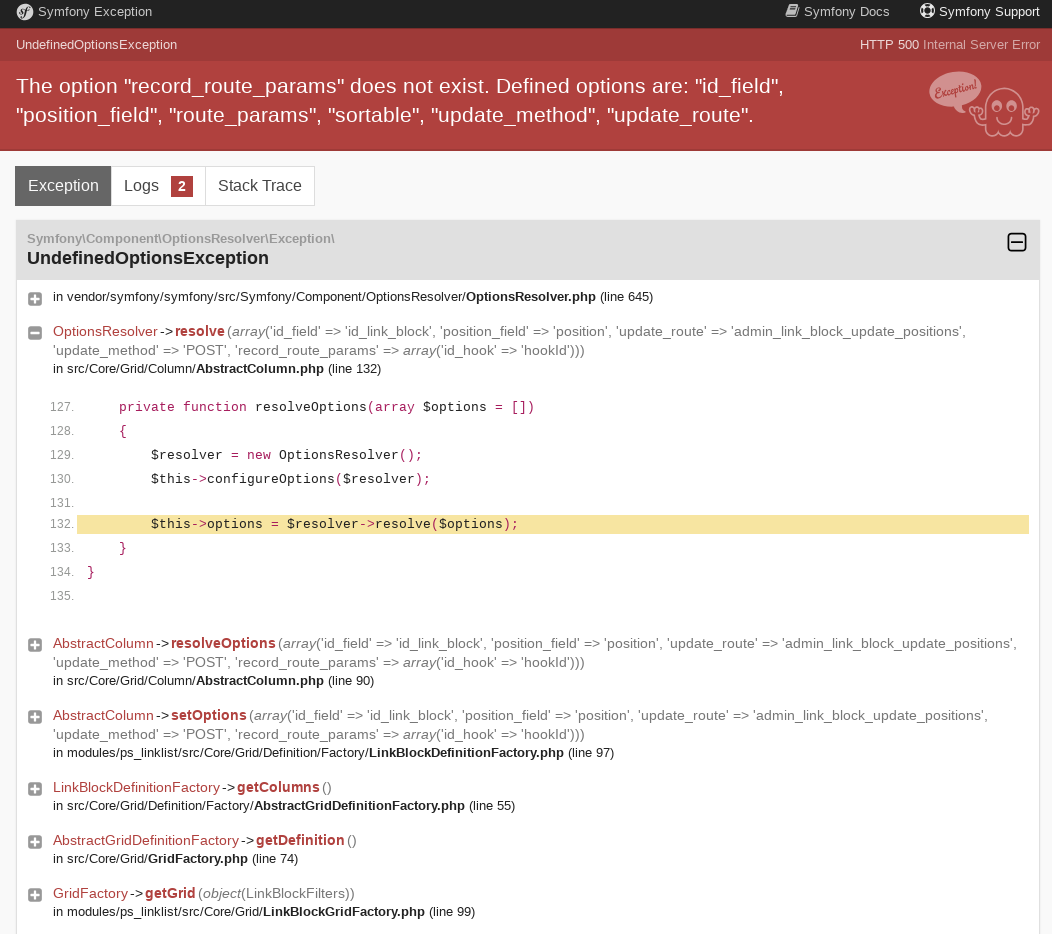
I uninstalled the ps_linklist v 2.1.5 & I installed the new version ps_linklist v3.0.0, but I have an exception in the configuration page.
@jolelievre @marionf what do you think?
Thanks!
khouloudbelguith
on 15 Nov 2018
this is strange indeed, I'm gonna look into it
which version of PrestaShop are you using? 1.7.5.0.beta1 ? and version 3.0.0 of the module?
also are in debug mode or prod mode?
 jolelievre
on 15 Nov 2018
jolelievre
on 15 Nov 2018
Hi @jolelievre,
I checked the issue with PS1.7.5.0beta1 & the ps_linklist v3.0.0.
Thanks!
khouloudbelguith
on 15 Nov 2018
Hi @jolelievre
I had tried with PS 1.7.5.0 beta 1 and ps_linklist v3.0.0 & v2.1.5 in the debug mode.
dineshbadrukhiya
on 15 Nov 2018
Hi @khouloudbelguith @dineshbadrukhiya
I was able to reproduce the two bugs, the route one is indeed linked to the Router cache, the class generated for the router is not aware of the module routing file so it does not update itself
It is linked to another issue as well on upgrade https://github.com/PrestaShop/ps_linklist/issues/52
I'm gonna try to fix this issue in the module
About the other bug you had with record_route_params actually some modifications have been made on the PositionColumn after the beta was built It works on the last version in 1.7.5.x branch and will of course work in the final release
jolelievre
on 15 Nov 2018
Related issues
 matks
·
3Comments
matks
·
3Comments
 itisco
·
3Comments
itisco
·
3Comments
 Van-peterson
·
3Comments
Van-peterson
·
3Comments
 PrestaShark
·
3Comments
PrestaShark
·
3Comments
 zuk3975
·
3Comments
zuk3975
·
3Comments
Most helpful comment
Hi @khouloudbelguith @dineshbadrukhiya
I was able to reproduce the two bugs, the route one is indeed linked to the Router cache, the class generated for the router is not aware of the module routing file so it does not update itself
It is linked to another issue as well on upgrade https://github.com/PrestaShop/ps_linklist/issues/52
I'm gonna try to fix this issue in the module
About the other bug you had with
record_route_paramsactually some modifications have been made on the PositionColumn after the beta was built It works on the last version in 1.7.5.x branch and will of course work in the final release