Prestashop: Products with combination
Describe the bug
The problem happen when there is a product with combinations and every combination has a minimun quantity order quantity.
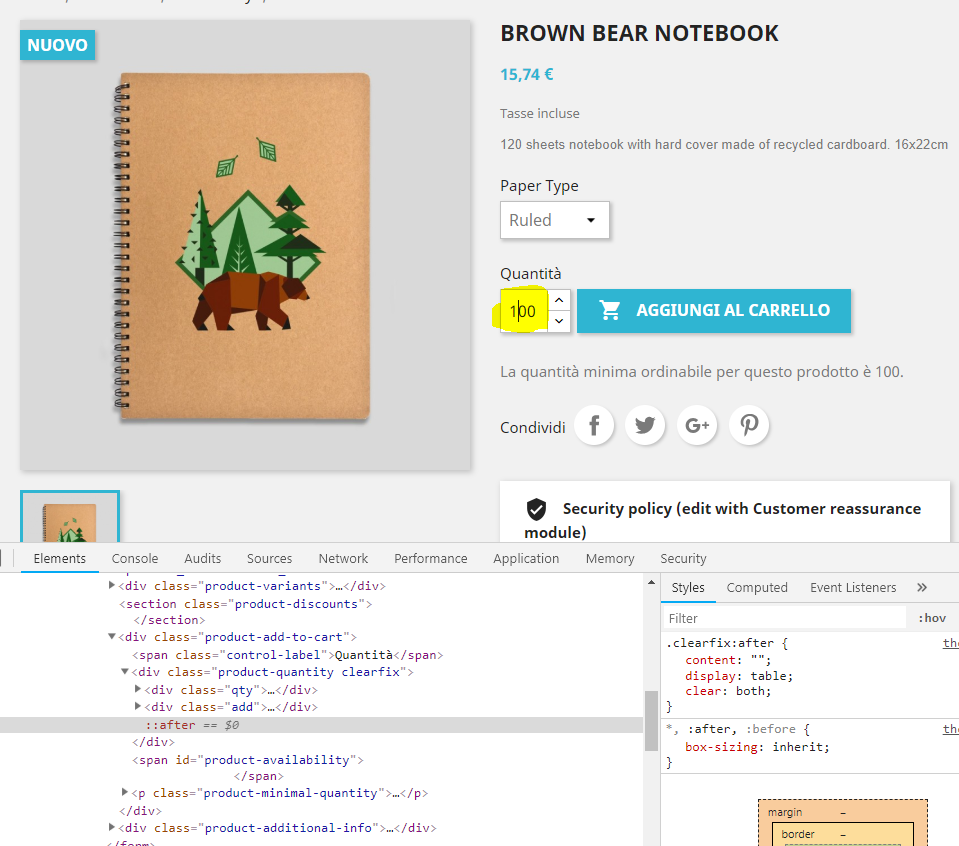
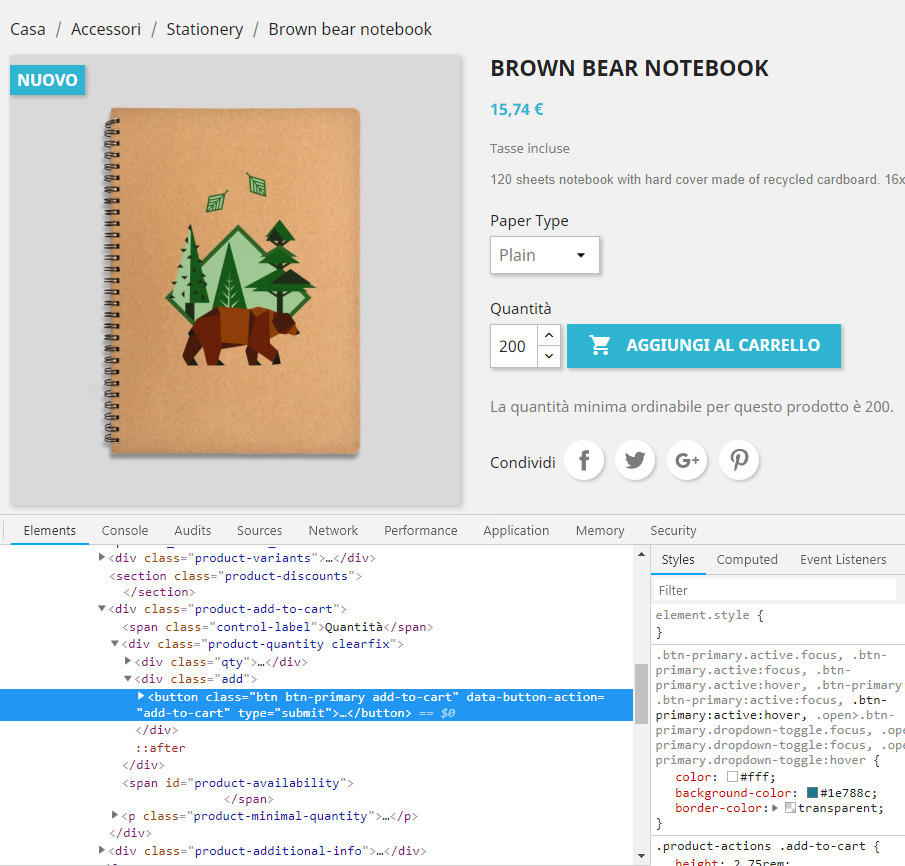
When you are in the frontend product page, for instance if you choose a combination with minimun order quantity 200 the quantity input field is updated to 200 correctly (see image attached minimum_quantity_200.PNG), after this if you choose again a combination with minimum order quantity lower then the previous (for instance 100) the input field remains 200 (see attachment minimum_quantity_100.PNG).
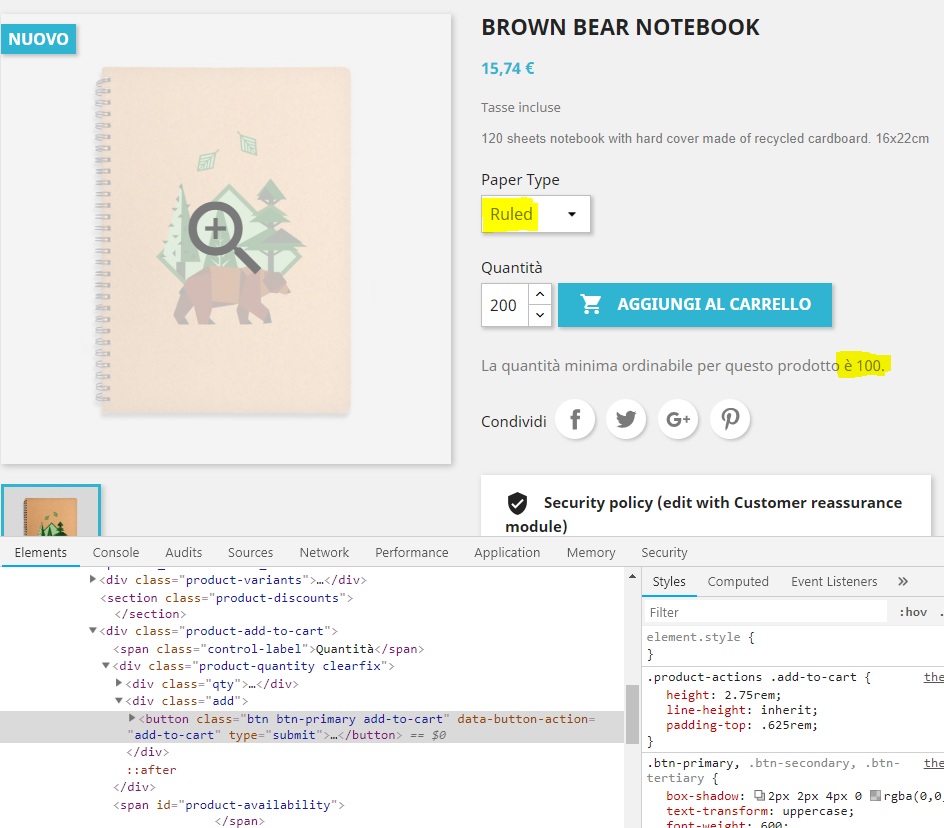
This isn't the real problem indeed, if you try to change manually the input field setting for instance 100, it's impossible do add the product to the cart; clicking on the button "Add to cart" will get no action at all (see image attached minimum_quantity_100_B.PNG).
This is due to the fact that for the page the minimum order quantity is still set to 200.
To Reproduce
Steps to reproduce the behavior:
- Go to a product page with combination that have different minimum order quantity
- Click on a combination with minimum order quantity for instance 200, after choose a product with minimum order quantity setted to 100 and update manually the input field quantity to 100.
- In this situation it's impossible to add the combination to the cart.
Additionnal information
PrestaShop version: different version affected 1.7.3.x to 1.7.4.2
 damianobertuna
All 4 comments
Hi @damianobertuna,
Thanks for your report.
I manage to reproduce the issue with the last version 1.7.5.x / 1.7.4.3.
We will see how to fix it.
Thanks!
 khouloudbelguith
on 10 Oct 2018
khouloudbelguith
on 10 Oct 2018
The quantity should change when I select another combination
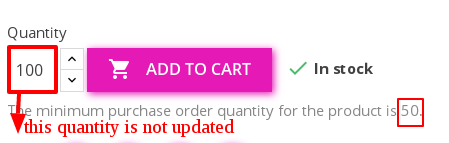
https://drive.google.com/open?id=1BPCXH-fyhQzkCMq8UE0QBPy3xrRQfAhQ
 marionf
on 10 Oct 2018
marionf
on 10 Oct 2018
Hi, I found a solution for the problem; it can be solved by editing the file /themes/core.js.
I made a pull request to solve the bug definitely.
https://github.com/PrestaShop/PrestaShop/pull/10964/commits/007d5c57a7979c9ecdfc5f3e2e6719aa64758d0b
damianobertuna
on 11 Oct 2018
Fixed by: #10964
Thanks @damianobertuna!
khouloudbelguith
on 11 Oct 2018
Related issues
 itisco
·
3Comments
itisco
·
3Comments
 hiousi
·
3Comments
hiousi
·
3Comments
 centoasa
·
3Comments
centoasa
·
3Comments
 prestonBot
·
3Comments
khouloudbelguith
·
3Comments
prestonBot
·
3Comments
khouloudbelguith
·
3Comments