Prebid.js: How to use the currency module in Prebid ?
Type of issue
QUESTION:
I have included the currency module into my script but I am not able to see it work in any way. I have tried using debuggers in place but still no effect. Is there something else I need to include to make it work ? Any help will be greatly appreciated.
Test page
http://boxrec.com/?pbjs_debug=true
Expected results
Would like to see how currency module works in Prebid JS.
Actual results
Platform details
Prebid JS v1.11.0
Other information
https://github.com/prebid/Prebid.js/blob/1.11.0/modules/currency.js
 ShashankSureshMindEra
All 23 comments
Anyone ?
ShashankSureshMindEra
on 22 Jun 2018
Hi @ShashankSureshMindEra! Let me help you with this.
Did you build Prebid.js with currency module enabled? Also, can you share your pbjs config, does it have currency property set? Note, even if you want to leave default values, you still have to define this property with an empty object (e.g. currency: {}), otherwise module won't be triggered. But at least, you should have adServerCurrency defined, as described here: http://prebid.org/dev-docs/modules/currency.html.
 YOzaz
on 22 Jun 2018
YOzaz
on 22 Jun 2018
@YOzaz Thank you so much for extending your help.
I am at present trying to find out where the pbjs config file resides in my repo.
ShashankSureshMindEra
on 22 Jun 2018
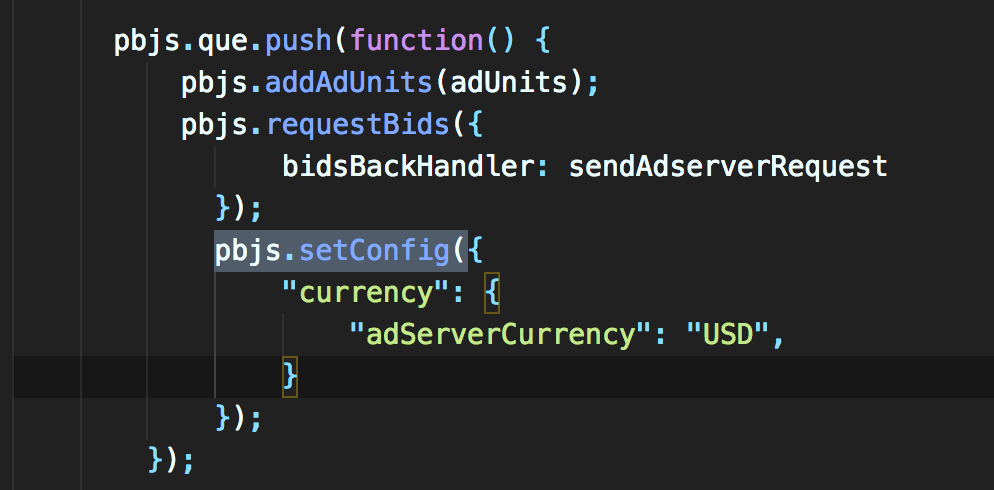
@YOzaz does this help you ?
ShashankSureshMindEra
on 22 Jun 2018
@ShashankSureshMindEra yes, ok - this means currency is enabled in config.
Now, question - is Prebid.js built with currency module included? Like this:
gulp build --modules=currency,bidderAdapter1,bidderAdapter2
Ah, one more thing. pbjs.setConfig() should be called before pbjs.requestBids().
YOzaz
on 22 Jun 2018
I checked the finally built javascript file and it looks like I can see the currency module integrated with it.
We do not use this script to build it gulp build --modules=currency,bidderAdapter1,bidderAdapter2 instead we use gulp build-bundle-dev --modules=modules.json;
Now, how do I know or see if this currency module is working ? Do I see any logs ?
ShashankSureshMindEra
on 22 Jun 2018
From your website I don't see currency module being injected. Does your modules.json file has "currency" included? E.g.:
[
  "bidderAdapter1",
  "bidderAdapter2",
  "currency"
]
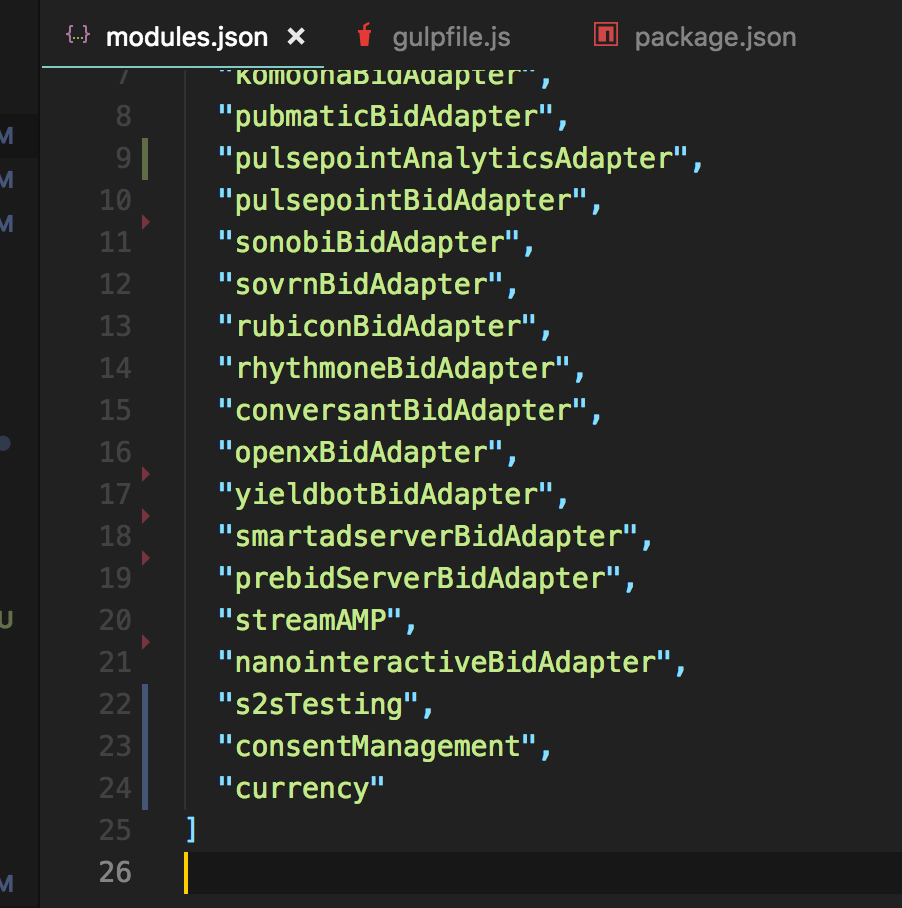
Yes @YOzaz . My modules.json does have it included.
ShashankSureshMindEra
on 22 Jun 2018
Alright, then everything is as it should be. My best guess is that you're calling setConfig() after auction is run, so just move it above, like this:
pbjs.que.push(function() {
   pbjs.addUnits(adUnits);
   pbjs.setConfig({
      currency: {
         adServerCurrency: "USD"
      }
   });
   pbjs.requestBids({
      bidsBackHandler: sendAdserverRequest
   });
});
Once live, you'll see debug messages like this (although it may be slightly different for pre-1.x):

YOzaz
on 22 Jun 2018
Thank you so much. I have changed the order of setConfig and requestBids.
If I attach the script I am using right now, will you be able to please help debug it using Resources Overrides in your local ?
ShashankSureshMindEra
on 22 Jun 2018
@ShashankSureshMindEra I'm running out of office in about 15-30 mins. But you can push it live to http://boxrec.com/?pbjs_debug=true, and we'll see if it works fine immediatelly 👍
YOzaz
on 22 Jun 2018
okay. Let me do it now. I am just worried it will affect the client's revenue.
ShashankSureshMindEra
on 22 Jun 2018
If that's the only change - it won't.
Just to note - I see you're using Prebid.js v0.32.0 with consentManagement module included? How's that possible?
YOzaz
on 22 Jun 2018
Sending you the updated link right now. Please give me 5 more minutes.
ShashankSureshMindEra
on 22 Jun 2018
Hey I am not able to change the production version of it. Can you please help using the above .txt file as a .js file using Resources Override ? much appreciated.
ShashankSureshMindEra
on 22 Jun 2018
And this is v1.11.0.
Ill check how the consent module got included in v32.0. Thank you for pointing it out :)
ShashankSureshMindEra
on 22 Jun 2018
Okay, I just did it, but don't see pbjs.setConfig() with currency property in there. Therefore nothing has changed...
In fact, I don't see requestBids() call in there as well - but I do see them happening here: https://static.amp.services/clients/BoxRec/Boxrec.js.
You have to investigate website source in depth, as your changes are not appearing live 👌
YOzaz
on 22 Jun 2018
Yes. You are right. I did not send you the updated config file. I sent you only the bidders.js file. My bad. Apologies.
ShashankSureshMindEra
on 22 Jun 2018
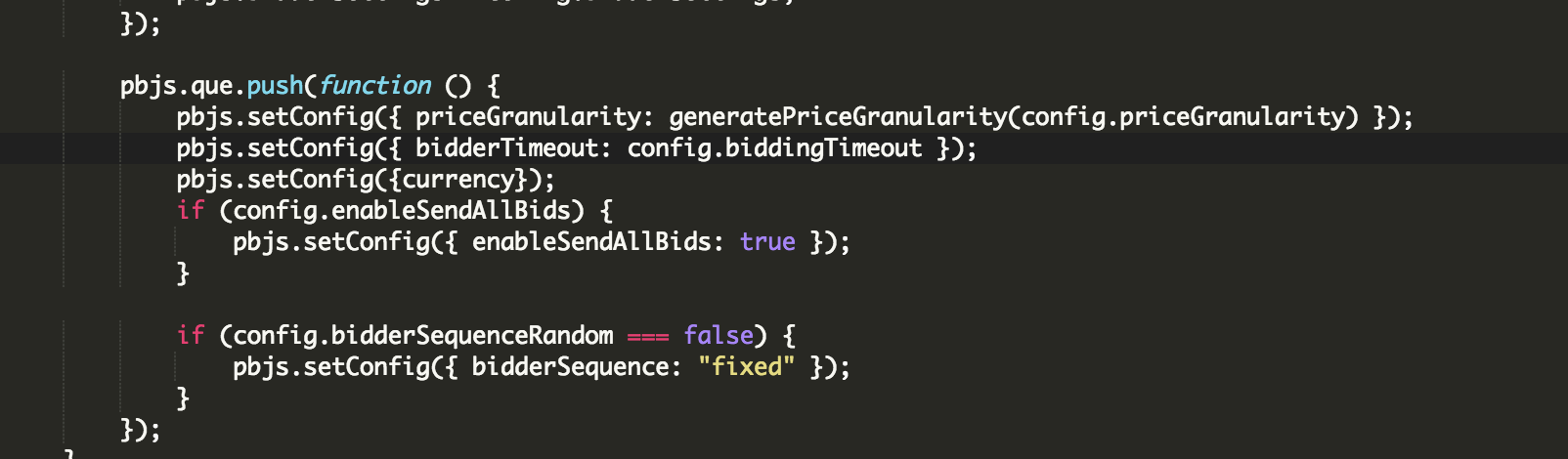
I have added the currency property to the pbjs.setConfig(). Should it be working now ?
ShashankSureshMindEra
on 22 Jun 2018
You are a genius. thanks to you, I got it working now.. YOU ARE A GENIUS SIR. 👍

ShashankSureshMindEra
on 22 Jun 2018
Sorry, went out of the office. Great, it's working, glad to help :)
YOzaz
on 22 Jun 2018
@ShashankSureshMindEra looks like the issue is solved. closing. reopen if necessary.
 harpere
on 22 Jun 2018
harpere
on 22 Jun 2018
Related issues
 mkendall07
·
5Comments
mkendall07
·
5Comments
 jaiminpanchal27
·
3Comments
jaiminpanchal27
·
3Comments
 pm-harshad-mane
·
5Comments
pm-harshad-mane
·
5Comments
 gramorris
·
6Comments
gramorris
·
6Comments
 amelzer
·
6Comments
amelzer
·
6Comments