To reproduce:
curl https://registry.npmjs.org/preact | pbcopy(link)- Open you favorite JSON formatter (ex: https://codebeautify.org/jsonviewer)
- See that the top-level "readme" property is empty string
- See that there is no "readme" property on the latest version (or any versions <10)
- See that a "readme" property does exist on the "next" version (and all versions 10+)
This is the only package I've seen this for in all of my npm traveling. I can't tell why this is (README does exist in the installed package) but just wanted to bring it to your attention since package README-viewers may be failing for your package.
 FredKSchott
All 7 comments
npm does seem to return it in the package: https://unpkg.com/[email protected]/
 JoviDeCroock
on 6 Jun 2019
JoviDeCroock
on 6 Jun 2019
README.md is always included when npm creates tarballs:
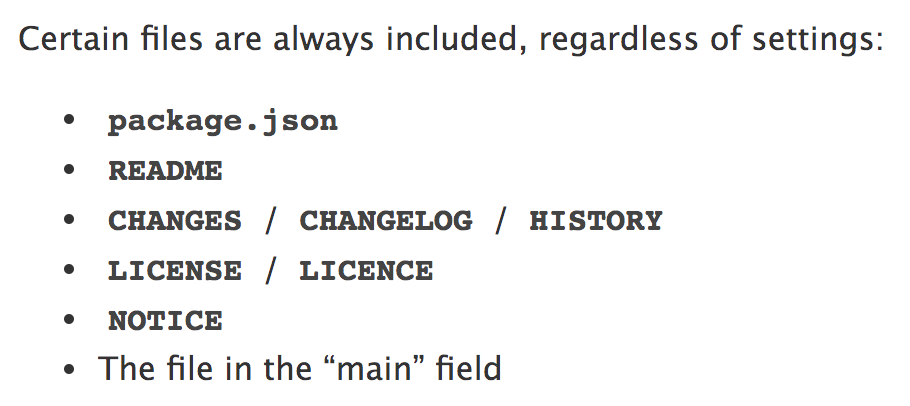
This seems like something more sinister - the registry includes a readme for both 8.4.2 and 10.0.0-beta.2.
I recall there was a mixup with dist-tags when publishing recently. Maybe 8.4.2 or 10.0.0-beta.2 was re-tagged and that doesn't update the top-level readme field?
 developit
on 6 Jun 2019
developit
on 6 Jun 2019
I've seen this bug happening on random packages as well and can't find a pattern for it. I know that the npm website actually unpacks the tarball of the package backend to find the readme, which is why it's different to something you could make with the API. In Yarn's indexing process I added a GitHub fallback to find the readme's file name for this reason. I don't think preact can do anything about this
 Haroenv
on 10 Jul 2019
Haroenv
on 10 Jul 2019
Looks like this issue has been fixed. The readme field properly displays the content of our README.
 marvinhagemeister
on 12 Aug 2019
marvinhagemeister
on 12 Aug 2019
The root readme yes, but interestingly the individual versions only have a readme for alpha versions
Haroenv
on 12 Aug 2019
Oh ok, just checked and our package contains the right version of the readme. Not sure why the registry points to something else. Like Jason said, it seems to be an issue with the registry when multiple tags are used. I don't think there is anything we can do to resolve that in Preact.
marvinhagemeister
on 12 Aug 2019
I contacted npm support with that insight, hopefully I can find the root cause now!
Haroenv
on 12 Aug 2019
Related issues
 jasongerbes
·
3Comments
jasongerbes
·
3Comments
 KnisterPeter
·
3Comments
KnisterPeter
·
3Comments
 SabirAmeen
·
3Comments
SabirAmeen
·
3Comments
 marcosguti
·
3Comments
marcosguti
·
3Comments
 rajaraodv
·
3Comments
rajaraodv
·
3Comments
Most helpful comment
I contacted npm support with that insight, hopefully I can find the root cause now!