Preact-cli: how can i get the img from asset floder
Do you want to request a feature or report a bug?
What is the current behaviour?
the image is in the asset floder , in the router js file , i add the code like this
<img class={style.pic} scr="../../assets/images/img.png" />
but the image don't show , also there is no error, then , I add 'src': source('src'), in the alias ,
<img class={style.pic} scr="src/assets/images/img.png" />
the image still don't show
 dsky1990
All 4 comments
Hi @dsky1990,
If you're putting images in /src/assets/images then the public path would be: /assets/images e.g:
<img class={style.pic} scr="/assets/images/img.png" />
Hope this helps.
 matthewlynch
on 16 Apr 2018
matthewlynch
on 16 Apr 2018
@matthewlynch
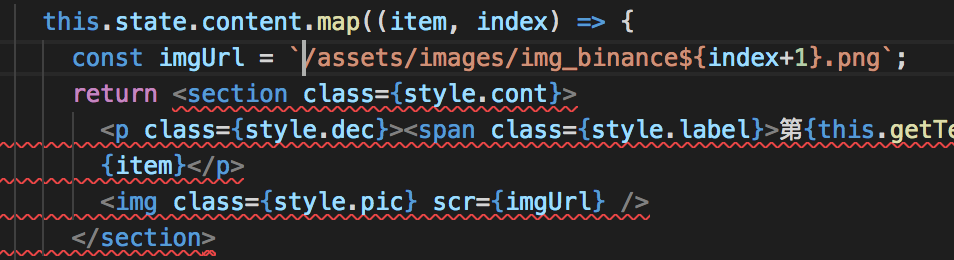
I try, but still not work

dsky1990
on 16 Apr 2018
HI @dsky1990,
Sorry - I just realised the img tag is missing the src attribute.
Could you try this:
<img class={style.pic} src={imgURL} />
👍1
@matthewlynch oh, no, my mistake, thanks for your help
dsky1990
on 16 Apr 2018
👍2
Was this page helpful?
0 / 5 - 0 ratings
Related issues
 haggen
·
3Comments
haggen
·
3Comments
 yoshiwarab
·
3Comments
yoshiwarab
·
3Comments
 ajay28kumar
·
3Comments
ajay28kumar
·
3Comments
 hguillermo
·
3Comments
hguillermo
·
3Comments
 oren
·
4Comments
oren
·
4Comments
Most helpful comment
@matthewlynch oh, no, my mistake, thanks for your help