Preact-cli: Add class on router Link
What is the current behavior?
When I try to add class={style.name} on Link router element it does not appear.
<Link href="/" class={style.name}>Link</Link>
If the current behavior is a bug, please provide the steps to reproduce.
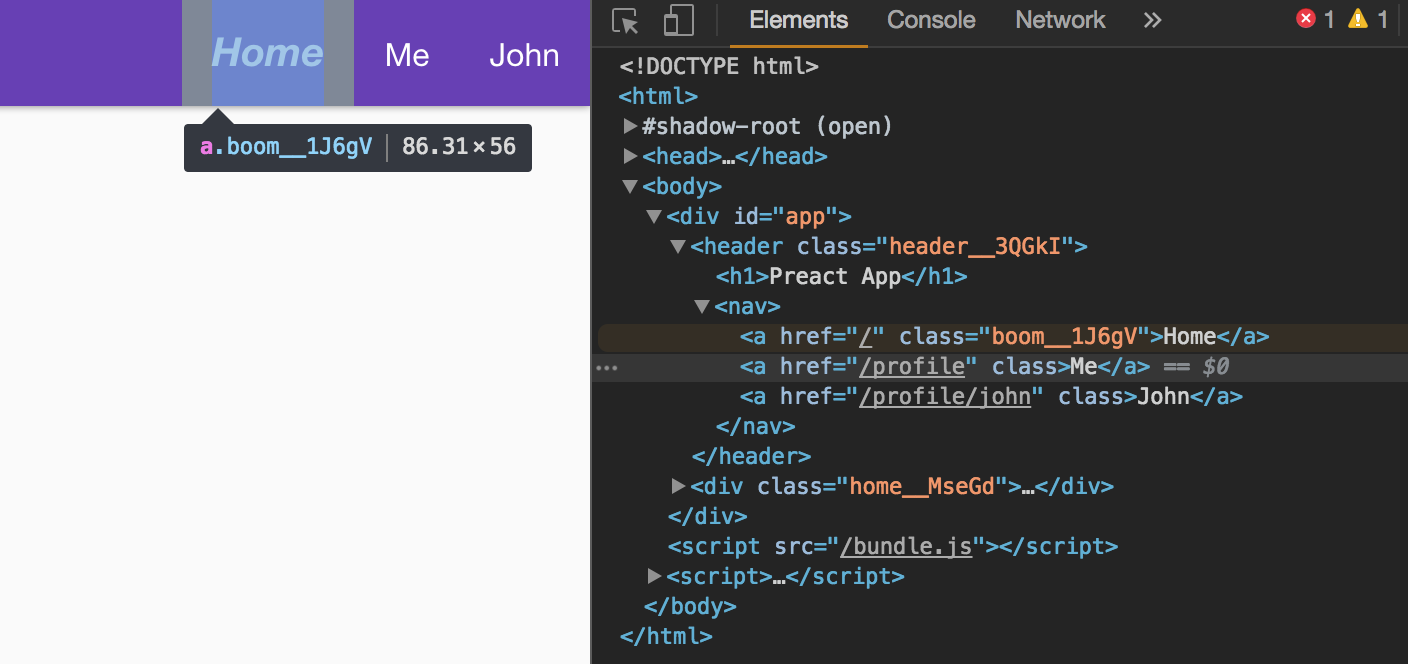
There is no error, however, the class is simply not there:
<a href="/" class>Link</a>
What is the expected behavior?
I would expect the class to appear with has on <a> tag.
- v7.1.0
- yarn v0.20.3
- macOS
(latest cli)
 nerijusgood
All 8 comments
It works totally fine for me with latest versions. Can you please show how you are using it?
This is what I am doing:
<Link class={style.boom} href="/">Home</Link>
 reznord
on 7 Oct 2017
reznord
on 7 Oct 2017
One reason might me the file is being served from the cache (service workers). Right now the SW is configured for cache-first.
That might be the reason. A hard refresh in your case might work just fine (just a guess).
Edit: sorry for the noise here. Pressed the wrong button. 😅
reznord
on 9 Oct 2017
Usually the cause for this is that style.name is undefined.
This can happen if you used :global in your CSS, or your CSS file was imported from outside src/components/* - by default, preact-cli only enables CSS Modules within that directory.
 developit
on 11 Oct 2017
developit
on 11 Oct 2017
hijacking this question.. Any way you can change the way css modules work when using the CLI? I don't want namespaced classes anywhere. small project so just want to import './style' and use css classes like normal (class="class-x")
 tograd
on 22 Dec 2017
tograd
on 22 Dec 2017
@tograd You want to disable CSS modules.
// preact.config.js
module.exports = function (config, env, helpers) {
  // disable css modules
  let css = helpers.getLoadersByName(config, 'css-loader')[0];
  css.loader.options.modules = false;
}
 lukeed
on 22 Dec 2017
lukeed
on 22 Dec 2017
@nerijusgood What's the status here? Was @developit right in that your style.name was undefined? Those can be pesky 😉
lukeed
on 22 Dec 2017
I think we can close, it's very likely just an incorrect import.
It'd be awesome to find a way to warn for these in development though!
developit
on 25 Dec 2017
I think @kbaxter may know something in this area that can help~
lukeed
on 25 Dec 2017
Related issues
 thangngoc89
·
3Comments
thangngoc89
·
3Comments
 andybons
·
3Comments
andybons
·
3Comments
 ethanwu10
·
3Comments
ethanwu10
·
3Comments
 yoshiwarab
·
3Comments
yoshiwarab
·
3Comments
 scottmas
·
3Comments
scottmas
·
3Comments
Most helpful comment
@tograd You want to disable CSS modules.