Pptxgenjs: Shapes: How to add vertical lines
If I try to add a vertical line with the following command for example
slide.addShape(pptx.shapes.LINE, { x:14 , y:8.20, w:0, h:3.50, line:'FF0000', line_size:1});
The line is drawn at an angle and I have to add a rotate option, this would not be too bad, but sometimes I have to add a rotation of 5 and other times a rotation of 15.
The only work around I have found is to draw a horizontal line and then rotate it, but that means you have to start doing calculations to work out offsets because the line is rotated from it's center point.
 simonjcarr
All 6 comments
Incase it helps anyone else, and until I find another solution to this problem, I have put a simple app online to calculate the coords for vertical lines.
simonjcarr
on 21 Jan 2018
This seems to be a bug.
 MickaToast
on 11 Apr 2018
MickaToast
on 11 Apr 2018
Hi All,
The addShape()method is being called incorrectly. Lines should be a given w and zero height.
// Correct
slide.addShape(pptx.shapes.LINE, { x:1 , y:1, w:3.5, h:0, line:'FF0000', line_size:1});

// Incorrect
slide.addShape(pptx.shapes.LINE, { x:1 , y:1, w:0, h:3.5, line:'00FF00', line_size:1});
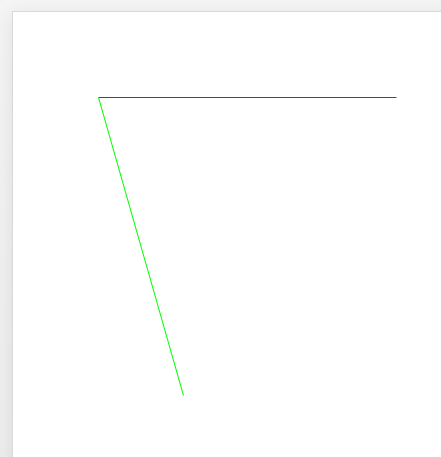
Line API
 gitbrent
on 17 Apr 2018
gitbrent
on 17 Apr 2018
@gitbrent The problem here is that everyone is trying to create vertical line. They can be created but since rotation is done from the center point of a line, it's really hard to create them. I think this should be explained somewhere or maybe you should change lines rotating from their center points. I think, with a rotation or without, the line should always start from its coordinates {x, y}
MickaToast
on 19 Apr 2018
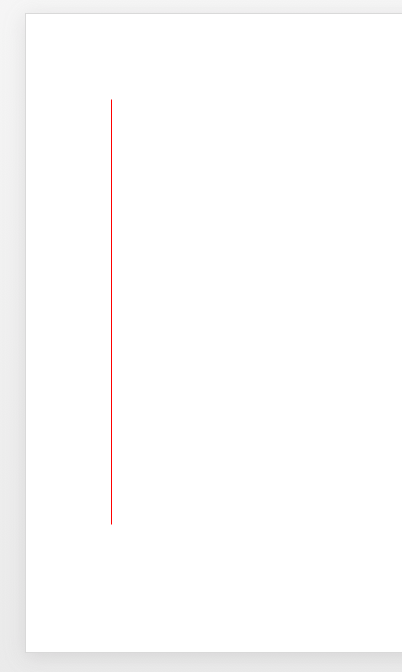
Oh dang it, it's a defect. Setting a zero w and a >0 h should draw a vertical line
Thanks for the feedback, I completely mistook what you reported.
Fixed in 2.2.0-beta now.
slide.addShape(pptx.shapes.LINE, { x:1 , y:1, w:0, h:5, line:'FF0000', line_size:1});
gitbrent
on 20 Apr 2018
Seems like it's still not working in 2.2.0
MickaToast
on 3 Jul 2018
Related issues
 pimlottc-gov
·
3Comments
pimlottc-gov
·
3Comments
 jobnte
·
5Comments
jobnte
·
5Comments
 TinkerJack-zz
·
6Comments
TinkerJack-zz
·
6Comments
 yodasodabob
·
6Comments
yodasodabob
·
6Comments
 colmben
·
6Comments
colmben
·
6Comments