Pptxgenjs: reduce space between bullet and text
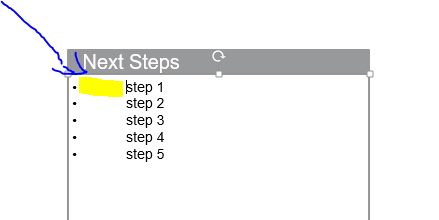
No idea how I can reduce the space between the bullet and text ?
Many help for your help
 ade212
All 7 comments
Hi @ade212
There's no option to adjust this spacing that I can find in PowerPoint.
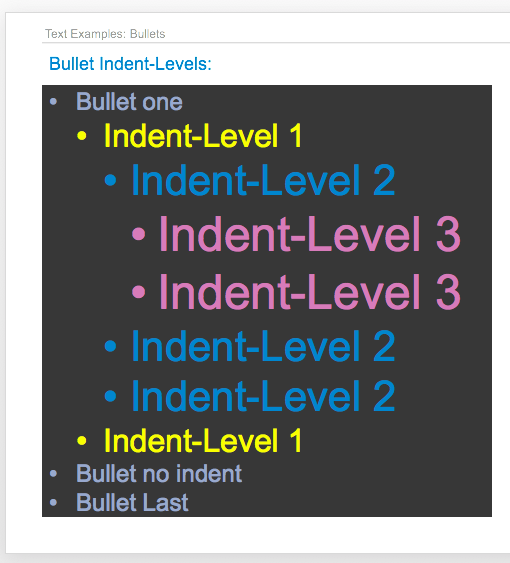
The default is a normal looking amount though:
 gitbrent
on 12 Oct 2017
gitbrent
on 12 Oct 2017
There is one way, let me explain how
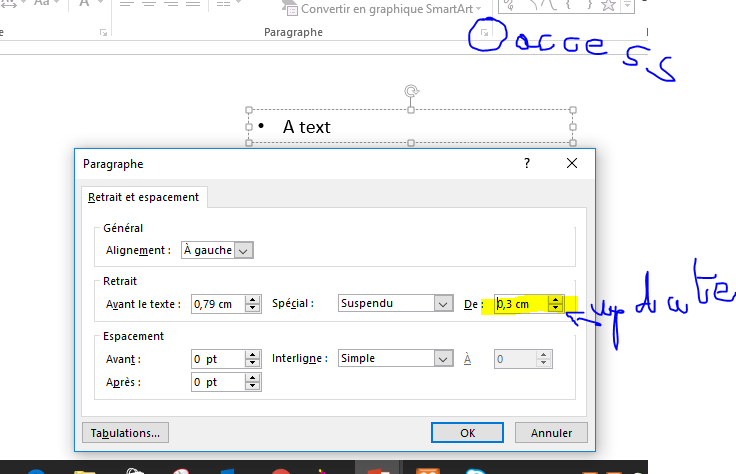
the result
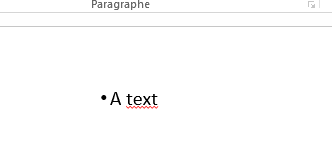
pptx used below ..
without modification P1.pptx
P1.pptx
the result is in p2.pptx the
P2.pptx
ade212
on 12 Oct 2017
Hi @ade212 ,
Ah, you found it. Paragraph indent does adjust that space. I'm already using a default for that value, and that's what you're looking to adjust. Looking at the colored bullets above, those various indent levels are this default * 1, etc.
Try adjusting the value on line 3336: var bulletLvl0Margin = 342900;
914400 is one inch, so the default being used is about 1/3 of an inch.
gitbrent
on 13 Oct 2017
Hi @gitbrent ,
In order to provide an easier way to change this value for the spacing between the bullet and the text, I created a new variable and changed some code in you library so I can change this from my script. Here are the modifications done in case somebody else is looking for a solution:
- Create a variable in the Presentation Property Defaults:
after line 183 add:
/** @type {Number} global variable to define the default indent space, also used for space between bullet and text */
    gObjPptx.defaultIndentSize = 342900;
- Replace the hardcoded value with the Presentation Property
line 3552
var bulletLvl0Margin = 342900;
replace with:
var bulletLvl0Margin = gObjPptx.defaultIndentSize;
- Create the setter function
around line 4375 add:
    /**
     * Sets the Presentation's default Indent size
     */
    this.setDefaultIndentSize = function setDefaultIndentSize(intSize) {
        gObjPptx.defaultIndentSize = intSize || 342900;
    };
After this, you can use it in your script like:
var pptx = new PptxGenJS();
// set the default indent size to be around 1/5 of an inch (0.18 inch)
pptx.setDefaultIndentSize(171450);
Best Regards,
Adrian
 adrienco88
on 16 Nov 2017
adrienco88
on 16 Nov 2017
This would be valuable as an option or a function I can call without changing the code.
 Kevin-McIsaac
on 30 Oct 2019
Kevin-McIsaac
on 30 Oct 2019
No idea how I can reduce the space between the bullet and text ?
Many help for your help
need help, unable to resolve this issue
 skittishsahil
on 28 Apr 2021
skittishsahil
on 28 Apr 2021
@skittishsahil
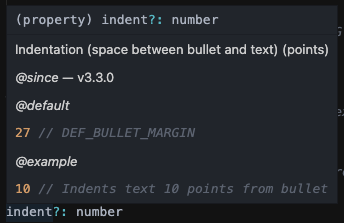
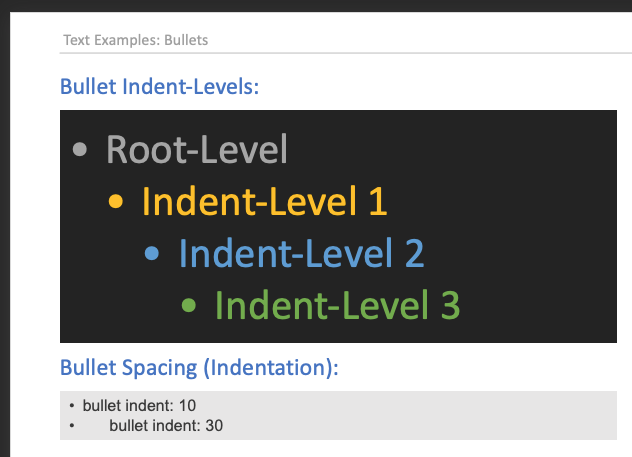
gitbrent
on 29 Apr 2021
Related issues
 Skiizoo
·
6Comments
Skiizoo
·
6Comments
 luism-s
·
3Comments
luism-s
·
3Comments
 Slidemagic
·
4Comments
Slidemagic
·
4Comments
 shyam2794
·
6Comments
shyam2794
·
6Comments
 yodasodabob
·
6Comments
yodasodabob
·
6Comments
Most helpful comment
This would be valuable as an option or a function I can call without changing the code.