Ppsspp: Ridge Racer Black Wall Textures
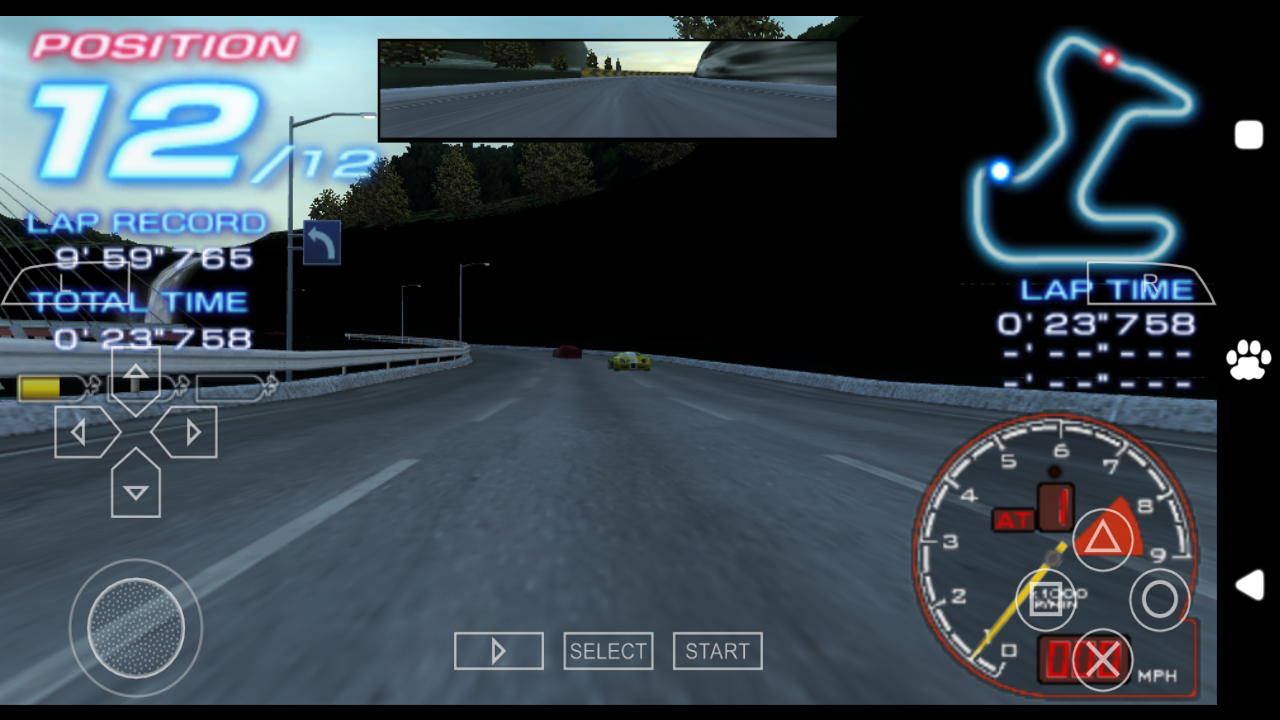
I found a bug where I saw black wall textures in Ridge Racer
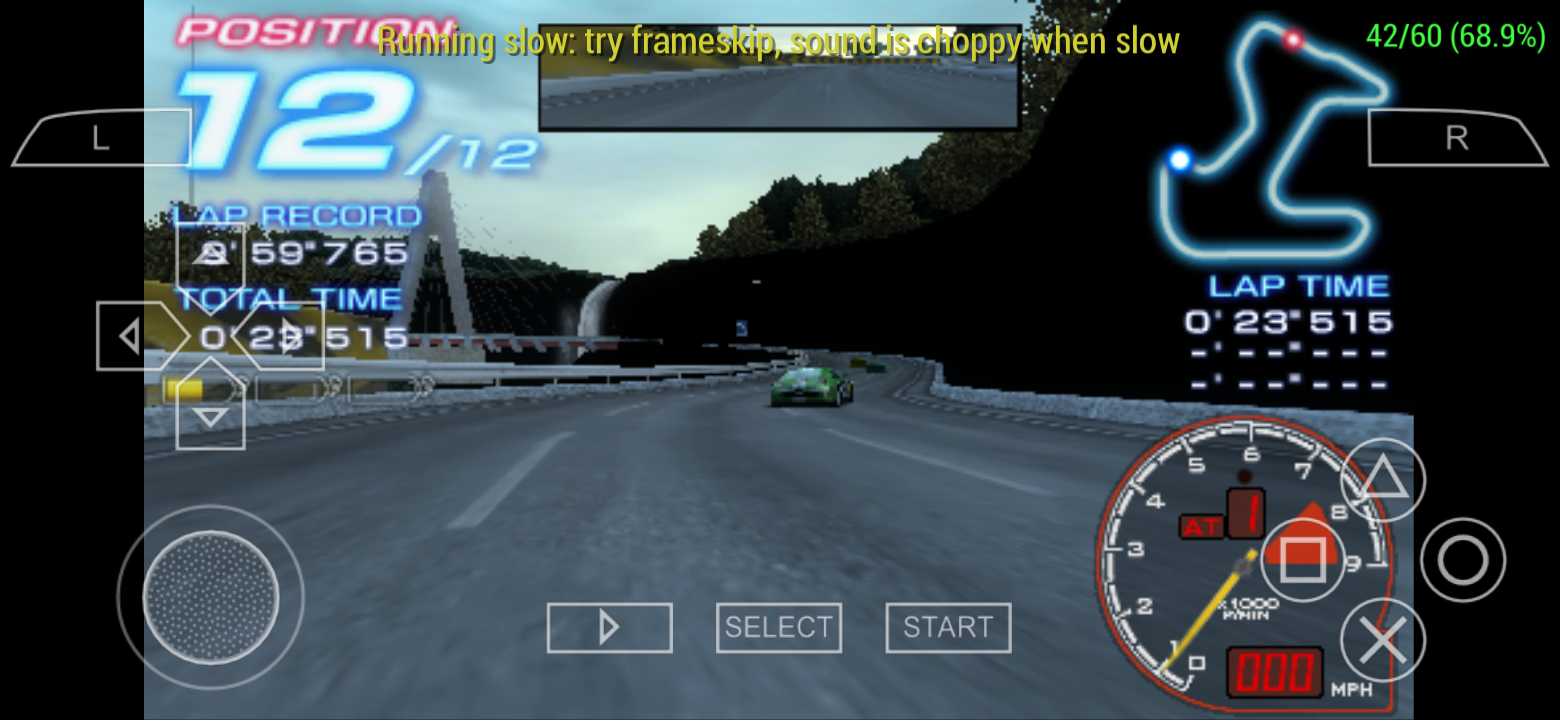
I'm using Realme C2 Android 9 Pie and ppsspp-v1.8.0-507-gaea42006d
 Panderner
All 23 comments
Yeah, this seems to have appeared fairly recently. Do you think you can try some old builds to try to pin down when this started to happen?
 hrydgard
on 13 Aug 2019
hrydgard
on 13 Aug 2019
Yeah I found it in previous builds
Panderner
on 14 Aug 2019
Many versions back?
Are you using Vulkan or OpenGL?
hrydgard
on 14 Aug 2019
Opengl
Panderner
on 14 Aug 2019
@Panderner complete your phone specifications like what's the GPU, CPU and graphics backend like OpenGL or Vulkan and most importantly what version of ppsspp this issue didn't happen 🤷
 Gamemulatorer
on 15 Aug 2019
Gamemulatorer
on 15 Aug 2019
Problem solved. I turned on disable slow effects to fix this bug. But Sonic games too bright when you turn on disable slow effects I remembered #6117
Panderner
on 16 Aug 2019
Actually, that's really weird. The walls should be ok even with slow effects not disabled.
hrydgard
on 16 Aug 2019
False. The bug still happens when the disable slow effects are not turned on
Panderner
on 17 Aug 2019
@Panderner are you using the USA version of that game if yes could you possibly upload the savestates of that game here so that I can also check the bug 😅
Gamemulatorer
on 17 Aug 2019
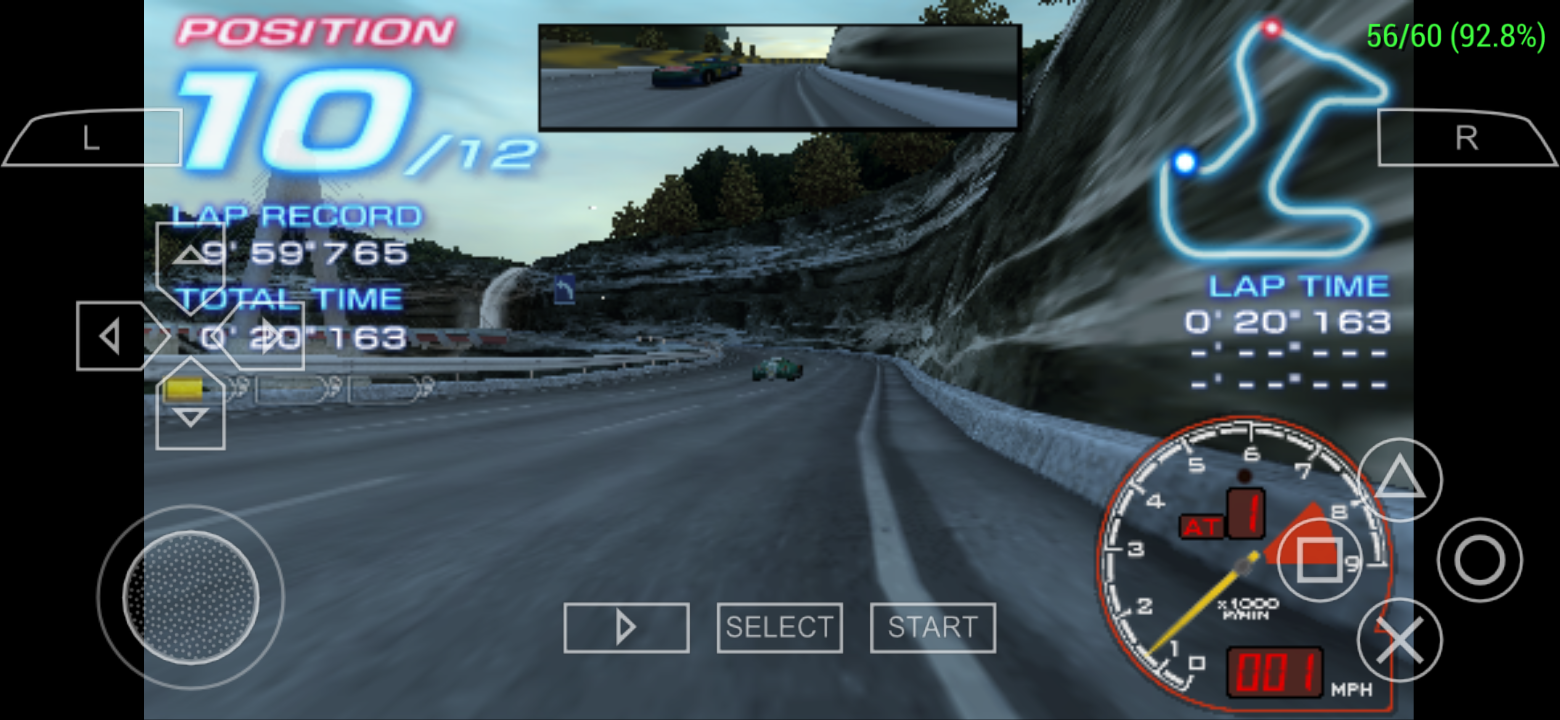
Disable slow effects on:
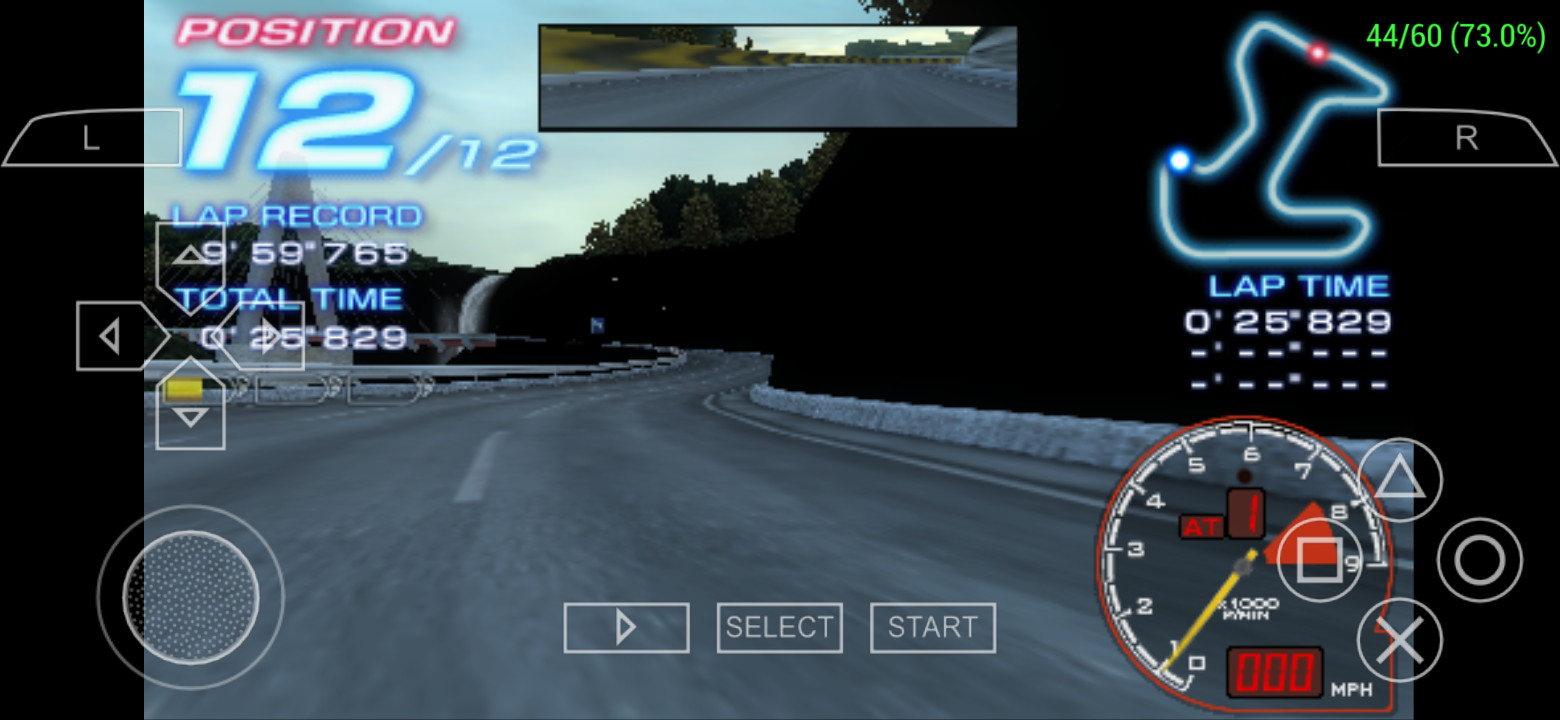
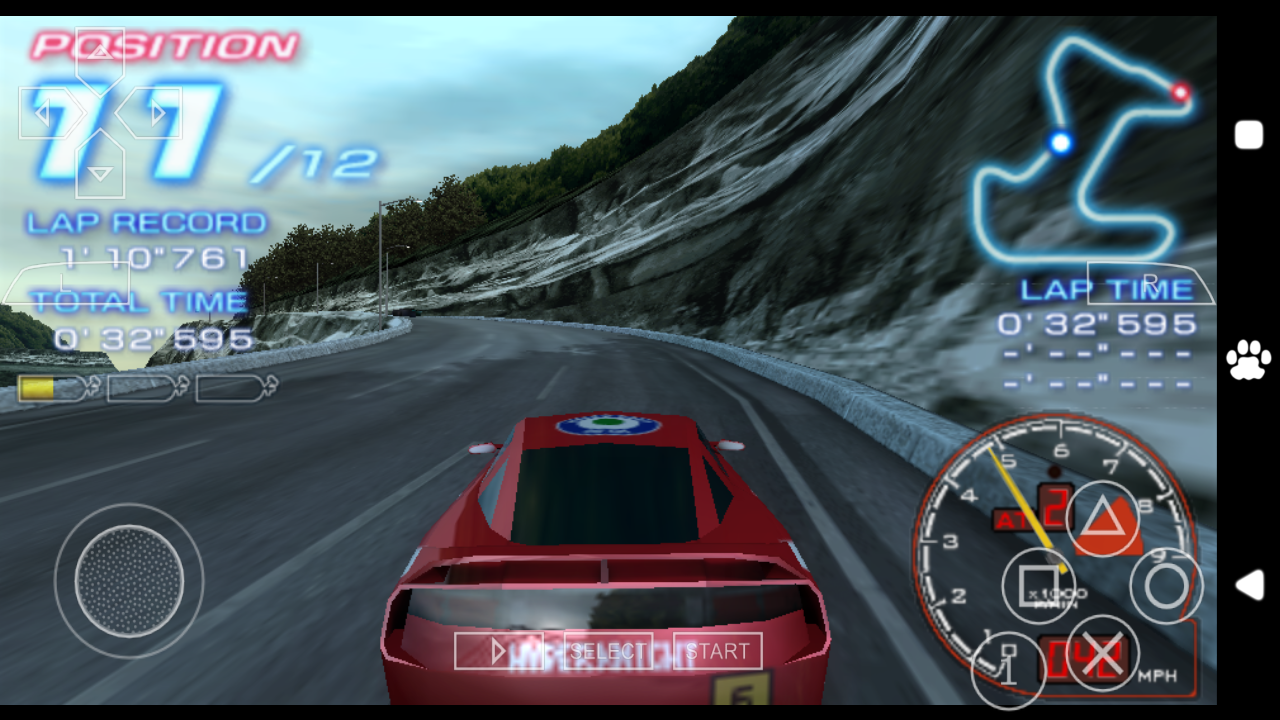
Disable slow effects off:
Panderner
on 17 Aug 2019
Go to PSP > PPSSPP_STATE > then compressed ULUS10001_1.00_0.ppst and ULUS10001_1.00_0.jpg into zip or rar file then upload here so I can try that part of the game that you SS
Gamemulatorer
on 17 Aug 2019
@Panderner ???
Gamemulatorer
on 17 Aug 2019
Here:
PPSSPP_STATE.zip
Panderner
on 17 Aug 2019
Looks fine to my phone with Mali 450 GPU using your savestates
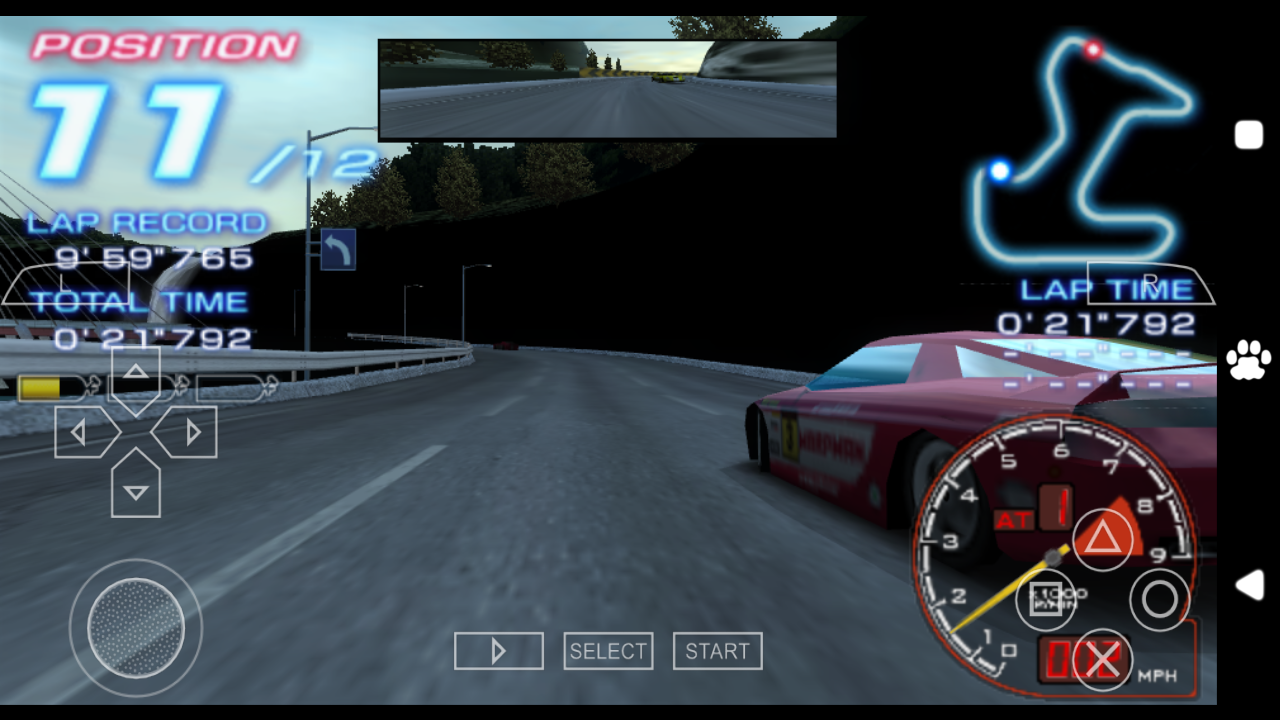
EDIT: Sorry I also have the same problem but not the same as you I notice the trees background is all black even block transfer effects is on in my phone 😅
Hmm... 🤔
Can you check your display settings in ppsspp and see if it's set to auto scaling?
That's the only thing I think that causes that issue in your phone also are you using fullscreen mode of ppsspp?
Gamemulatorer
on 17 Aug 2019
I'm hoping this GE Dump can track the issue
ULUS10001_0001_GE_Dump.zip
Gamemulatorer
on 17 Aug 2019
Enabling The "Disable Slower Effects" fixes the graphics glitches in my phone also speed up the game performance ^_^
Gamemulatorer
on 17 Aug 2019
Thanks I turned on disable slow effects
Panderner
on 18 Aug 2019
@Panderner can you check the graphics > display layout editor and see if it's AUTO SCALING if YES try to change it to PARTIAL STRETCH?
and see if this solve your problem?
Gamemulatorer
on 18 Aug 2019
@Emulatorer Nothing happens
Panderner
on 18 Aug 2019
Ok probably @unknownbrackets and @hrydgard can only solve your issue about
that ^^
Sorry I didn't help you :(
On Sun, Aug 18, 2019, 11:26 AM Panderner notifications@github.com wrote:
@Emulatorer https://github.com/Emulatorer Nothing happens
—
You are receiving this because you were mentioned.
Reply to this email directly, view it on GitHub
https://github.com/hrydgard/ppsspp/issues/12240?email_source=notifications&email_token=AI64R2RW3OUZVEY56GBMYYLQFC6PZA5CNFSM4ILLNCRKYY3PNVWWK3TUL52HS4DFVREXG43VMVBW63LNMVXHJKTDN5WW2ZLOORPWSZGOD4QXTYI#issuecomment-522287585,
or mute the thread
https://github.com/notifications/unsubscribe-auth/AI64R2RJBPCI4K4GMLIRPITQFC6PZANCNFSM4ILLNCRA
.
Gamemulatorer
on 18 Aug 2019
This problem started at the following commit by @unknownbrackets : https://github.com/hrydgard/ppsspp/pull/12158
Here's a GE dump with a repro:
UCES00002_0001.zip
Haven't investigated more yet..
hrydgard
on 22 Aug 2019
Closing it as fixed for now after reverting that in d8db8ec, but will reopen when digging into #12272.
hrydgard
on 23 Aug 2019
Thanks @hrydgard
Panderner
on 24 Aug 2019
Related issues
 soredake
·
4Comments
soredake
·
4Comments
 oatmeal
·
6Comments
hrydgard
·
5Comments
oatmeal
·
6Comments
hrydgard
·
5Comments
 thedax
·
6Comments
thedax
·
6Comments
 tilkinsc
·
3Comments
tilkinsc
·
3Comments
Most helpful comment
Here:
PPSSPP_STATE.zip