Ppsspp: NFS:MW 5.0.1 framedrop map/area
What happens?
On Great Northern Way map, both Forward and Reverse have the same area where the Framedrop occurs and this is the only Map/area that has framedrop issue.
OpenGL✔
Buffered Rendered✔
Block Effect✔
Frameskip Off / Autoskip On
https://m.youtube.com/watch?feature=youtu.be&v=JagsP4WScDI
PPSSPP_STATE.zip

By the way Im using 15Fps cheat because this Fps suits the Game with a better performance .
What hardware, operating system, and PPSSPP version? On desktop, GPU matters for graphical issues.
PpsspP 1.7.5-403
My Unit::
CloudFone Excite Prime
2GB ram
1.3ghz ARMv7 8cores
Mali-450 (720x1280)
OpenGL 2.0
 cheding09
All 18 comments
We have same unit lol 🤣
here's my video settings
https://youtu.be/p1CNWwe-dpA
Im using 20 fps cheat code Im also experiencing a frame drops from a certain map or area.
 Gamemulatorer
on 5 Feb 2019
Gamemulatorer
on 5 Feb 2019
Its because we are on the same Group in FB👍😂 and yeah I already watched almost all of the Psp games you uploaded on Youtube 👍. 20Fps is Good but many areas has Framedrop promblem with that Fps thats why I try to edit the cheat down to 15fps and its somehow better now .
cheding09
on 5 Feb 2019
Frameskipping x1 = 15 fps no need for 15fps cheat code because NFS Most Wanted 5-1-0 Maximum FPS is 30 🤔
30fps is reduced by half when frameskipping is set to x1 :)
Gamemulatorer
on 5 Feb 2019
Tried and tested that, but it really is better with Frameskip:Off and 15Fps and all the other options to be default👍
cheding09
on 5 Feb 2019
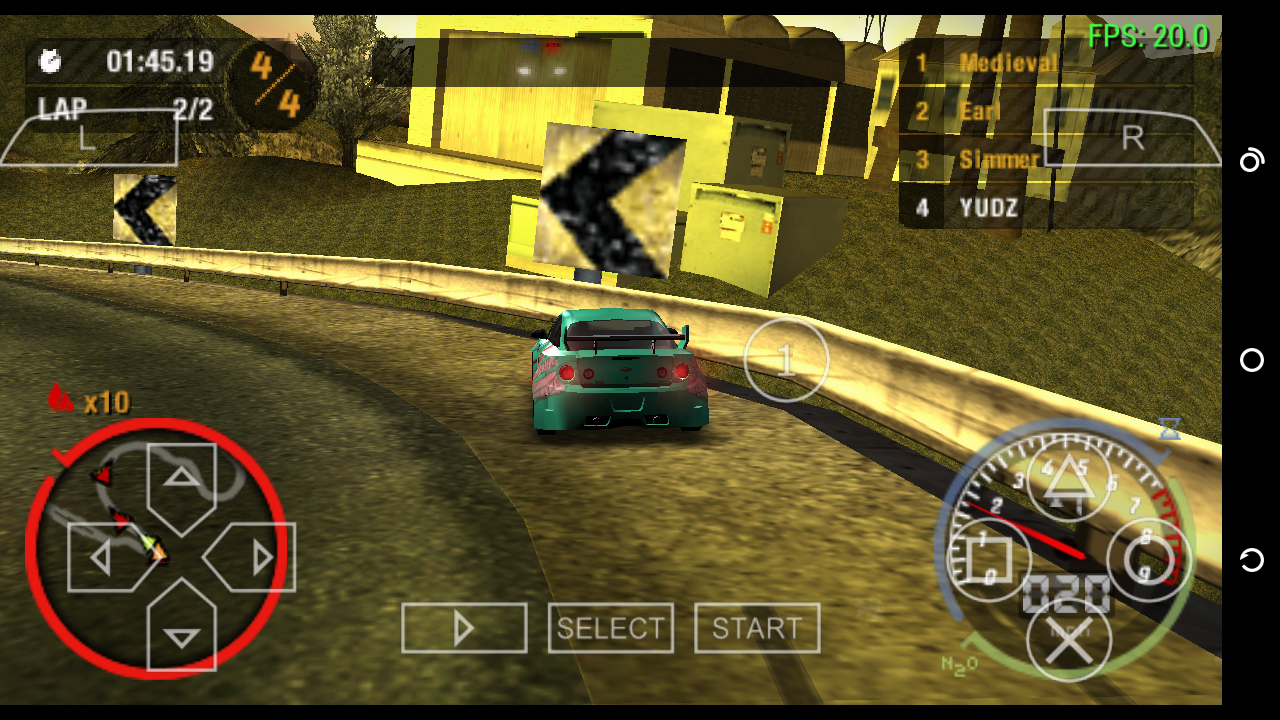
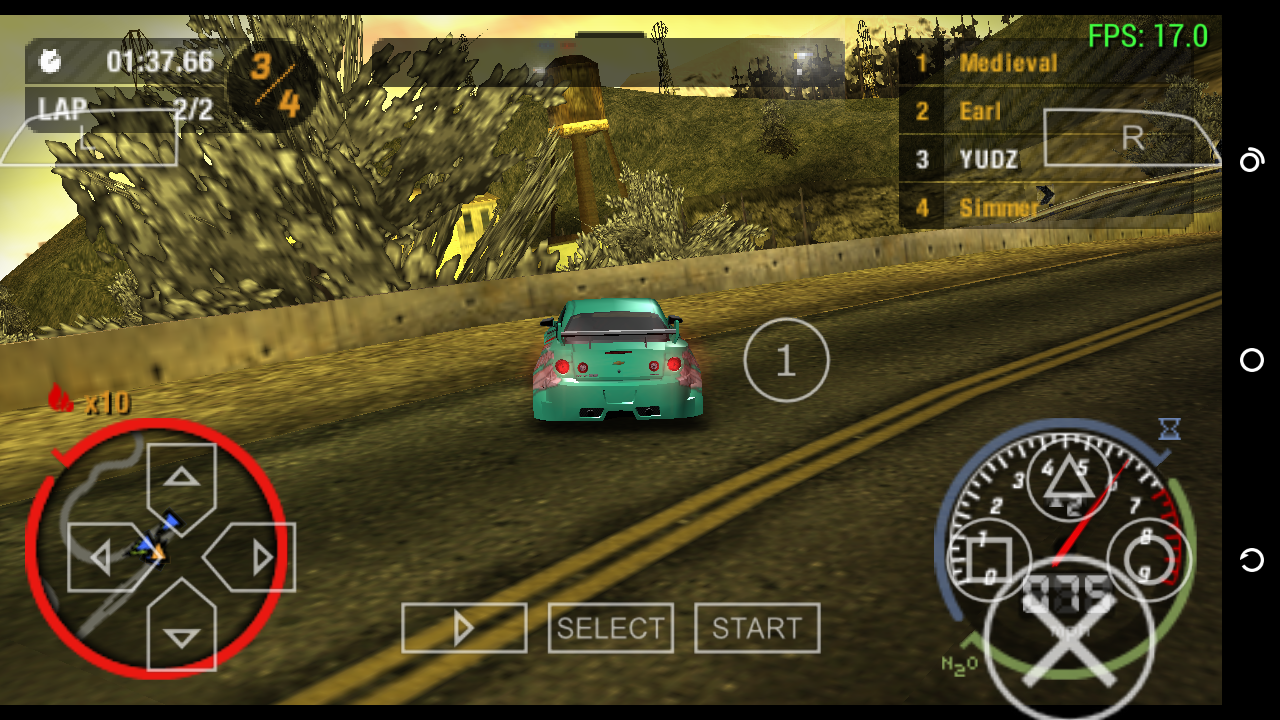
Didn't notice any major fps drops from the latest build v1.7.5-403 vs v1.7.5 Playstore
My settings are both the same but I use your savestates 🤔
PPSSPP Latest Build


PPSSPP v1.7.5 Playstore
Gamemulatorer
on 5 Feb 2019
This framedrop i can confirm.
 marosis
on 5 Feb 2019
marosis
on 5 Feb 2019
Here , I just uploaded the video also with the settings and cheat . The framedrop I'm talking about is on 5:27
https://m.youtube.com/watch?feature=youtu.be&v=JagsP4WScDI
cheding09
on 5 Feb 2019
Mabe it can be related to #11745 but i think it is little bit different issue. We need test Vulkan if it is on both cores
marosis
on 5 Feb 2019
@Emulatorer - the FPS drop on your video is at 1:40
https://m.youtube.com/watch?v=p1CNWwe-dpA&feature=youtu.be
cheding09
on 5 Feb 2019
@cheding09 that's normal because the big framedrops was cause by my screen recording app without screen recording the game only framedrops from 1-4 fps not a major problem for me 🙂
Gamemulatorer
on 5 Feb 2019
Ayayay . You really dont get it or me, oh well. I'll just wait for the others to see this👍 See you there in the group👍
Thanks to the developer of this emulator and to those who are working hard to fix bugs and issues of this emulator👍
cheding09
on 5 Feb 2019
Guys who Are fixing issues are only two. Hrydgard And unknownbrackets. LunaMoo is only dupe removator😂. We need here more people like these two! BTW I HAVE subscribed you Emulatorer 😉. But please buy new phone And this use for testing😂😂😂. Is Slower than my last one
marosis
on 5 Feb 2019
@marosis thanks for subscribing
@cheding09 I know what you mean that ares has e framedrops only in the latest build but didn't happen in v1.7.5 stable version?
but for me as I tested nothing changes in thw performance from v1.7.5 stable version vs the latest build that area always have a frame drop and for me is not an issue it's the hardware specifications that's really matters as we both have the same unit/device using 😅
so wait for the developers if they can really do solve this issue or not 🙂
but for me the only way to fixed this issue is to buy a new phone with 64bit processors and then use 20fps cheat code then problem solve 👍
sorry for the long reply and for my poor english (tagalog is my native language)
Gamemulatorer
on 5 Feb 2019
I somehow change the CPU clock speed to 111ghz with 15fps cheat just earlier and with all the speed up option now the my problems about framedrops are now solve and I'm still running the game on Buffered and X3 resolution.
Also using 20Fps cheat with 50-70 Cpu clockspeed works too👍
cheding09
on 5 Feb 2019
@cheding09 try to capture the GE
debbuger frame log using your android phone so that's the developers know how to fixed this issue
Gamemulatorer
on 10 Feb 2019
This issue is likely due to weak hardware (Cortex-A7 CPU). Consider buying a new phone with at least Cortex-A53 CPU, which can handle this game fine with default settings. Be awere that using low cpu clocks and cheats also can cause performance problems, but it doesn't seem to be the case here.
 GuilhermeGS2
on 12 Feb 2019
GuilhermeGS2
on 12 Feb 2019
My problem is already solve and playing in full perfomarnce now . 99-100% speed in all maps👍
I'm using a Force 15Fps cheat -
Buffered render -
Frameskip off -
X3 Auto resolution -
All Speed up option checked-
Artifacts in Aggresive mode-
Cpu clock 90mhz(this solve my problem)-
PS : I have notice that 15Fps cheat + frameskip off is FAR way different from 60 or 30fps + Frameskip 1/2/3/4,etc. Also I have tested in on NFS Undergroud Rivals, Carbon Own the City and NFS undercover . Though Carbon OTC and Undercover are playable at 10-15Fps(via cheat)
cheding09
on 13 Feb 2019
@cheding09 you can close this issue now 🤔
Gamemulatorer
on 13 Feb 2019
Related issues
 ultrasuper19
·
4Comments
ultrasuper19
·
4Comments
 SwiftBMan
·
3Comments
SwiftBMan
·
3Comments
 hrydgard
·
5Comments
hrydgard
·
5Comments
 oatmeal
·
6Comments
oatmeal
·
6Comments
 BenCosmos
·
3Comments
BenCosmos
·
3Comments
Most helpful comment
Guys who Are fixing issues are only two. Hrydgard And unknownbrackets. LunaMoo is only dupe removator😂. We need here more people like these two! BTW I HAVE subscribed you Emulatorer 😉. But please buy new phone And this use for testing😂😂😂. Is Slower than my last one