Ppsspp: Prince of Persia Revelations graphics bugs.
What happens?
See those squares with default settings:
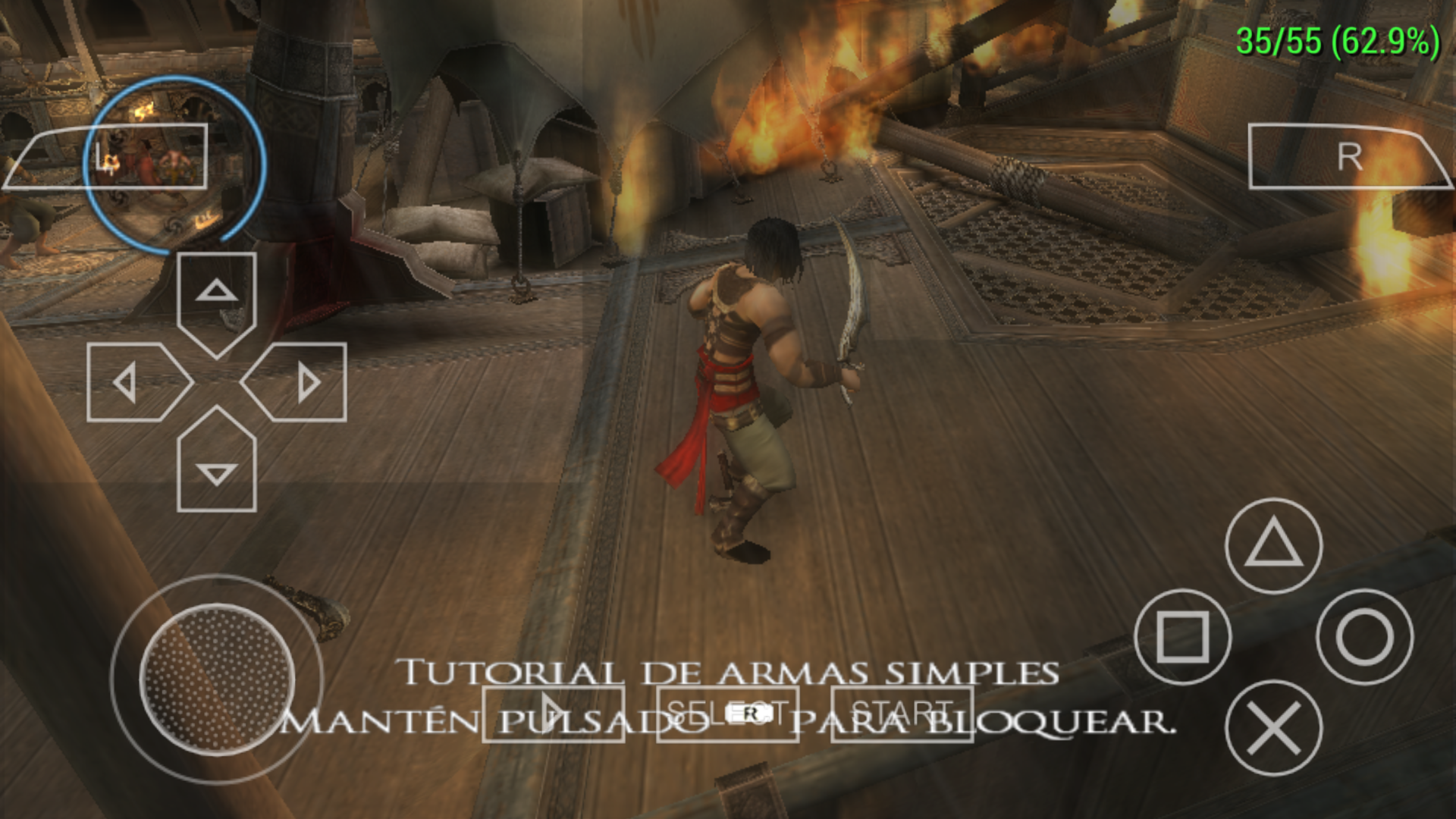
What should happen?
Not that
What hardware, operating system, and PPSSPP version? On desktop, GPU matters for graphical issues.
Android 7, latest ppsspp dev, happens in both gl and vulkan.
 blackman91
All 10 comments
Is this problem without HW transforming? Is this bug in older builds? If not, can you find build where it started?
 marosis
on 14 May 2018
marosis
on 14 May 2018
@marosis Actually, It's always been like this! (I remember this since 1.2 or sth) It only goes away if you check "disable slower effects".
If I'm right, those squares are actually some kind of "overlay blending shaders" (I don't know the actual term in computer graphics!). They are blended with the rendered image to produce some kind of post-processing effect (such as shining textures or some kind of pseudo-ambient-occlusion or a simple screen filter). It appears they are not upscaled correctly in this game.
@hrydgard Do you know what the actual name of this technique is?!
 leopard20
on 14 May 2018
leopard20
on 14 May 2018
Not sure exactly what trick they're trying to do in this game, hard to say...
 hrydgard
on 14 May 2018
hrydgard
on 14 May 2018
I'm guessing it's probably some stencil/RGBA mask/logic op issue? I feel like there may be another issue about this... maybe.
-[Unknown]
 unknownbrackets
on 15 May 2018
unknownbrackets
on 15 May 2018
look similar issue #10977 but different games
 Gamemulatorer
on 15 May 2018
Gamemulatorer
on 15 May 2018
Actually, I think it's another manifestation of the same issue!
leopard20
on 15 May 2018
it's like a depal issue. there is a GE_TFMT_CLUT16 format entry to ApplyTextureFramebuffer, gstate.getClutPaletteFormat() return GE_CMODE_16BIT_ABGR4444, and I change it to GE_CMODE_16BIT_BGR5650 in code, then squares disappeared. (or depal failed)
may help for this issue. :pensive:
 weihuoya
on 31 May 2018
weihuoya
on 31 May 2018
@hrydgard This is more or less a duplicate of https://github.com/hrydgard/ppsspp/issues/6423.
leopard20
on 4 Jun 2018
@weihuoya , that's really interesting, thanks for reporting that.
hrydgard
on 4 Jun 2018
Duplicate of #6423
hrydgard
on 26 Apr 2020
Related issues
marosis
·
6Comments
 tilkinsc
·
3Comments
tilkinsc
·
3Comments
 SwiftBMan
·
3Comments
SwiftBMan
·
3Comments
 Deivmsr
·
6Comments
Deivmsr
·
6Comments
 radiocaravan
·
6Comments
radiocaravan
·
6Comments
Most helpful comment
it's like a depal issue. there is a
GE_TFMT_CLUT16format entry toApplyTextureFramebuffer,gstate.getClutPaletteFormat()returnGE_CMODE_16BIT_ABGR4444, and I change it toGE_CMODE_16BIT_BGR5650in code, then squares disappeared. (or depal failed)may help for this issue. :pensive: