Ppsspp: Hammerin' Hero Texture Problem (invisible characters?)
I Have a Bug while playing a game
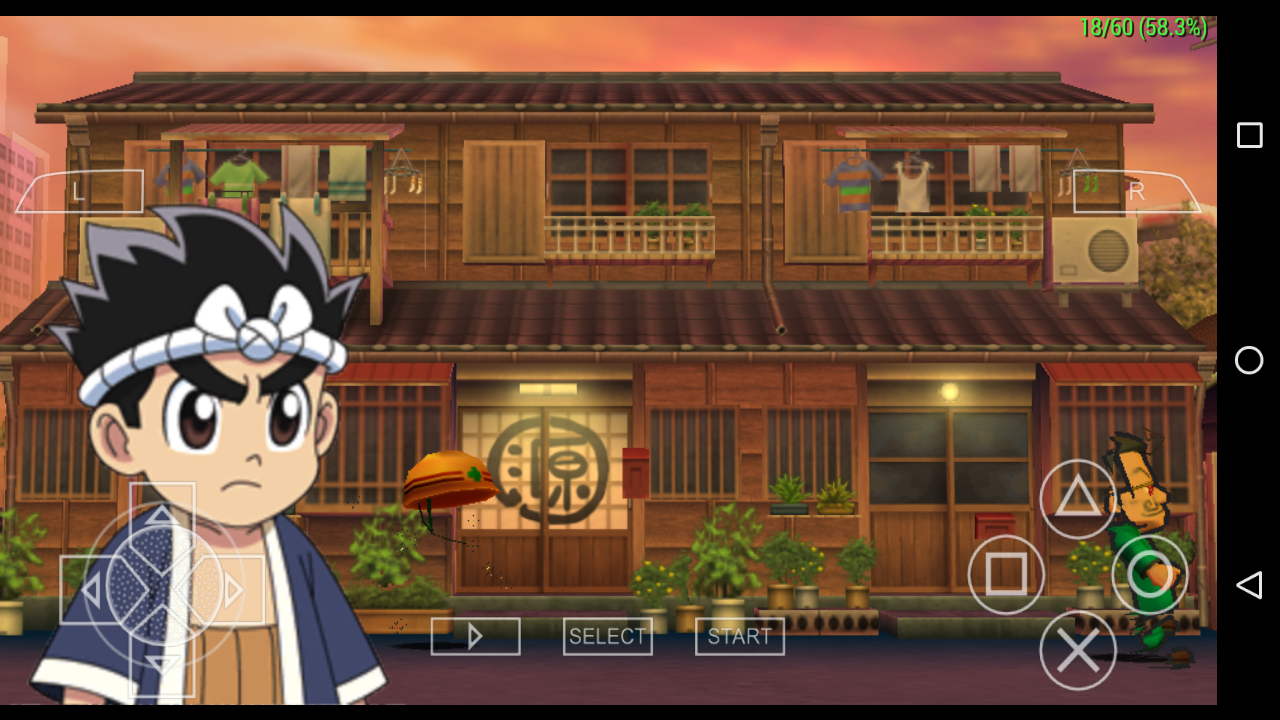
There's is no Character Textures and boxes except Gen's hair and backgrounds
 Panderner
All 23 comments
Screenshot? On what device? Please follow the issue template.
 hrydgard
on 24 Mar 2018
hrydgard
on 24 Mar 2018

Panderner
on 25 Mar 2018
disable slower effects may cause this issue, I met in other game.
 weihuoya
on 25 Mar 2018
weihuoya
on 25 Mar 2018
No the textures are not fixed
Panderner
on 25 Mar 2018
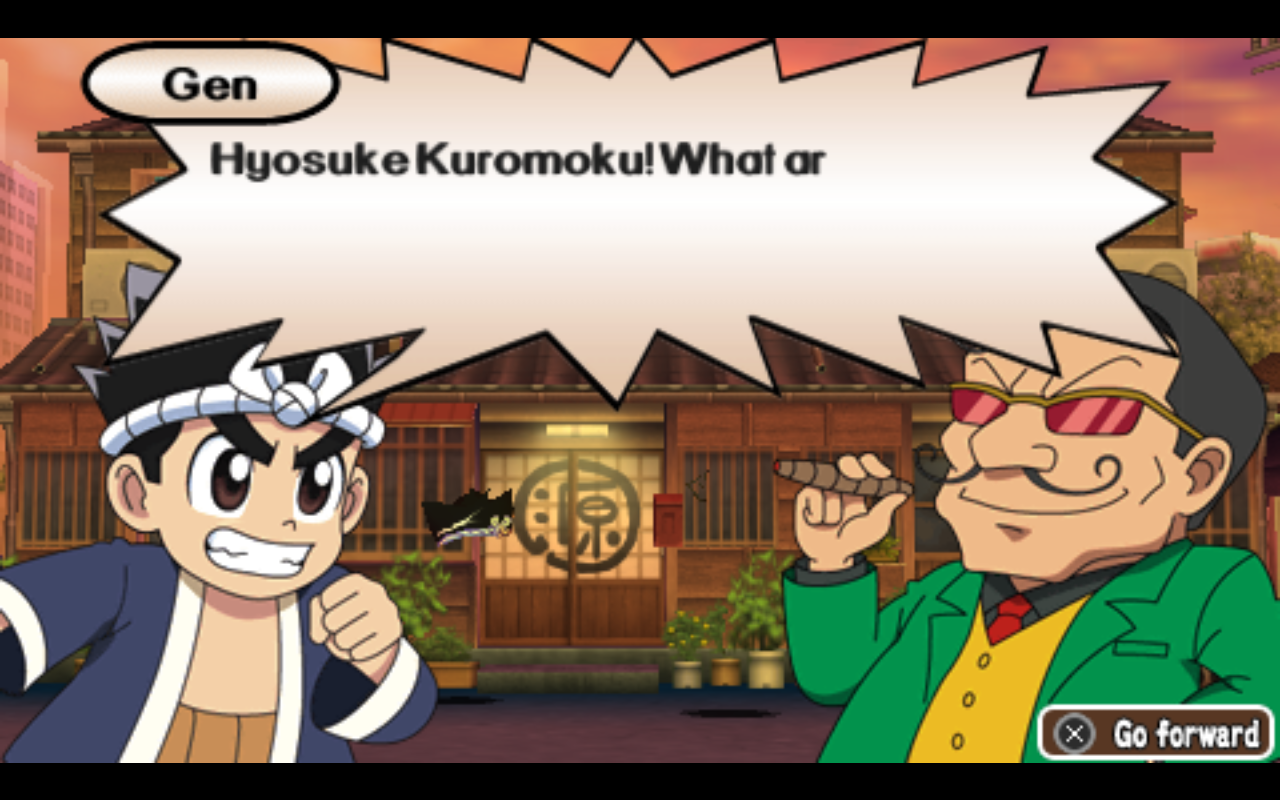
Panderner
on 25 Mar 2018
Please, I asked you which device you have this problem on. It's important.
hrydgard
on 25 Mar 2018
Opengl es 2.0 Samsung Galaxy Tab a 7.0 Spreadtrum
Panderner
on 26 Mar 2018
I think this game required OpenGL 3.0+ phone like Jean D'Arc
I tried latest gitbuild enable/disable the option in jit debug tools nothing change
Screenshots
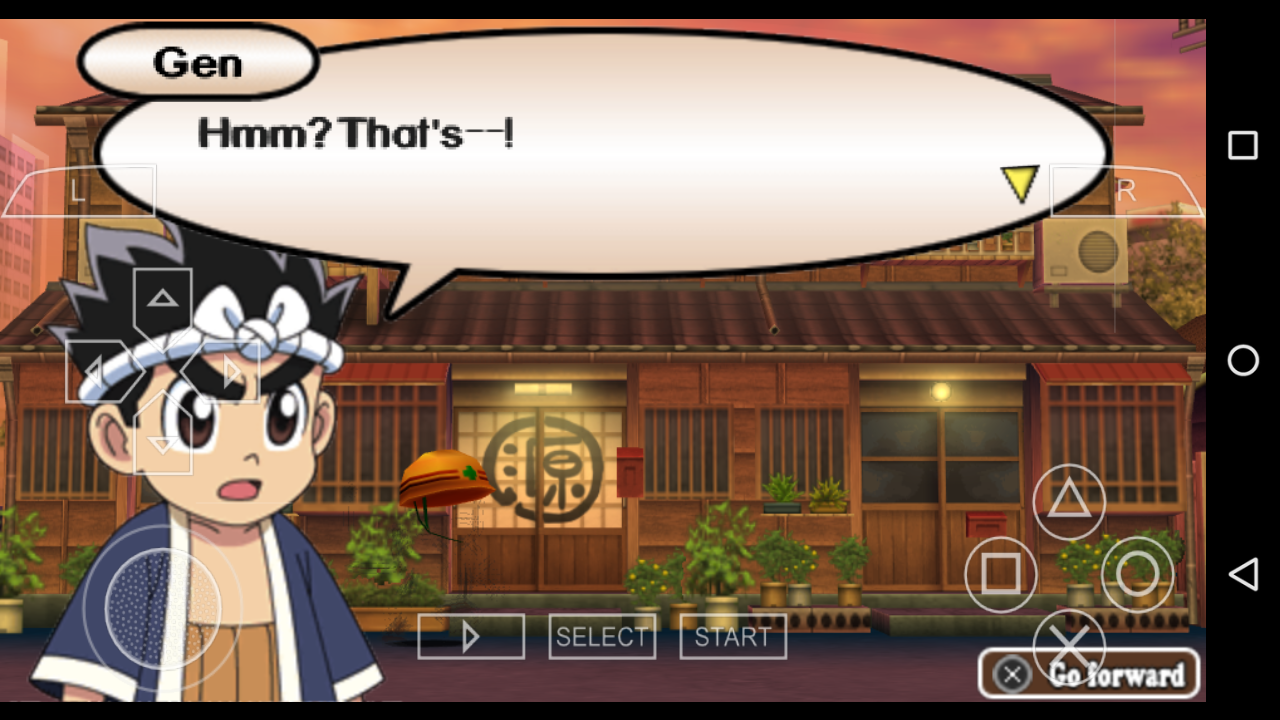
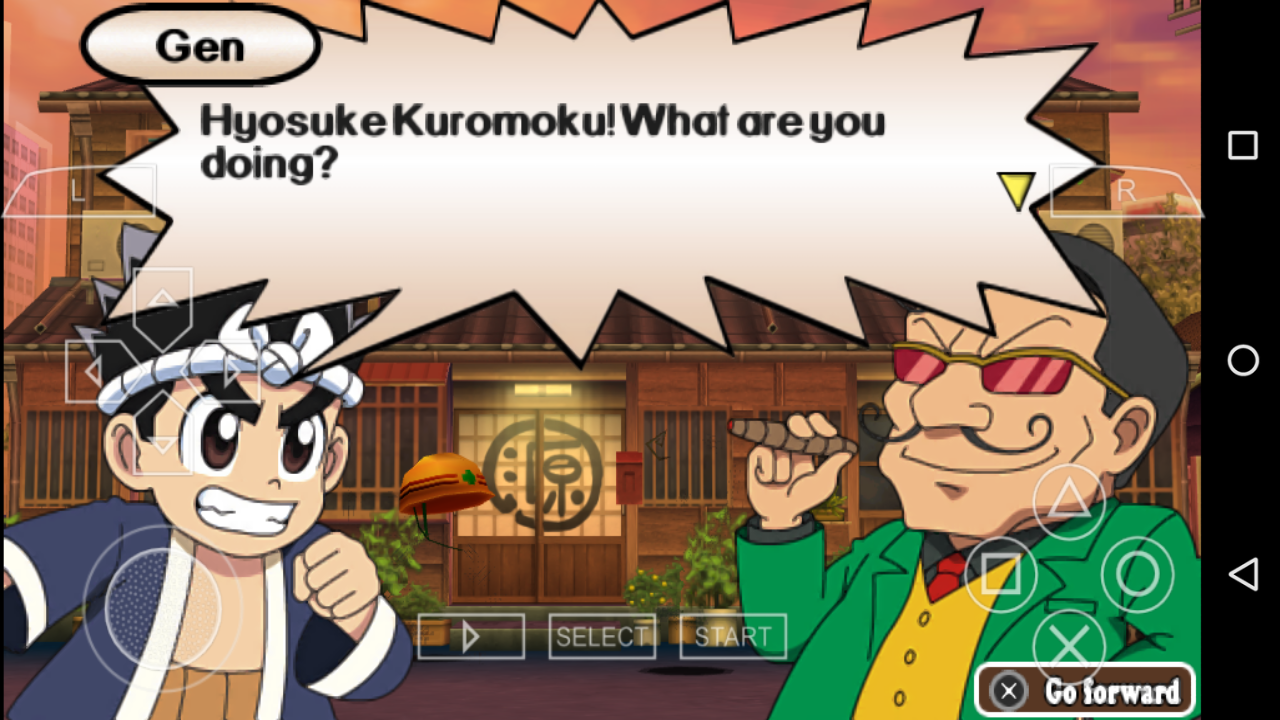
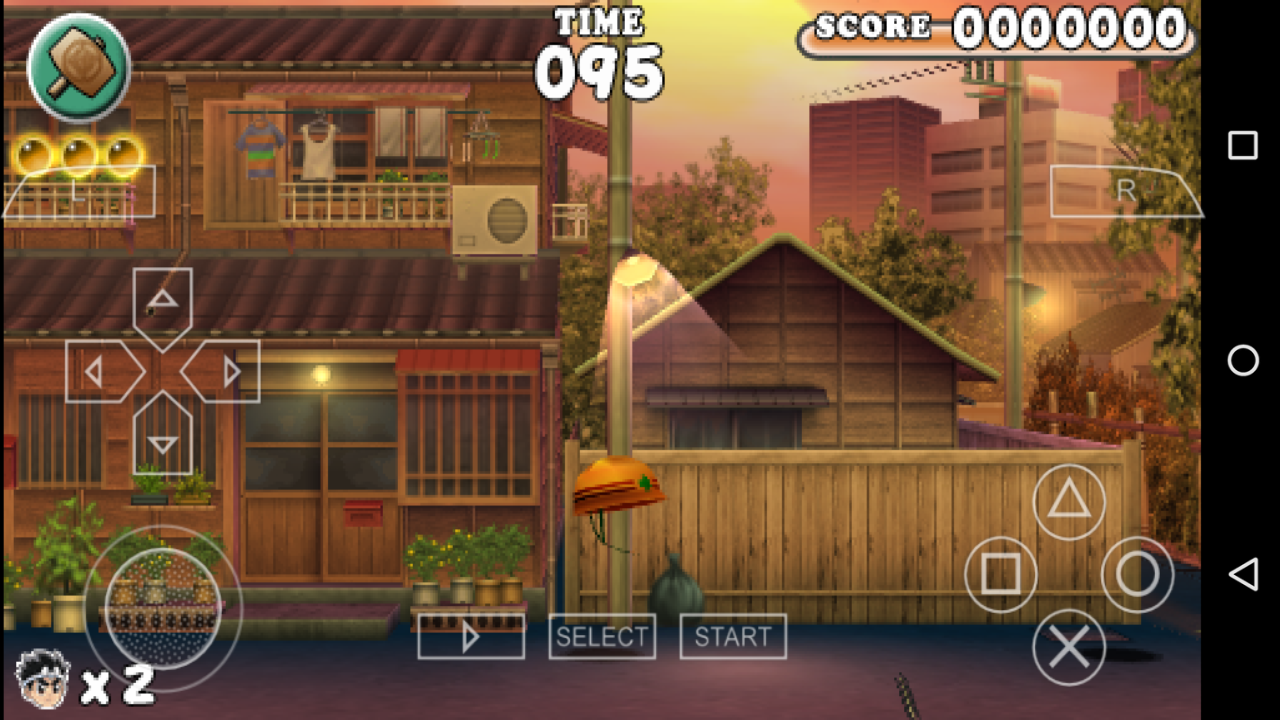
 Gamemulatorer
on 14 Jun 2019
Gamemulatorer
on 14 Jun 2019
If you can upload a GE dump, probably could verify that.
-[Unknown]
 unknownbrackets
on 15 Jun 2019
unknownbrackets
on 15 Jun 2019
@unknownbrackets I cant get GE dump using the latest gitbuild

Gamemulatorer
on 15 Jun 2019
Screenshots
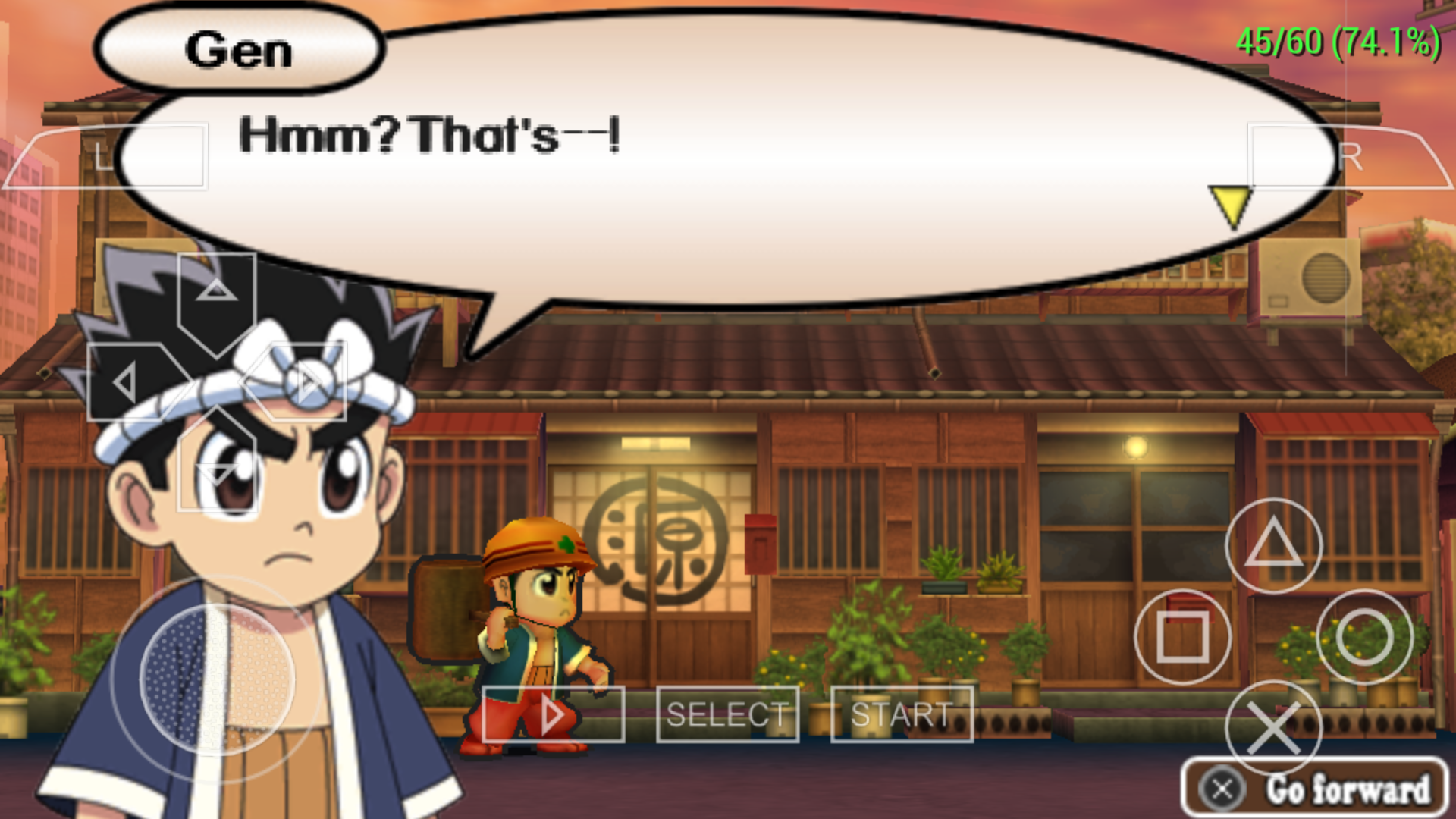
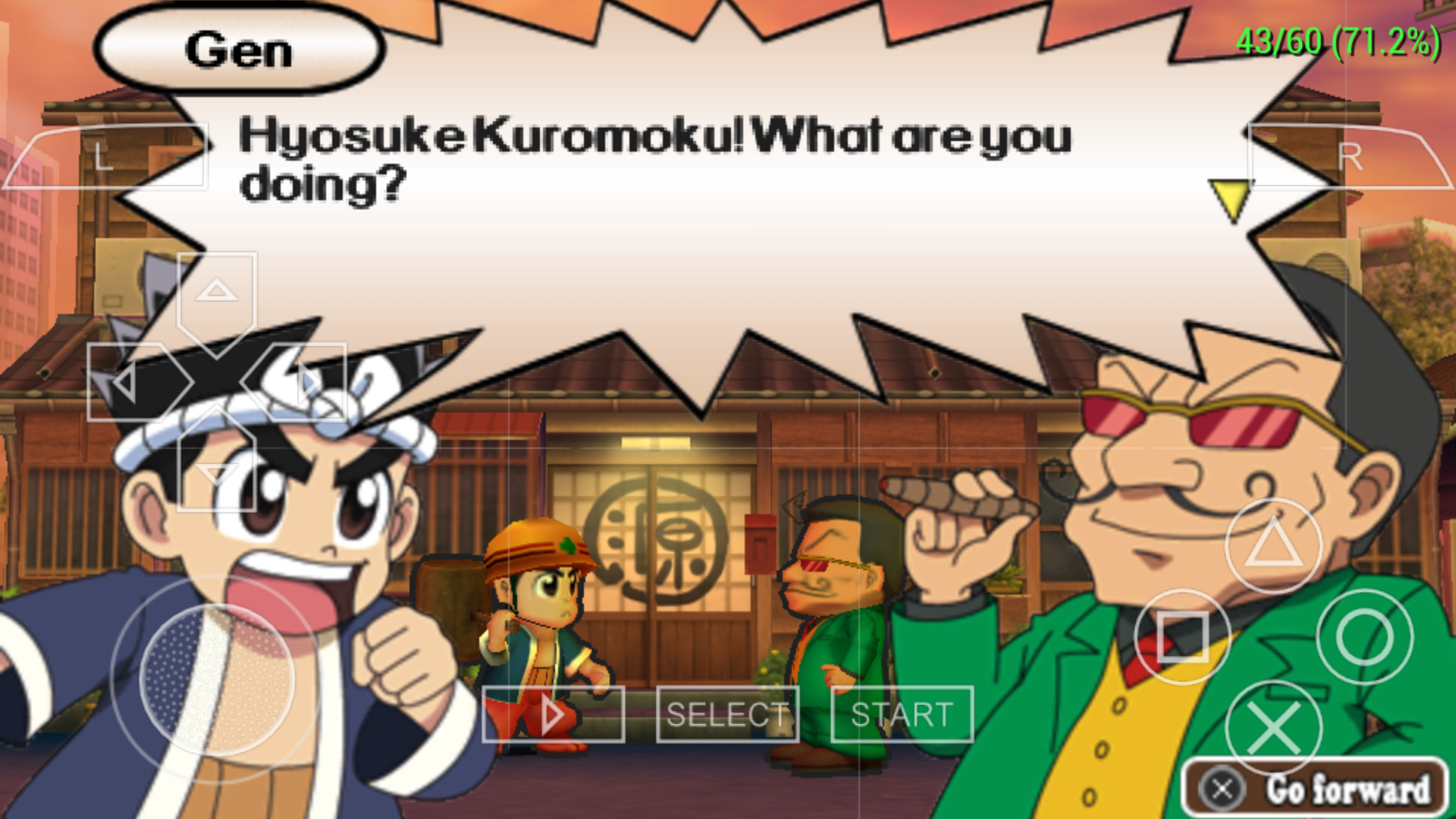
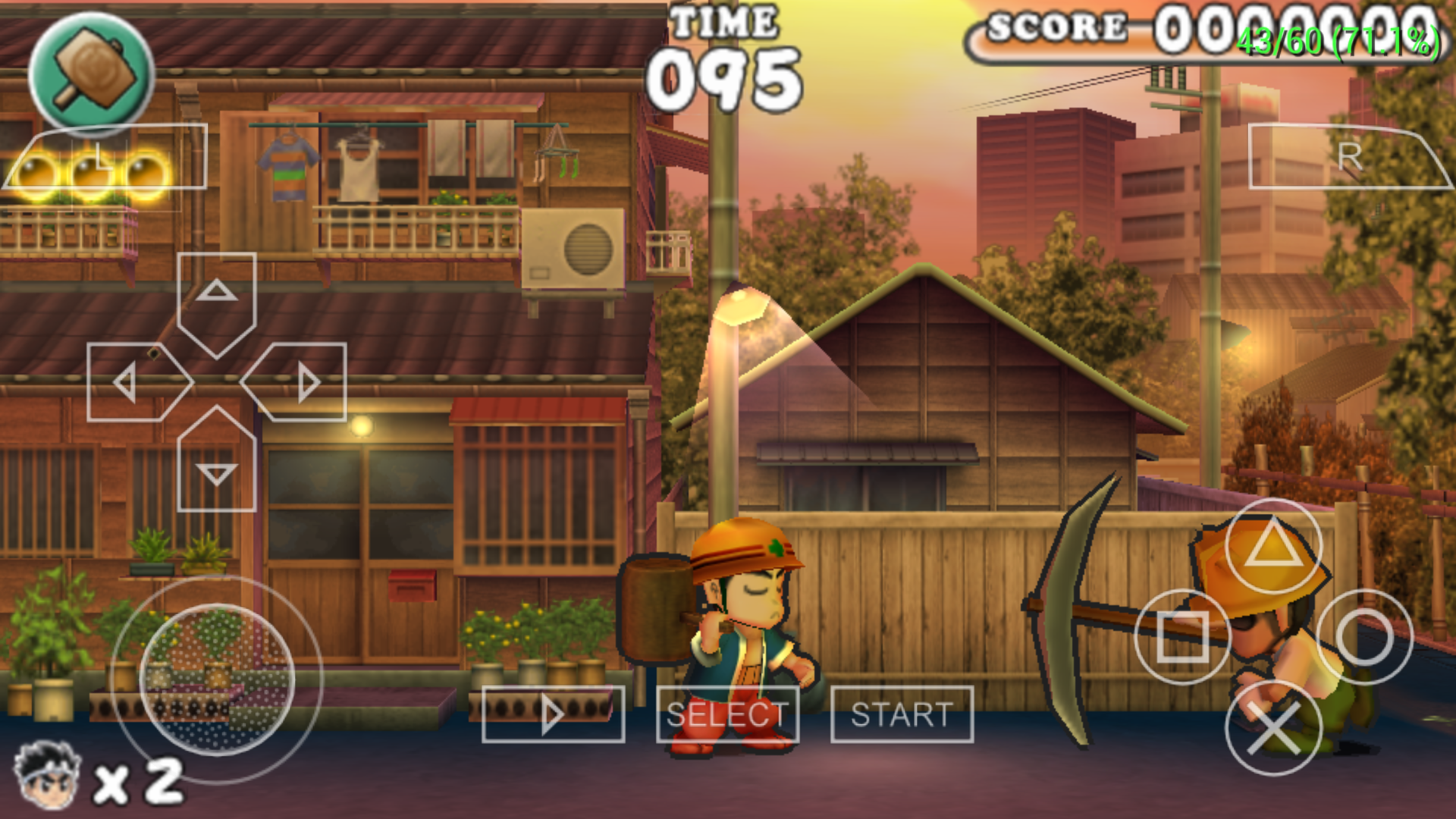
Phone Specifications
Marshmallow 6.0
OpenGL 3.1
Snapdragon 430 Adreno 506
1.4GHz Octacore Proccesesor
PPSSPP v1.8.0-291 gitbuild default settings
Gamemulatorer
on 15 Jun 2019
Hm. It's possible that the phone is pausing PPSSPP when you switch to the browser due to RAM constraints - if possible, it'd be good to try it with PPSSPP still running, connecting to the debugger from a PC on the same wifi network.
-[Unknown]
unknownbrackets
on 15 Jun 2019
@unknownbrackets I finnally solve the problem in my chrome I disable the lite mode in the settings 🤣
Here's the GE Dump
GenSan Hammerin Hero GE Dump.zip
Gamemulatorer
on 16 Jun 2019
Any update about this?
On Jun 16, 2019 12:16 AM, "Unknown W. Brackets" notifications@github.com
wrote:
Hm. It's possible that the phone is pausing PPSSPP when you switch to the
browser due to RAM constraints - if possible, it'd be good to try it with
PPSSPP still running, connecting to the debugger from a PC on the same wifi
network.-[Unknown]
—
You are receiving this because you commented.
Reply to this email directly, view it on GitHub
https://github.com/hrydgard/ppsspp/issues/10777?email_source=notifications&email_token=AI64R2W2GBYMX3QCZMKKPILP2UIXVA5CNFSM4EXGP4S2YY3PNVWWK3TUL52HS4DFVREXG43VMVBW63LNMVXHJKTDN5WW2ZLOORPWSZGODXY3HZI#issuecomment-502379493,
or mute the thread
https://github.com/notifications/unsubscribe-auth/AI64R2QMMMKB353FLDHZESDP2UIXVANCNFSM4EXGP4SQ
.
Gamemulatorer
on 18 Jun 2019
Even if I disable the depth thing (that Jeanne d'Arc uses), it still draws mostly fine. The hat shadow is just wrong.
It draws in two passes from a framebuffer-as-texture. First pass draws a blurry shadow using lighting (it does this in several scissored draws that seems annoyingly inefficient for modern rendering...) At 1259/1608, it switches to regular lighting and draws the actual character.
Since neither part shows up, I guess it's either failing to use a framebuffer as a texture at all, or else the original framebuffer (0x000cc000) is not being populated properly. It starts drawing characters at about 595/1608 and it takes until 1098/1608. The main character starts around 847/1608 (hammer), the others appear to be offscreen.
In this part, it uses dual source blending, but even when I disable dual source blending, it draws fine. Maybe it's an issue with some hack (like Chainfire3D) lying and saying that framebuffer fetch is supported...
-[Unknown]
unknownbrackets
on 24 Jun 2019
PPSSPP-v1.8.0-342-g44685a731-android
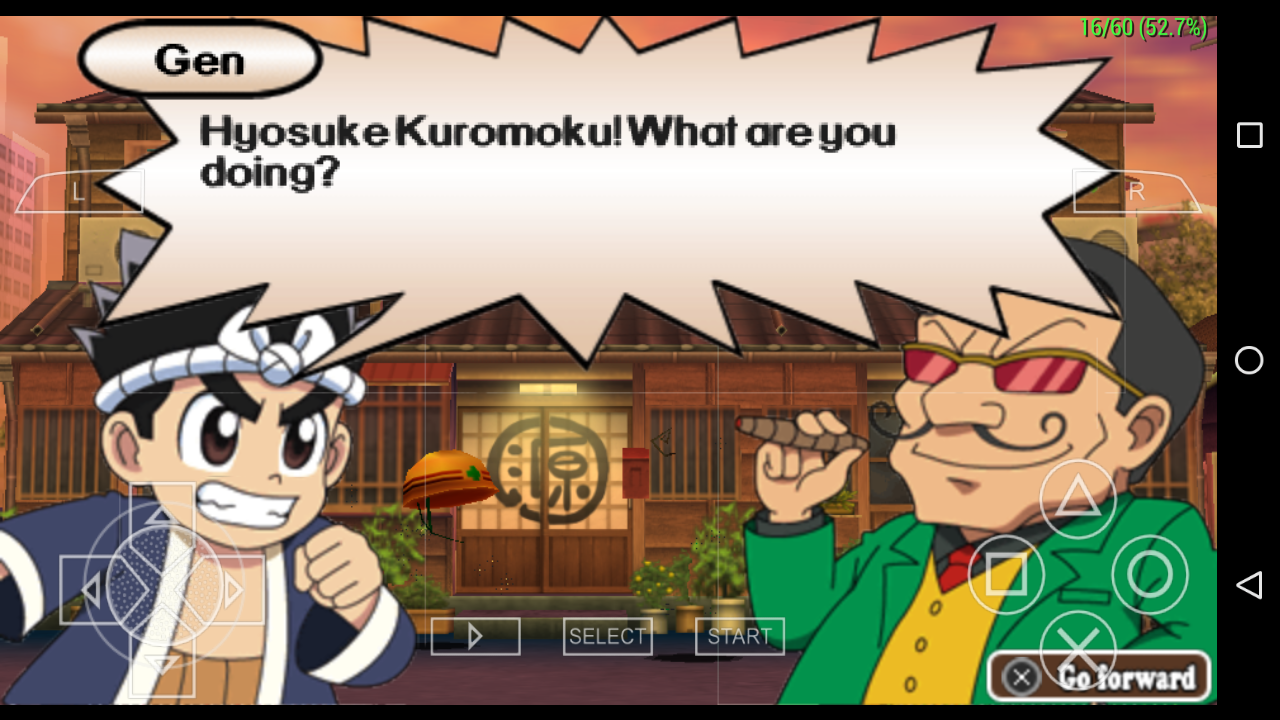
Gamemulatorer
on 24 Jun 2019
Yeah, that commit wasn't expected to fix this...
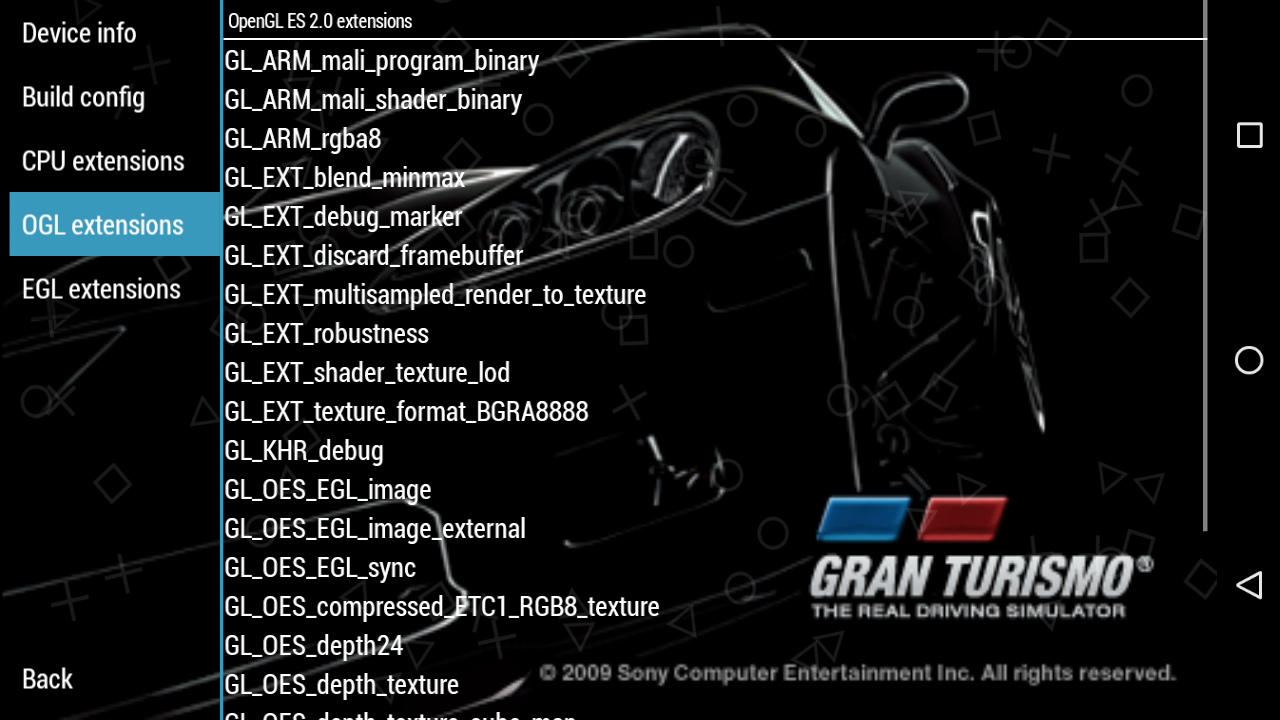
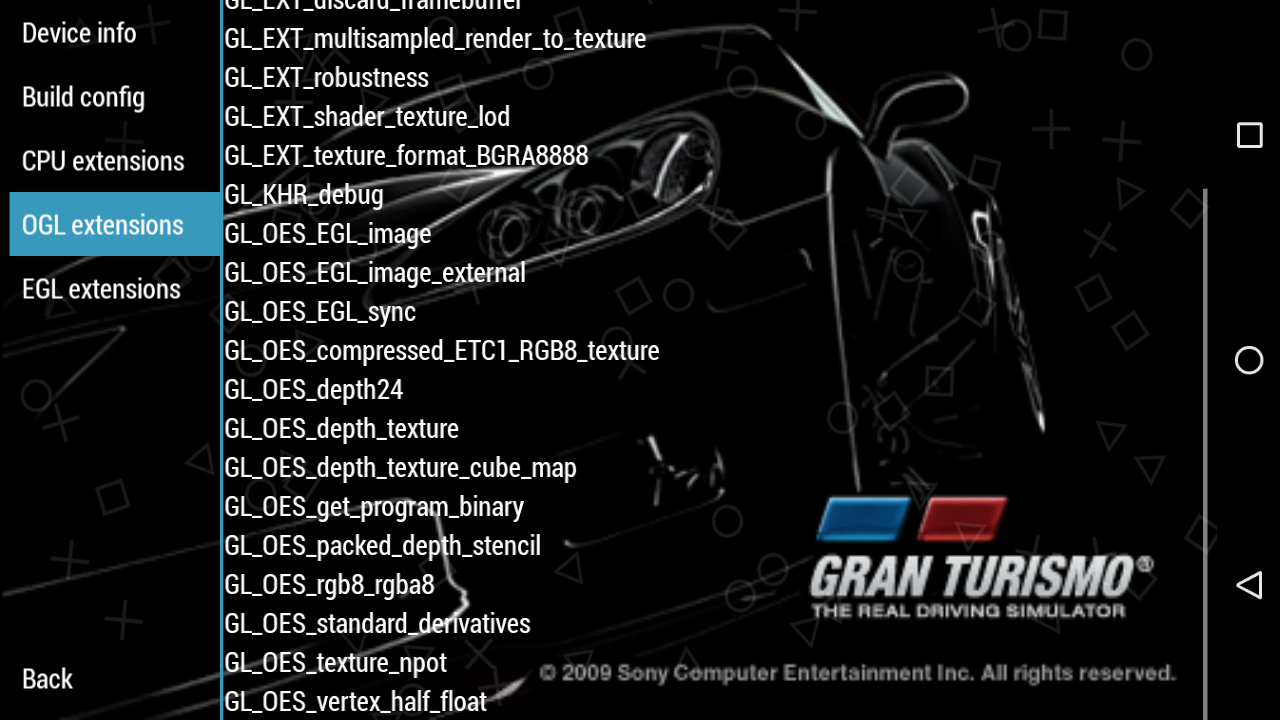
In this screenshot, I see a faint outline though, that's interesting. I also see the other person. Hmm. Does it show anything with framebuffer_fetch in the GL extensions tab of system information?
-[Unknown]
unknownbrackets
on 24 Jun 2019
@unknownbrackets here's my OGL & EGL extension sytem information

Gamemulatorer
on 24 Jun 2019
It initially clears the color/alpha/stencil without touching depth. This isn't being replicated 100% accurately by the dump, because the framebuffer probably already has depth data in it.
If you were to cause framebuffers to be recreated (for example by putting your phone to sleep and then unlocking it), the characters would probably show.
If so, it is in fact related to the GLES3 depth problem, same as Jeanne d'Arc.
We probably should make frame dumps include starting depth data, which I think is now mostly doable with the shader download path. Then this would've reproduced with less effort - but, my bad for not noticing before.
-[Unknown]
unknownbrackets
on 3 Jul 2019
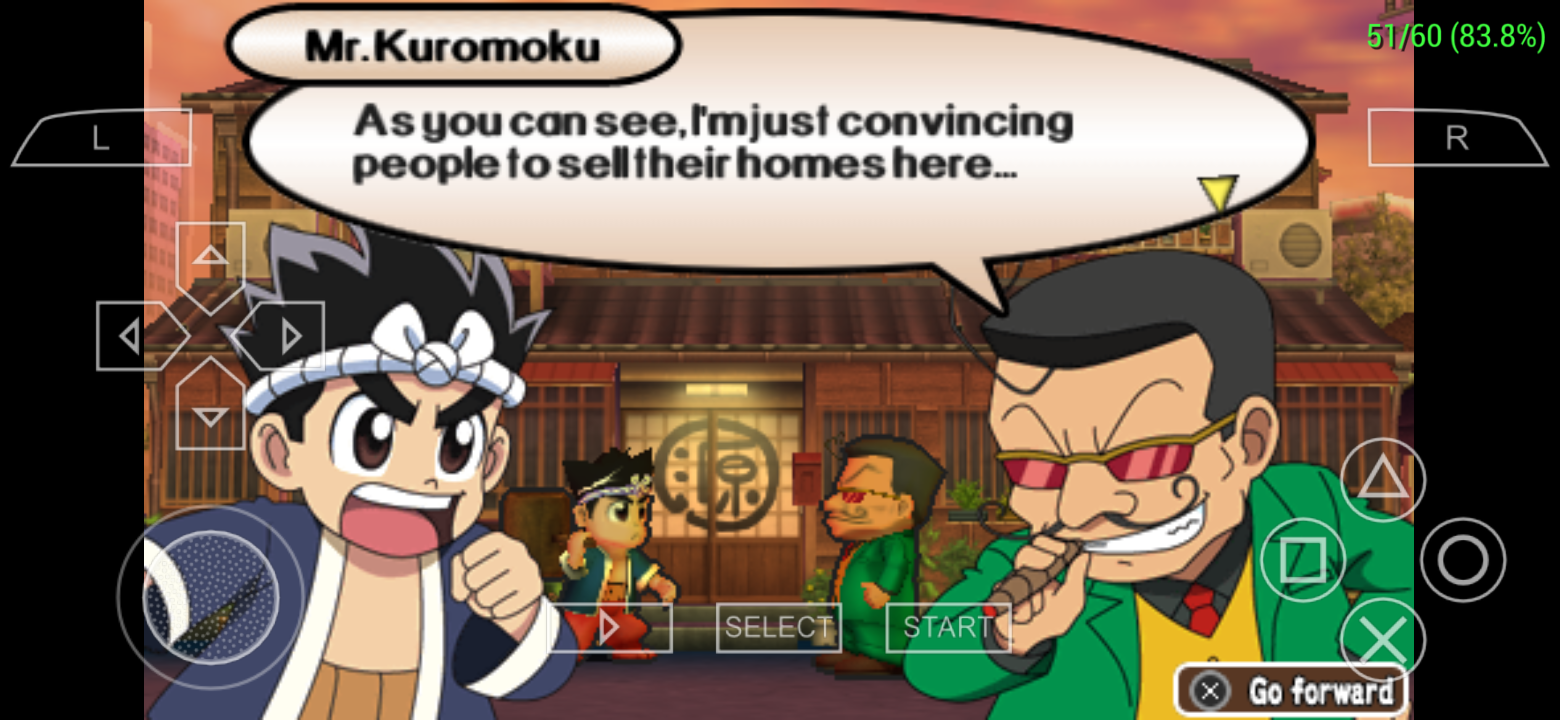
No problem when I'm using realme C2
Panderner
on 25 Aug 2019
@Panderner because your phone is OGL 3.1+ supported unlike my phone is OGL 2.0 only :/
Gamemulatorer
on 25 Aug 2019
Yeah it only happened for opengl es 2.0 devices
Panderner
on 27 Aug 2019
In that case, I don't think there's much we can or want to do here. It'll just work on newer devices, it's unfortunate that some OpenGL devices don't support the depth buffer copy operation that we need.
hrydgard
on 27 Aug 2019
Related issues
 SwiftBMan
·
3Comments
SwiftBMan
·
3Comments
 marosis
·
6Comments
marosis
·
6Comments
 joelolopez
·
3Comments
joelolopez
·
3Comments
 Saramagrean
·
6Comments
Saramagrean
·
6Comments
 thedax
·
6Comments
thedax
·
6Comments
Most helpful comment
No problem when I'm using realme C2
