Ppsspp: Dante's Inferno - Graphics issue - Bloom
The Game, Dante's inferno, plays fine but there's graphics issue:
The background seems to be mirrored in transparency, in the 1st screeshot, we can see the burning torches are shown, in the 2nd the "cross" on the wall is overlaid.


Here's video too!
http://www.youtube.com/watch?v=AhJspRA6Og4
 fastrizwaan
All 78 comments
Looks like the same issue as Ridge Racer. Does it help if you change the rendering resolution?
 thedax
on 15 Dec 2013
thedax
on 15 Dec 2013
I just tried it and not helping in this case
 raven02
on 15 Dec 2013
raven02
on 15 Dec 2013
no change with redering resolution, tried with 1x, 2x, 3x
fastrizwaan
on 15 Dec 2013
Looks like it is caused by "Render to area containing texture"
raven02
on 15 Dec 2013
Comment it out get of rid of the artifact .(Note : either change to AttachFramebufferValid or AttachFramebufferInvalid , didn't help)
        } else if ((entry->addr - address) / entry->bufw < framebuffer->height) {
            WARN_LOG_REPORT_ONCE(subarea, G3D, "Render to area containing texture at %08x", address);
            // TODO: Keep track of the y offset.
            // If "AttachFramebufferValid" ,  God of War Ghost of Sparta/Chains of Olympus will be missing special effect.
            //AttachFramebufferValid(entry, framebuffer);
        }
@unknownbrackets , i think this one is originally used for Sword Art Online ?
raven02
on 15 Dec 2013
What is the address of the framebuffer and the address of the entry? Some of these were before misunderstood because the framebuffer address was incorrectly masked.
That said, it's still a fact that the PSP can render half way into a buffer or from half way into one, such as happens in Breath of Fire 3. This code is actually too conservative to fix Breath of Fire 3 currently, though.
-[Unknown]
 unknownbrackets
on 15 Dec 2013
unknownbrackets
on 15 Dec 2013
18:22:364 user_main W[G3D]: GLES\TextureCache.cpp:231 Render to area containing texture at 04110000
raven02
on 15 Dec 2013
address of the framebuffer = 04110000
address of the entry is 04110400
raven02
on 15 Dec 2013
How big is the framebuffer, do you see it rendering to it? What's the bufw? Sounds like we are likely guessing a wrong size for it.
-[Unknown]
unknownbrackets
on 15 Dec 2013
The entry->bufw is 200 and framebuffer->height is 110
GLES

SoftGPU

raven02
on 16 Dec 2013
I did try to fix the drawing_width to let say the viewport or region .It didn't help either
raven02
on 16 Dec 2013
So if it's 512px wide, and 272px tall, then depending on the bitdepth it either ends at 04154000 or 04198000.
04110400 is most definitely inside that. Theoretically, it's just offset by 1px, but it could also be doing what that other game was doing (#4739), and offsetting x (if it's 8888.)
-[Unknown]
unknownbrackets
on 16 Dec 2013
What bitdepth is the framebuffer/texture? Can I see a screenshot of the GE debugger?
-[Unknown]
unknownbrackets
on 6 Feb 2014
Has this changed in the latest version at all with the framebuf size stuff?
I know it still has the subarea thing.
-[Unknown]
unknownbrackets
on 7 Jun 2014
with v0.9.8-1051 windows 7 64 bit ppsspp, the issue still there.

fastrizwaan
on 7 Jun 2014
Apparently this still lacks proper bloom, but now the artifact is gone.
-[Unknown]
unknownbrackets
on 10 Jun 2014
Maybe #6300 will help this? It'd help to know the texture address when the bloom is supposed to render (might be easier with an older build where it does render wrong.)
Maybe it's using a VRAM mirror...
-[Unknown]
unknownbrackets
on 12 Jun 2014
No,it does not help.Is it this address?next click is the artifact.

 daniel229
on 12 Jun 2014
daniel229
on 12 Jun 2014
Fixed by https://github.com/hrydgard/ppsspp/commit/0b9db176e933d8f44ab4467fbfe3b31a950d42c5 a little flickering though.

daniel229
on 15 Jun 2014
Flickering?
-[Unknown]
unknownbrackets
on 15 Jun 2014
I think that bloom effect flickering.
Video(rename jpg to mp4)

daniel229
on 15 Jun 2014
It looks possibly misaligned. Maybe it's overestimating the height of a framebuffer... this happens at 1x, right? I'm guessing so.
What happens if you force drawing_height to 272? I'm guessing it's making something bigger. Maybe it's even clearing two bufers at once, y-ways, like God of War...
-[Unknown]
unknownbrackets
on 15 Jun 2014
Yes,this happen at 1x, force drawing_height to 272 seems no difference.

daniel229
on 15 Jun 2014
Can you grab some of the Est lines? Maybe the problem is it's over estimating to 272...
-[Unknown]
unknownbrackets
on 15 Jun 2014
Here
07:35:192 user_main N[G3D]: GLES\Framebuffer.cpp:723 Est: 44088000 V: 480x272, R: 512x272, S: 480x272, STR: 512, THR:1, Z:44044000 = 512x272
07:35:192 user_main N[G3D]: GLES\Framebuffer.cpp:723 Est: 44088000 V: 480x272, R: 512x272, S: 480x272, STR: 512, THR:0, Z:00000000 = 512x272
07:35:193 user_main N[G3D]: GLES\Framebuffer.cpp:723 Est: 44088000 V: 480x272, R: 512x272, S: 480x272, STR: 512, THR:1, Z:44044000 = 512x272
07:35:195 user_main N[G3D]: GLES\Framebuffer.cpp:723 Est: 44000000 V: 480x272, R: 512x272, S: 480x272, STR: 512, THR:1, Z:44044000 = 512x272
07:35:195 user_main N[G3D]: GLES\Framebuffer.cpp:723 Est: 44088000 V: 480x272, R: 512x272, S: 480x272, STR: 512, THR:1, Z:44044000 = 512x272
07:35:198 user_main N[G3D]: GLES\Framebuffer.cpp:723 Est: 44110000 V: 512x128, R: 512x272, S: 512x128, STR: 512, THR:0, Z:44044000 = 512x128
07:35:201 user_main N[G3D]: GLES\Framebuffer.cpp:723 Est: 44088000 V: 480x272, R: 512x272, S: 480x272, STR: 512, THR:1, Z:44044000 = 512x272
07:35:201 user_main N[G3D]: GLES\Framebuffer.cpp:723 Est: 44088000 V: 480x272, R: 512x272, S: 480x272, STR: 512, THR:0, Z:00000000 = 512x272
07:35:201 user_main N[G3D]: GLES\Framebuffer.cpp:723 Est: 44088000 V: 480x272, R: 512x272, S: 480x272, STR: 512, THR:1, Z:44044000 = 512x272
07:35:216 user_main N[G3D]: GLES\Framebuffer.cpp:723 Est: 44000000 V: 480x272, R: 512x272, S: 480x272, STR: 512, THR:1, Z:44044000 = 512x272
07:35:216 user_main N[G3D]: GLES\Framebuffer.cpp:723 Est: 44088000 V: 480x272, R: 512x272, S: 480x272, STR: 512, THR:1, Z:44044000 = 512x272
07:35:239 user_main N[G3D]: GLES\Framebuffer.cpp:723 Est: 44088000 V: 480x272, R: 512x272, S: 480x272, STR: 512, THR:0, Z:44044000 = 512x272
07:35:241 user_main N[G3D]: GLES\Framebuffer.cpp:723 Est: 44110000 V: 512x128, R: 512x272, S: 512x128, STR: 512, THR:0, Z:44044000 = 512x128
07:35:242 user_main N[G3D]: GLES\Framebuffer.cpp:723 Est: 44088000 V: 480x272, R: 512x272, S: 480x272, STR: 512, THR:1, Z:44044000 = 512x272
07:35:242 user_main N[G3D]: GLES\Framebuffer.cpp:723 Est: 44088000 V: 480x272, R: 512x272, S: 480x272, STR: 512, THR:0, Z:00000000 = 512x272
07:35:242 user_main N[G3D]: GLES\Framebuffer.cpp:723 Est: 44088000 V: 480x272, R: 512x272, S: 480x272, STR: 512, THR:1, Z:44044000 = 512x272
07:35:245 user_main N[G3D]: GLES\Framebuffer.cpp:723 Est: 44000000 V: 480x272, R: 512x272, S: 480x272, STR: 512, THR:1, Z:44044000 = 512x272
07:35:245 user_main N[G3D]: GLES\Framebuffer.cpp:723 Est: 44088000 V: 480x272, R: 512x272, S: 480x272, STR: 512, THR:1, Z:44044000 = 512x272
07:35:248 user_main N[G3D]: GLES\Framebuffer.cpp:723 Est: 44110000 V: 512x128, R: 512x272, S: 512x128, STR: 512, THR:0, Z:44044000 = 512x128
07:35:249 user_main N[G3D]: GLES\Framebuffer.cpp:723 Est: 44088000 V: 480x272, R: 512x272, S: 480x272, STR: 512, THR:1, Z:44044000 = 512x272
07:35:249 user_main N[G3D]: GLES\Framebuffer.cpp:723 Est: 44088000 V: 480x272, R: 512x272, S: 480x272, STR: 512, THR:0, Z:00000000 = 512x272
07:35:250 user_main N[G3D]: GLES\Framebuffer.cpp:723 Est: 44088000 V: 480x272, R: 512x272, S: 480x272, STR: 512, THR:1, Z:44044000 = 512x272
07:35:266 user_main N[G3D]: GLES\Framebuffer.cpp:723 Est: 44000000 V: 480x272, R: 512x272, S: 480x272, STR: 512, THR:1, Z:44044000 = 512x272
07:35:266 user_main N[G3D]: GLES\Framebuffer.cpp:723 Est: 44088000 V: 480x272, R: 512x272, S: 480x272, STR: 512, THR:1, Z:44044000 = 512x272
07:35:289 user_main N[G3D]: GLES\Framebuffer.cpp:723 Est: 44088000 V: 480x272, R: 512x272, S: 480x272, STR: 512, THR:0, Z:44044000 = 512x272
07:35:291 user_main N[G3D]: GLES\Framebuffer.cpp:723 Est: 44110000 V: 512x128, R: 512x272, S: 512x128, STR: 512, THR:0, Z:44044000 = 512x128
07:35:292 user_main N[G3D]: GLES\Framebuffer.cpp:723 Est: 44088000 V: 480x272, R: 512x272, S: 480x272, STR: 512, THR:1, Z:44044000 = 512x272
07:35:292 user_main N[G3D]: GLES\Framebuffer.cpp:723 Est: 44088000 V: 480x272, R: 512x272, S: 480x272, STR: 512, THR:0, Z:00000000 = 512x272
07:35:293 user_main N[G3D]: GLES\Framebuffer.cpp:723 Est: 44088000 V: 480x272, R: 512x272, S: 480x272, STR: 512, THR:1, Z:44044000 = 512x272
07:35:295 user_main N[G3D]: GLES\Framebuffer.cpp:723 Est: 44000000 V: 480x272, R: 512x272, S: 480x272, STR: 512, THR:1, Z:44044000 = 512x272
07:35:295 user_main N[G3D]: GLES\Framebuffer.cpp:723 Est: 44088000 V: 480x272, R: 512x272, S: 480x272, STR: 512, THR:1, Z:44044000 = 512x272
07:35:298 user_main N[G3D]: GLES\Framebuffer.cpp:723 Est: 44110000 V: 512x128, R: 512x272, S: 512x128, STR: 512, THR:0, Z:44044000 = 512x128
daniel229
on 15 Jun 2014
Hmm, 44110000 is interesting, that one is 128. None of these sizes look wrong, though, and they're spaced sufficiently apart.
-[Unknown]
unknownbrackets
on 15 Jun 2014
I don't think it looks that misaligned. Try at 1x and compare with the output of a real PSP. Some of these blur algorithm don't look great when executed at an unintended resolution.
Eh never mind, I watched the video now, heh.
 hrydgard
on 15 Jun 2014
hrydgard
on 15 Jun 2014
Well, misaligned every couple frames, I mean. If you step in the video you'll see that it has some variance. But yeah, a video of 1x might be clearer.
-[Unknown]
unknownbrackets
on 15 Jun 2014
Theroretically such fast flicker may be masked on the PSP - all PSPs had very slow screens. But it looks a little too bad in the video to be that...
hrydgard
on 15 Jun 2014
Add another video at 1x,even worse after pausing menu.
Video(rename jpg to mp4)

daniel229
on 16 Jun 2014
I am using the latest build, the game currently has two major issues:
1- Flickering: On textures, even sometimes the ground disappears, very annoying, if frame skipping is set to off then the flickering is gone, but the game sound will stutter and the speed falls to 75%.
2- Rainbow effect on some particles, colored particles for this hellish game is ugly.
Hope you fix that soon :)
 zzz666
on 18 Jul 2014
zzz666
on 18 Jul 2014
Tested with latest build. Same status.
 ppmeis
on 2 Feb 2015
ppmeis
on 2 Feb 2015
Missing bloom since https://github.com/hrydgard/ppsspp/pull/8130

daniel229
on 3 Nov 2015
I guess no bloom is better than wrong bloom, but it's still wrong. What framebuf copies is this doing? Same as this logging.
-[Unknown]
unknownbrackets
on 3 Nov 2015
daniel229
on 3 Nov 2015
the incorrect bloom back since https://github.com/hrydgard/ppsspp/pull/8168
daniel229
on 5 Nov 2015
I wonder if this is somehow a stride issue. Does the bloom seem to work (if anything works) in the softgpu?
-[Unknown]
unknownbrackets
on 27 Jan 2016
Yes,it works fine in softgpu.

daniel229
on 27 Jan 2016
In version 1.5.4 build 686 issue started
 marosis
on 28 May 2018
marosis
on 28 May 2018
@Daniel 229 that Bloom is issue!
marosis
on 28 May 2018
The game is running smooth in Mali-T720 but sometimes there's a graphics issue (locking bloom) I need to savestates and then loadstates the graphics issue is gone so every time the graphics issue appears all I need to do is savestates and loadstates 😅 lol
Dantes Inferno Sample Gameplay
https://youtu.be/5FojzN_huJ0
Im using ppsspp buildbot 1.6.3-350
*sorry for my bad english 🙍
 Gamemulatorer
on 27 Aug 2018
Gamemulatorer
on 27 Aug 2018
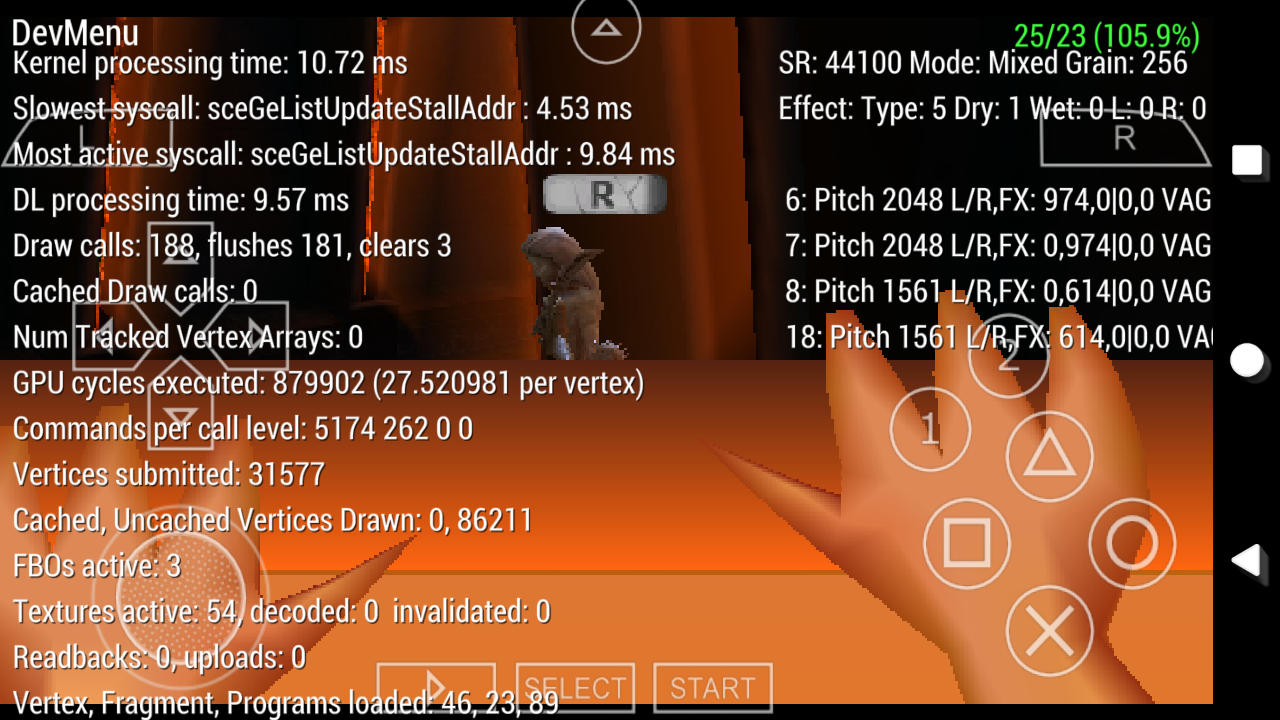
Using ppsspp 1.6.3-445
Mali-450 GPU
Gamemulatorer
on 13 Sep 2018
Hoping this will fixed in ppsspp v2.0 😅
Gamemulatorer
on 16 Dec 2018
Still exists in v1.8.0
 Halo-Michael
on 23 Apr 2019
Halo-Michael
on 23 Apr 2019
Could someone make a GE capture? See https://github.com/hrydgard/ppsspp/wiki/How-to-create-a-frame-dump
Are the rainbow particles fixed?
hrydgard
on 23 Apr 2019
Could someone make a GE capture? See https://github.com/hrydgard/ppsspp/wiki/How-to-create-a-frame-dump
Are the rainbow particles fixed?
Here is the dump, hope it's helps.
Dumped from PPSSPP v1.8.0-112, from iPhone7(A10), iOS12.1.2 jailbroken device.
ULES01384_0001.zip
Halo-Michael
on 23 Apr 2019
Rainbow Particles still present in my Android Phone :(
On Wed, Apr 24, 2019, 3:41 AM Halo-Michael notifications@github.com wrote:
Could someone make a GE capture? See
https://github.com/hrydgard/ppsspp/wiki/How-to-create-a-frame-dumpAre the rainbow particles fixed?
Here is the dump, hope it's helps.
Dumped from PPSSPP v1.8.0-112, from iPhone7(A10), iOS12.1.2 jailbroken
device.
ULES01384_0001.zip
https://github.com/hrydgard/ppsspp/files/3109272/ULES01384_0001.zip—
You are receiving this because you commented.
Reply to this email directly, view it on GitHub
https://github.com/hrydgard/ppsspp/issues/4845#issuecomment-485945692,
or mute the thread
https://github.com/notifications/unsubscribe-auth/AI64R2VEGQHYDXD5NNRCF4DPR5Q5HANCNFSM4AKRCSYQ
.
Gamemulatorer
on 27 Apr 2019
This bug Have solution or MAKE A CHEAT TO REMOVE the glowing artifacts
 PilipinoAko
on 10 Jul 2019
PilipinoAko
on 10 Jul 2019
@PilipinoAko the only way you can play Dante's Inferno if your phone does support Vulkan this graphics bugs only present in OpenGL
Gamemulatorer
on 10 Jul 2019
Im no t u s i n g v u l k a n g p u
Im open gl DIO
On Jul 10, 2019 6:18 PM, "Angielo Burgos" notifications@github.com wrote:
@PilipinoAko https://github.com/PilipinoAko the only way you can play
Dante's Inferno if your phone does support Vulkan this graphics bugs only
present in OpenGL—
You are receiving this because you were mentioned.
Reply to this email directly, view it on GitHub
https://github.com/hrydgard/ppsspp/issues/4845?email_source=notifications&email_token=AMM7BMH2YEXRHRWGQV3J6JTP6WZPTA5CNFSM4AKRCSY2YY3PNVWWK3TUL52HS4DFVREXG43VMVBW63LNMVXHJKTDN5WW2ZLOORPWSZGODZTAOBQ#issuecomment-510002950,
or mute the thread
https://github.com/notifications/unsubscribe-auth/AMM7BMGO3V4RGDEAJH7F22DP6WZPTANCNFSM4AKRCSYQ
.
PilipinoAko
on 10 Jul 2019
@PilipinoAko the only way you can play Dante's Inferno if your phone does support Vulkan this graphics bugs only present in OpenGL
On iOS, only OpenGL can be used
Halo-Michael
on 10 Jul 2019
Hu hu Zuwardo will do cheat to remove the bugg tama yan
On Jul 10, 2019 6:31 PM, "Halo-Michael" notifications@github.com wrote:
@PilipinoAko https://github.com/PilipinoAko the only way you can play
Dante's Inferno if your phone does support Vulkan this graphics bugs only
present in OpenGLOn iOS, only OpenGL can be used
—
You are receiving this because you were mentioned.
Reply to this email directly, view it on GitHub
https://github.com/hrydgard/ppsspp/issues/4845?email_source=notifications&email_token=AMM7BMFY4CBJKWOSRQ6Y4ULP6W3BPA5CNFSM4AKRCSY2YY3PNVWWK3TUL52HS4DFVREXG43VMVBW63LNMVXHJKTDN5WW2ZLOORPWSZGODZTBMQY#issuecomment-510006851,
or mute the thread
https://github.com/notifications/unsubscribe-auth/AMM7BMGC5LVZ3EZZLZREMDDP6W3BPANCNFSM4AKRCSYQ
.
PilipinoAko
on 10 Jul 2019
@PilipinoAko who is Hu hu Zuwardo? He's making a cheat to fix this graphics glitches?
Gamemulatorer
on 11 Jul 2019
No thats is jojo bizzare line
Its need to remove the grapichs glich because ineed to play that without
Glowing grapics like GOW ITS NEED SKIP BUFFERD OR NEED TO FIX OR NEED
CHEATS
On Jul 11, 2019 7:33 AM, "Angielo Burgos" notifications@github.com wrote:
@PilipinoAko https://github.com/PilipinoAko who is Hu hu Zuwardo? He's
making a cheat to fix this graphics glitches?—
You are receiving this because you were mentioned.
Reply to this email directly, view it on GitHub
https://github.com/hrydgard/ppsspp/issues/4845?email_source=notifications&email_token=AMM7BMDRQDU7YYGDT4VH3ZDP6ZWVVA5CNFSM4AKRCSY2YY3PNVWWK3TUL52HS4DFVREXG43VMVBW63LNMVXHJKTDN5WW2ZLOORPWSZGODZVBLYA#issuecomment-510268896,
or mute the thread
https://github.com/notifications/unsubscribe-auth/AMM7BMA4HGT7RC2PH3PMCDDP6ZWVVANCNFSM4AKRCSYQ
.
PilipinoAko
on 11 Jul 2019
Aez TY channel is use full
How date can you relaese the V2 ppsspp
Still waiting for updates
PilipinoAko
on 11 Jul 2019
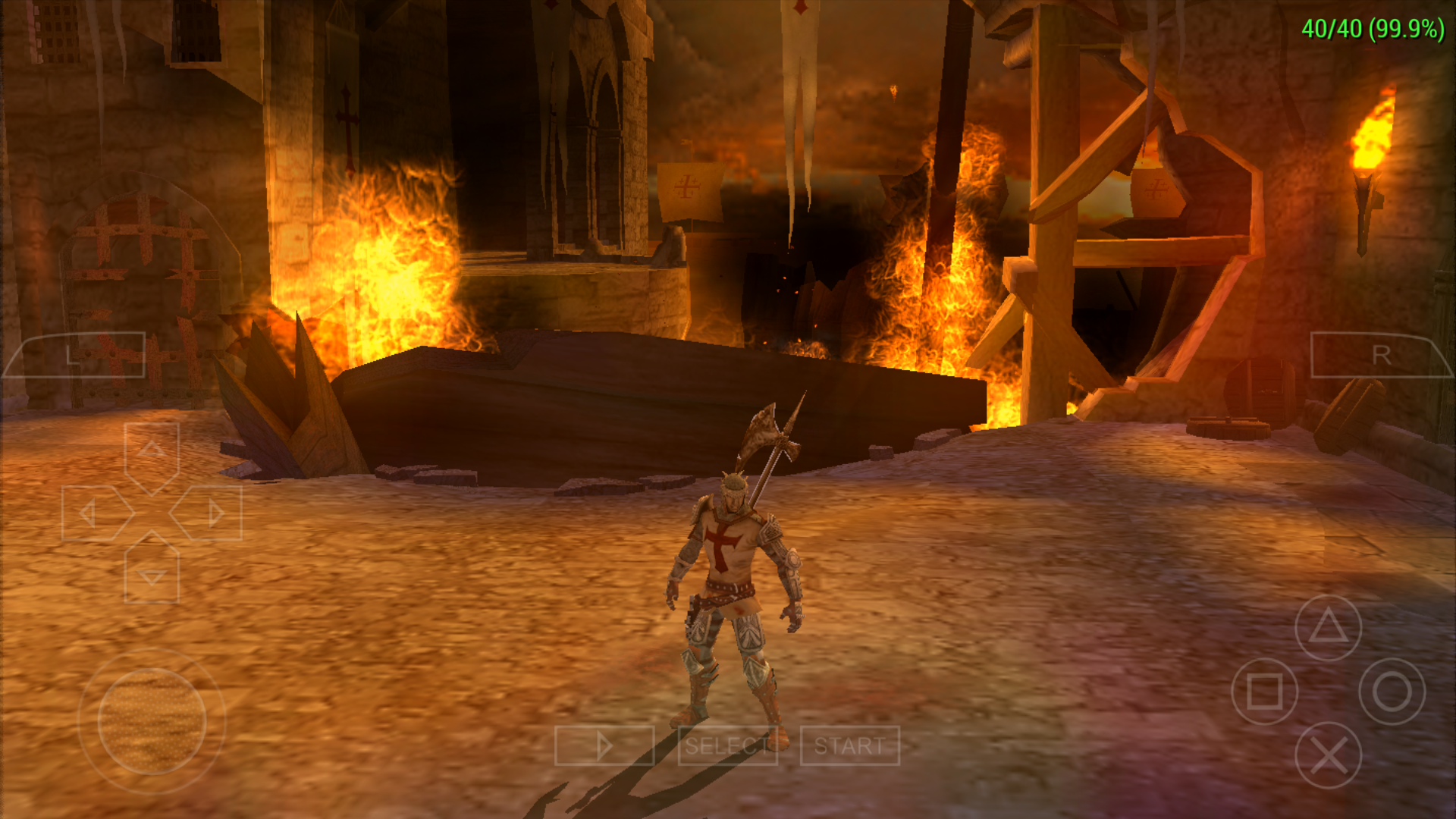
Temporary fix: Use PPSSPP v1.7.1 Build 171 and enable BlockTransferAllowCreateFB can play game full speed without lacking bloom. :) (but since v1.7.1 Build 181 this solution isn't work)
 Saramagrean
on 11 Jul 2019
Saramagrean
on 11 Jul 2019
@Saramagrean Can I know what's your phone hardware specifications??..
Gamemulatorer
on 12 Jul 2019
This commit of sir @Hrydgard 442b570 has a fixed of Dantes Inferno @Saramagrean? 🤔
Can you give me the apk link seems that I can't connect right now in ppsspp buildbot 😔
EDIT: I finally downloaded v1.7.1-171 from buildbot using vpn I will test later Dante's Inferno on this version
Gamemulatorer
on 12 Jul 2019
@Saramagrean Can I know what's your phone hardware specifications??..
Huawei P9 Plus.
Saramagrean
on 12 Jul 2019
This commit of sir @hrydgard 442b570 has a fixed of Dantes Inferno @Saramagrean? 🤔
I don't think so...
Saramagrean
on 12 Jul 2019
Still the same in my phone (arm32/Mali-450/OpenGL)
PPSSPP v1.7.1-171


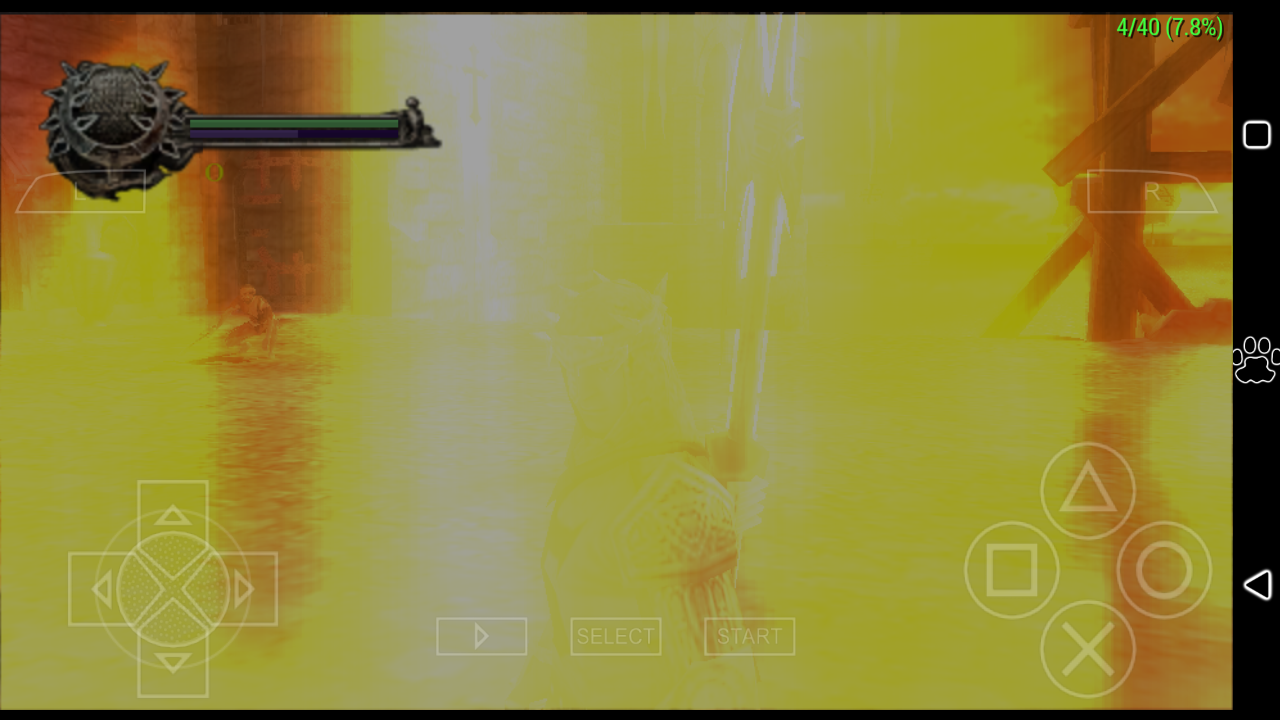
Locking bloom effects is worst in ppsspp last build v1.8.0-407 the game is super lag also 😔
Gamemulatorer
on 12 Jul 2019
@Emulatorer ...with enabled BlockTransferAllowCreatdFB in compat.ini file?
Saramagrean
on 12 Jul 2019
@Saramagrean Yes

Gamemulatorer
on 12 Jul 2019
But it's ok now I just need to enable other speed up in graphics settings also I use force 30fps to make this game playable on my potato phone 😌


I will play this game for a while and see if the locking bloom effects will show or not until I finish this game :)
Gamemulatorer
on 12 Jul 2019
@Saramagrean sad to say issue still persist in some area 🤷😔
Gamemulatorer
on 14 Jul 2019
Still an issue on PC v1.8.0-414-g27608349e
 Levan7
on 14 Jul 2019
Levan7
on 14 Jul 2019
How did you do that wow
PilipinoAko
on 3 Aug 2019
This gloom is the one of the bug can't fix but in soft gpu can play it normal in open gl still not playable i hope can fix it
PilipinoAko
on 3 Aug 2019
PPSSPPv1.9.3-465

Can this issue label as GE Emulation or Opengl?, since this issue is a backend dependant. Some of my friends can play this without locking bloom effects using Vulkan backend in their android phones
Gamemulatorer
on 11 Mar 2020
GOOD NEWS!!!
No locking bloom effects on my tablet w/ mali-t720 gpu ogl 3.1 but still has a graphics issue though 😅


*USING PPSSPPv1.9.3-481
Gamemulatorer
on 12 Mar 2020
update
No locking bloom effects in OGL 3.1+ but characters image is transparent.
No changes in OGL 2.0+ this game always locking bloom effects so no chance for my phone w/ mali-450 gpu to play this game 😶
Gamemulatorer
on 18 Mar 2020
Here is the dump, hope it's helps.
Dumped from PPSSPP v1.8.0-112, from iPhone7(A10), iOS12.1.2 jailbroken device.
ULES01384_0001.zip
Using the dump above.
HW rendering

SW rendering

Gamemulatorer
on 4 Jun 2020
This is the graphical performance of ULES01384_1.00 in v1.9.3-975-g6f07e2b48 (A ppdmp file, and a screen recording file):
https://github.com/Halo-Michael/PPSSPP-ULES01384_0001
Dumped from SE2(A13) iOS13.5 jailbroken with Unc0ver.
The problem is still a layer of translucent flashing shadows occupying the lower half of the screen
Halo-Michael
on 6 Jun 2020
Started looking into this (in the the Vulkan backend, using the GE debugger and RenderDoc)
The game does a fairly traditional bloom where you subtract some brightness from the game image, blurring that, and adding the result on top of the original image. It does this initial step by first drawing a gray rectangle, then using SUBTRACT blending to subtract it from the game image. Unfortunately that gray clear malfunctions somehow and only clears the upper half of the image, leaving garbage from the previous frame behind. This garbage being subtracted from the previous frame's garbage causes the flickering.
Apart from that, the bloom effect seems to work ok now.
The viewport seems screwed up during that clearing draw:


While normal during the next draw:


I wonder if the viewport itself should actually clip at all. As we know, the PSP clipping solution is a bit ... different.
We might need to change our viewport translation logic to extend the viewport to at least cover the scissor region to fix this. It should be possible to just use the viewport clipping logic but use it to extend instead of shrink.
hrydgard
on 4 Aug 2020
The remaining bloom flicker is now fixed.
hrydgard
on 5 Aug 2020
Good Job @hrydgard

but this game needs to be set to buffered rendering
 Panderner
on 7 Aug 2020
Panderner
on 7 Aug 2020
Yup, no way getting around that, I think.
hrydgard
on 7 Aug 2020
Related issues
 moura464
·
3Comments
moura464
·
3Comments
 fahadfoyjur
·
5Comments
fahadfoyjur
·
5Comments
 nassau-tk
·
5Comments
nassau-tk
·
5Comments
 zminhquanz
·
6Comments
zminhquanz
·
6Comments
 joelolopez
·
3Comments
joelolopez
·
3Comments
Most helpful comment
The remaining bloom flicker is now fixed.