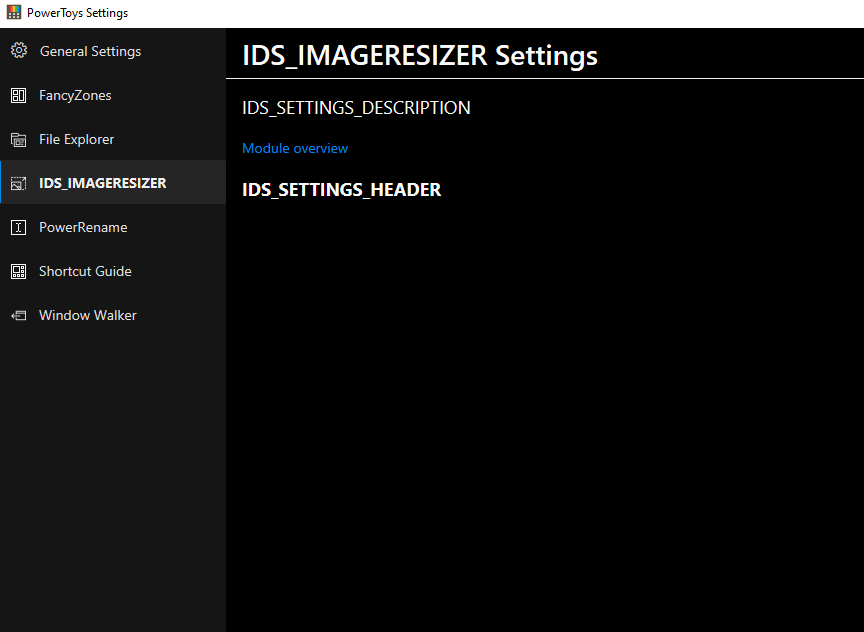
Powertoys: IDS_IMAGERESIZER namings looks broken
Environment
Windows build number: Microsoft Windows [Version 10.0.18363.752]
PowerToys version: 0.16.0
PowerToy module for which you are reporting the bug (if applicable): Application Layer
Screenshots
 ugurozturk
All 18 comments
Hi @ugurozturk
can you try uninstalling and reinstalling PT?
If the problem persists, uninstall PT again, re-download the .msi and reinstall it.
Thanks.
 enricogior
on 31 Mar 2020
enricogior
on 31 Mar 2020
Reinstall. The problem has not disappeared
 hd321kbps
on 31 Mar 2020
hd321kbps
on 31 Mar 2020

hd321kbps
on 1 Apr 2020
@ugurozturk @hd321kbps
in what language is your Windows?
enricogior
on 1 Apr 2020
I can confirm the bug. Just installed the 0.16 release.
OS language is german. Reinstall did not solve it ether. Settings are also not showing for image resizer. Just like in the first picture of @ugurozturk
 hegerdes
on 1 Apr 2020
hegerdes
on 1 Apr 2020
@ugurozturk @hd321kbps
in what language is your Windows?
Russian
hd321kbps
on 1 Apr 2020
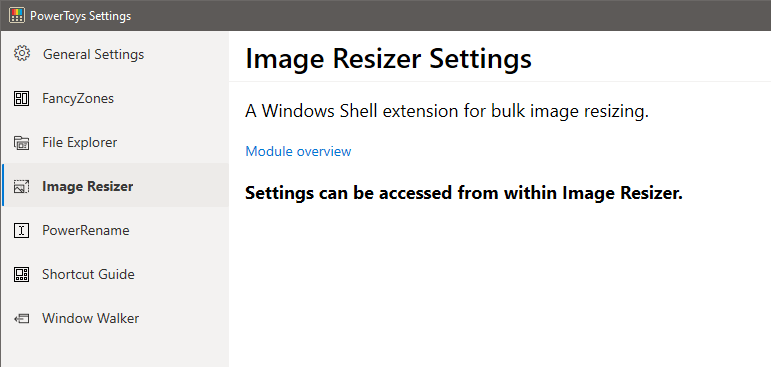
Btw, currently the ImageResizer settings are empty:
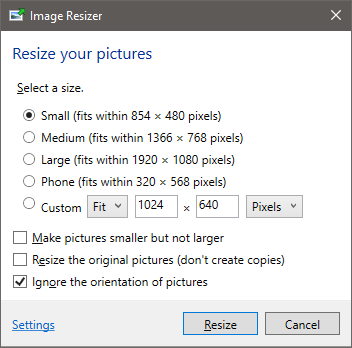
If you open the ImageResizer in Windows Explorer does it have the text in your language?
enricogior
on 1 Apr 2020
This looks like a localisation issue, since ImageResizer is the only powertoy we have which has localised strings. It looks like the new strings we added which haven't been translated yet are not falling back to English.
 arjunbalgovind
on 1 Apr 2020
arjunbalgovind
on 1 Apr 2020
@arjunbalgovind
german and russian are present, maybe the folder name is not matching the searched path.
enricogior
on 1 Apr 2020
@enricogior those resource folders are for the .NET UI side. I think everything on the UI should show the corresponding german and russian strings. In case of the c++ side everything from the rc file should be present in the dll file itself. I think even the "Resize pictures" option in the right-click menu should appear in german/russian. The only three strings which don't exist in the other languages are in the C++ side for the PowerToys settings interface which we had added. The name in the settings menu, settings description and the notice for saying that settings are present within Image Resizer. These are defined only in English but it looks like if the string doesn't exist in another language it does not fall back to english.
arjunbalgovind
on 1 Apr 2020
@arjunbalgovind
sounds like you are on the right path, can I assign the bug to you?
enricogior
on 1 Apr 2020
Yes, I'll look into it
arjunbalgovind
on 1 Apr 2020
Thanks.
enricogior
on 1 Apr 2020
we should do this fix for 0.16.1 if possible. @ugurozturk thanks for reporting this!
 crutkas
on 1 Apr 2020
crutkas
on 1 Apr 2020
hell yeah @arjunbalgovind with the PR!
crutkas
on 1 Apr 2020
@ugurozturk @hd321kbps
in what language is your Windows?
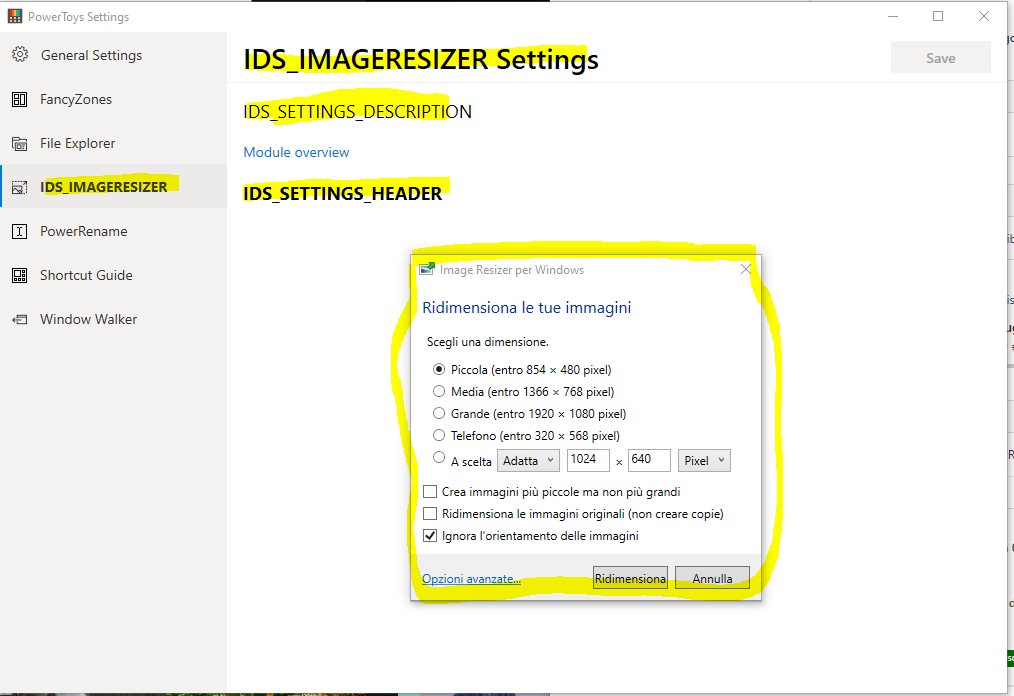
Same for italian version.
No problem when i resize the image .. the text is shown correctly in italian
 Grisu70
on 5 Apr 2020
Grisu70
on 5 Apr 2020
The app itself should work, the settings screen however is broke. This will be fixed in 0.16.1
crutkas
on 5 Apr 2020
its fixed now, thanks everyone
ugurozturk
on 6 Apr 2020
Related issues
 patware
·
3Comments
patware
·
3Comments
 xfirf
·
3Comments
xfirf
·
3Comments
 Kazamario
·
3Comments
Kazamario
·
3Comments
 aminya
·
3Comments
aminya
·
3Comments
 ivadham
·
3Comments
ivadham
·
3Comments
Most helpful comment
hell yeah @arjunbalgovind with the PR!