Powershell: When PowerShell runs elevated on Windows, starting *.msc files locks the console
When PowerShell v7.1.0-preview.7 or v7.1.0-rc.1 is started as Administrator on Windows, and I start some mmc snap-in: compmgmt, diskmgmt, etc., it locks the console until I close the snapin.
It doesn't lock on v7.1.0-preview.6 and earlier versions.
It doesn't lock when PowerShell started as standard user (no elevation).
Also, it doesn't lock, when I start the snapin as mmc compmgmt.msc
I haven't found (yet?) other file types, that behave like this, maybe there are some.
Steps to reproduce
compmgmt
Expected behavior
Computer management snapin starts, console doesn't lock.
Actual behavior
Computer management snapin starts, console locks until snapin closes.
Environment data
Name                           Value
----                           -----
PSVersion                      7.1.0-rc.1
PSEdition                      Core
GitCommitId                    7.1.0-rc.1
OS                             Microsoft Windows 10.0.19042
Platform                       Win32NT
PSCompatibleVersions           {1.0, 2.0, 3.0, 4.0…}
PSRemotingProtocolVersion      2.3
SerializationVersion           1.1.0.1
WSManStackVersion              3.0
 sethvs
All 9 comments
This only appears to repro in Windows Terminal and not conhost. cc @dhowett
 SteveL-MSFT
on 5 Oct 2020
SteveL-MSFT
on 5 Oct 2020
It doesn't lock on
v7.1.0-preview.6and earlier versions.
That's alarming!
 DHowett
on 5 Oct 2020
DHowett
on 5 Oct 2020
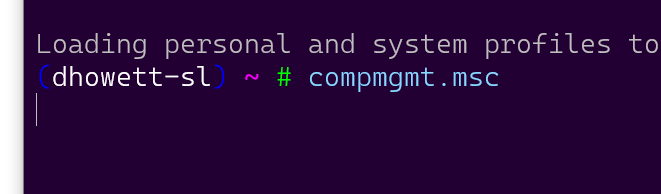
This reproduces in conhost and terminal for me.

DHowett
on 5 Oct 2020
I'm probably not familiar enough to trace exactly where or why this changed, but I have a feeling it's probably a .NET change between the preview versions used for 7.1-p6 and later 7.1 previews/RC.
 vexx32
on 5 Oct 2020
vexx32
on 5 Oct 2020
The change in https://github.com/PowerShell/PowerShell/pull/13481 landed in preview7, and it changes a bit about how PowerShell detects what applications to "wait" for. It looks like it subtly shuffles the logic around in a way that may have caused an issue?
DHowett
on 5 Oct 2020
/cc @iSazonov
DHowett
on 5 Oct 2020
@dhowett, oops I forgot to run cmd.exe elevated which is why it didn't repro for me...
Ok, I think I figured out the problem. Thanks @dhowett for pointing to that PR. Working on a fix.
SteveL-MSFT
on 6 Oct 2020
:tada:This issue was addressed in #13750, which has now been successfully released as v7.1.0-rc.2.:tada:
Handy links:
![msftbot[bot] picture](https://avatars2.githubusercontent.com/in/26612?v=4&s=40) msftbot[bot]
on 21 Oct 2020
msftbot[bot]
on 21 Oct 2020
:tada:This issue was addressed in #13750, which has now been successfully released as v7.2.0-preview.1.:tada:
Handy links:
msftbot[bot]
on 18 Nov 2020
Related issues
 pcgeek86
·
3Comments
pcgeek86
·
3Comments
 Michal-Ziemba
·
3Comments
Michal-Ziemba
·
3Comments
 andschwa
·
3Comments
andschwa
·
3Comments
 aragula12
·
3Comments
aragula12
·
3Comments
 garegin16
·
3Comments
garegin16
·
3Comments