Powershell: pwsh v7.03: Uninstall-Module error: Index (zero based) must be greater than or equal to zero and less than the size of the argument list.
Steps to reproduce
any module uninstall (modules installed by default in user mode, user documents file path on a onedrive synced folder):
Uninstall-Module -Name "AWSPowerShell.NetCore" -Force -AllVersions
Uninstall-Module -Name "AIPService" -Force -AllVersions
Uninstall-Module -Name "Microsoft.Online.SharePoint.PowerShell" -Force -AllVersions
Expected behavior
Successfull uninstall
Actual behavior
ERROR:
PS > Uninstall-Module -Name "AWSPowerShell.NetCore" -Force -AllVersions
Uninstall-Package: C:\Users...\Documents\PowerShell\Modules\PowerShellGet\2.2.4.1\PSModule.psm1:12731
Line |
12731 | … $null = PackageManagement\Uninstall-Package @PSBoundParameters
| ~~~~~~~~~~~~~~
| Index (zero based) must be greater than or equal to zero and less than the size of the argument list.
PS > Uninstall-Module -Name "AIPService" -Force -AllVersions
Uninstall-Package: C:\Users...\Documents\PowerShell\Modules\PowerShellGet\2.2.4.1\PSModule.psm1:12731
Line |
12731 | … $null = PackageManagement\Uninstall-Package @PSBoundParameters
| ~~~~~~~~~~~~~~
| Index (zero based) must be greater than or equal to zero and less than the size of the argument list.
PS > Uninstall-Module -Name "Microsoft.Online.SharePoint.PowerShell" -Force -AllVersions
Uninstall-Package: C:\Users...\Documents\PowerShell\Modules\PowerShellGet\2.2.4.1\PSModule.psm1:12731
Line |
12731 | … $null = PackageManagement\Uninstall-Package @PSBoundParameters
| ~~~~~~~~~~~~~~
| Index (zero based) must be greater than or equal to zero and less than the size of the argument list.
Environment data
Name Value
---- -----
PSVersion 7.0.3
PSEdition Core
GitCommitId 7.0.3
OS Microsoft Windows 10.0.19041
Platform Win32NT
PSCompatibleVersions {1.0, 2.0, 3.0, 4.0…}
PSRemotingProtocolVersion 2.3
SerializationVersion 1.1.0.1
WSManStackVersion 3.0
 tiberius-code
All 3 comments
Sorry to say but this is not a PowerShell issue!
Any issues concerning installed modules from the PowerShell Gallery, need to address to the proper repository: https://github.com/PowerShell/PowerShellGetv2
I've looked around and seems you're experiencing different issues with these modules. This is why it is better to treat them separately.
There are two Windows PowerShell specific modules, which you're trying to remove from PowerShell 7:
- AIPService
- Microsoft.Online.SharePoint.PowerShell

So. the question is: Have you try removing them from Windows PowerShell?
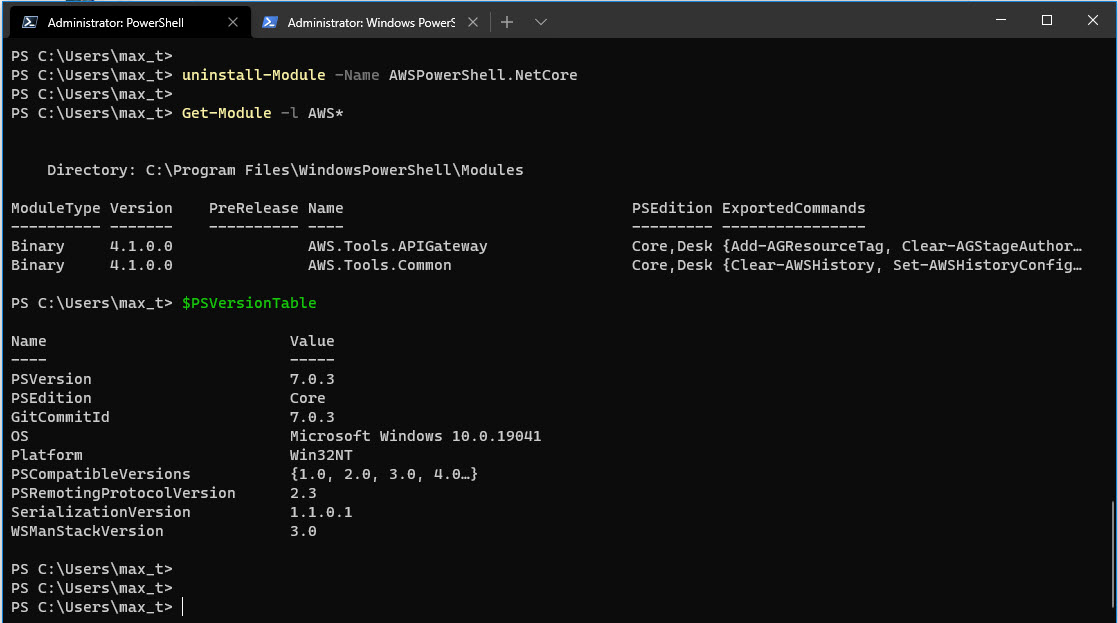
Now, for the "AWSPowerShell.NetCore" module. I was able to uninstalled the package using Uninstall-Module in PowerShell 7.0.3.
GitHub
PowerShellGet is the Package Manager for PowerShell - PowerShell/PowerShellGetv2

 MaximoTrinidad
on 20 Aug 2020
MaximoTrinidad
on 20 Aug 2020
@MaximoTrinidad
Thanks for your reply.
- The exact same process occurs successfully using Windows PowerShell (5.1)
- This behavior occurs with any previous pwsh installed module, these 3 were just an example.
- in pwsh v7.0x (before 7.03) I didn't had this behavior.
- Windows Powershell and PWSH uses different module file path (with Windows Powershell I have the same modules installed on c:\Program Files\WindowsPowerShell\Modules aka LocalMachine mode)

- All the modules were installed using PWSH 7x

Basically, my current workaround is to delete the module folder through Explorer when PWSH process is closed.
Thanks, any way I am going to put this in the proper repository: https://github.com/PowerShell/PowerShellGetv2.
PowerShellGet is the Package Manager for PowerShell - PowerShell/PowerShellGetv2
tiberius-code
on 20 Aug 2020
This issue has been marked as external and has not had any activity for 1 day. It has been be closed for housekeeping purposes.
![msftbot[bot] picture](https://avatars2.githubusercontent.com/in/26612?v=4&s=40) msftbot[bot]
on 23 Aug 2020
msftbot[bot]
on 23 Aug 2020
Related issues
 ajensenwaud
·
3Comments
ajensenwaud
·
3Comments
 manofspirit
·
3Comments
MaximoTrinidad
·
3Comments
manofspirit
·
3Comments
MaximoTrinidad
·
3Comments
 JohnLBevan
·
3Comments
JohnLBevan
·
3Comments
 alx9r
·
3Comments
alx9r
·
3Comments
Most helpful comment
@MaximoTrinidad
Thanks for your reply.
Basically, my current workaround is to delete the module folder through Explorer when PWSH process is closed.
Thanks, any way I am going to put this in the proper repository: https://github.com/PowerShell/PowerShellGetv2.