Powershell: In ARM computer, with PS x86 installed, cannot find ssh.exe even though it's installed and found in $Env:PATH
This issue is very similar to https://github.com/PowerShell/PowerShell/issues/11774, which was closed back in February. It was reported for PS x86 installed in an x64 OS.
Steps to reproduce
- I have an ARM64 laptop.
- I first tried installing the experimental Arm64 PowerShell version but I found some problems, so I installed the x86 version (7 preview 4).
- I tried running "ssh", which is located in
C:\Windows\System32\OpenSSH\ssh.exe, but I get the same error as in the other issue: - I tried using
Get-Item, which didn't work when looking inside System32, but it worked by looking insideSysNative. - The $Env:PATH variable contains the location of OpenSSH.
- Uninstalling and reinstalling OpenSSH with
Add-WindowsCapabilitydoes nothing to fix the problem.
I am unsure why the other issue was closed, since it was not fixed. This is a bad problem and it probably affects any other executable living inside System32 when the OS architecture is different to the PS architecture.
PS C:\Windows\System32> ssh

ssh : The term 'ssh' is not recognized as the name of a cmdlet, function, script file, or operable program.
Check the spelling of the name, or if a path was included, verify that the path is correct and try again.
At line:1 char:1
+ ssh
+ ~~~
+ CategoryInfo          : ObjectNotFound: (ssh:String) [], CommandNotFoundException
+ FullyQualifiedErrorId : CommandNotFoundException

PS C:\Windows\System32> Get-Item -Force C:\Windows\System32\OpenSSH\ssh.exe

Get-Item : Cannot find path 'C:\Windows\System32\OpenSSH\ssh.exe' because it does not exist.
At line:1 char:1
+ Get-Item -Force C:\Windows\System32\OpenSSH\ssh.exe
+ ~~~~~~~~~~~~~~~~~~~~~~~~~~~~~~~~~~~~~~~~~~~~~~~~~~~
+ CategoryInfo          : ObjectNotFound: (C:\Windows\System32\OpenSSH\ssh.exe:String) [Get-Item], ItemNotFoundException
+ FullyQualifiedErrorId : PathNotFound,Microsoft.PowerShell.Commands.GetItemCommand

PS C:\Windows\System32> Get-Item -Force C:\Windows\SysNative\OpenSSH\ssh.exe

    Directory: C:\Windows\SysNative\OpenSSH

Mode                 LastWriteTime         Length Name
----                 -------------         ------ ----
-a---          2019-03-19  1:49 AM         937984 ssh.exe
Expected behavior
ssh should work if its path is in $Env:Path and the executable exists.
Actual behavior
ssh is not found.
Environment data
Name                           Value
----                           -----
PSVersion                      7.0.0-preview.4
PSEdition                      Core
GitCommitId                    7.0.0-preview.4
OS                             Microsoft Windows 10.0.18363
Platform                       Win32NT
PSCompatibleVersions           {1.0, 2.0, 3.0, 4.0…}
PSRemotingProtocolVersion      2.3
SerializationVersion           1.1.0.1
WSManStackVersion              3.0
 carlossanlop
All 11 comments
x86 powershell will be impacted by windows system directory redirection when run on ARM. Unfortunately, the PATH environment variable cannot be made aware of this. You can work around the issue by explicitly adding c:\windows\sysnative\openssh to PATH.
The new entry will only work for x86 applications, and the old entry will only work for native ARM64 applications.
 DHowett
on 2 Jul 2020
DHowett
on 2 Jul 2020
Isn't this a similar problem to what Windows had to deal with back when x64 became a thing and there were two folders "Program Files" and "Program Files (x86)"? At first there was a lot of trouble getting those two folders to work without user's interaction. Now we don't even think about it.
The user should not have to deal with this either.
carlossanlop
on 2 Jul 2020
If the user chooses to install and run cross-architecture binaries, they may be expected to suffer some cross-architecture woes :smile:
DHowett
on 2 Jul 2020
If the user chooses to install and run cross-architecture binaries, they may be expected to suffer some cross-architecture woes
I don't think this is an acceptable answer.
You don't get such woes if you install an x86 version of PS in an x64 Windows.
PowerShell for Arm is currently advertised as experimental, so the only option left for the user is to install the x86 version, the expected fallback. This works well with any other apps. PowerShell has been, so far, the only app not able to get it right.
carlossanlop
on 5 Jul 2020
You don't get such woes if you install an x86 version of PS in an x64 Windows.
You absolutely do, and you encounter the same issues if you run x86 CMD or x86 Yori or any other shell that respects PATH on x64 Windows. This is a problem that is unique to neither ARM _nor_ PowerShell.
DHowett
on 5 Jul 2020
The path problem does not happen between x86 and x64, so it should be fixed for arm too, since the manual workaround works.
So this issue is labeled as question. Should it be marked as something else so it gets a fix?
carlossanlop
on 6 Jul 2020
If a fix is needed there, it would need to be made in .NET itself, wouldn't it? 🤔
 vexx32
on 6 Jul 2020
vexx32
on 6 Jul 2020

It definitely does happen between x64 and x86.
DHowett
on 6 Jul 2020
This issue has been marked as answered and has not had any activity for 1 day. It has been closed for housekeeping purposes.
![msftbot[bot] picture](https://avatars2.githubusercontent.com/in/26612?v=4&s=40) msftbot[bot]
on 9 Jul 2020
msftbot[bot]
on 9 Jul 2020
@DHowett you ran PowerShell 1.0. I am reporting this issue for PowerShell Core specifically.
Why does the user have to edit their path? PowerShell should do it.
The issue got automatically closed after just one day of no response (I was OOF). The threshold should be a bit larger than that.
Can someone please reopen this issue? I don't think there is a satisfactory resolution.
carlossanlop
on 9 Jul 2020
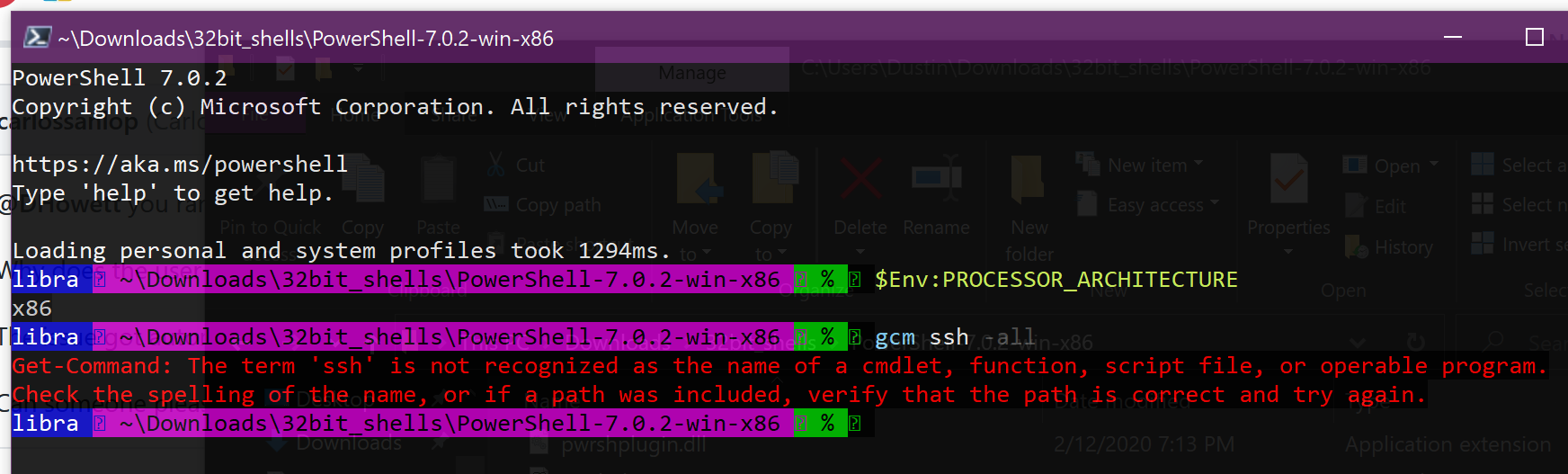
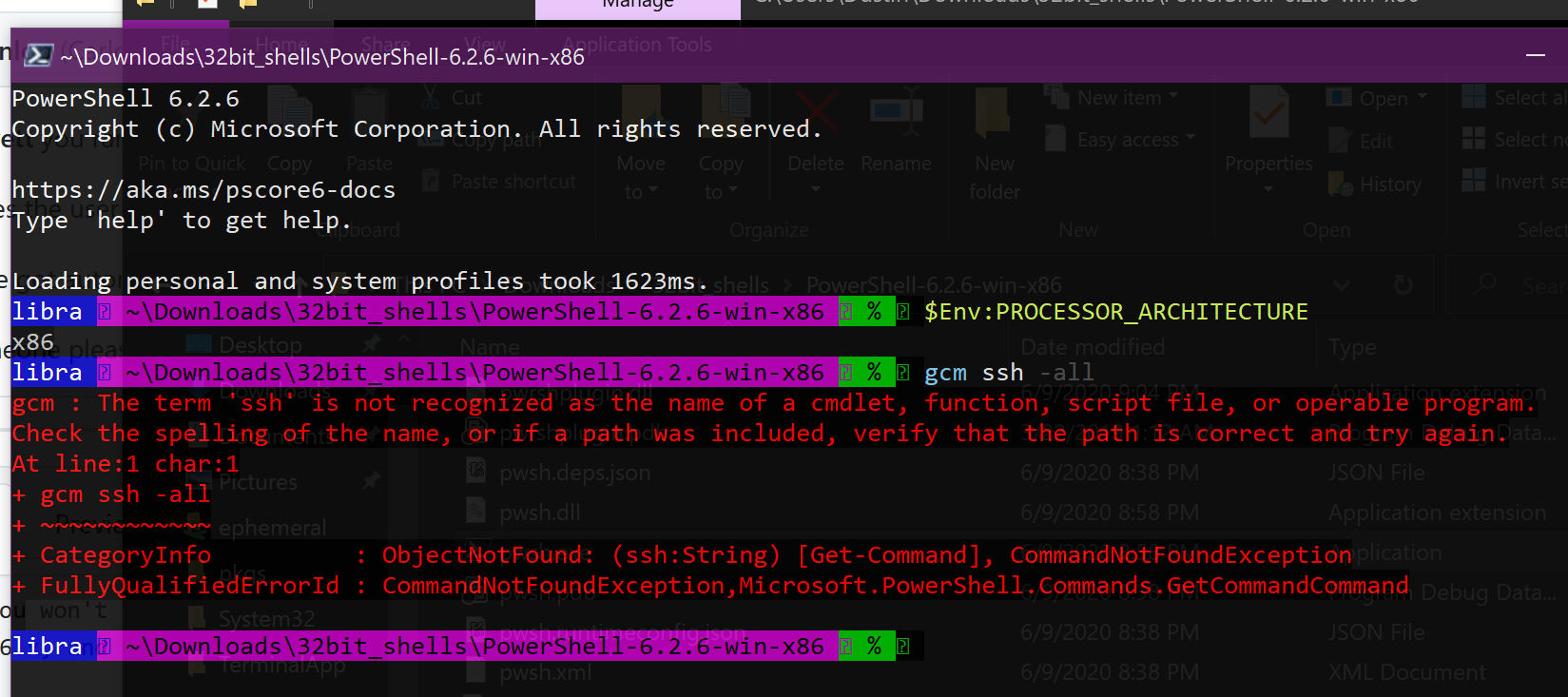
Since you won't accept representative samples, here's the most recent preview, most recent stable, most recent stable 6.x, and earliest public preview of powershell core, plus another 32-bit shell, plus CMD for windows.
powershell 7.1.0 preview 4 32-bit

7.0.2 32-bit
6.2.6 32-bit
6.0.0 alpha 13 32-bit

Git 32-bit bash
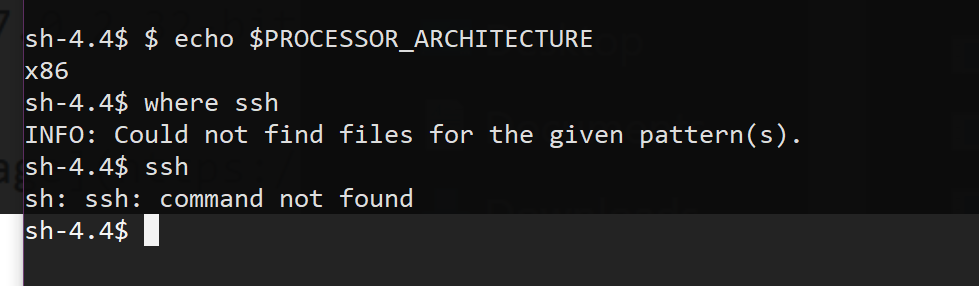
CMD (32-bit)

I assure you, powershell has never done the path translation you're asserting that it has. I'm not saying it shouldn't, I'm just saying that it never has.
Edit: I re-read my own message as combative, and I'm sorry about that. I do think that there's something we can do to improve powershell here, but it's going to take a little bit of spec and design work. I can't speak for the team, but I expect that there are challenges in automatically expanding each system path entry _when redirection is enabled_ without breaking the "run processes of the same bitness by default" behavior.
DHowett
on 9 Jul 2020
Related issues
 manofspirit
·
3Comments
manofspirit
·
3Comments
 JohnLBevan
·
3Comments
JohnLBevan
·
3Comments
 andschwa
·
3Comments
andschwa
·
3Comments
 garegin16
·
3Comments
garegin16
·
3Comments
 mklement0
·
3Comments
mklement0
·
3Comments
Most helpful comment
x86 powershell will be impacted by windows system directory redirection when run on ARM. Unfortunately, the PATH environment variable cannot be made aware of this. You can work around the issue by explicitly adding
c:\windows\sysnative\opensshto PATH.The new entry will only work for x86 applications, and the old entry will only work for native ARM64 applications.