Powershell: SSL connection does not work on Debian 10
It seems PowerShell on Debian 10 tries to use the old SSL_library_init symbol, which is not present in OpenSSL 1.1.1 (which is the OpenSSL version Debian 10 has).
Steps to reproduce
New-PSSession -ConfigurationName Microsoft.Exchange -ConnectionUri https://example.org/PowerShell/ -Authentication Basic -Credential $cred
Expected behavior
Establish session.
Actual behavior
/usr/bin/pwsh: symbol lookup error: /opt/microsoft/powershell/7/libmi.so: undefined symbol: SSL_library_init
Environment data
Name                           Value
----                           -----
PSVersion                      7.0.0
PSEdition                      Core
GitCommitId                    7.0.0
OS                             Linux 4.19.0-8-amd64 #1 SMP Debian 4.19.98-1 (2020-01-26)
Platform                       Unix
PSCompatibleVersions           {1.0, 2.0, 3.0, 4.0…}
PSRemotingProtocolVersion      2.3
SerializationVersion           1.1.0.1
WSManStackVersion              3.0
 tgyenes
All 16 comments
See the workaround https://github.com/PowerShell/PowerShell/issues/11740#issuecomment-586163629
 iSazonov
on 25 Mar 2020
iSazonov
on 25 Mar 2020
See the workaround #11740 (comment)
It doesn't work on Debian 10, same error.
tgyenes
on 25 Mar 2020
The idea is to use CLR_OPENSSL_VERSION_OVERRIDE with appropriate value.
See https://github.com/dotnet/runtime/issues/30667#issuecomment-524356402
https://github.com/dotnet/runtime/issues/27792
https://github.com/dotnet/runtime/issues/29855#issuecomment-501040651
iSazonov
on 25 Mar 2020
Using CLR_OPENSSL_VERSION_OVERRIDE does not work in Debian 10. I've tried setting it to 1.1.1 (the version installed is 1.1.1d) and the same error still occurs. Could you re-open this issue as a bug so that it is not forgotten please? Powershell on Debian is pretty much useless for me at the moment.
 cybern0id
on 29 May 2020
cybern0id
on 29 May 2020
Also, the workaround in https://github.com/dotnet/runtime/issues/30667#issuecomment-524356402 is not effective either. Why is Powershell for Linux compiled against such an old version of OpenSSL anyway?
cybern0id
on 29 May 2020
@cybern0id PowerShell uses WSMan and MMI for Windows-like remoting - the both is not supported now. Recommendation is to use SSH on Unix-s.
See #7598 for workaround.
iSazonov
on 29 May 2020
With openssl 1.1.1g, powershell 7.0.0 installation does not work:
- nothing provides libcrypto.so.1.0.0()(64bit) needed by powershell-7.0.0-1.ph3.x86_64
Found 1 problem(s) while resolving
Error(1301) : Solv general runtime error
Could you please comment when can we expect powershell to support openssl 1.1.1 and suggest the changes to resolve this.
 satya-rajesh
on 21 Sep 2020
satya-rajesh
on 21 Sep 2020
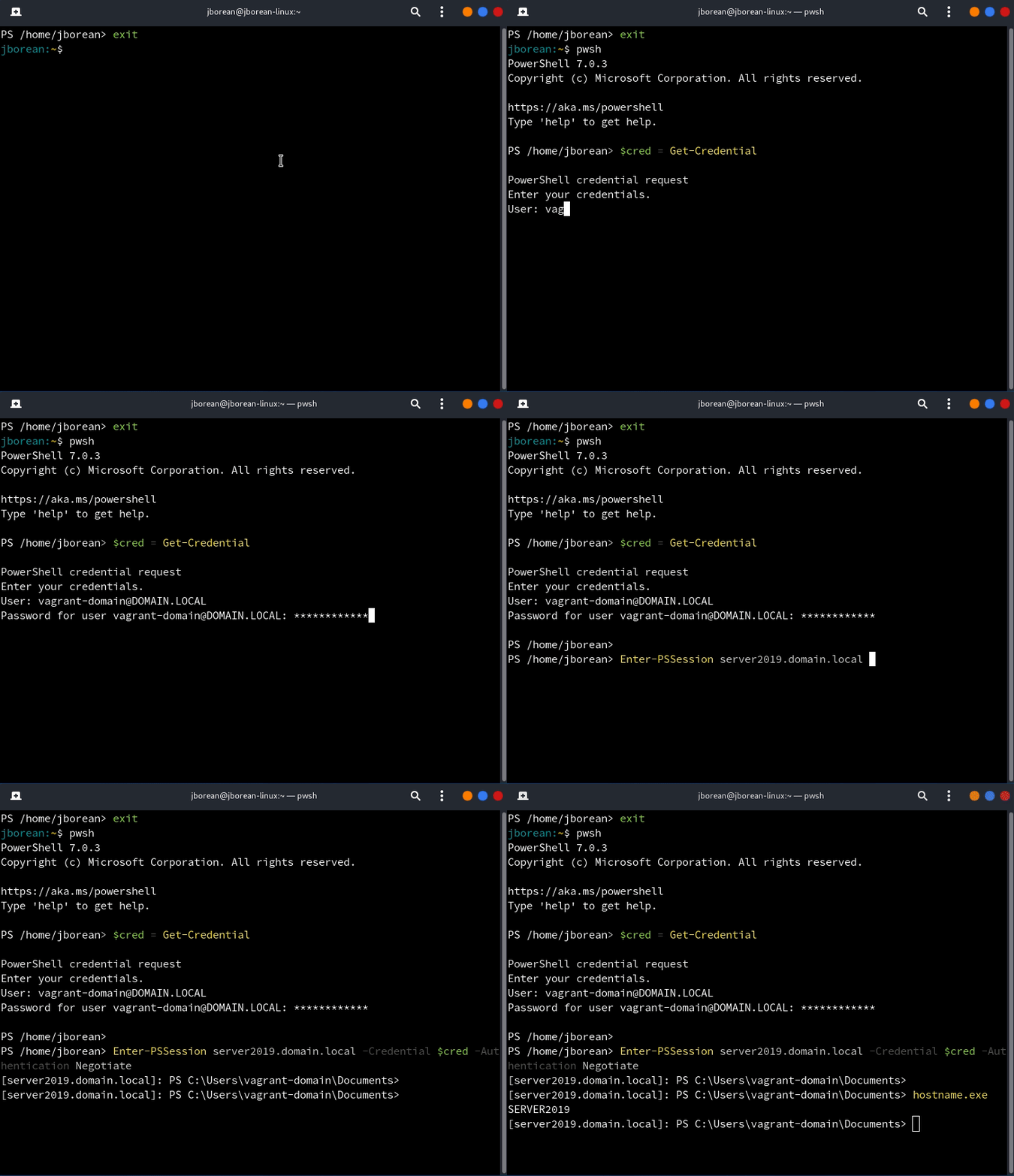
See @jborean93's post https://www.bloggingforlogging.com/2020/08/21/wacky-wsman-on-linux/.
iSazonov
on 23 Sep 2020
That's the About Me page, you are probably looking for https://www.bloggingforlogging.com/2020/08/21/wacky-wsman-on-linux/.
TLDR: In short the packaged version won't change, there is work in the background to try and split out the work into separate modules where this fork could be used but that's not going to be done anytime soon.
Blogging for Logging
A few years ago I jumped from doing all my dev work on Windows to Linux. This migration has had a few challenges but one of the things I struggled with initially was the lack of native tooling that…
 jborean93
on 23 Sep 2020
jborean93
on 23 Sep 2020
Also ran into this on Debian 10; workaround for me was to download Openssl 1.0.2u, compile and install it to a non-system directory so it wouldn't overwrite 1.1.1, and then adjusted the symlinks in /opt/microsoft/powershell/7 for libssl and libcrypto to point to the 1.0.2 versions.
mkdir -p ~/.openssl/1.0.2u
cd /dev/shm
wget https://github.com/openssl/openssl/archive/OpenSSL_1_0_2u.tar.gz
tar -xf OpenSSL_1_0_2u.tar.gz
cd openssl-OpenSSL_1_0_2u
./config --prefix ~/.openssl/1.0.2u shared
make test
make install
cd /opt/microsoft/powershell/7
ln -sf ~/.openssl/1.0.2u/lib/libssl.so.1.0.0
ln -sf ~/.openssl/1.0.2u/lib/libcrypto.so.1.0.0
 mattzuba
on 2 Nov 2020
mattzuba
on 2 Nov 2020
Just because I've made some further changes to my fork, if you wish to use that you gain some of the following features
- Linking to the native OpenSSL version, updated with your package manager for any future security fixes
- Support for HTTPS certificate validation
- Better support for Kerberos and NTLM authentication
- Simpler/less verbose default params, aligning the commands with how it works on Windows
If you wish to try it out you can do the following (must be run with sudo as it replaces files in the PowerShell dir)
Install-Module -Name PSWSMan -Scope AllUsers
Install-WSMan
Just because I've made some further changes to my fork, if you wish to use that you gain some of the following features
- Linking to the native OpenSSL version, updated with your package manager for any future security fixes
- Support for HTTPS certificate validation
- Better support for Kerberos and NTLM authentication
- Simpler/less verbose default params, aligning the commands with how it works on Windows
If you wish to try it out you can do the following (must be run with
sudoas it replaces files in the PowerShell dir)Install-Module -Name PSWSMan -Scope AllUsers Install-WSMan
Install-WSMan: Failed to find distribution for current host
 adautofesc
on 16 Nov 2020
adautofesc
on 16 Nov 2020
What distribution are you running?
jborean93
on 16 Nov 2020
Hi!
I'm using Deepin 20 (Debian 10 based).
adautofesc
on 16 Nov 2020
Right now Install-WSMan only supports the following distributions https://github.com/jborean93/omi/tree/main/distribution_meta. In your case you can do Install-WSMan -Distribution debian10 if your distro is based on that version.
GitHub
Open Management Infrastructure. Contribute to jborean93/omi development by creating an account on GitHub.
 jborean93
on 16 Nov 2020
jborean93
on 16 Nov 2020
it works! thanks a lot!
adautofesc
on 16 Nov 2020
Related issues
 ajensenwaud
·
3Comments
ajensenwaud
·
3Comments
 mklement0
·
3Comments
mklement0
·
3Comments
 MaximoTrinidad
·
3Comments
MaximoTrinidad
·
3Comments
 rkeithhill
·
3Comments
rkeithhill
·
3Comments
 Michal-Ziemba
·
3Comments
Michal-Ziemba
·
3Comments