Powershell: Bad IL Format for cmdlet created with PowerShellStandard.Library
I'm trying to create a portable library that i can use with PowerShell 5, 6 (Core) and Linux. I'm following the Building a C# Cmdlet for PowerShell Standard 3.0 with Visual Studio example but i'm only able to successfully import the module on PowerShell 5.
Steps to reproduce:
- Create a new "Class Library (.NET Standard)" project in Visual Studio
- Add the PowerShellStandard.Library Nuget package
- Replace the class in Class1.cs with the following code
````
using System.Management.Automation;
[Cmdlet(VerbsCommunications.Write, "Greeting")]
public class WriteGreeting : PSCmdlet
{
    protected override void EndProcessing()
    {
        this.WriteObject("Greetings!");
    }
}
````
- Build the project
Expected Results
- Can import the module in PowerShell 5 and run the Write-Greeting cmdlet
- Can import the module in PowerShell 6 and run the Write-Greeting cmdlet
Outcome
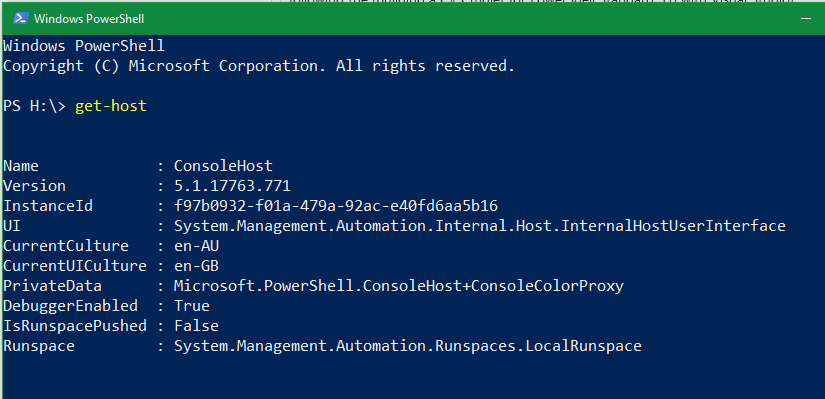
- PowerShell 5 successfully imports the module and i can run the Write-Greeting cmdlet
- PowerShell 6 displays "Bad IL Format" when i import the module
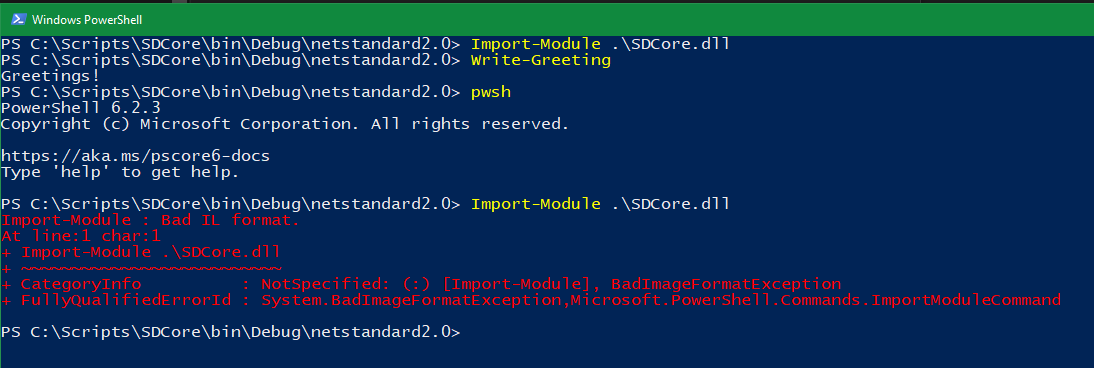
Visual Studio and .NET Framework Version
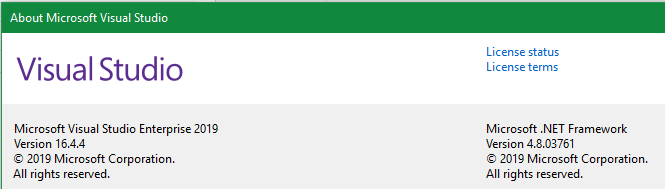
PowerShell 6 and .NET Core Version

PowerShell 5
 Bluecakes
All 12 comments
PowerShell
This is the first of a series of blog posts that will help you take advantage of a new NuGet package PowerShellStandard Library 5.1.0. This package allows developers to create modules that are portable between Windows PowerShell 5.1 and PowerShell Core 6.0.

 iSazonov
on 7 Feb 2020
iSazonov
on 7 Feb 2020
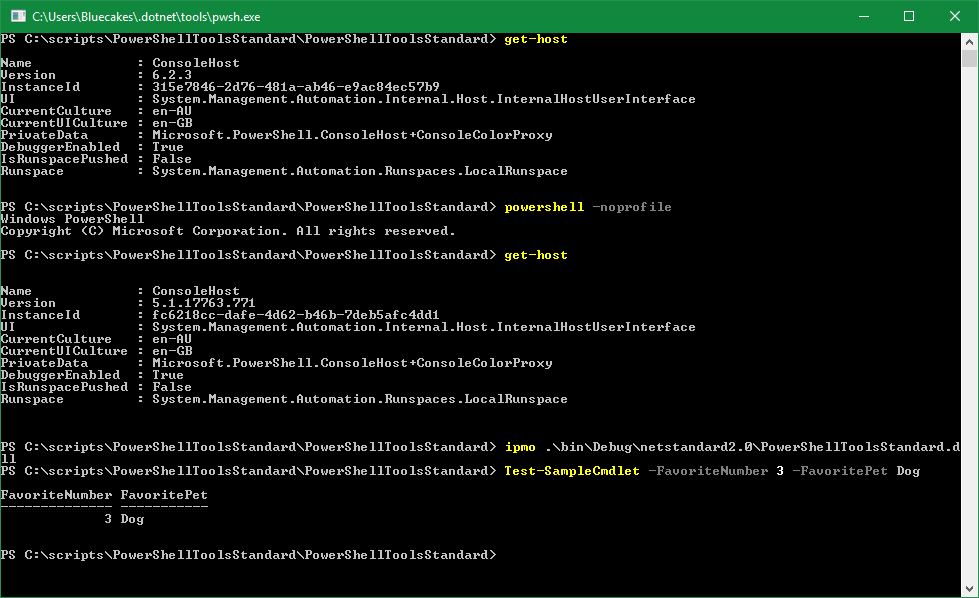
@iSazonov I tried following that reference and encountered the same error. After creating a new module using the psmodule template and immediately building the project, i can't import the resulting library into PowerShell Core to run the "Test-SampleCmdlet" cmdlet.
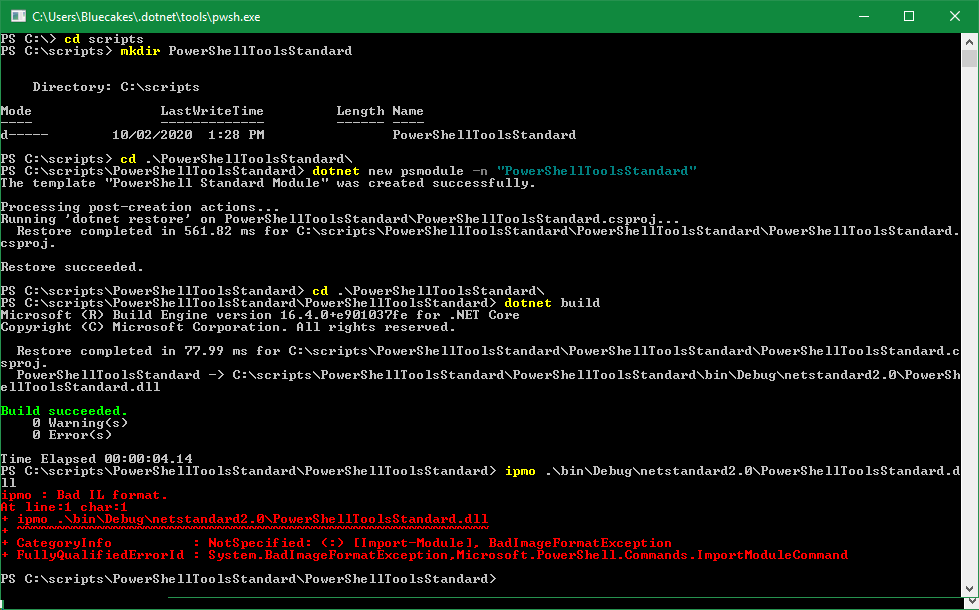
If i then transition into PowerShell 5, the cmdlet works as expected.
Bluecakes
on 10 Feb 2020
/cc @daxian-dbw from the error message, I can't help but wonder if this is related to the native library loading changes that have been made.
 vexx32
on 10 Feb 2020
vexx32
on 10 Feb 2020
If it is native library loading related we have an update in last days and @Bluecakes can test with latest nightly build.
iSazonov
on 10 Feb 2020
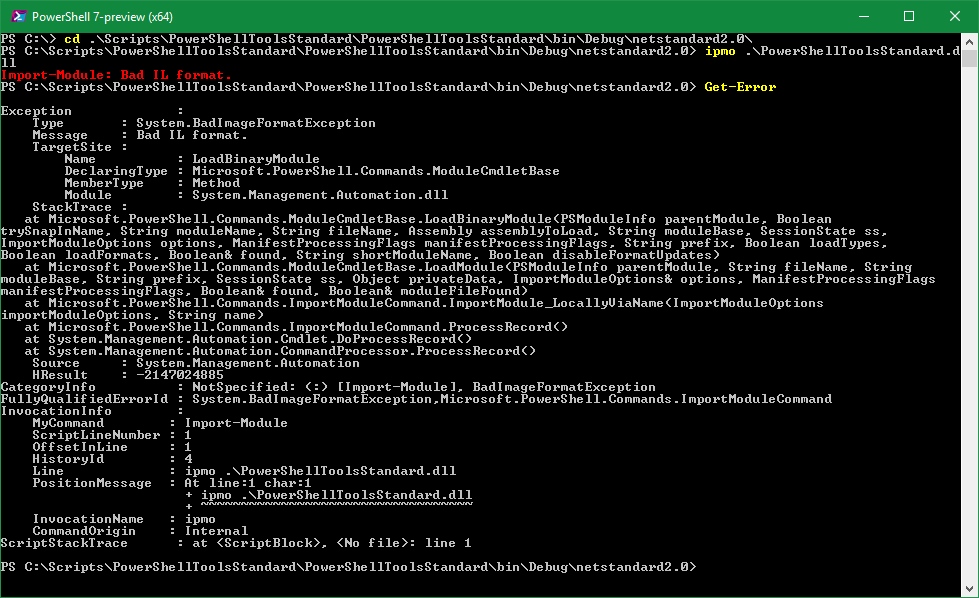
@Bluecakes Can you share Get-Error output? Better for PowerShell debug build.
iSazonov
on 10 Feb 2020
I downloaded the latest release, PowerShell 7, and tried importing the module created by the .NET Core CLI and got the same error, here is the Get-Error output:
Bluecakes
on 10 Feb 2020
I can not confirm the bug. I create, compile and import the module without any error, and run the cmdlet too in both PowerShell versions.
iSazonov
on 10 Feb 2020
I tried the exact same steps to create a brand new psmodule on a different machine and it worked perfectly. The version of Windows (10.0.17763) and Core (3.1.101) are exactly the same, the only difference is that the working machine only has 3.1.101 SDK installed, the machine that isn't working has multiple SDKs as listed in the first post.
Bluecakes
on 10 Feb 2020
You could use dotnet tracing if you want fix this.
iSazonov
on 10 Feb 2020
It doesn't seem right that PowerShell would break here just if a different SDK happens to be installed. The install should be standalone from whatever SDK versions are installed side by side :thinking:
vexx32
on 10 Feb 2020
There can be conflict with paths or packages in cache. Or crossgen wrong selection.
iSazonov
on 10 Feb 2020
So i opened up a new PowerShell window and got the ID with $PID, opened another window and got dotnet trace to collect data from that process id and... it worked. Just to make sure i closed down all windows and opened up a new window, module still loaded. Opened up PowerShell 6 and tried it there too, still loaded.
I'm both happy and confused, i'm not sure what caused the problem or what fixed it but thank you for helping me with this issue.
Bluecakes
on 10 Feb 2020
Related issues
 JohnLBevan
·
3Comments
JohnLBevan
·
3Comments
 concentrateddon
·
3Comments
concentrateddon
·
3Comments
 alx9r
·
3Comments
alx9r
·
3Comments
 garegin16
·
3Comments
garegin16
·
3Comments
 aragula12
·
3Comments
aragula12
·
3Comments
Most helpful comment
So i opened up a new PowerShell window and got the ID with
$PID, opened another window and got dotnet trace to collect data from that process id and... it worked. Just to make sure i closed down all windows and opened up a new window, module still loaded. Opened up PowerShell 6 and tried it there too, still loaded.I'm both happy and confused, i'm not sure what caused the problem or what fixed it but thank you for helping me with this issue.