Powershell: Get-ChildItem c: throws an error.
When using Get-ChildItem with drive name without a backslash, i.e. c: the error is thrown.
Steps to reproduce
Get-ChildItem c:
Expected behavior
Lists the content of current directory on the specified drive.
Actual behavior
Get-ChildItem : Cannot find path 'C:\C:\' because it does not exist.
At line:1 char:1
+ Get-ChildItem c:
+ ~~~~~~~~~~~~~~~~
+ CategoryInfo          : ObjectNotFound: (C:\C:\:String) [Get-ChildItem], ItemNotFoundException
+ FullyQualifiedErrorId : PathNotFound,Microsoft.PowerShell.Commands.GetChildItemCommand
Environment data
> $PSVersionTable
Name                           Value
----                           -----
PSVersion                      6.1.0-preview.701
PSEdition                      Core
GitCommitId                    v6.1.0-preview.701
OS                             Microsoft Windows 10.0.17134
Platform                       Win32NT
PSCompatibleVersions           {1.0, 2.0, 3.0, 4.0...}
PSRemotingProtocolVersion      2.3
SerializationVersion           1.1.0.1
WSManStackVersion              3.0
 sethvs
All 10 comments
It is a regression after 6.0.1 - we should find the bad commit before fix.
 iSazonov
on 9 Jun 2018
iSazonov
on 9 Jun 2018
Can it be #6774 ?
sethvs
on 12 Jun 2018
So, is this after Preview.2?
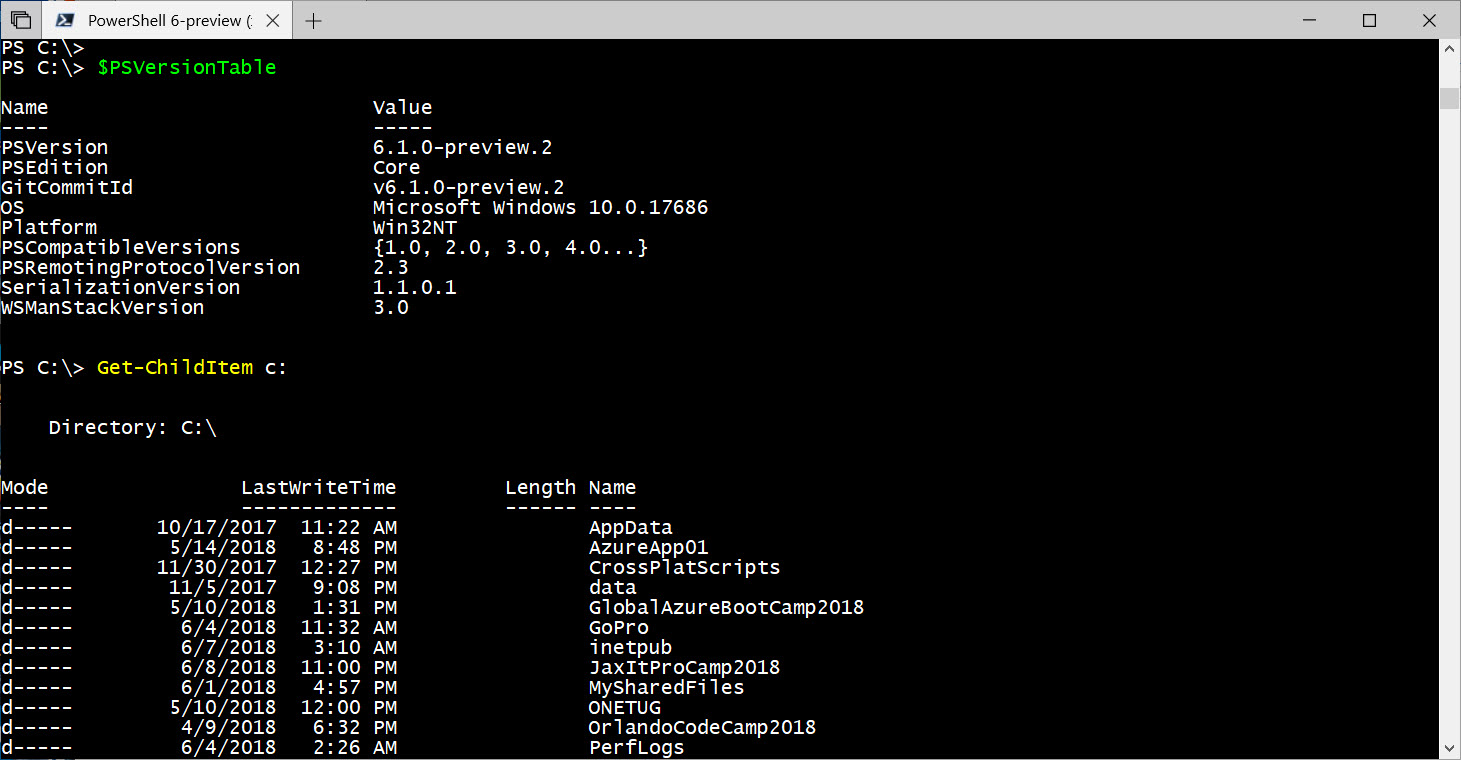
There's no errors on 6.1.0-Preview.2. It runs as expected.
PS C:\> $PSVersionTable

Name                           Value
----                           -----
PSVersion                      6.1.0-preview.2
PSEdition                      Core
GitCommitId                    v6.1.0-preview.2
OS                             Microsoft Windows 10.0.17686
Platform                       Win32NT
PSCompatibleVersions           {1.0, 2.0, 3.0, 4.0...}
PSRemotingProtocolVersion      2.3
SerializationVersion           1.1.0.1
WSManStackVersion              3.0


PS C:\> Get-ChildItem c:


    Directory: C:\


Mode                LastWriteTime         Length Name
----                -------------         ------ ----
d-----       10/17/2017  11:22 AM                AppData
d-----        5/14/2018   8:48 PM                AzureApp01
d-----       11/30/2017  12:27 PM                CrossPlatScripts
d-----        11/5/2017   9:08 PM                data
d-----        5/10/2018   1:31 PM                GlobalAzureBootCamp2018
d-----         6/4/2018  11:32 AM                GoPro
:
 MaximoTrinidad
on 12 Jun 2018
MaximoTrinidad
on 12 Jun 2018
@MaximoTrinidad Yes, on 6.1.0-Preview.2 it works.
sethvs
on 12 Jun 2018
@MaximoTrinidad Could you please help to find the post Preview2 broken commit? We could use saved artifacts from CI Appveyor.
iSazonov
on 13 Jun 2018
@iSazonov I believe it is b101d523346abebc2d2a9ef6e230f544d7c11eb7
sethvs
on 13 Jun 2018
PR with regression is #6774
@daxian-dbw @rjmholt @mcbobke
iSazonov
on 13 Jun 2018
Thank you for informing me of this issue. I will investigate it as time permits.
 mcbobke
on 13 Jun 2018
mcbobke
on 13 Jun 2018
In #6774 we resolved the issue with a new check in SessionStateLocationAPIs.cs that determines if the path given to Set-Location is a drive name terminated by a colon. If so, it changes the desired path to be the new drive's current working directory. Would it be appropriate for the same path transformation to occur in SessionStateContainer.cs?
Because the current working directory of the specified drive is not used in place of the given path, line 1643 of SessionStateContainer.cs will determine that the absolute path is C:\C:\ incorrectly. Another concern is that if the -Name parameter is specified, the same issue will occur. It might make more sense to transform the path at a higher level to avoid the same path transformation actions occurring in two different places.
mcbobke
on 13 Jun 2018
I think the code path should be the same for all providers - compare dir c:,dir alias:, dir hklm:.
/cc @mklement0
iSazonov
on 14 Jun 2018
Related issues
 manofspirit
·
3Comments
manofspirit
·
3Comments
 mklement0
·
3Comments
MaximoTrinidad
·
3Comments
mklement0
·
3Comments
MaximoTrinidad
·
3Comments
 andschwa
·
3Comments
andschwa
·
3Comments
 rudolfvesely
·
3Comments
rudolfvesely
·
3Comments
Most helpful comment
PR with regression is #6774
@daxian-dbw @rjmholt @mcbobke