Powershell: Linux: When Prompt include Unicode Char, Cursor Positioned Error
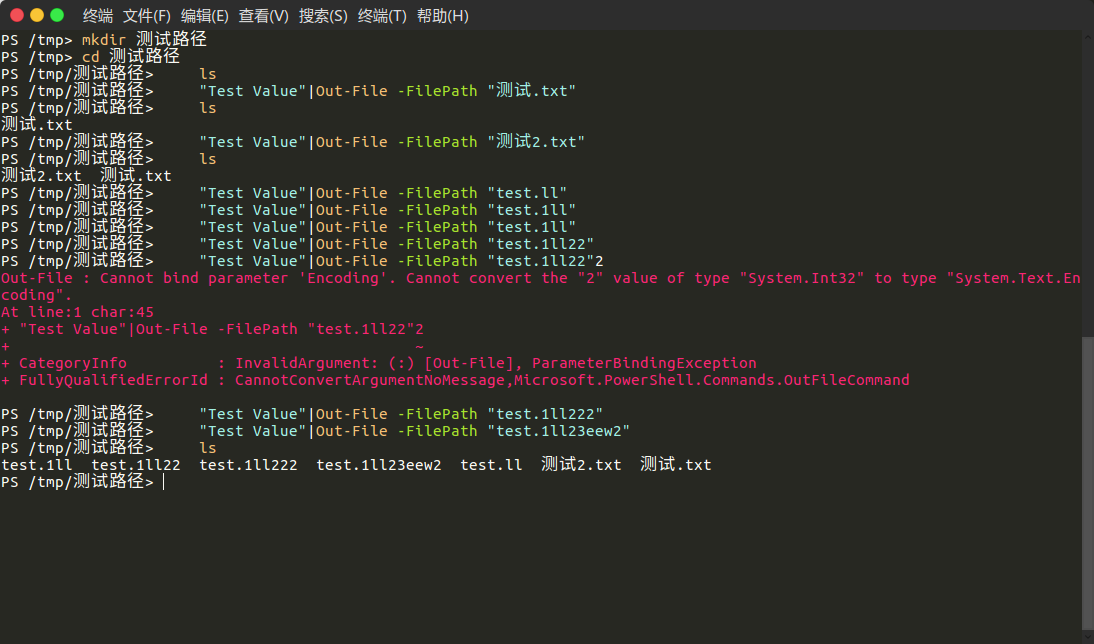
Steps to reproduce
cd /tmp
mkdir 测试路径
cd 测试路径
Expected behavior
Actual behavior
Environment data
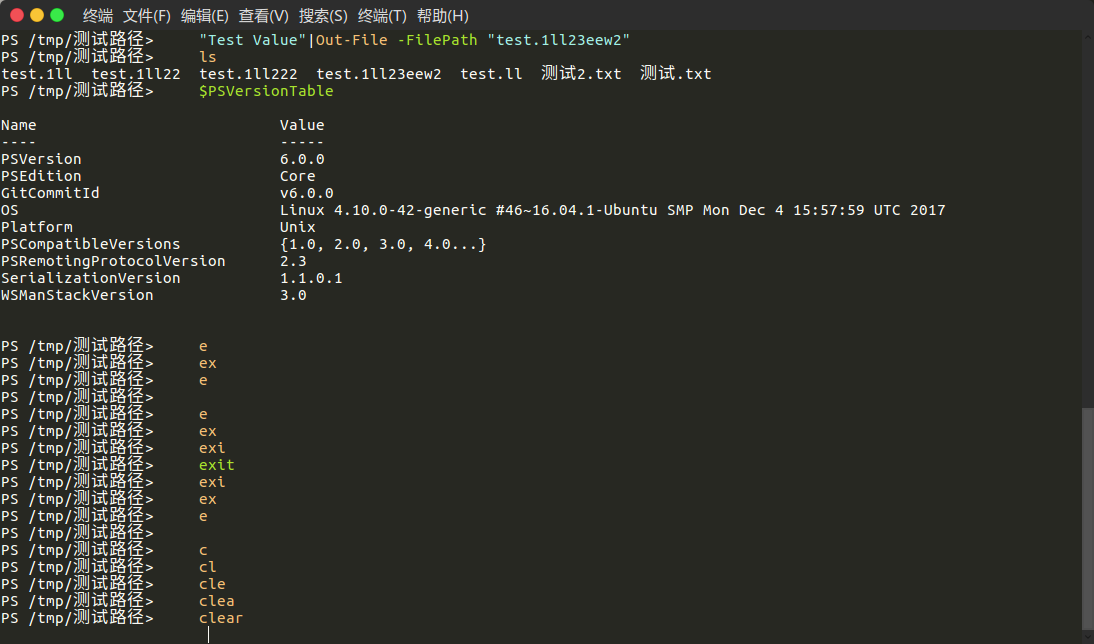
> $PSVersionTable
Name                           Value
----                           -----
PSVersion                      6.0.0
PSEdition                      Core
GitCommitId                    v6.0.0
OS                             Linux 4.10.0-42-generic #46~16.04.1-Ubuntu SMP Mon Dec 4 15:57:59 UTC 2017
Platform                       Unix
PSCompatibleVersions           {1.0, 2.0, 3.0, 4.0...}
PSRemotingProtocolVersion      2.3
SerializationVersion           1.1.0.1
WSManStackVersion              3.0
This problem is due to the fact that the character length is not calculated correctly. UTF-8 encoding, the length of the character may be 1~4 bytes. So the cursor is not positioned correctly.
 fcharlie
All 5 comments
Run Install-Module PSReadLine -AllowPrerelease -Force -AllowClobber to get 2.0.0-beta1 with the fix.
PowerShell 6.1 will soon pull this version as well, see https://github.com/PowerShell/PowerShell/pull/5759
If you're running on Linux, you might need to rename the install directory to fix the case, I think it gets installed with PSReadline instead of PSReadLine. I'm looking in to how that can be fixed.
 lzybkr
on 11 Jan 2018
lzybkr
on 11 Jan 2018
Ah, then ignore my comment - https://github.com/lzybkr/PSReadLine/issues/555#issuecomment-357033986, Ah yup, this command sudo mv /usr/local/share/powershell/Modules/PSReadline/ /usr/local/share/powershell/Modules/PSReadLine/ fixed it for me.
 rkeithhill
on 11 Jan 2018
rkeithhill
on 11 Jan 2018
@rkeithhill and anyone else - the PSGallery team have kindly updated the back end, so PSReadLine 2.0 should now install correctly on Linux/Mac w/o needing to rename the directory.
lzybkr
on 12 Jan 2018
@lzybkr OK fixed.
fcharlie
on 12 Jan 2018
@chuanjiao10 - that's definitely a bug, go ahead and open an issue in the PSReadLine repo.
lzybkr
on 13 Jan 2018
Related issues
 mklement0
·
3Comments
mklement0
·
3Comments
 SteveL-MSFT
·
3Comments
SteveL-MSFT
·
3Comments
 JohnLBevan
·
3Comments
JohnLBevan
·
3Comments
 garegin16
·
3Comments
garegin16
·
3Comments
 pcgeek86
·
3Comments
pcgeek86
·
3Comments
Most helpful comment
@rkeithhill and anyone else - the PSGallery team have kindly updated the back end, so PSReadLine 2.0 should now install correctly on Linux/Mac w/o needing to rename the directory.