Powershell: write-progress does not work outside of a loop in PS 6.0 (RC) on Mac OS
If I embed a write-progress inside of a for loop, it works properly.
But if I'm trying to use write-progress to indicate progress within just a sequence of commands in a script... no dice.
In Windows Powershell, I use this frequently so I can have the master progress bar show which phase of the script I'm in, and the sub-progress bars show progress within those phases (usually looped)
Steps to reproduce
write-progress "something"
start-sleep 5
Expected behavior
I should see "something" show up in a progress bar.
Actual behavior
I see nothing in PS 6. (If I use PS 5.1 or earlier in Windows, it works perfectly)
Environment data
> $PSVersionTable

Name                           Value
----                           -----
PSVersion                      6.0.0-rc.2
PSEdition                      Core
GitCommitId                    v6.0.0-rc.2
OS                             Darwin 17.3.0 Darwin Kernel Version 17.3.0: Thu Nov  9 18:09:22 PST 2017; root:xnu-4570.31.3~1/RELEASE_X8...
Platform                       Unix
PSCompatibleVersions           {1.0, 2.0, 3.0, 4.0...}
PSRemotingProtocolVersion      2.3
SerializationVersion           1.1.0.1
WSManStackVersion              3.0
 nowakca
All 12 comments
Hum! Something is going on with the Write-Progress in both Window PowerShell Core and in Linux.
Either it seems to go too fast to see on screen when it should "display a progress bar".
In Windows PowerShell Core it flashes too fast. Then, in Linux, it doesn't show anything.
No errors are displayed.
I'm following a simple sample from the Get-Help Write-Progress:
for ($I = 1; $I -le 100; $I++ )
    {Write-Progress -Activity "Search in Progress" -Status "$I% Complete:" -PercentComplete $I;}
If the purpose of Write-Progress is to show a progress bar then it isn't working as expected.
:)
 MaximoTrinidad
on 26 Dec 2017
MaximoTrinidad
on 26 Dec 2017
@iSazonov is this related to #2822? In Windows write-progress "something"; Start-Sleep 5 will show the progress bar. But on macOS and Linux it will not. but if I add more operations (similar to what @MaximoTrinidad provided) I do see the progress bar.
@MaximoTrinidad I believe what you are seeing with that example is that the loop completes too quickly. Due to improvements in the write-progress system, quick operations may not display the progress. Increase from 100 to 10000 and you are likely to see it.
 markekraus
on 26 Dec 2017
markekraus
on 26 Dec 2017
The problem isn't that it's too fast, it's that it doesn't work consistently.
A more complete example
write-progress "fetching users"
sleep 1
write-progress "fetching files"
sleep 1
That "Fetching users" never shows up to let the end user know that we are in the "fetching users" portion of the script (where a second progress bar might also be used to show where we are in the user fetching portion)
After some more tinkering I do not that "fetching files" will show up... so it seems to be that the first progress bar isn't shown until 200ms or after the first call... but it only checks when write-progress is called (naturally), so if it takes 10 minutes to get to that next call, it would appear not to be working.
Solution? have it show up on the first call for that bar's ID immediately, then only refresh it on 200ms intervals. And if that's too performance impacting, , maybe allow -force to make it show up that first time? Especially since on MacOS at least, it allocates the extra lines it would display into whether it displays or not.
nowakca
on 26 Dec 2017
@nowakca The "too fast" was for @MaximoTrinidad s example. Yours is a separate issue I believe as it works consistently on windows, but not on Linux or macOS.
markekraus
on 26 Dec 2017
Sorry for the confusion! I'm trying to relay the behavior I'm seen when executing the sample code provided by the Get-Help documentation.
Using the sample provided in this issue:
write-progress "something"
start-sleep 5
I see nothing happening when executing the code on Linux.
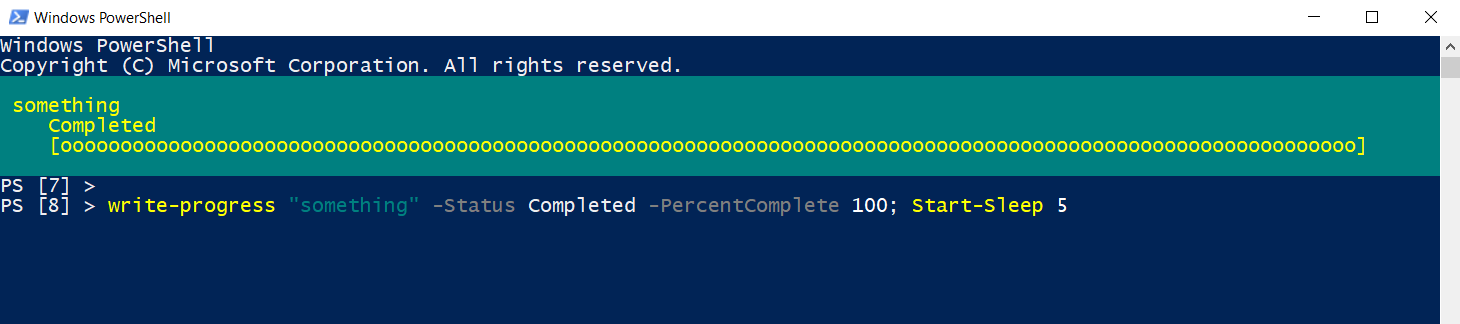
In Windows PowerShell 5.1, I added the parameters '-Status Completed -PercentComplete 100;' with the command 'Start-Sleep -seconds 5' in the same line, and it works:
write-progress "something" -Status Completed -PercentComplete 100; sleep 5
I tried it on Linux and didn't work!

MaximoTrinidad
on 26 Dec 2017
I fixed the initial show of a progress bar - the code is here.
I wonder if it doesn't work on Unix. I can not debug on Unix.
 iSazonov
on 27 Dec 2017
iSazonov
on 27 Dec 2017
@SteveL-MSFT Please triage the issue.
iSazonov
on 1 Feb 2020
I will test this in Linux again today and let you know.
MaximoTrinidad
on 1 Feb 2020
I executed the following line in Ubuntu 18.04 with PowerShell 7 RC2 and it doesn't show the progress bar:
write-progress "something" -Status Completed -PercentComplete 100; sleep 5
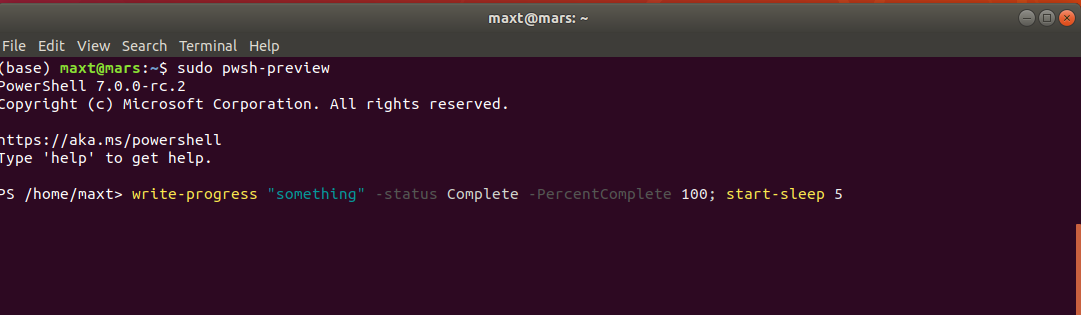
It works in Windows OS.
MaximoTrinidad
on 1 Feb 2020
To shed some more light on this: It is the _first_ Write-Progress call on Unix that is ignored:
# On macOS, Linux
Write-Progress 'one'; Start-Sleep 1; Write-Progress 'two'; Start-Sleep 1
The above will do nothing for 1 second, then show the 2nd message.
 mklement0
on 7 Aug 2020
mklement0
on 7 Aug 2020
@mklement0
Good Catch!!
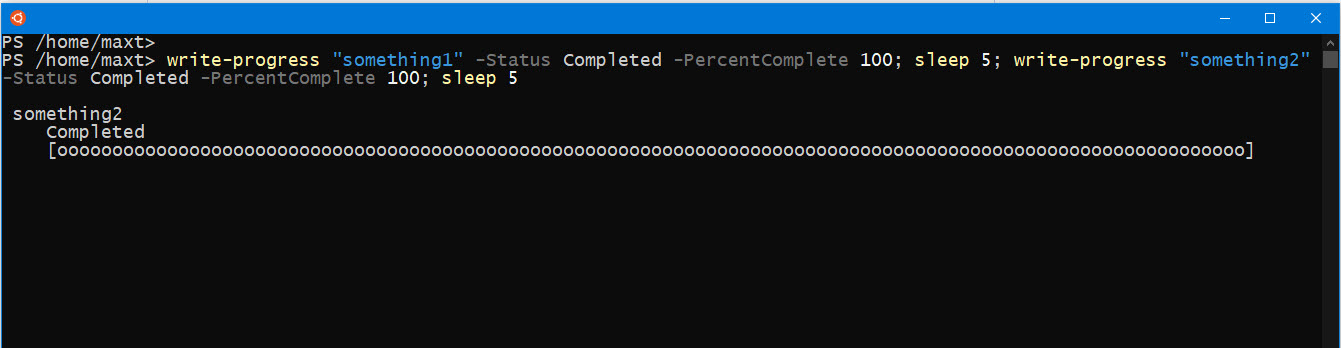
True! The first one Write-Progress is "somehow" ignored. And. the second one works!
write-progress "something1" -Status Completed -PercentComplete 100; sleep 5; write-progress "something2" -Status Completed -PercentComplete 100; sleep 5;
MaximoTrinidad
on 7 Aug 2020
BTW
This is on PowerShell 7.0.3 (and 7.1.0-Preview.6) in WSL 2 - Ubuntu 18.04 and Ubuntu full distro:
PS /home/maxt> $PSVersionTable

Name                           Value
----                           -----
PSVersion                      7.0.3
PSEdition                      Core
GitCommitId                    7.0.3
OS                             Linux 4.19.104-microsoft-standard #1 SMP Wed Feb 19 06:37:35 UTC 2020
Platform                       Unix
PSCompatibleVersions           {1.0, 2.0, 3.0, 4.0…}
PSRemotingProtocolVersion      2.3
SerializationVersion           1.1.0.1
WSManStackVersion              3.0

PS /home/maxt>
Related issues
 manofspirit
·
3Comments
manofspirit
·
3Comments
 ajensenwaud
·
3Comments
ajensenwaud
·
3Comments
 aragula12
·
3Comments
aragula12
·
3Comments
 andschwa
·
3Comments
andschwa
·
3Comments
 lzybkr
·
3Comments
lzybkr
·
3Comments