Powerlevel9k: Can't get icons to show in prompt, but see them when opening files.
I want to start off my saying that this issue seems to be the most common one for your project, but I have followed the troubleshooting guide and tried every option possible for my system, and I have read over 10 of the issues that were close to mine. The issue is that I can't seem to get icons to show up for certain items and only get the question mark in a box (The fallback icon, I assume). I am starting python development and that seems to be one of the missing icons along with many others. The deal is when I nano into the icons.zsh file "in iTerm" I can see the icons, but I can't see those same icons in a promt.
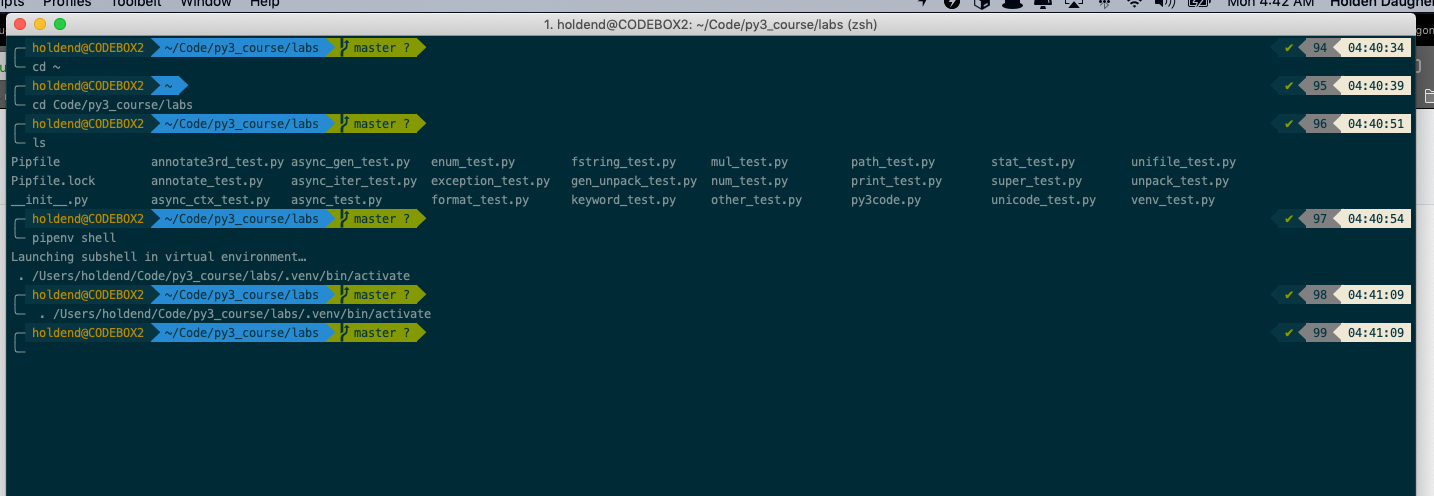
- No icons showing when I activate my venv
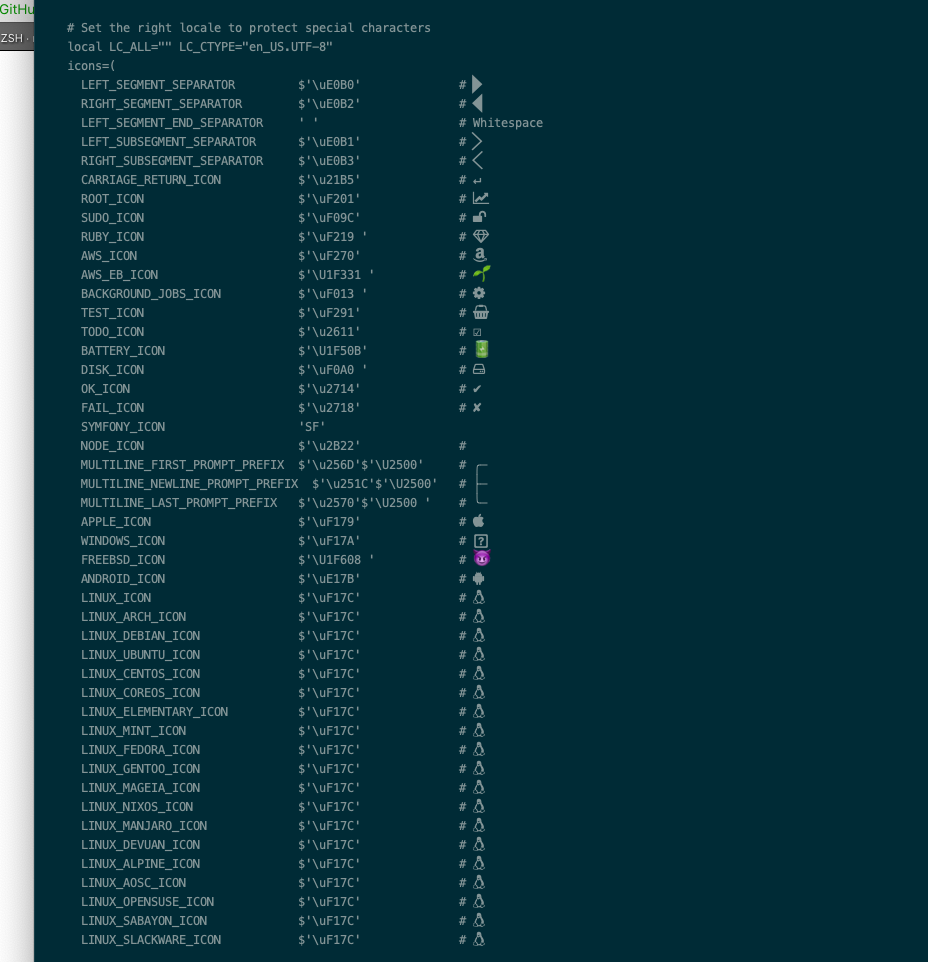
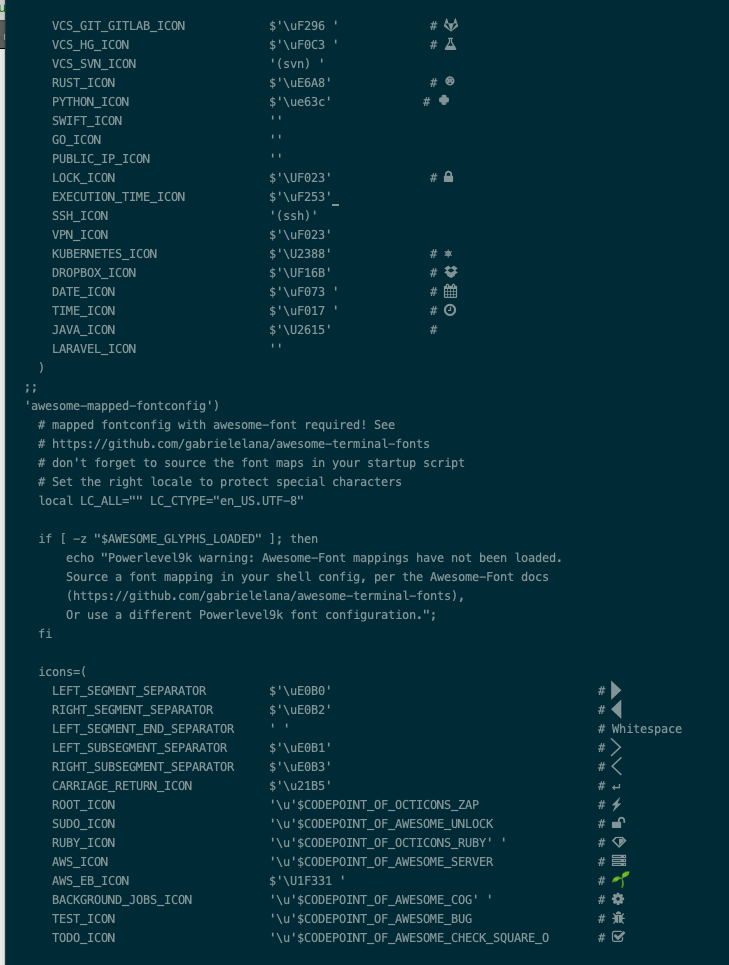
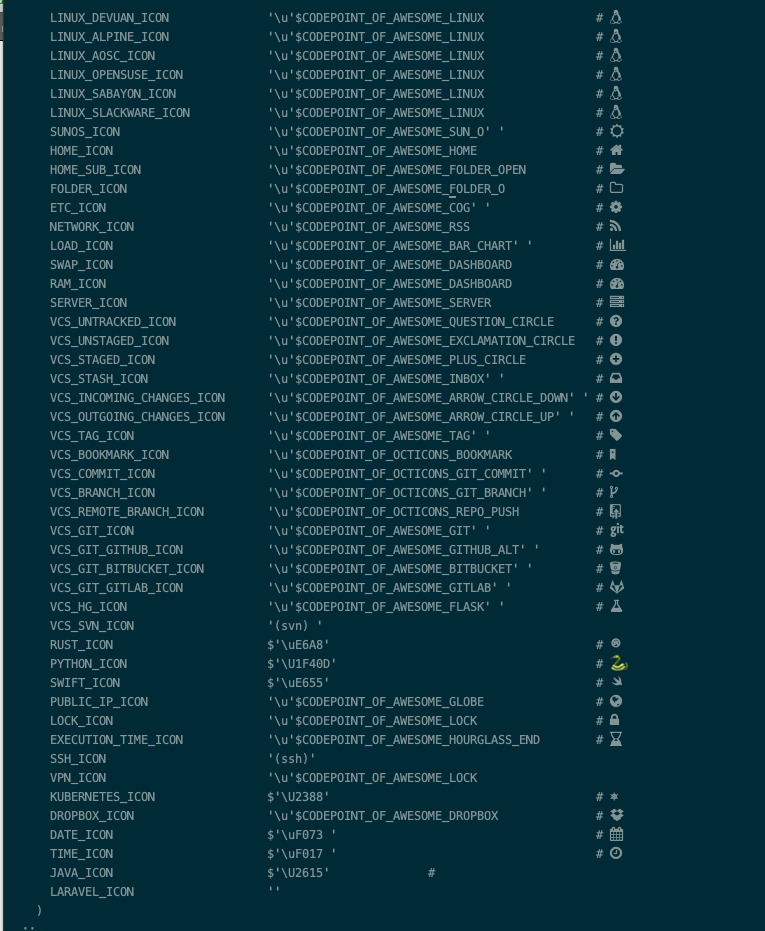
-But the icons are showing when i open the icons.zsh file!
Have you tried to debug or fix it?
Basically, all I have tried is to do all of the install options for macOS. I have looked around at the powerlevel9k directory and my .zshrc config to see if there was anything I was missing.
Environment Information
- I'm running ZSH 5.6.2_1
- Oh-My-Zsh
- I first install with Option 2 for Oh-My-Zsh
- I used the current master git repo
- iTerm2
Issues with Fonts & Icons
- I'm using 12pt Meslo LG L DZ Regular for Powerline
- I am using awesome-mapped-fontconfig as it seems to have the most icons showing in my capture, but I have also tried all of the others.
- Contents of font-issues.zsh
functions/colors.zsh:source:4: no such file or directory: functions/colors.zsh functions/icons.zsh:source:5: no such file or directory: functions/icons.zsh functions/utilities.zsh:source:6: no such file or directory: functions/utilities.zsh - The output of get_icon_names does not look right; it only shows a few of the icons.
-I have also change my DefaultFontsFallback.plist and tried that method.
- Here is my .zshrc
zshrc.txt
 hdaugherty
All 8 comments
The POWERLEVEL9K_MODE is pinned at startup. The Theme starts in Oh-My-Zsh with this line: source $ZSH/oh-my-zsh.sh. So you need to move your P9K config up, before this line.
 dritter
on 26 Nov 2018
dritter
on 26 Nov 2018
- I am now getting some icons (git, and few others) when I set POWERLEVEL9K_MODE='awesome-fontconfig' but I don't get anything when I use:
- awesome-patched
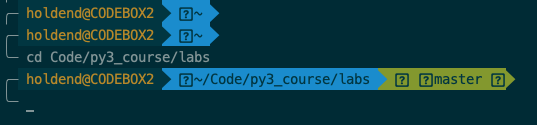
- awesome-fontconfig
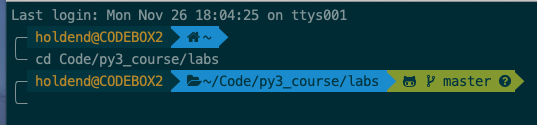
- awesome-mapped-fontconfig
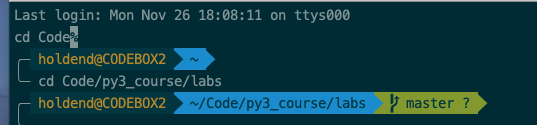
- nerdfont-fontconfig
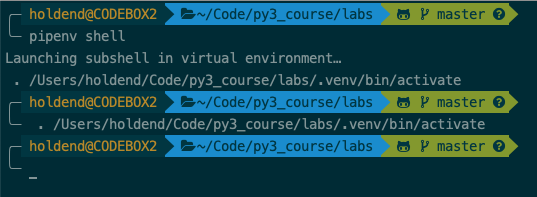
nerdfont-complete
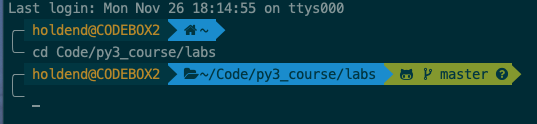
I also get this error when I start iTerm with awesome-mapped-config
Powerlevel9k warning: Awesome-Font mappings have not been loaded.
    Source a font mapping in your shell config, per the Awesome-Font docs
    (https://github.com/gabrielelana/awesome-terminal-fonts),
    Or use a different Powerlevel9k font configuration.
I moved the POWERLEVEL9K_MODE right above the source and I followed the instructions in gabrielelana/awesome-terminal-fonts. I still do not get all of the icons. How can I get rid of the warning and correct the issue?
Heres my current zshrc
zshrc.txt
hdaugherty
on 27 Nov 2018
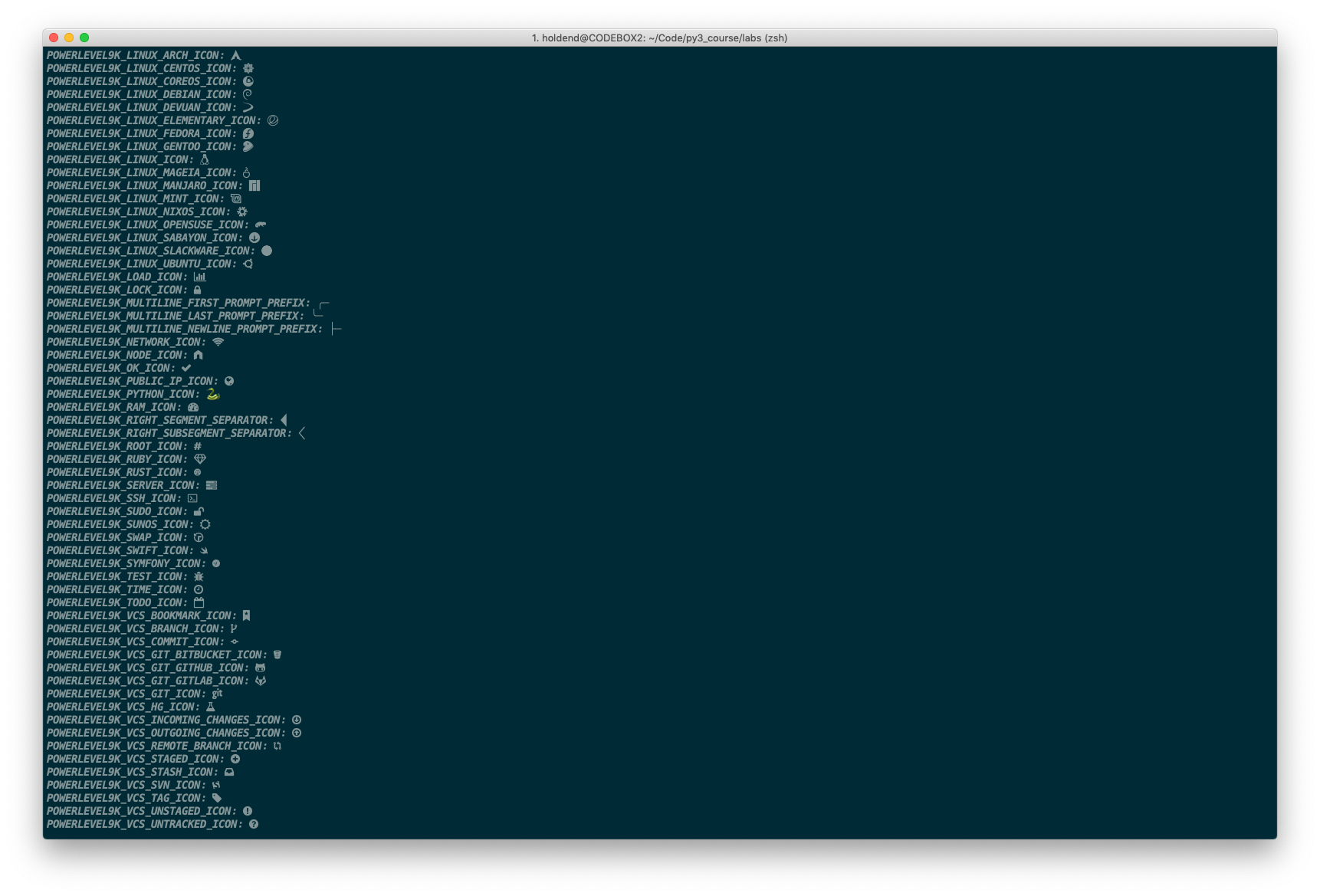
- get_icon_names now shows all of the icons but I still can't get the python one to show up in the prompt when I have my virtualenv activated. I'm almost there! What could be stopping it from showing in the prompt?
hdaugherty
on 27 Nov 2018
I am an idiot, thanks for all your help but I see how it is setup by default and it is set to show the virtualenv on the LEFT_PROMPT_ELEMENTS. I got it by setting the variable in .zshrc! Thanks again for getting me in the right direction!
hdaugherty
on 27 Nov 2018
Unfortunately I can't find properly icons into my icons.zsh. There is any way to solve that first?
I'm trying use the powerlevel10k theme in a remote RHEL with zsh 5.7.1
 leonardosetti
on 7 Feb 2020
leonardosetti
on 7 Feb 2020
@leonardosetti Please file an issue against powerlevel10k.
 romkatv
on 8 Feb 2020
romkatv
on 8 Feb 2020
@romkatv I installed powerlevel 10k on windows subsytem linux. I didnt have the icons nor the pointed arrow i was missing fonts. https://github.com/romkatv/powerlevel10k#meslo-nerd-font-patched-for-powerlevel10k . FOLLWED this guideline
 aomini
on 7 Mar 2020
aomini
on 7 Mar 2020
@rakeshshubhu If you are having trouble with powerlevel10k, please file an issue against powerlevel10k.
romkatv
on 7 Mar 2020
Related issues
 guidoilbaldo
·
5Comments
guidoilbaldo
·
5Comments
 Who23
·
4Comments
Who23
·
4Comments
 shibumi
·
3Comments
shibumi
·
3Comments
 natemccurdy
·
5Comments
shibumi
·
5Comments
natemccurdy
·
5Comments
shibumi
·
5Comments
Most helpful comment
I am an idiot, thanks for all your help but I see how it is setup by default and it is set to show the virtualenv on the LEFT_PROMPT_ELEMENTS. I got it by setting the variable in .zshrc! Thanks again for getting me in the right direction!