Postprocessing: Question: Excluding objects from render pipeline.
First of all, let me thank you for this awesome library.
I have a question regarding the rendering/effects pipeline, but I'm unsure if this is the right place to ask. Let me know, if I should move this to StackOverflow or something similar.
I wonder if it is possible to exclude some objects from the effects pipeline? I guess that would mean that they would be rendered normally and then combined with the effect render?
My use-case is a scene where I use the GodRays-Effect, but would like to use custom geometry for the rays calculation and not the whole scene. Otherwise objects with transparent materials will also fully block the light, which I'd like to avoid.
I guess it would also help if there's a way to prevent some objects from being rendered into the GodRay render-targets?
 bummzack
All 6 comments
I have a question regarding the rendering/effects pipeline, but I'm unsure if this is the right place to ask.
This place is fine. I usually respond to tickets within a day or two if I'm not too busy.
My use-case is a scene where I use the GodRays-Effect, but would like to use custom geometry for the rays calculation and not the whole scene.
This use-case actually sounds a bit familiar. Please check if https://github.com/vanruesc/postprocessing/issues/123#issuecomment-487323380 addresses your problem.
The solution in that thread exploits the buffer swap behaviour of the EffectComposer to render transparent objects after the god rays.
Since the GodRaysEffect mainly relies on depth information, it should also be possible to render only the depth of some scene and feed the result into the GodRaysEffect. With this approach you could use an entirely different scene to mask the light source.
 vanruesc
on 16 Oct 2019
vanruesc
on 16 Oct 2019
Thanks a lot for replying so fast and sorry that this is a duplicate of another question. The other issue you linked to sounds quite similar to what I need, although I'm intrigued by your last paragraph:
Since the GodRaysEffect mainly relies on depth information, it should also be possible to render only the depth of some scene and feed the result into the GodRaysEffect. With this approach you could use an entirely different scene to mask the light source.
That sounds exactly like what I want. Would that require the same setup as outlined in #123, or could it be simplified? I naively tried: raysEffect.depthMaskPass.scene = raysScene;, but that didn't yield the desired result and is probably not how this should be done, since the depthMaskPass property of the GodRaysEffect is marked private.
Thanks a lot for your time.
bummzack
on 16 Oct 2019
Would that require the same setup as outlined in #123, or could it be simplified?
The setup would look a bit different with this approach. You'd use a DepthPass to render a specific scene and pass the result to the EffectPass that contains the GodRaysEffect:
| Custom Depth Input | Result |
|------------------------|--------|
| 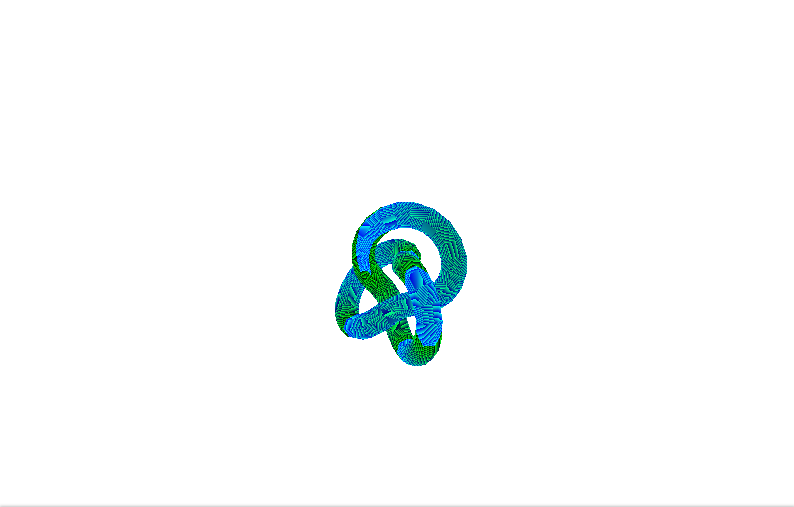 |
| 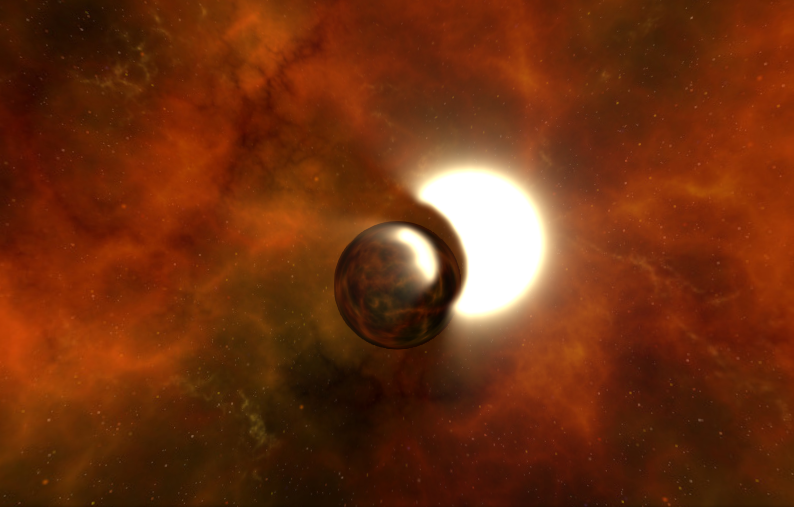 |
|
Here's an example implementation:
https://codesandbox.io/s/postprocessing-god-rays-qxqff
Things to consider with this approach:
- The
DepthPassrenders geometry. Be mindful of your resources and try to avoid rendering the same objects twice per frame. - Passing a custom depth texture to the
EffectPassdisables its default behaviour of requesting an appropriate depth texture. If you add other effects that rely on depth to thisEffectPassinstance, they will also use the custom depth information. To avoid that, you can assign the custom depth texture directly to theGodRaysEffectusing its ownsetDepthTexturemethod, but this needs to happen _after_ the pass was added to the composer.
vanruesc
on 16 Oct 2019
I don't know how to thank you for your elaborate answers. This helps me so much.
This is exactly what I was after and it looks amazing:
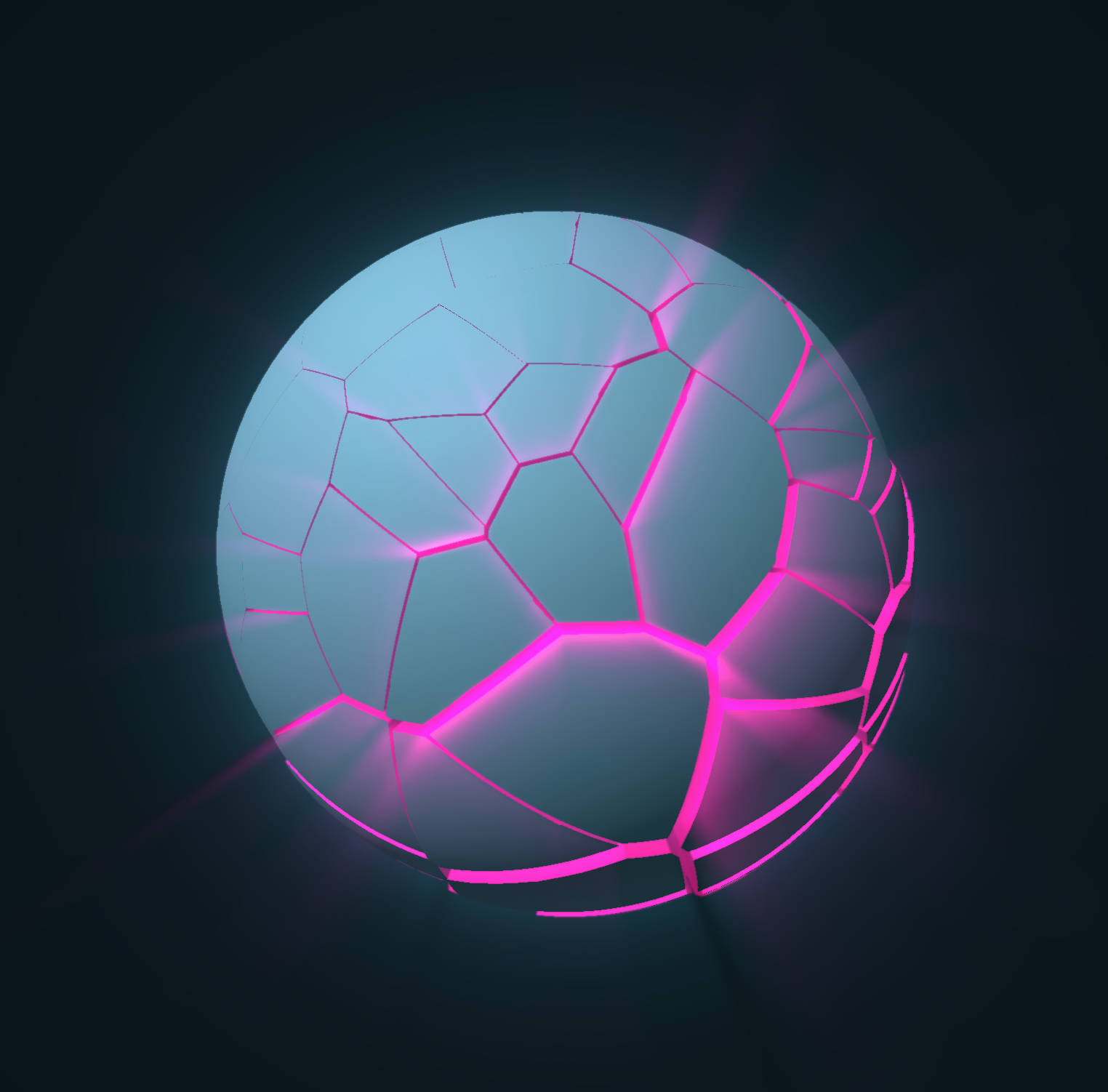
The DepthPass renders geometry. Be mindful of your resources and try to avoid rendering the same objects twice per frame.
I think I can use a low-poly mesh and a lower resolution-scale to make the extra depth-pass rendering less resource intensive.
Thanks again. Feel free to close this ticket.
bummzack
on 16 Oct 2019
Wew, that looks awesome! Glad I could help :D
vanruesc
on 16 Oct 2019
@bummzack I noticed that the DepthMaskMaterial didn't actually support packed depth which could lead to weird masking artifacts. Proper support for packed depth has now been added in [email protected].
vanruesc
on 17 Oct 2019
Related issues
 dghez
·
4Comments
dghez
·
4Comments
 gigablox
·
3Comments
gigablox
·
3Comments
 thewizardwand
·
3Comments
thewizardwand
·
3Comments
 Mykita
·
3Comments
Mykita
·
3Comments
 brunoimbrizi
·
4Comments
brunoimbrizi
·
4Comments