Hi,
Do you have any plan to include the unreal bloom effect inside postprocessing effects ? (already included bloom seems to not achieve the same effect).
If not, do you have any hint or feedback on the feasibility to use the unreal bloom effect associated with postprocessing framework ? (wiki guidelines on custom passes may be helpful ?)
Thanks,
 bendxr
All 6 comments
Hello!
Do you have any plan to include the unreal bloom effect inside postprocessing effects?
No, there are currently no plans to include the Unreal Bloom. I'd like to avoid including multiple implementations of the same effect in this library.
already included bloom seems to not achieve the same effect
Could you elaborate on this? I think the BloomEffect can replicate the Unreal Bloom results quite closely while also providing the option to create a high quality, full resolution bloom with good performance.
If not, do you have any hint or feedback on the feasibility to use the unreal bloom effect associated with postprocessing framework? (wiki guidelines on custom passes may be helpful?)
Yes, it's certainly possible. I'd even say that the Unreal Bloom is one of the easier effects to port to postprocessing.
Quick & Dirty Solution
With some minor adjustment, you can use the `UnrealBloomPass` mostly as-is. You'll need the following files: - https://threejs.org/examples/js/shaders/CopyShader.js - https://threejs.org/examples/js/shaders/LuminosityHighPassShader.js - https://threejs.org/examples/js/postprocessing/EffectComposer.js (`Pass` is defined in this file 🙁) - https://threejs.org/examples/js/postprocessing/UnrealBloomPass.js Then simply adjust the render method of the `UnrealBloomPass` to account for API differences:
THREE.UnrealBloomPass.prototype = Object.assign(THREE.UnrealBloomPass.prototype, {
    initialize: function() {},
    originalRender: THREE.UnrealBloomPass.prototype.render,
    render: function(renderer, inputBuffer, outputBuffer, delta, maskActive) {
        this.originalRender(renderer, outputBuffer, inputBuffer, delta, maskActive);
    }
});
Clean Solution
If you want a clean solution that also offers the best performance, you'll have to port the `UnrealBloomPass` to the `postprocessing` `Effect` framework. First, take a look at the [Custom Effects](https://github.com/vanruesc/postprocessing/wiki/Custom-Effects) wiki page to understand the concept of `Effects`. You can also check out the [built-in effects](https://github.com/vanruesc/postprocessing/tree/master/src/effects). From there, all you have to do is understand what the [UnrealBloomPass](https://github.com/mrdoob/three.js/blob/master/examples/js/postprocessing/UnrealBloomPass.js) is doing and then convert it into an `Effect`. The source code of the [ToneMappingEffect](https://github.com/vanruesc/postprocessing/blob/master/src/effects/ToneMappingEffect.js#L88) is a good reference for mipmap render targets. The current [BloomEffect](https://github.com/vanruesc/postprocessing/blob/master/src/effects/BloomEffect.js) may also be a useful reference. You can skip porting the outdated Gaussian blur code and use the more efficient [BlurPass](https://github.com/vanruesc/postprocessing/blob/master/src/passes/BlurPass.js). Instead of the `LuminosityHighPassShader`, use the included [LuminanceMaterial](https://github.com/vanruesc/postprocessing/blob/master/src/materials/LuminanceMaterial.js#L46) which offers a `distinction` parameter.
I hope this helps! If something's unclear, feel free to ask.
 vanruesc
on 14 Dec 2018
vanruesc
on 14 Dec 2018
I forgot to mention that the BloomEffect uses the SCREEN blend function by default. If you want results that are closer to the Unreal version, set the blend function to BlendFunction.ADD.
vanruesc
on 15 Dec 2018
Hi,
I spotted the blending function and changing it didn't help to reproduce the effect.
But maybe is it only a question of material ?
The difference between postprocess/bloom and unreal bloom effects from the online demos are below:
- postprocessing/bloom : effect seems to be light dependent (reflections)

- In unreal bloom the object seems to light from inner by itself.
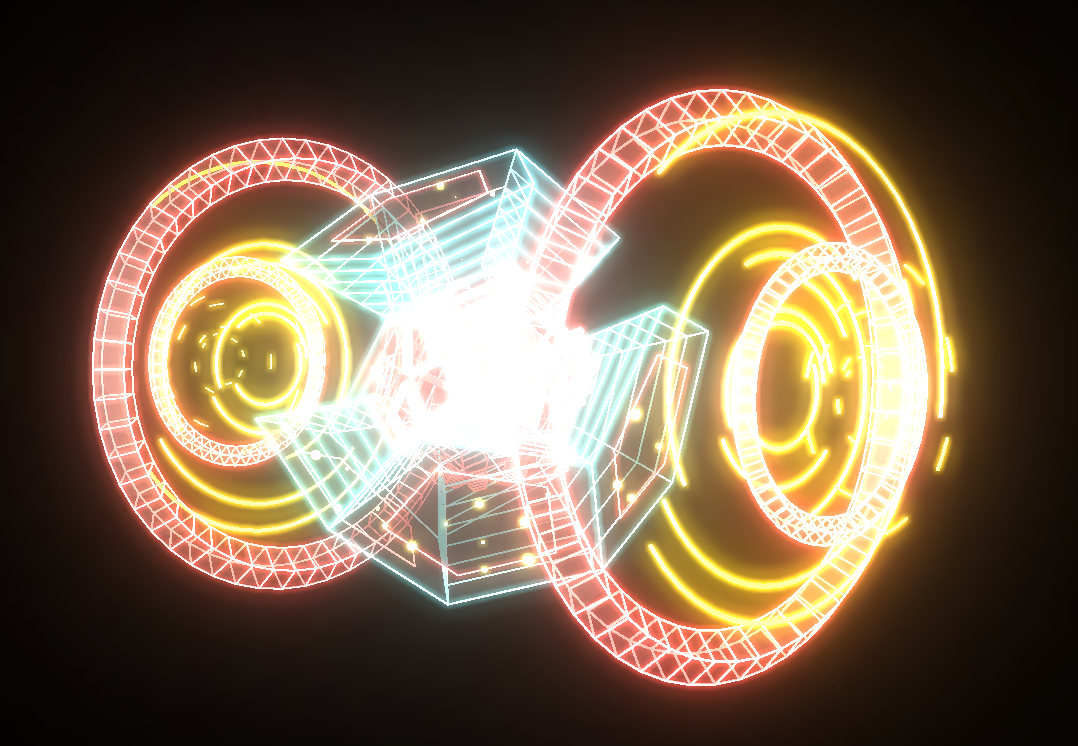
By changing the material from your code (https://jsfiddle.net/19v275au/1/) to MeshBasicMaterial I restored the wanted effect : inner light, not from external reflections (I removed all the lights from the scene, too)

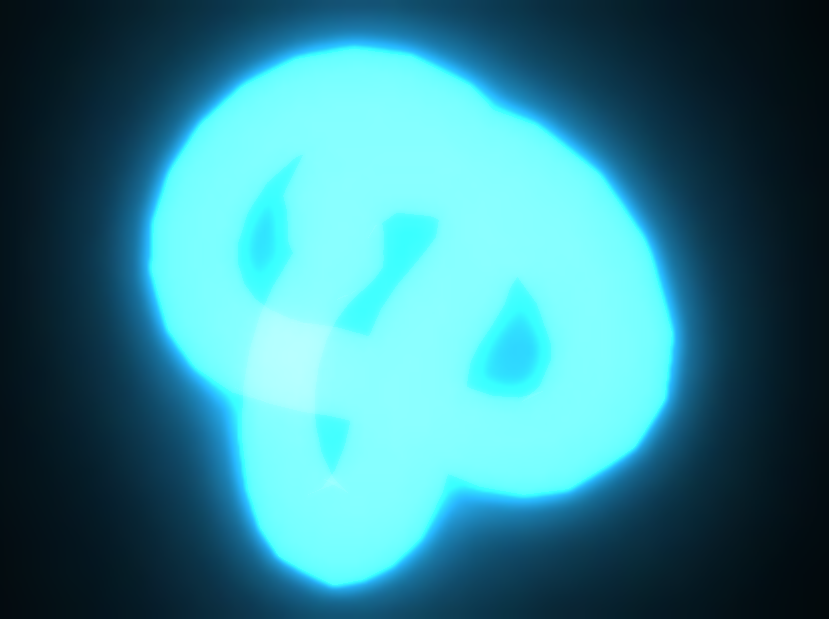
So maybe I've mistaken myself about how the effect is working and I'll try postprocessing/bloom ; otherwise I'll try to include unreal bloom with either one or the other solution you gave.
Thanks for your answers !
bendxr
on 17 Dec 2018
By changing the material from your code to MeshBasicMaterial I restored the wanted effect : inner light, not from external reflections.
All the different implementations of bloom do essentially the same thing: detect bright colors and make them even brighter. Post processing effects depend on your scene, your lighting setup, your models and textures. The model that was used in the UnrealBloomPass demo is supposed to act as a light source. It's using the MeshBasicMaterial to create the illusion of emissive lighting.
In unreal bloom the object seems to light from inner by itself.
That's because the model in that scene has a lot of bright lines in the center which causes the bloom to snowball.
I spotted the blending function and changing it didn't help to reproduce the effect.
The blend function is only part of the solution. You can also try to adjust the overall exposure of your scene by changing the toneMappingExposure of your renderer.
If there's anything else, feel free to open a new issue.
vanruesc
on 17 Dec 2018
Hi, I just wanted to provide a little more detail on the "bloom is not that simple" topic. I scanned the source and i believe the blur pass is only applied once. And this is consistent with the visual output of this bloom effect, which is that the bloom certainly looks to me to be only filtered one time. This produces a (imo) lackluster effect, since it doesn't really do a good job of visually indicating actual relative brightness.
Here's a really old page that unfortunately has dead images, but it goes over many of the details that I think are present in the UnrealBloomPass: https://kalogirou.net/2006/05/20/how-to-do-good-bloom-for-hdr-rendering/
I will try to find other articles as well.
Generally, the idea is that as you smoothly increase the brightness of an object, the visual effect of the bloom should also accordingly follow that. This would be physically accurate: the extent of the bloom should increase the brighter the thing is. With the simple one pass bloom, portions of the image look one way (i.e. unbloomed) before crossing the luminance threshold, and it looks essentially same once the threshold is crossed. This is not really ideal.
Obviously tuning becomes more complex and it's rather easy especially in a SDR context to get overblown whites, so that's something to consider. But that also in turn provides so much more artistic freedom in nailing the look you want. At the end of the day it's something analogous to modeling a thin layer of grime on top of your lens, anyway: it can always be argued that this effect is detrimental to quality, and there's some truth to it. It's a good visual cue for a screen space "side channel" for luminance though.
I guess the truth is that most people aren't really picky about graphics and just having one bloom pass yields something that looks pretty good, and it being simple and fast are definitely tangible bonuses. I dunno, to me the simpler bloom just looks like the first blooms we ever saw in video games. And engines that implement HDR lighting have been using superior blooms for a long while by now.
 unphased
on 29 Jan 2021
unphased
on 29 Jan 2021
@unphased You're right, I've been neglecting bloom for a while now since it's usable enough. But I'm also not satisfied with the current bloom results and want to revisit the effect as soon as I'm done with other more pressing issues. So in short, it's on my list 😄 And thanks for the link!
PS: I sometimes unsub from old issues so it's better to open a new discussion/issue to make sure your comment reaches the surface.
vanruesc
on 29 Jan 2021
Related issues
 scarletsky
·
3Comments
scarletsky
·
3Comments
 KholofeloMoyaba
·
3Comments
KholofeloMoyaba
·
3Comments
 dghez
·
4Comments
dghez
·
4Comments
 thewizardwand
·
3Comments
thewizardwand
·
3Comments
 emmelleppi
·
4Comments
emmelleppi
·
4Comments
Most helpful comment
Hello!
No, there are currently no plans to include the Unreal Bloom. I'd like to avoid including multiple implementations of the same effect in this library.
Could you elaborate on this? I think the
BloomEffectcan replicate the Unreal Bloom results quite closely while also providing the option to create a high quality, full resolution bloom with good performance.Yes, it's certainly possible. I'd even say that the Unreal Bloom is one of the easier effects to port to
postprocessing.Quick & Dirty Solution
With some minor adjustment, you can use the `UnrealBloomPass` mostly as-is. You'll need the following files: - https://threejs.org/examples/js/shaders/CopyShader.js - https://threejs.org/examples/js/shaders/LuminosityHighPassShader.js - https://threejs.org/examples/js/postprocessing/EffectComposer.js (`Pass` is defined in this file 🙁) - https://threejs.org/examples/js/postprocessing/UnrealBloomPass.js Then simply adjust the render method of the `UnrealBloomPass` to account for API differences:
And you're good to go: https://jsfiddle.net/19v275au/1/Clean Solution
If you want a clean solution that also offers the best performance, you'll have to port the `UnrealBloomPass` to the `postprocessing` `Effect` framework. First, take a look at the [Custom Effects](https://github.com/vanruesc/postprocessing/wiki/Custom-Effects) wiki page to understand the concept of `Effects`. You can also check out the [built-in effects](https://github.com/vanruesc/postprocessing/tree/master/src/effects). From there, all you have to do is understand what the [UnrealBloomPass](https://github.com/mrdoob/three.js/blob/master/examples/js/postprocessing/UnrealBloomPass.js) is doing and then convert it into an `Effect`. The source code of the [ToneMappingEffect](https://github.com/vanruesc/postprocessing/blob/master/src/effects/ToneMappingEffect.js#L88) is a good reference for mipmap render targets. The current [BloomEffect](https://github.com/vanruesc/postprocessing/blob/master/src/effects/BloomEffect.js) may also be a useful reference. You can skip porting the outdated Gaussian blur code and use the more efficient [BlurPass](https://github.com/vanruesc/postprocessing/blob/master/src/passes/BlurPass.js). Instead of the `LuminosityHighPassShader`, use the included [LuminanceMaterial](https://github.com/vanruesc/postprocessing/blob/master/src/materials/LuminanceMaterial.js#L46) which offers a `distinction` parameter.
I hope this helps! If something's unclear, feel free to ask.