Postgresapp: Could not open Terminal
I'm using Mojave 10.14.5. I first installed Postgres using Homebrew. Then instructions recommended removing the installation. I did that, then on first installation of Postgres.app, I didn't grant permission to my Terminal. I've tried uninstalling and reinstalling, and Resetting Postgres.app as described in the troubleshooting documentation. I don't know where to find the .profile file to edit the settings there. Regardless, I keep on receiving the message, "Make sure that Postgres.app has permission to automate Terminal."
 helgaGit
All 19 comments
To connect to the database, you don't need to give Postgres.app permission to automate Terminal. You can just start psql from Terminal by yourself. If you've set up your $PATH correctly (see docs), and you haven't changed the port, you can just type psql to connect to your PostgreSQL database.
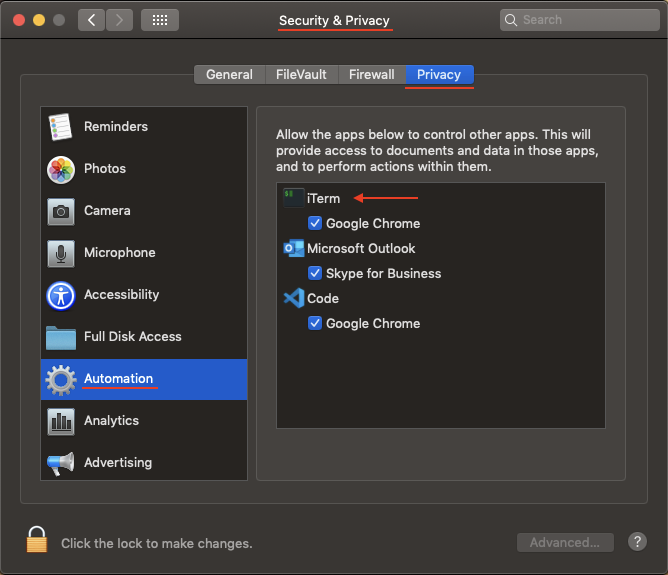
If you do want to use the feature in Postgres.app where you double click on the database to connect, please open System preferences, go to "Security" -> "Privacy" -> "Automation" -> "Postgres" and enable automation of Terminal.
 jakob
on 11 Jun 2019
jakob
on 11 Jun 2019
That works, thanks Jakob.
helgaGit
on 12 Jun 2019
@jakob I have same trouble. Could not open Terminal when i double click the icon to connect database. And in "Security" -> "Privacy" -> "Automation" i don't find "Postgres" or other application. Here are my screen shot.
Mac os version 10.14.6 (18G103)
PostgreSQL.app version 2.3.2 (63)
And i never install any postgreSQL application on my mac.
Thanks for your watching.

 vose2008
on 9 Dec 2019
vose2008
on 9 Dec 2019
Same as @vose2008
 davidhjones
on 9 Dec 2019
davidhjones
on 9 Dec 2019
If you configured your $PATH correctly (as explained on the postgres.app homepage), and you use the default port, you can just type psql in terminal to connect to Postgres.app
jakob
on 9 Dec 2019
Yes, i can use psql to connect to Postgress.app but can i just use double click to connection ?
vose2008
on 10 Dec 2019
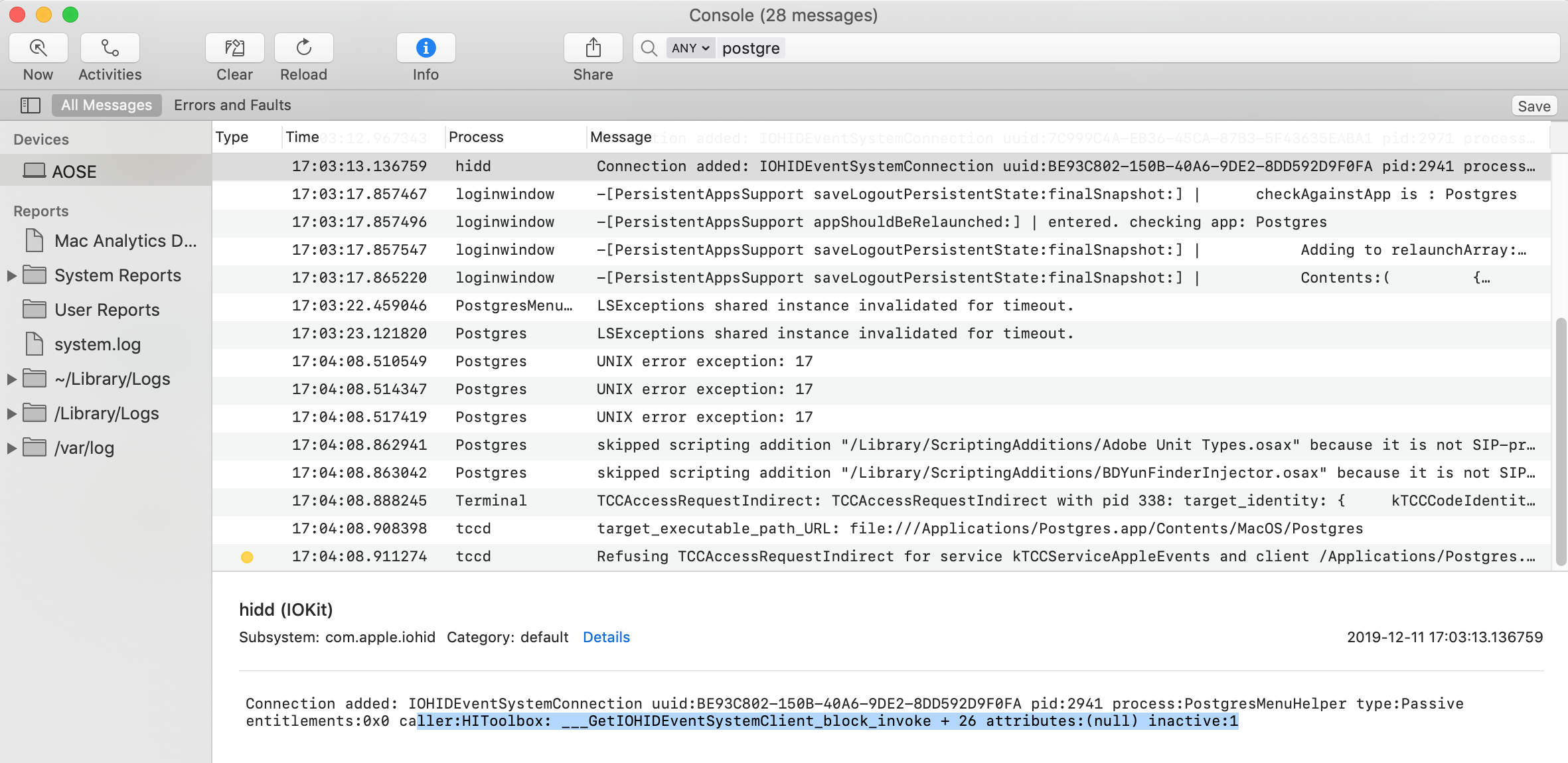
Can you open Console.app, and then try to double click a database in Postgres.app? If the problem is a Sandbox issue, you would see an error message printed there.
Alternatively, you can also try launching Postgres.app from the command line (instead of double clicking the app, launch the binary from the command line by typing /Applications/Postgres.app/Contents/MacOS/Postgres). Then you would also see log messages from Postgres.app, maybe an error message is printed when opening Terminal.app fails.
jakob
on 10 Dec 2019
Hey, jakob. It's work double click can connect the database by launch Postgres.app from Terminal.
But I'm got you mind about open Console.app, and here are my screen shot. May can help you solve this issue. And yes! Postgres.app are really cool and useful and easy to go! Thank you and your team!
------------WORK by Terminal-------------

------------Fuzz about console------------
vose2008
on 11 Dec 2019
The last line in the console looks similar to the error message reported here:
https://github.com/macvim-dev/macvim/issues/821
Maybe we just need to set NSAppleEventsUsageDescription in Info.plist
jakob
on 11 Dec 2019
Thank you @jakob for showing us all the many alternative ways which we can access our postgresQL server. I believe the real issue though is that the "Feature" of double clicking the server icon, (which has been deliberately developed by the psql team) is not functioning properly and the "System Preferences" -> "Security" -> "Privacy" -> "Automation" does not allow for Terminal or iTerm2 to link with the Postgres macOS application even when the .profile file has the correct PATH.
Thank you.
 JMEssex
on 11 Dec 2019
JMEssex
on 11 Dec 2019
@JMEssex Yes, I understand. I think it's because we're missing the key in the Info.plist. I'm currently working on an update to fix this.
jakob
on 11 Dec 2019
OK, the update is released. Can you try updating to the latest version (Postgres.app 2.3.3c) and see if it fixes the problem for you?
jakob
on 11 Dec 2019
@jakob Thank you! It works for me and my co-worker.
JMEssex
on 11 Dec 2019
Cool ! Now app work very well. Thank you ~~ XD
vose2008
on 12 Dec 2019
@jakob Might there have been some regression here? I installed 2.3.3e today
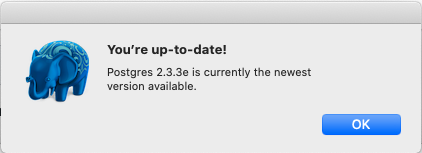
but I can no longer click the database and open it.
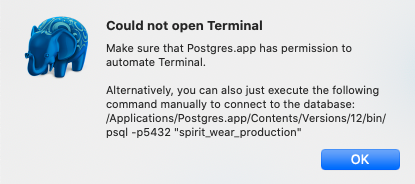
Before this morning it was working fine, and I am able to run psql from the terminal and connect without issue, and I've enabled Postgres automation to terminal.
 NerdtureUs
on 25 Jan 2020
NerdtureUs
on 25 Jan 2020
@NerdtureUs Ugh, I thought I had finally fixed this issue...
How did you install the new version? Did you download it manually, or did you use the automatic update function? If you downloaded it manually, where did you download it from?
Which version of macOS are you on?
Which version of 2.3.3e are you using, ie. which of the three versions offered from https://postgresapp.com/downloads.html ?
jakob
on 27 Jan 2020
@NerdtureUs
I just tested all three downloads from https://postgresapp.com/downloads.html, and they all work on macOS 10.14.6.
Just to make sure it's not one of those random code signing failures, can you try restarting your Mac, and see if the issue persists?
Is anything written to Console.app when you double click the database and the error is shown? (You need to open Console.app before triggering the warning to enable more detailed logging)
jakob
on 27 Jan 2020
@jakob Thanks for getting back so quickly.
I installed with the automatic update and running mac os 10.15.2 (19C57) with Postgres version 2.3.3e (68)
After the reboot, there was a system confirmation that showed up, to allow Postgres access to the terminal, which wasn't there previously. Once granted, I am able to click the database to launch and connect.
NerdtureUs
on 27 Jan 2020
Hi I can connect to Postgres by typing psql on the therminal. I am using the fish shell. however only the \q command works. nothing else (for eg. the \l command) seems to work . The error message is as follows - sh: more: command not found
 abhijitrri
on 28 Feb 2020
abhijitrri
on 28 Feb 2020
Related issues
 JacobEvelyn
·
10Comments
JacobEvelyn
·
10Comments
 Kontributer
·
10Comments
Kontributer
·
10Comments
 luminousbeam
·
6Comments
luminousbeam
·
6Comments
 mashaalmemon
·
3Comments
mashaalmemon
·
3Comments
 PikachuEXE
·
11Comments
PikachuEXE
·
11Comments
Most helpful comment
OK, the update is released. Can you try updating to the latest version (Postgres.app 2.3.3c) and see if it fixes the problem for you?